


Loopysue
Loopysue
About
- Username
- Loopysue
- Joined
- Visits
- 10,416
- Last Active
- Roles
- Member, ProFantasy
- Points
- 10,163
- Birthday
- June 29, 1966
- Location
- Dorset, England, UK
- Real Name
- Sue Daniel (aka 'Mouse')
- Rank
- Cartographer
- Badges
- 27
Latest Images



-
Live tutorial suggestions
@RetailPleb I think the shape of what you are asking for there may be some kind of 'Encyclopaedia of CC Mapping' (based on the Tome of Ultimate Mapping and all of the 220+ Mapping Guides) in numbered parts that includes not just the core app but every part of the software. That's quite different to the hour long friendly mapping sessions we call Live Mapping, as the Tome has 754 pages, not including the appendix or index.
Ideas like this are nice, and I think most people would agree that it would be an excellent thing to have such a set of reference videos, but as most who have attempted it in the past have discovered there is just so much of Campaign Cartographer when you include all its add-ons and annual issues that actually doing it might be an impossible task.
We also have CC4 in the making, so anyone that completed such a heroic task would have to do the whole thing all over again - if they succeeded the first time.
...
EDIT: Visualising this for some reason recalled a memory of having to watch a 3 hour instructional video on how to use Affinity Designer that covered pretty much everything I've ever used in that app. I was exhausted, and have never forgotten the experience - something a bit like helpful torture.



-
Live Mapping: Shessar's Cartouches
This week in Live Mapping, Ralf will be presenting the latest Cartographer's Annual issue (September 2025: Shessar's Cartouches) and demonstrating how to incorporate these beautiful new symbols into existing maps and styles.
Come along and join the chat with us live on youtube here:
https://www.youtube.com/watch?v=mxr5kPlCIA0
Or watch it later, either here or on Youtube.
This thread is not monitored during the show, but if you miss it you can ask questions and make comments below.



-
Dungeon Level Symbols - Celtic Revival Room by Room
What with Wyvern wanting Wyverns, and Remy wanting cats, we need a style that is all the pets and monsters.


-
making dungeon hall and cave seamless
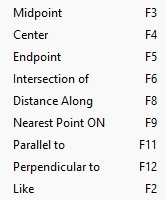
Have you tried moving the end node of the cave wall section, and while moving it using F9 to snap to the closest node/point on the corridor end?
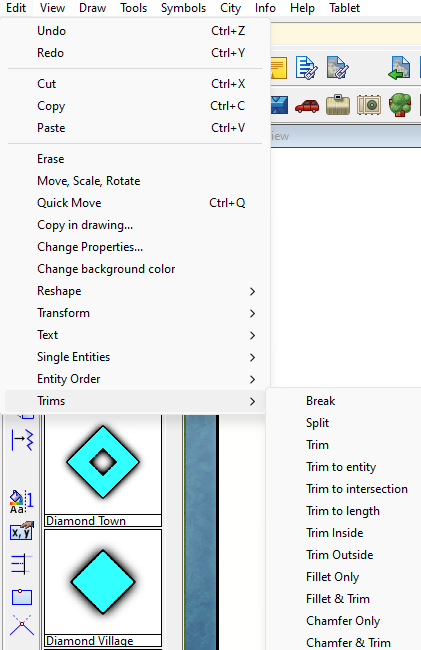
Or, if you have any experience with the trim tools in the Edit menu, you could try hiding all but the wall sheet(s) and use the tools to trim the ends to each other. Instructions are given in the command line depending on which tool you use.

-
Numbering/Labeling Conventions thread
I was taught (several decades ago now) that you numbered the municipal buildings and churches first, then the features of interest like parks and historic sites and finally the local landmarks - waterfalls, etc. However, given the same map two different cartographers would probably number it quite differently according to their personal opinion on which of the features or which of those groups is more important than the others. So in the end it boils down to what Wyvern said:
As long as your labelling is clear and unambiguous, and makes sense to you, I'm not sure anything beyond that is altogether important.

-
SVG exports?
I don't think they can, but I might be wrong as I'm no great tech. I just remember things reasonably well.
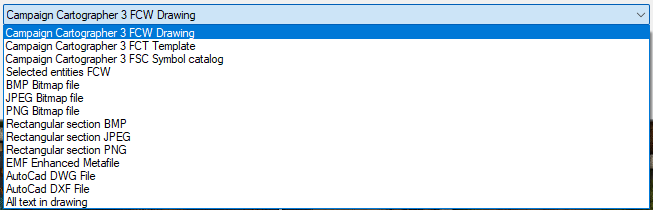
These are the export formats available through "Save as..." on FT
And these are the formats availabe in save as on CC3
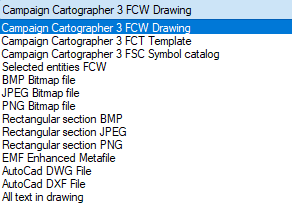
There are a few vector formats at the bottom of both these lists, but none are SVG. Maybe you could find an online converter for one of the AutoCad formats? I've never wanted to do this myself, so I can't tell you how successful that may or may not be.

-
Live Mapping: Hand-drawn Dungeons
This week in live mapping, Ralf will be showing off the latest Cartographer's Annual issue: Hand-drawn Dungeons.
Come along and join the chat live to see how it's done or ask questions.
https://www.youtube.com/watch?v=kXASkmlLVgQ
Or watch it any time here on the forum.
This thread is not monitored during the show, but is a place where you can ask questions or discuss things before or after.
-
Using any MDR with FT3+ consistently crashes
It will probably remain a mystery forever now, but at least I know what to suggest trying with anyone else that has a similar problem.
-
Executables
Yes, that's right.
Install the core app first, then the latest update, then all the add ons and annuals, then run the latest update again right at the end.
FT is a separate app. You can install that anytime you please.

-
How Can I Draw Real-World Places in Campaign Cartographer?
You can use letters as well as numbers when you create the grid
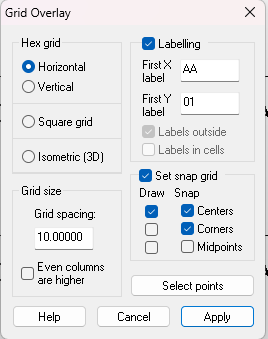
I'm a newbie myself as far as understanding how to modify the labels, but I did find a rather laborious way of doing it.
Pick the properties of the grid (this is something I forgot to do, but quite important if you want to regroup everything at the end).
Hide everything else and explode the grid.
Use Change Properties and right click to select all the labels by entity type
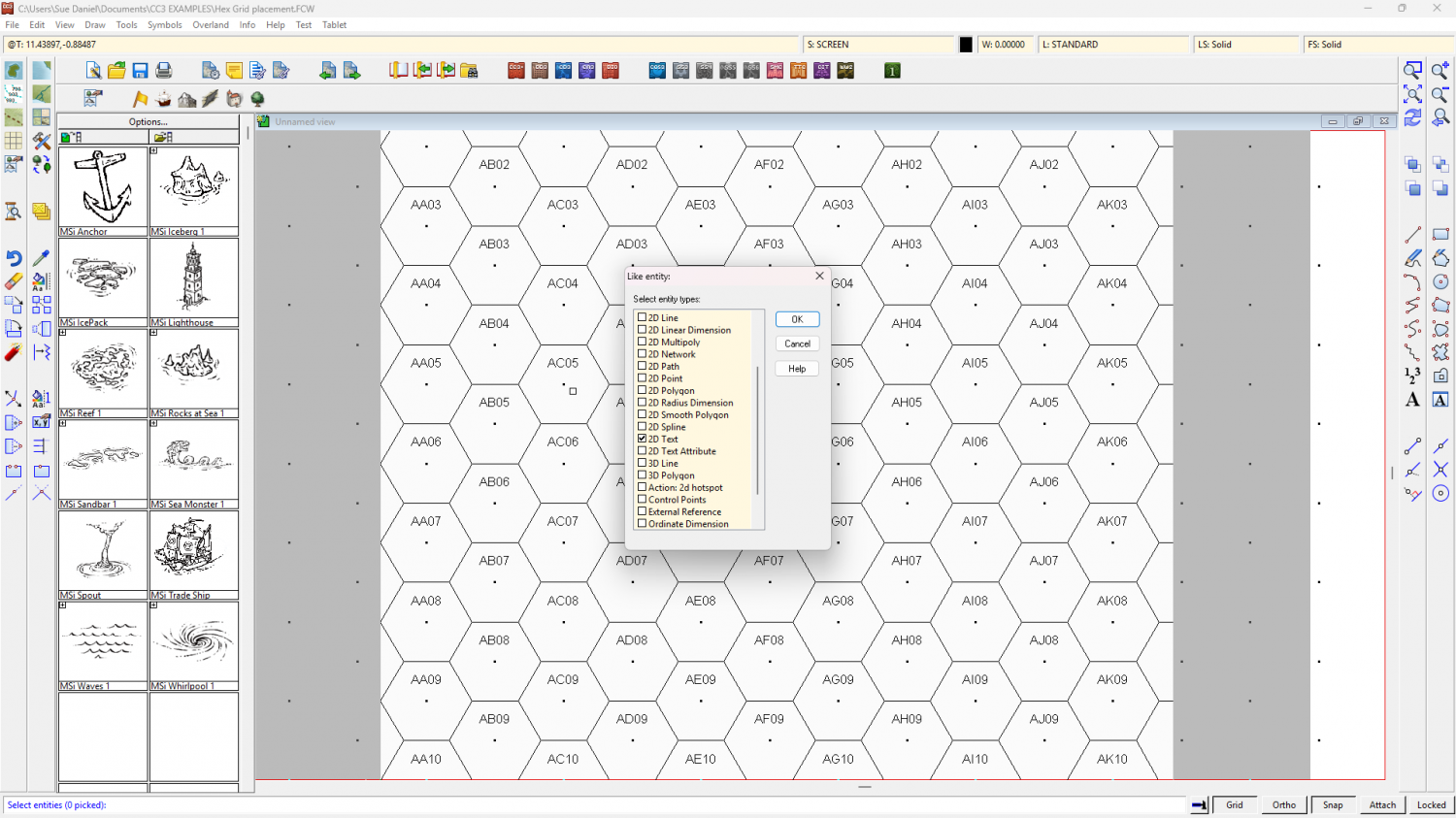
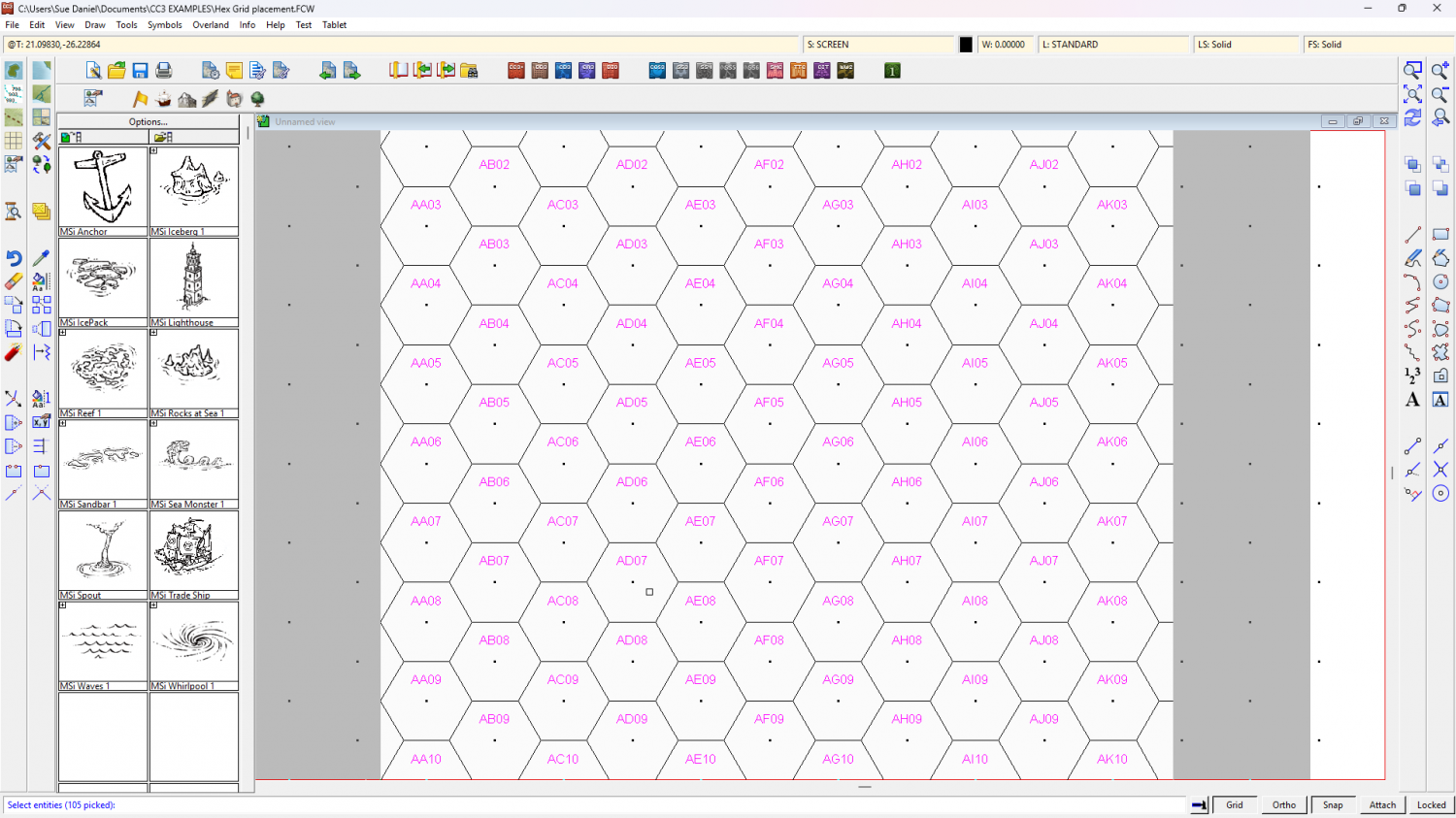
Do It, and use the Pick text properties button to set the size.
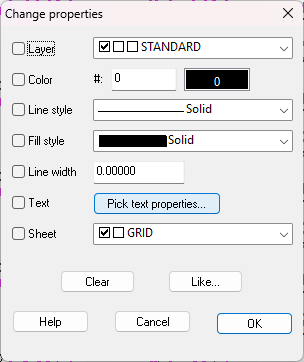
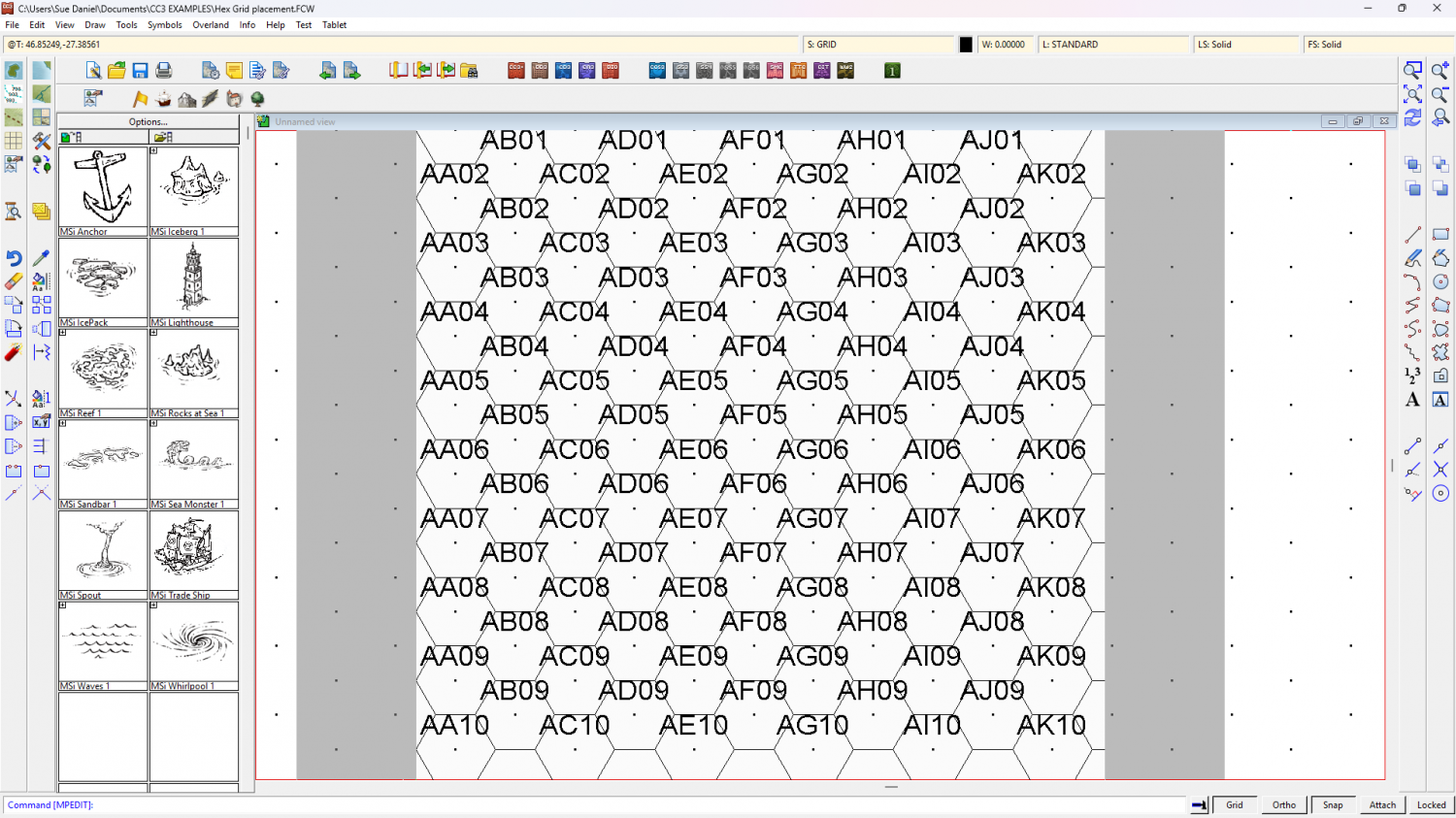
It's an undoable operation, so if you get the wrong size the first time just undo and try again.
I think it might be quite inconvenient to continue work with the grid exploded like that, so maybe best to regroup the labels and the grid when you are done. If (unlike me) you remembered to pick the grid's properties before you started that's just a simple operation because the grid will end up grouped on the right sheet and layer the moment you regroup it.




