


Loopysue
Loopysue
About
- Username
- Loopysue
- Joined
- Visits
- 10,417
- Last Active
- Roles
- Member, ProFantasy
- Points
- 10,163
- Birthday
- June 29, 1966
- Location
- Dorset, England, UK
- Real Name
- Sue Daniel (aka 'Mouse')
- Rank
- Cartographer
- Badges
- 27
Latest Images



-
Community Atlas - The Bleakness - Ashburton - Darklands region and Darklands City
Market stalls were on my mental list ;)
I think the outcrop shadow you drew there is on the wrong sheet. Try moving it to Outcrop shadow bottom, where it will be blurred and blended properly.


-
Porto Seguro - Bahia - Brasil
It's a great map, Ricko :)

-
The Rusty Dragon Inn (Pathfinder RPG)
I love the way you tucked the well out of the way at the bottom of the map. I was looking for it for ages! LOL!


-
Refreshing an old map with new textures
All you need to do is import the fill styles relevant to MS Overland.
Make a new map in the MS Overland style and save it as a temporary file, then come back to this file and use Draw->Insert file to import the temporary MS Overland file. Don't paste it. You don't need to. The fills will be there when you look again.

-
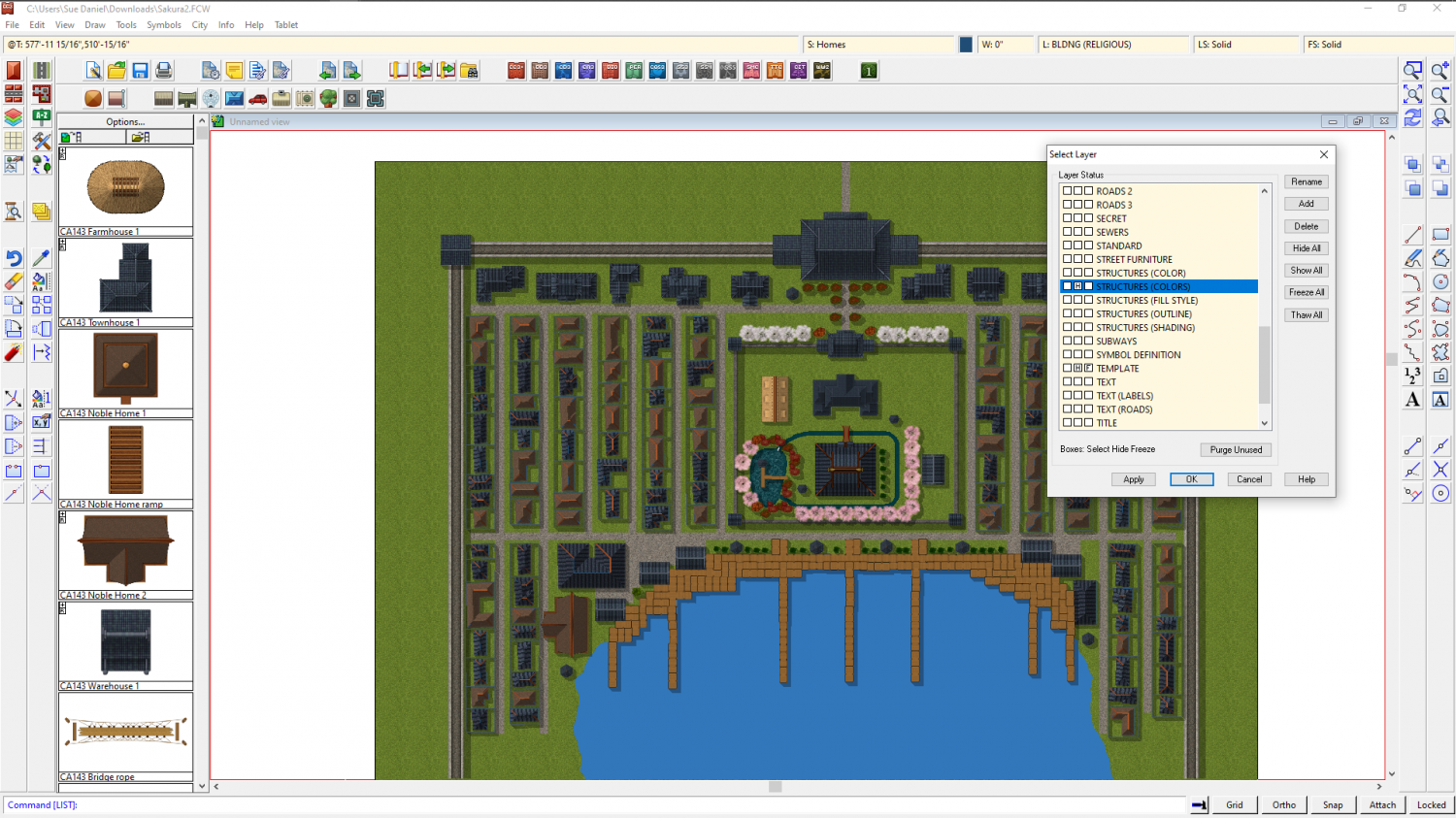
Cartographer's Annual Vol. 12 (2018), why do some symbols have a magenta colored artifact?
Try hiding the STRUCTURES(COLORS) layer and see if that makes them go away.

-
Renaissance Maps
I guess you are looking for something with parchment and ink?
I don't know what add ons you have, so my suggestion is to use the CC3 Mike Schley Inks Overland style with a parchment overlay.
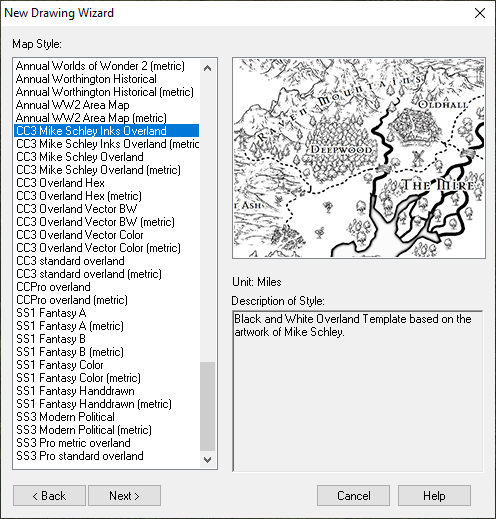
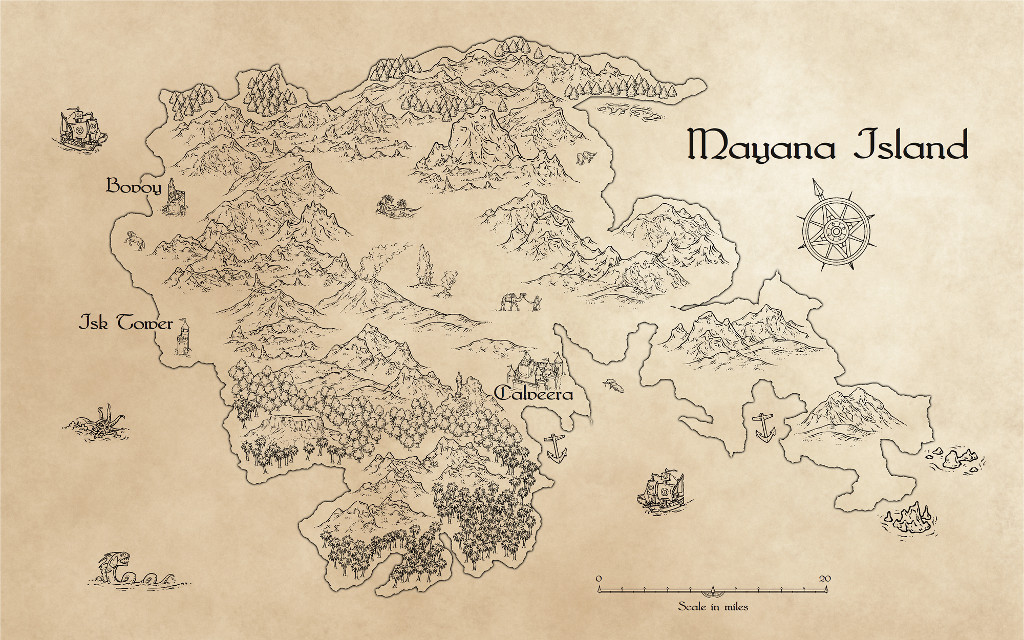
The example below was done like that. I drew the map first and then made a new sheet over the top of the whole map and imported an image of parchment. I added a Blend Mode sheet effect to the parchment sheet and set it to "Multiply", and the opacity to 100 %. Multiply has the effect of removing all the white from the parchment and allowing the detail of the map to show through from underneath. That way the map looks like it was drawn in ink on the parchment.
This is not the only possibility if you have any of the annuals. There are a lot of styles that use parchment as a background. The fastest way to look for other styles you can use is to go to the wall of links I made to access the annual issues within the annuals.
-
Renaissance Maps
You're welcome :)
If you need any help with the parchment setup at the end of the mapping just shout again.
-
How to resize the text in the Info List?
Funnily enough, we just had more or less the same conversation on a thread that started out being nothing about it, so it's easy to see how you might have missed it ;)
This is the official answer:

-
Paths the should be smoothed are sometimes not
I was in a rush earlier, so here are a couple of answers:
Yes, the Pete Fenlon revisited style was working fine for me, and I believe the DD3 and CD3 icons are installed as a way of giving you fast access to the dungeon and city tools on the tops of the toolbars on the left - drawing rooms and walls, or using the House and Street tools depending on what you are doing. Although you only have CC3, you do also have built in Dungeon and City styles that you can use.

-
Practical use of the new Fractal Terrains Profantasy Normal Map in Campaign Cartographer?
Yes, I did. The symbol edge issue is why I didn't create a style based on shaded mountains. There was another problem in that the image png was made so bright by the effect of the map file that I had to turn the original images really dark to compensate. Making them dark enough to come out the same basic colour as features done in the same colour but without a map file meant that they were too dark to take very much colour detail.
I did mine in Wilbur, not FT3. Unfortunately, I seem to have lost them in the transition between my old laptop and new PC.

