


Loopysue
Loopysue
About
- Username
- Loopysue
- Joined
- Visits
- 10,363
- Last Active
- Roles
- Member, ProFantasy
- Points
- 10,118
- Birthday
- June 29, 1966
- Location
- Dorset, England, UK
- Real Name
- Sue Daniel (aka 'Mouse')
- Rank
- Cartographer
- Badges
- 27
Latest Images



-
Live Mapping: 1930s Street Maps
Hi everyone! :D
This week, Ralf will be creating a map with the Baedecker-inspired 1930s Street Maps style from the Cartographer's Annual Vol 5.
If you don't like YouTube you can watch it right here:
Or you can come and join in the live chat here: https://www.youtube.com/watch?v=pzWirHveCM8


-
March 2023 humble bundle
The bundle is an encore or repeat of the Maps Bonanza humble bundle from 2021.

-
Rivers
After you have filled the basins:
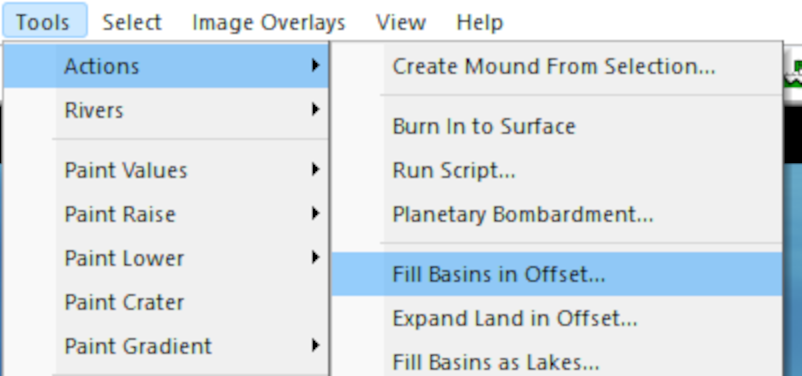
Pick the option to Find Rivers:
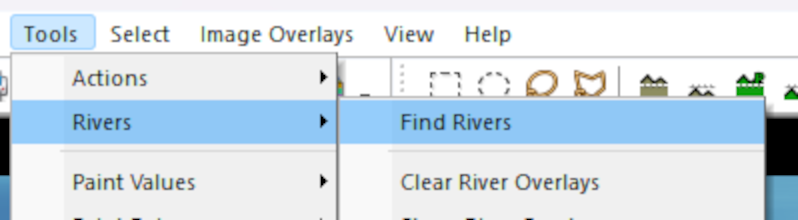
That is when you will be given the dialog where you can set up your rivers:
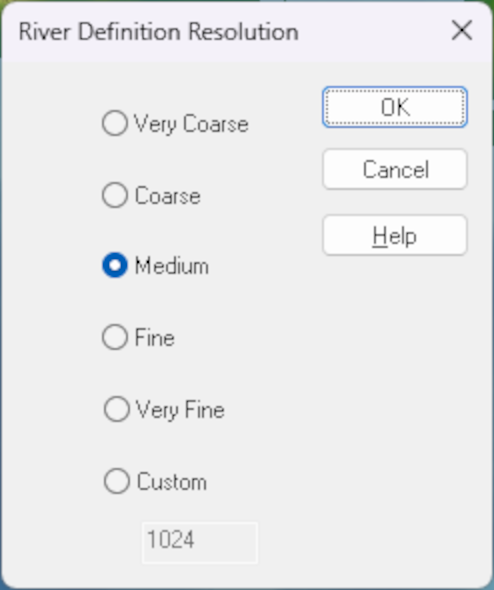
When you click OK in the first box, the second one is where you can set the river length and pick the colour of your rivers:
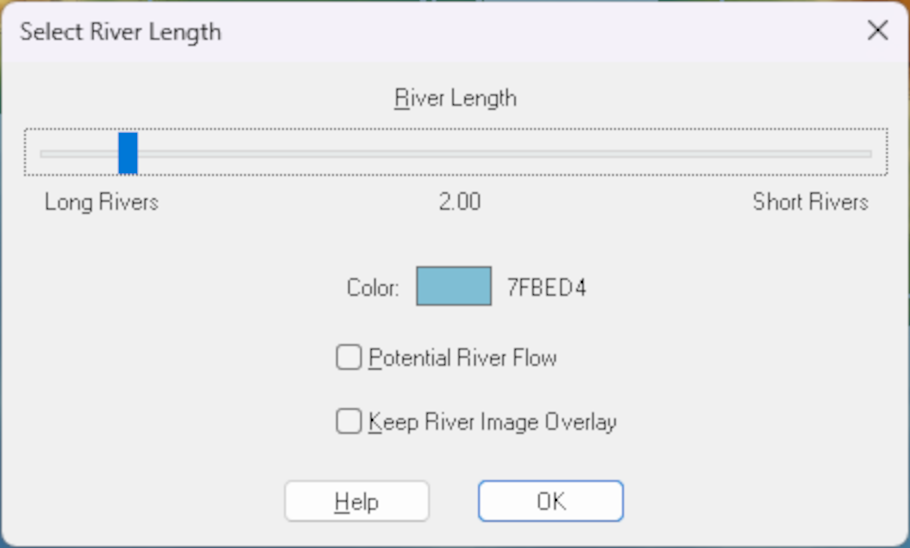
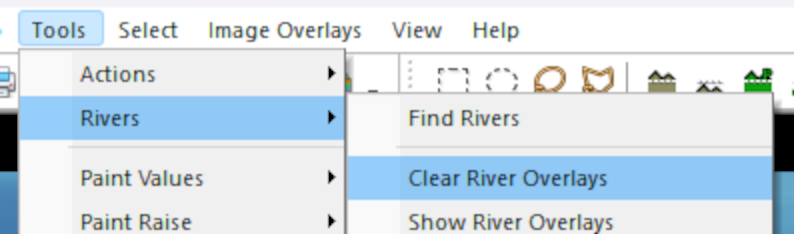
I don't think you can change the colour once they have been created, but I may be wrong. If I'm right about that it is relatively easy to delete those rivers and repeat the process with a different colour. To delete existing rivers pick Clear River Overlays:


-
can't view all of my map
Hi Helen :)
At this stage, where none of us know what extent or position everything should be in the map it might be easier to make a new HW map of the correct extent and then copy the details you want from the old map across to the new empty map. You can position everything as you paste it then. Be careful to only have the things you want to keep still visible as you copy. Hide things like the map border, screen and background before you copy from the old map.
-
resizing mapping area
Ok. Ralf should be able to sort it out :)
