Loopysue
Loopysue
About
- Username
- Loopysue
- Joined
- Visits
- 10,413
- Last Active
- Roles
- Member, ProFantasy
- Points
- 10,161
- Birthday
- June 29, 1966
- Location
- Dorset, England, UK
- Real Name
- Sue Daniel (aka 'Mouse')
- Rank
- Cartographer
- Badges
- 27
Latest Images



-
Sinister Sewers - Style Development Thread (CA207)
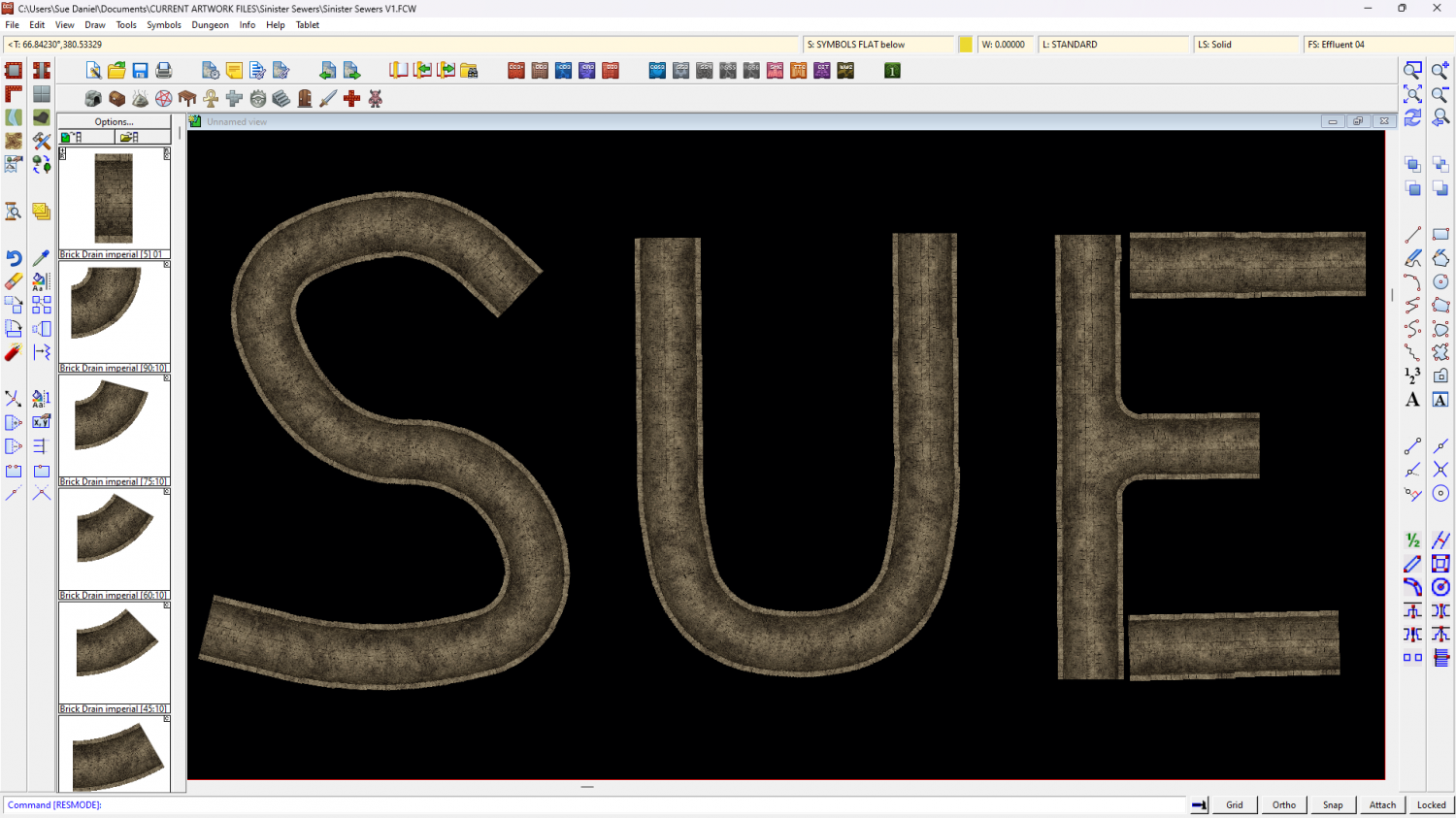
Ok, so I got a bit side tracked over Christmas, but I did make a connecting symbol. This is a smaller sewer of a fixed 10ft width between the insides of the walls.
Looks a bit boring, but I've got a whole lot of ideas about debris and creatures on the way.
The larger sewer is still in progress, so don't worry. You won't be stuck drawing everything in 10 ft tubes.



-
Inverse Shape to make an Ocean
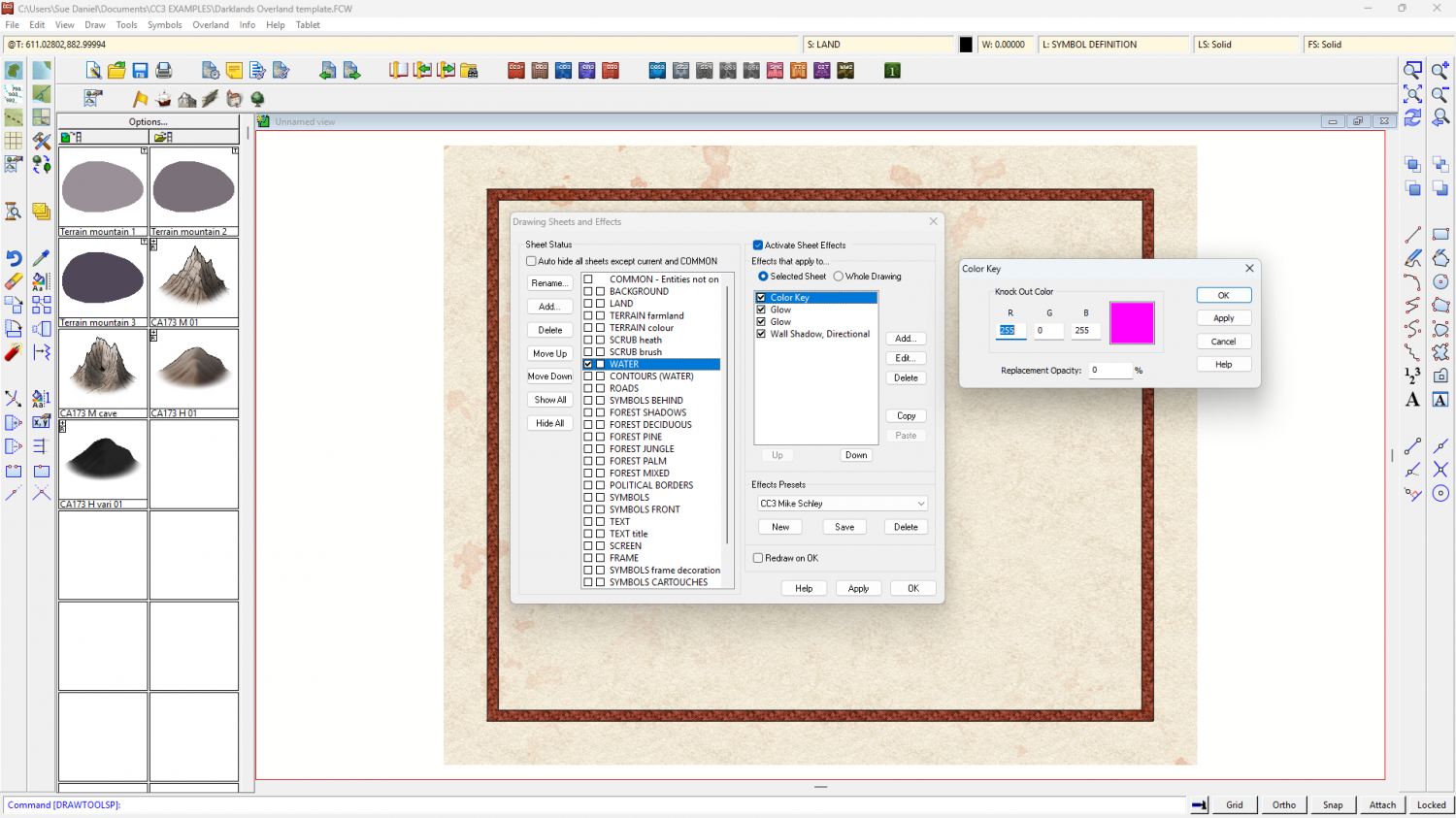
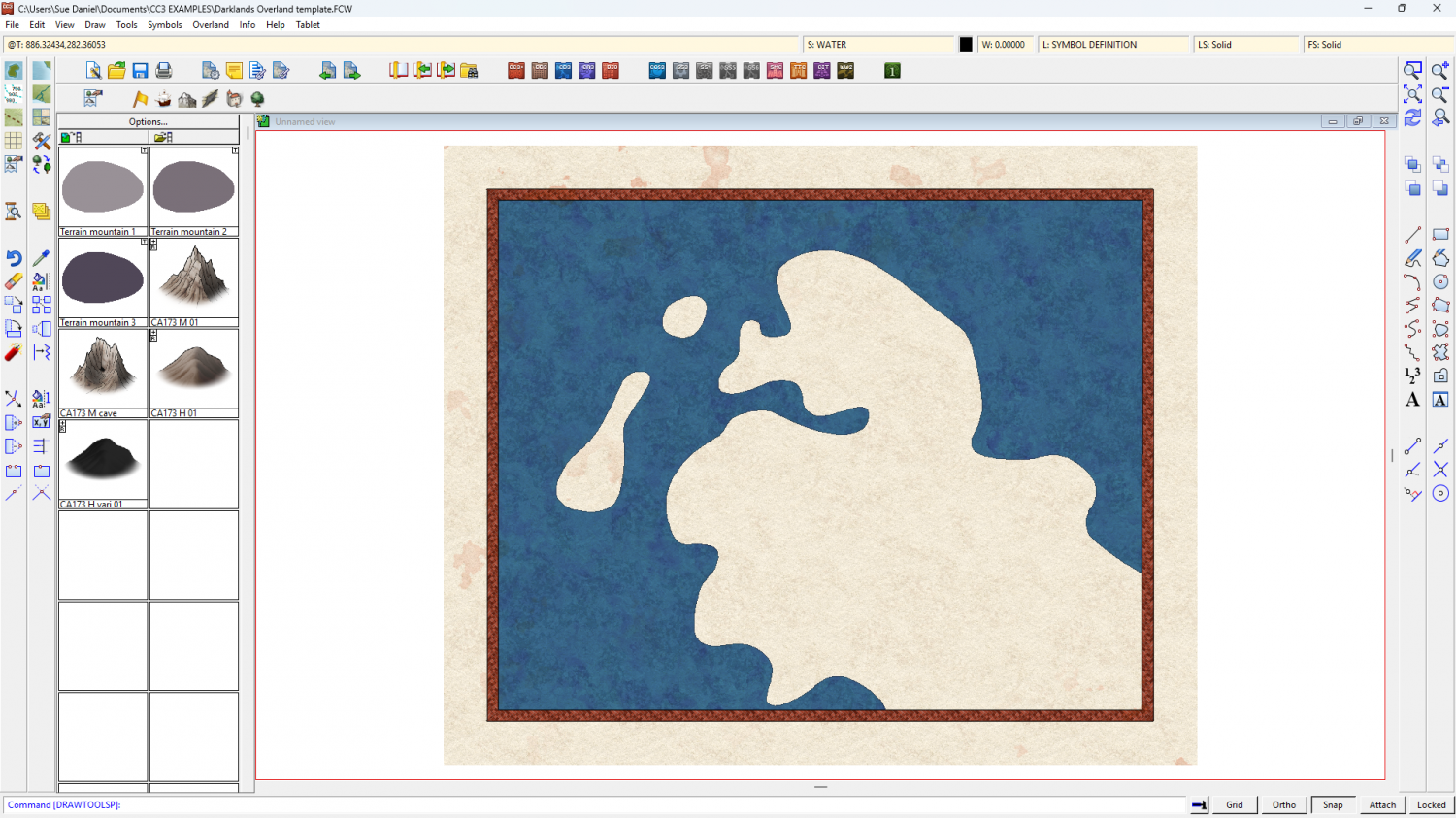
The template has a Color Key sheet effect on the WATER sheet, so if you draw an ocean that covers the map, and then move your land shape to the WATER sheet and use Change Properties to change the fill of that land to Solid and colour 6 (magenta), the land shape will cut a hole through the water to your land.
I drew one here for you, using the Sea, Island drawing tool (which does the same thing)
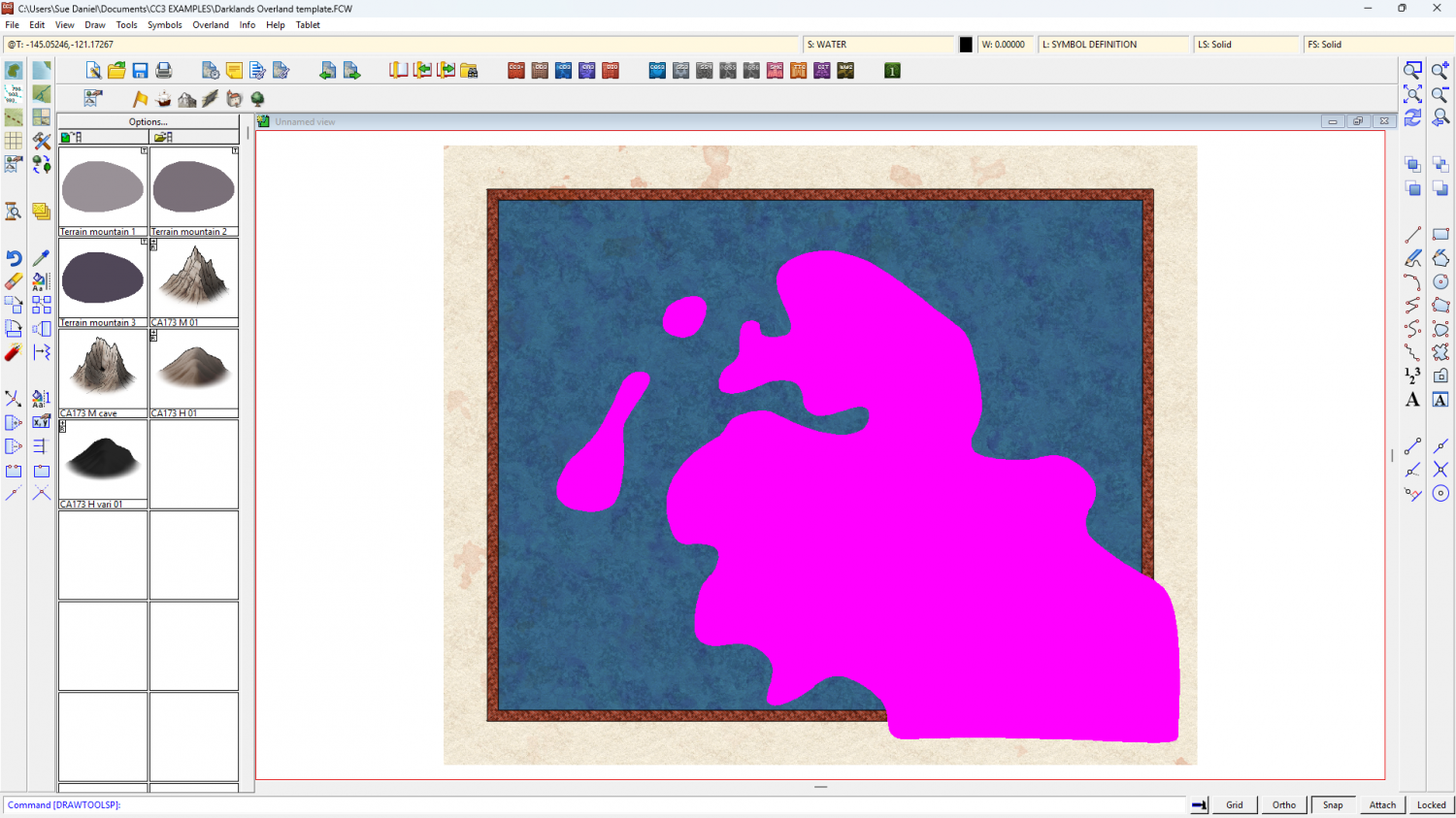
Then hit refresh (CTRL+R) to see the result.
Ralf's demonstration of the style may help: https://www.youtube.com/watch?v=tE6L4_KjBc8

-
Birdseye Continental - style development thread
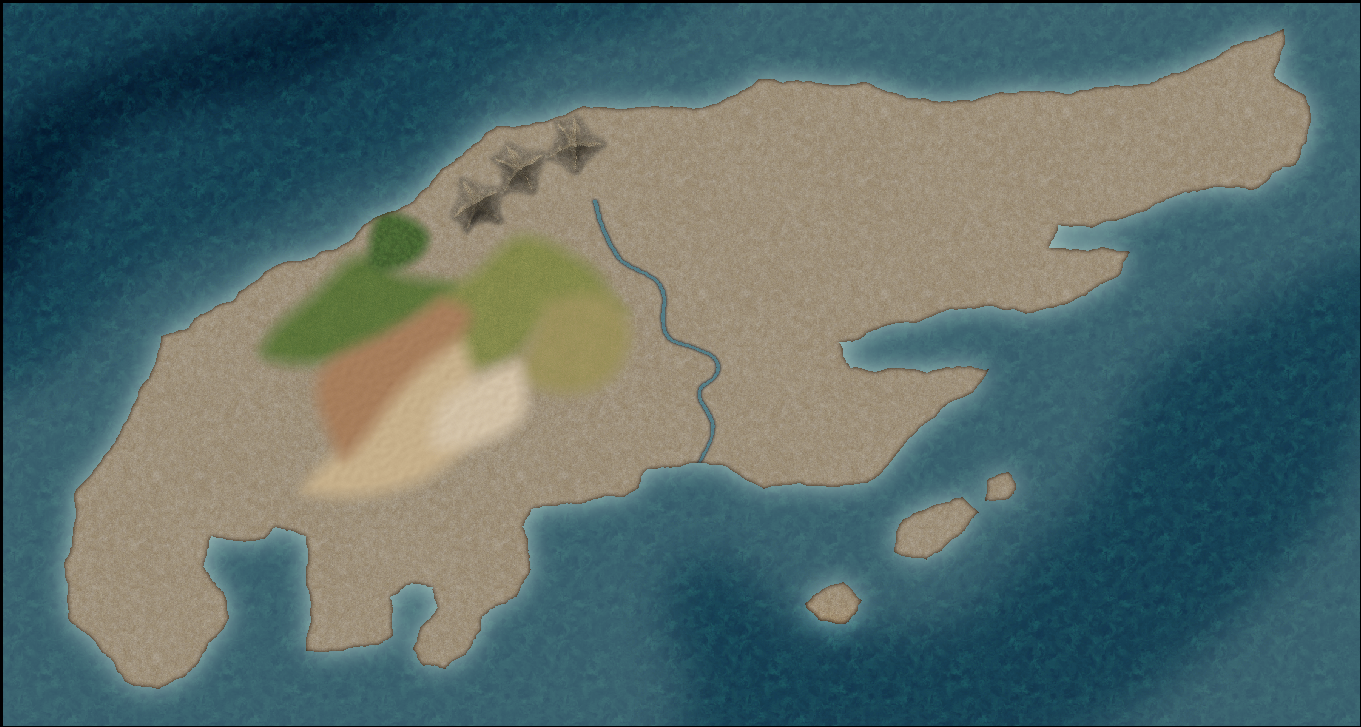
How about this ocean version? It's the same texture, but with the pattern broken up a bit.


-
The Creepy Crypt project
![[Deleted User]](https://secure.gravatar.com/avatar/c75d9a245b74d9c59be0999ea81ca541/?default=https%3A%2F%2Fvanillicon.com%2F92add7f8c954488718110edc4896ad39_200.png&rating=g&size=200)


-
Of large and small maps
Remy Monsen wrote a blog explaining the process here:
I'm also quite sure he did a Live Mapping session on the same subject, but I'll have to go find it and come back to add it later.
I found one by Ralf. Maybe it was this one I was thinking of...


-
Sinister Sewers - Style Development Thread (CA207)
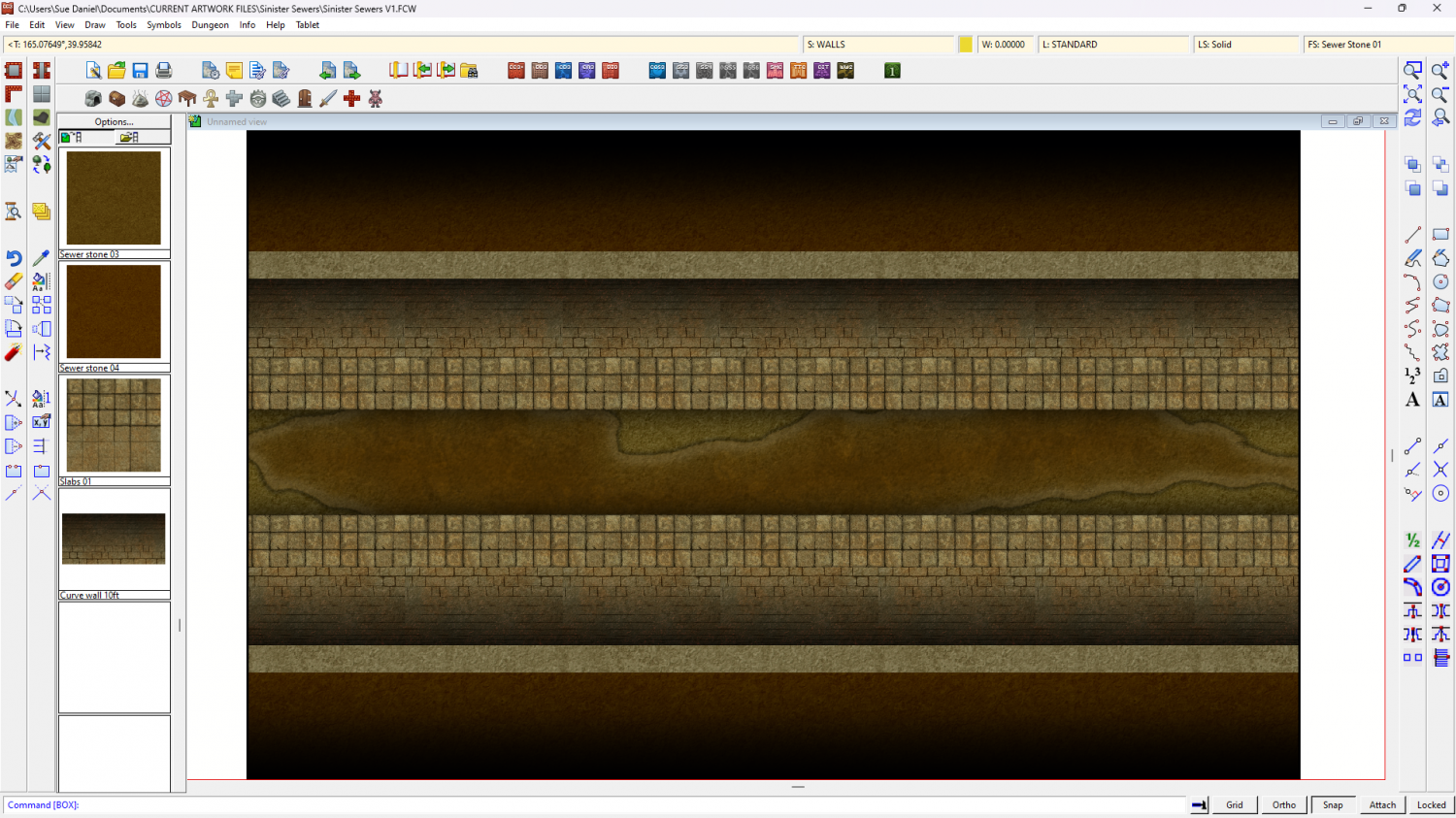
Well, today's progress is quite un-pretty compared to that, but this is a sewer after all.
Much more work to do to make things look solid and real, and I'm not really sure about the paving slabs either side of the channel.




-
Live Mapping: Birdseye Continental
This week, Ralf is back with a demonstration of how to make a map using the March Annual issue - the new overland style "Birdseye Continental".
Come along and learn how it's done first hand and join in the chat here:
https://www.youtube.com/watch?v=tAOtenhrHRY
Or watch it here on the forum if you prefer*
*This thread isn't monitored during the live show, but is a place you can ask questions if you miss it.

-
Cannot delete layer
You could try selecting by layer?
Pick the delete tool and right click in the window, then pick Layer. You will be prompted for the name of the layer in the command line. Once you have entered the layer name on your keyboard you should then see in the command line how many entities are on that layer.
Best to check what they are before you go ahead and delete them, though.
-
Sinister Sewers - Style Development Thread (CA207)
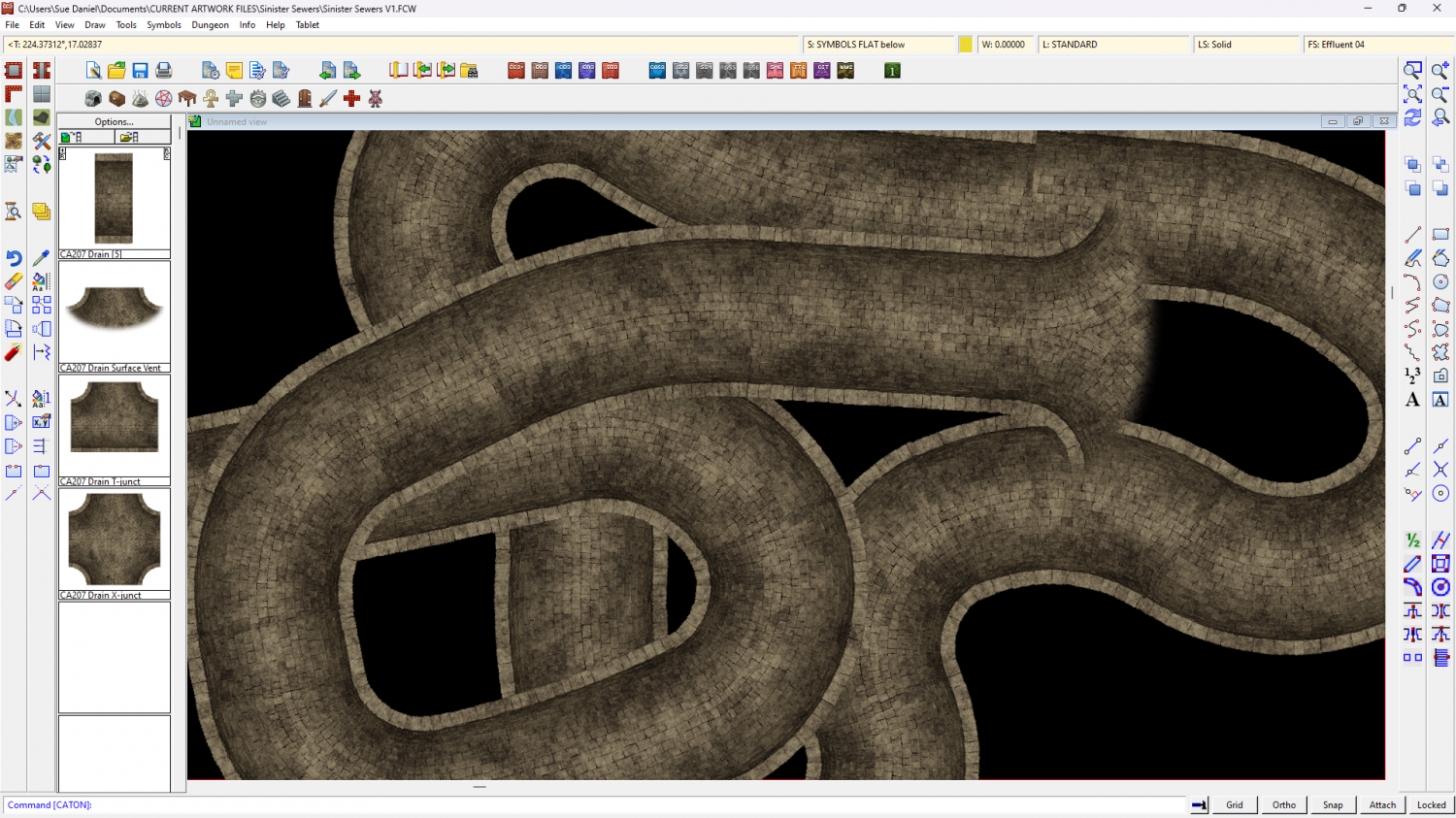
Thanks Ede. That's a really neat map :)
I've just got the small drain or central channel connecting symbol working properly, but you've reminded me I need a bridge as well as various planks etc.

-
Sheet Effects Question
It's possible you have an effect in the Whole Drawing category. In this map I have an RGB Matrix Process turning the entire map grey
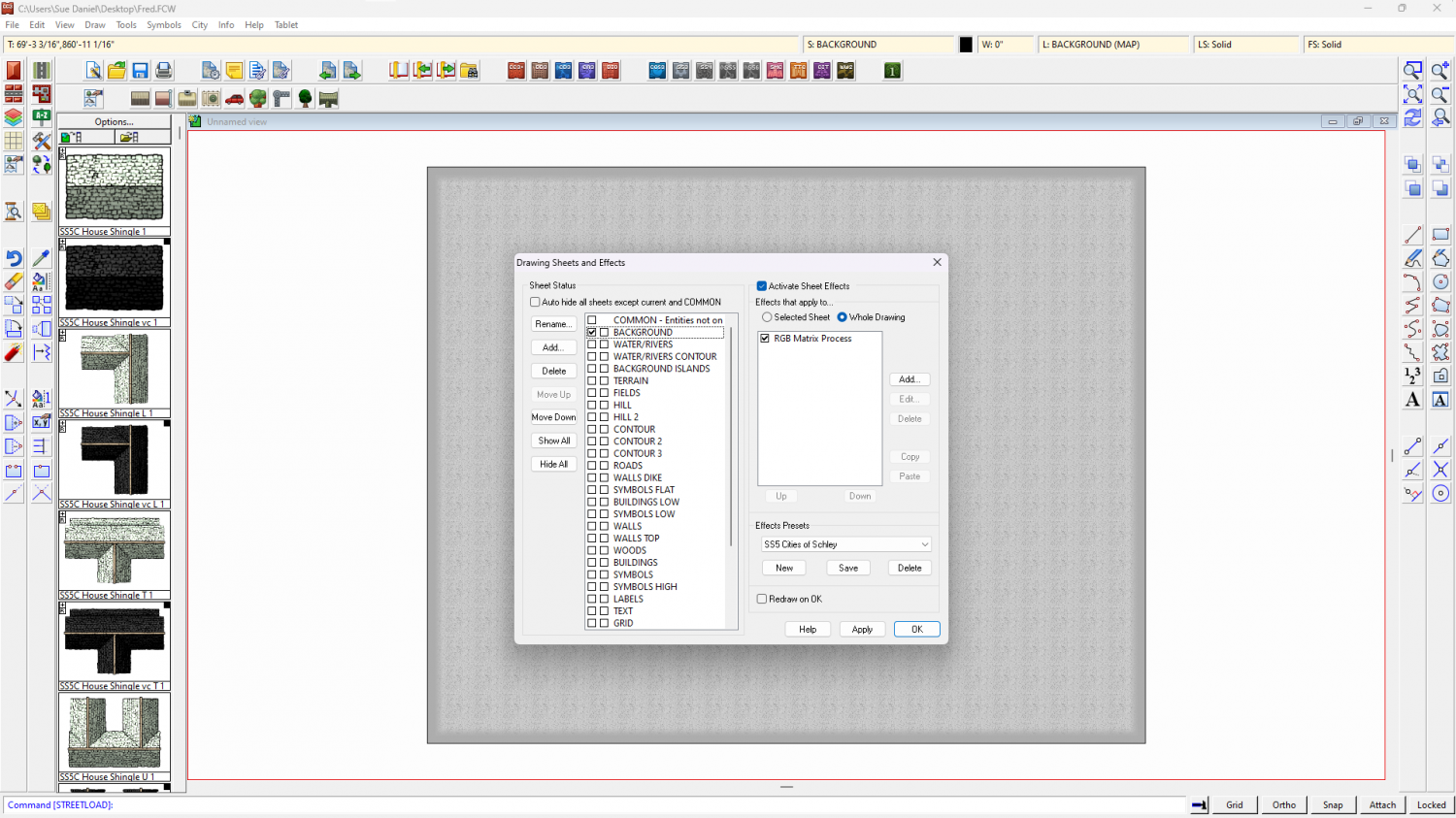
To check your own map click the Whole Drawing radio button at the top of the effects panel. Anything there will affect the entire map.