


Loopysue
Loopysue
About
- Username
- Loopysue
- Joined
- Visits
- 10,354
- Last Active
- Roles
- Member, ProFantasy
- Points
- 10,104
- Birthday
- June 29, 1966
- Location
- Dorset, England, UK
- Real Name
- Sue Daniel (aka 'Mouse')
- Rank
- Cartographer
- Badges
- 27
Latest Images



-
Live Mapping: Fantasy Hand-drawn Part 2
30 minutes :)
-
I Can't Buy Campaign Cartographer And Other Such Products
I can confirm that.
My currency happens to be British Pounds (£), but I have bought stuff from American sites. The exchange is dealt with by the bank so you don't have to worry about it.

-
Dark Fantasy Annual river-line weirdness
Thanks for letting us know this, Wyvern. I will draw Ralf's attention to this thread for you.

-
Which Directory is for Fills?
Very generally they all go in the ProgramData\Profantasy\CC3Plus\Bitmaps\Tiles folder, but there is a well developed structure in that main folder, as you can see below.
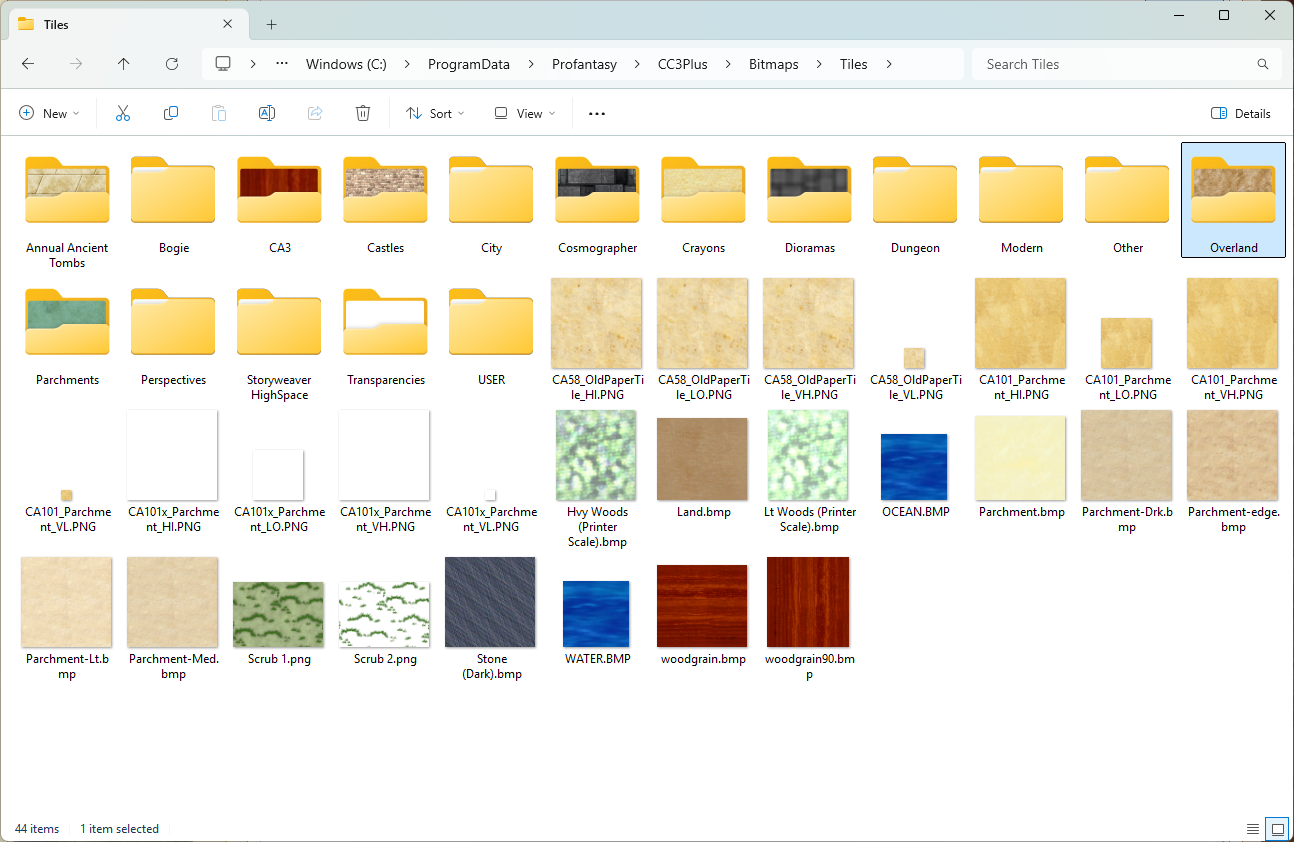
The annuals each go in one of these subfolders (above) according to what basic type they are - overland in the Overland folder, dungeon styles in the Dungeon folder, etc.
These are all the annuals in the Bitmaps\Tiles\Overland folder - all the overland annuals are there in their named subfolders.
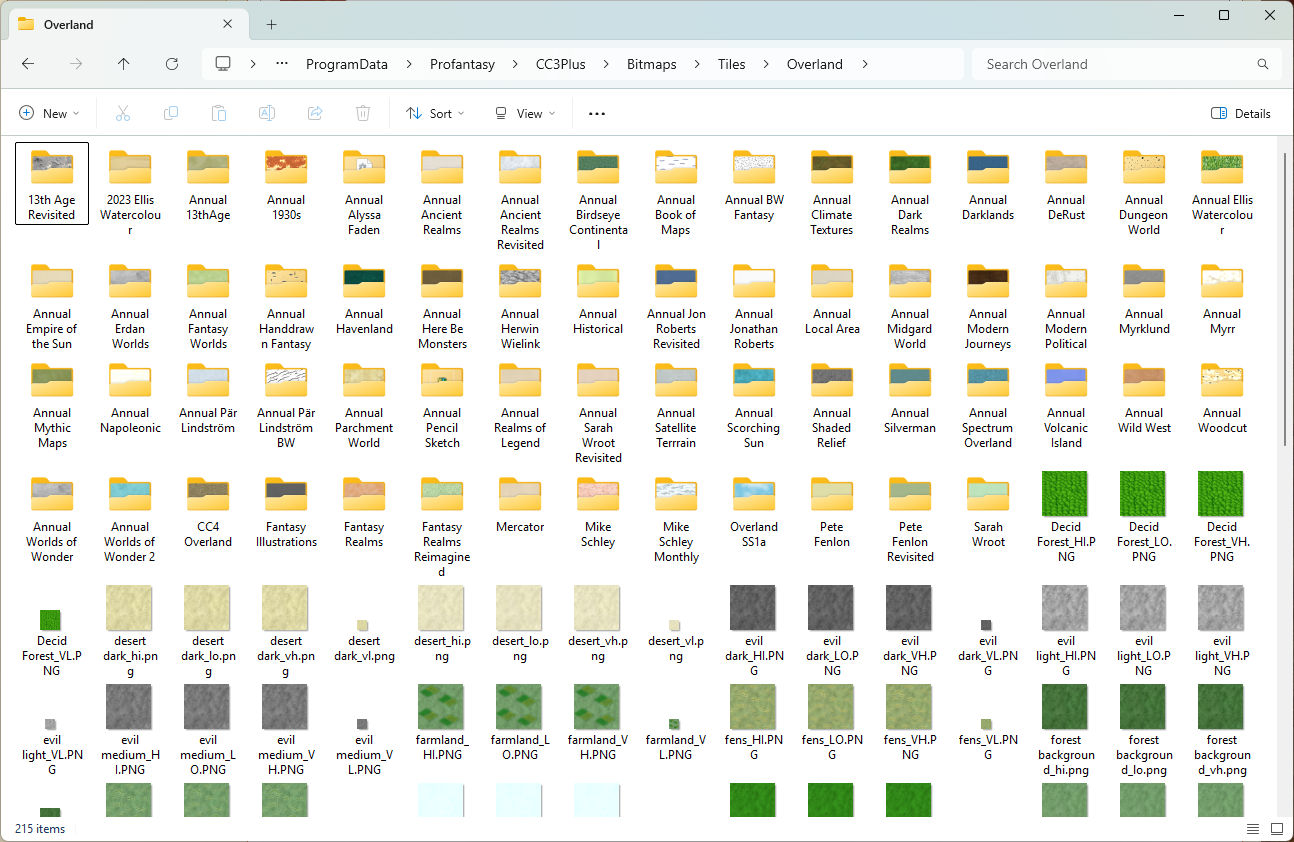
Perhaps it's worth noting here (although it wasn't part of your question), that we encourage all user-generated fills to be put in a folder called USER placed in the Tiles folder, rather than scattered all over the place within the subfolders. It's a lot easier to copy your stuff and keep it safe if you get a new PC or have to do a major uninstall reinstall at any point.

-
Best methodology for designing islands "by hand" with FT3
Have you looked at The One Day Worldbuilder pdf included with FT? (ProgramData\Profantasy\FT35\Documentation)
I'm not suggesting that you make a whole world, but it might help you get a few ideas about resolutions and methods.
Remember that if you change the resolution on an existing world the shape of the landmasses may change quite a bit.

-
Instruction Clarification Page 59 Tome_3Plus.pdf
When it next does that to you check the command line to see what CC3+ is doing. It may be that you haven't finished a command.
There could be other causes, of course, but that's always the first place to look for clues.

-
missing fill in Jon Roberts Cities
Relyt is correct. There is no Walls, Dyke fill, but there is a Walls, Dyke drawing tool.
The tool draws 2 polygons on two sheets called WALLS DIKE Backing, and WALLS DIKE that don't exist in the template. One of these is drawn in purple and the other in a CD3 fill called CD3B_Grass Bright 1
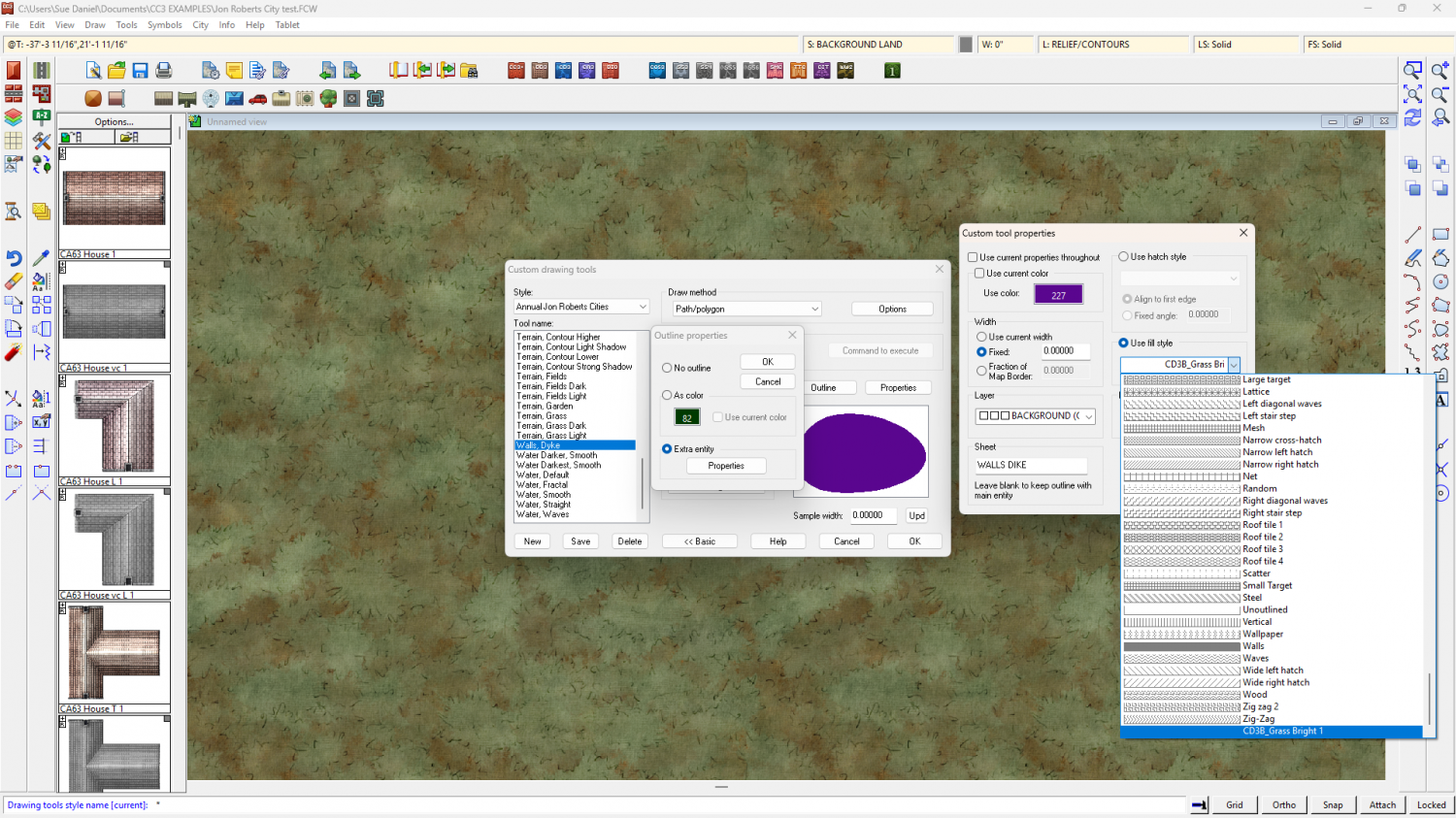
Given the lack of the correct sheets in the template, and the location of the fill, at a guess this drawing tool has been included in the style template either by mistake, or as a much later decision. At any rate, it looks like it's supposed to draw a dyke in a grass texture over a grass texture with a bevel effect, making the purple backing sheet necessary to prevent transparency acne. You could get it to work in this style with some fiddling around - set the fill on the Outline Properties to be one of the native grass fills, use the tool, put the 2 new sheets in the correct order in the sheets list and add a bevel effect to the WALLS DIKE sheet.
-
Removing an outline from a Default Landmass
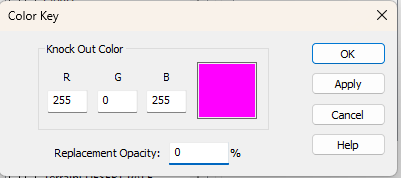
On the second question you can add a Color Key sheet effect to the sheet the grassland is on and cut holes in the grassland using polygons of the Knock Out Color (Default magenta) where you want the holes to be. Make sure this effect is top of the list, so move it above any Edge Fade, Inner you probably have on that sheet.
-
New Style (Banki)
Ah, a good choice. I used that one to do the Ferraris Style a few years ago. I've moved onto other apps these days, but I still use Krita from time to time to touch up seamless tiles that didn't quite go the way I wanted them to in other apps.
-
WIP Arboridia (Mercia) for Community Atlas
It will be interesting to see where you go with this.
And yes - Jonathan Roberts provided the artwork for both these styles. His website is called Fantastic Maps if you are curious.


