


Loopysue
Loopysue
About
- Username
- Loopysue
- Joined
- Visits
- 10,418
- Last Active
- Roles
- Member, ProFantasy
- Points
- 10,163
- Birthday
- June 29, 1966
- Location
- Dorset, England, UK
- Real Name
- Sue Daniel (aka 'Mouse')
- Rank
- Cartographer
- Badges
- 27
Latest Images



-
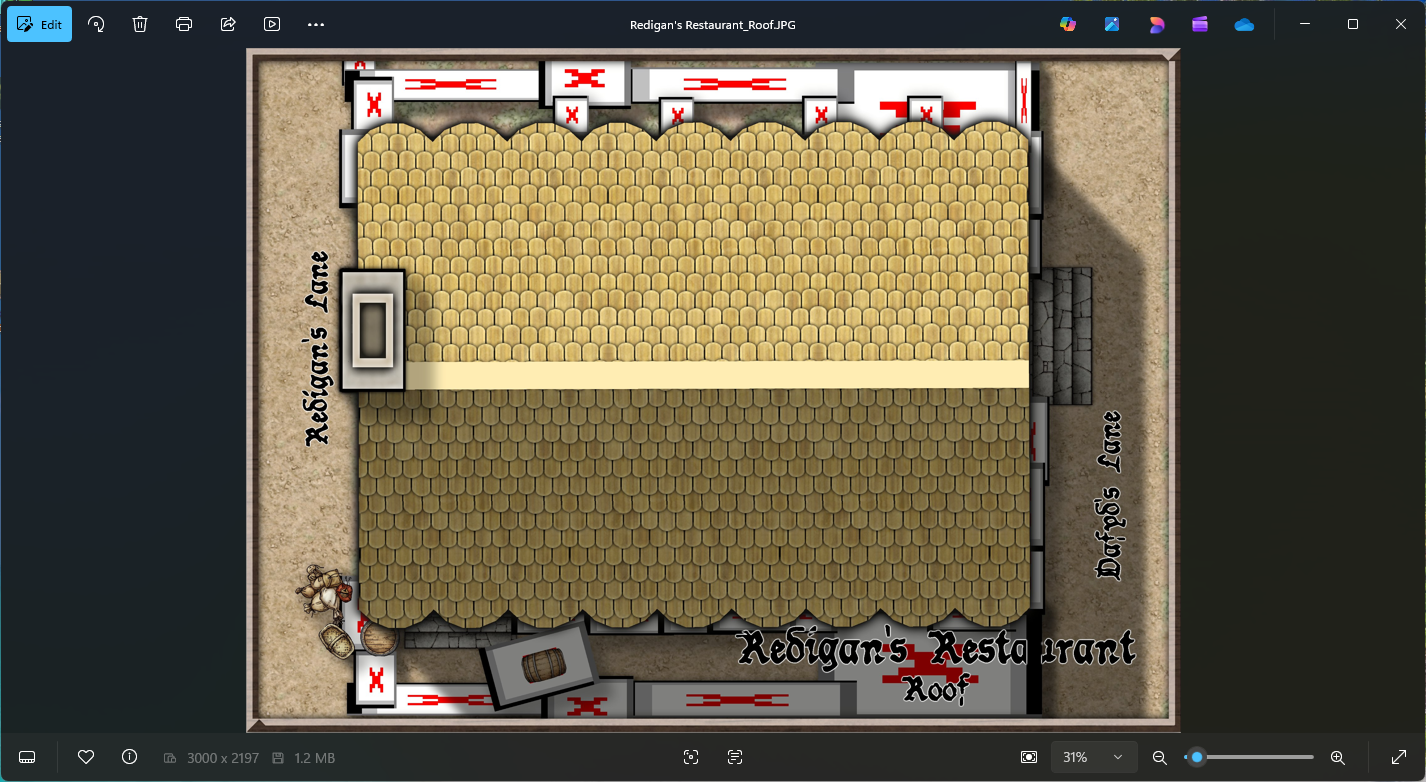
Community Atlas - Torstan Holy Head District - Redigan's Restaurant - a joint collaboration
I'm only getting it on renders that need more than one pass. Otherwise it's fine.
You might be experiencing the same thing as Ricko a couple of days ago.
Check your EXPORTSETMPP value. If it's only 4 million type "40000000" (40 million), hit ENTER, and try again.

-
Move installation seat?
The Description of Rights and Limitations in the EULA indicates how many PCs you can have the software installed on at any one time. This should answer the question for you. https://www.profantasy.com/service/license.asp
On the surface of it, it sounds to me like you should be ok having it installed on both machines, but I dont' know your exact circumstances or how you will be using the app.

-
Move installation seat?
If you decide to go the commercial route in the future you can always uninstall it from 'the other PC' (whichever one you chose), and carry on - or you could get a second set of licences if you want to keep both.
If you have any other questions or end up in a situation that doesn't seem to be covered by the EULA, please contact the General Manager or use the Licencing Questions contact from this page. We're always here and happy to help.
-
Converting a existing PDF into a CC overland map
The easiest way is to create a new map in the style of your choice, create a new sheet called BITMAP or TRACE, and a new Layer called the same thing, make sure both of these are active and import the bitmap image into it using Draw, Insert File.
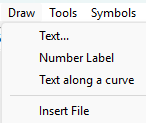
Follow the instructions in the command line to paste it correctly. You can either click for the corners or enter coordinates.
Becaues it's on it's own sheet you can move the image up or down the stack of sheets and give it transparency using a Transparency sheet effect on that sheet.
...
Alternatively, you could painstakingly convert the image into one suitable for use with TRACE or TRACED, but that takes time and patience in a bitmap editor as you would need to make it very high resolution all parts of it either opaque or clear and well defined. If as you say it's a relatively simple map it might be more a waste of time than simply importing it and hand tracing the components directly into your drawing.

-
New Map Maker, Hardware Question
Hi Joseph :)
Try it with a mouse first.
I've tried it both ways because I use Intuos Pro tablets for my work, but I never use it in CC3. Mouse is simply easier.
Having said that, I know of at least one mapper who uses it on a Windows OS screen tablet and seems to be quite happy with it.
-
Dungeon Designer 3... anyone made a big, DEEP dungeon?
I strongly recommend creating a map with as many levels as you need. Yes, it's multiple maps, but they are hyperlinked together so you can switch levels with a click.
You can set this up in the 5th dialog of the New Map Wizard:
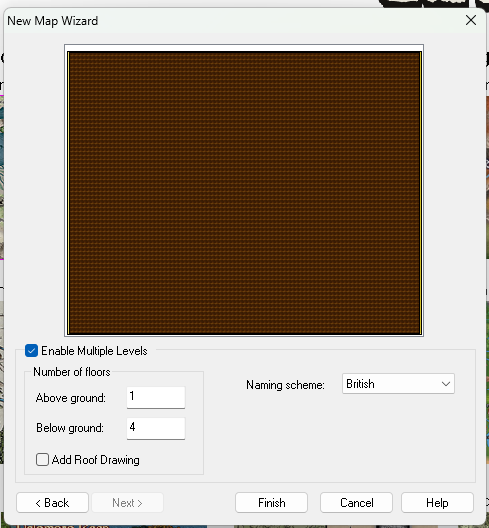
Check the "Enable Multile Levels" box and set your numbers. Make sure that you have the correct Naming scheme selected, as this will be reflected in the resulting maps. Then name and save your 'map' (which is actually a collection of maps) in an appropriately named subfolder of the folder where you keep all your maps. That makes it easier to move them all together - by moving the folder around.
Here is the main map I just created in a new subfolder of my CC3 EXAMPLES folder, called "Multi level dungeon". The list in the box shows all the other levels - hyperlinked to this main map.
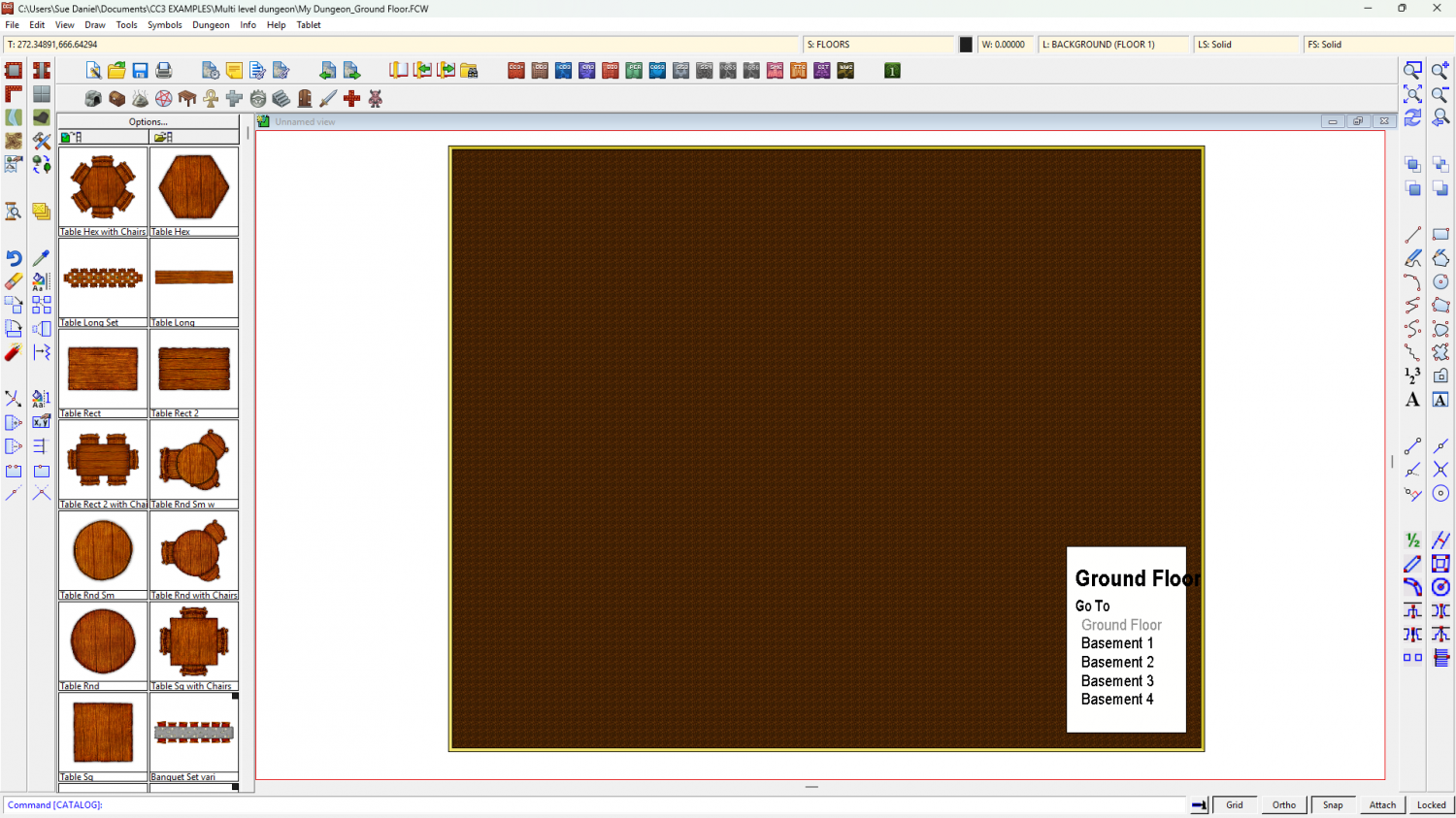
(Please ignore the font issues I seem to be having. I think some of the fonts are possibly missing from my PC).
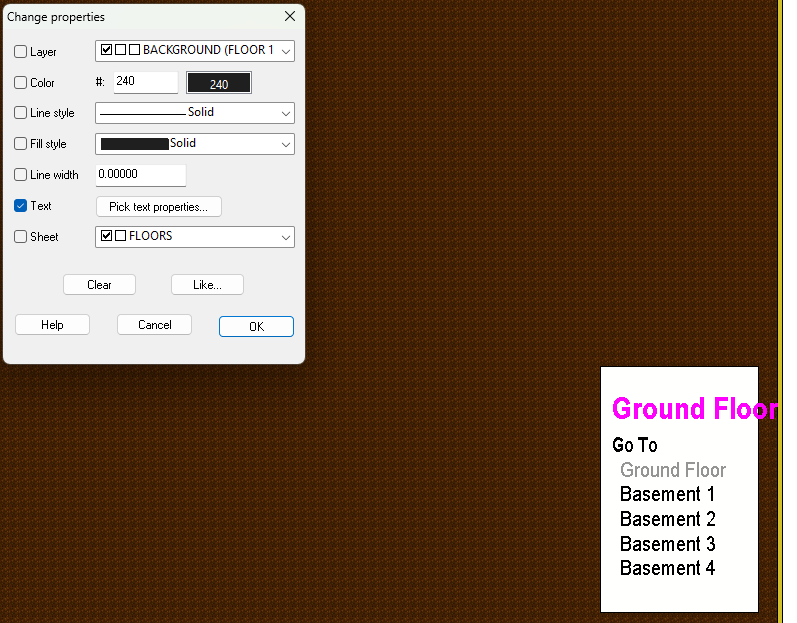
You can change the font and size of the items on that list if you want using Change Properties, and then picking the Text - Pick text properties... option in the dialog.
-
Hollow shapes - Marshes in Ferraris example
The Ferraris Style isn't the simplest one I ever made, so it does take a bit of working out if you are trying to learn from the example map.
Here is the map with just two sheets showing - BACKGROUND, and WATER.
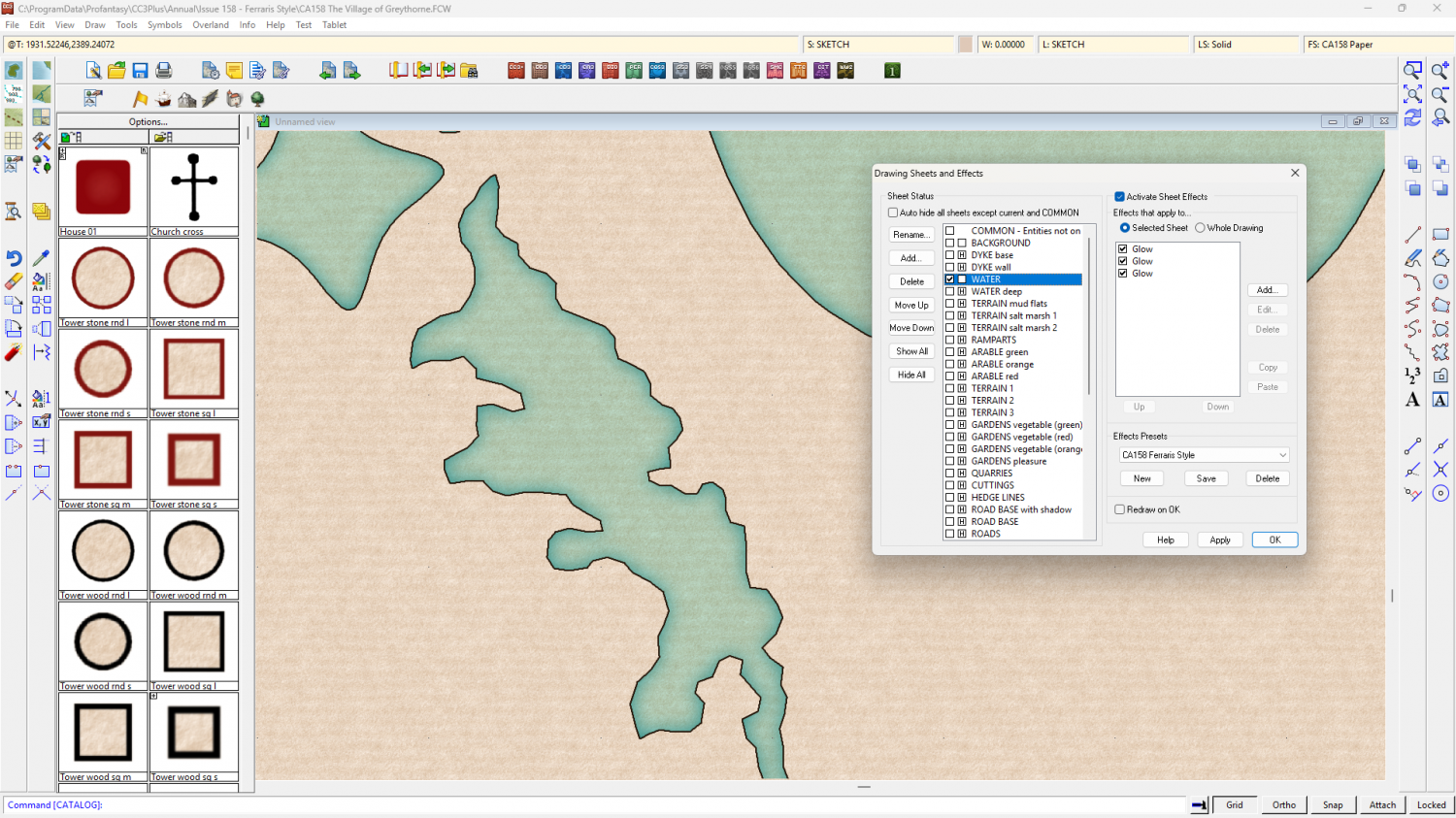
And here is the same view showing the TERRAIN salt marsh 1 and 2 sheets, without the water.
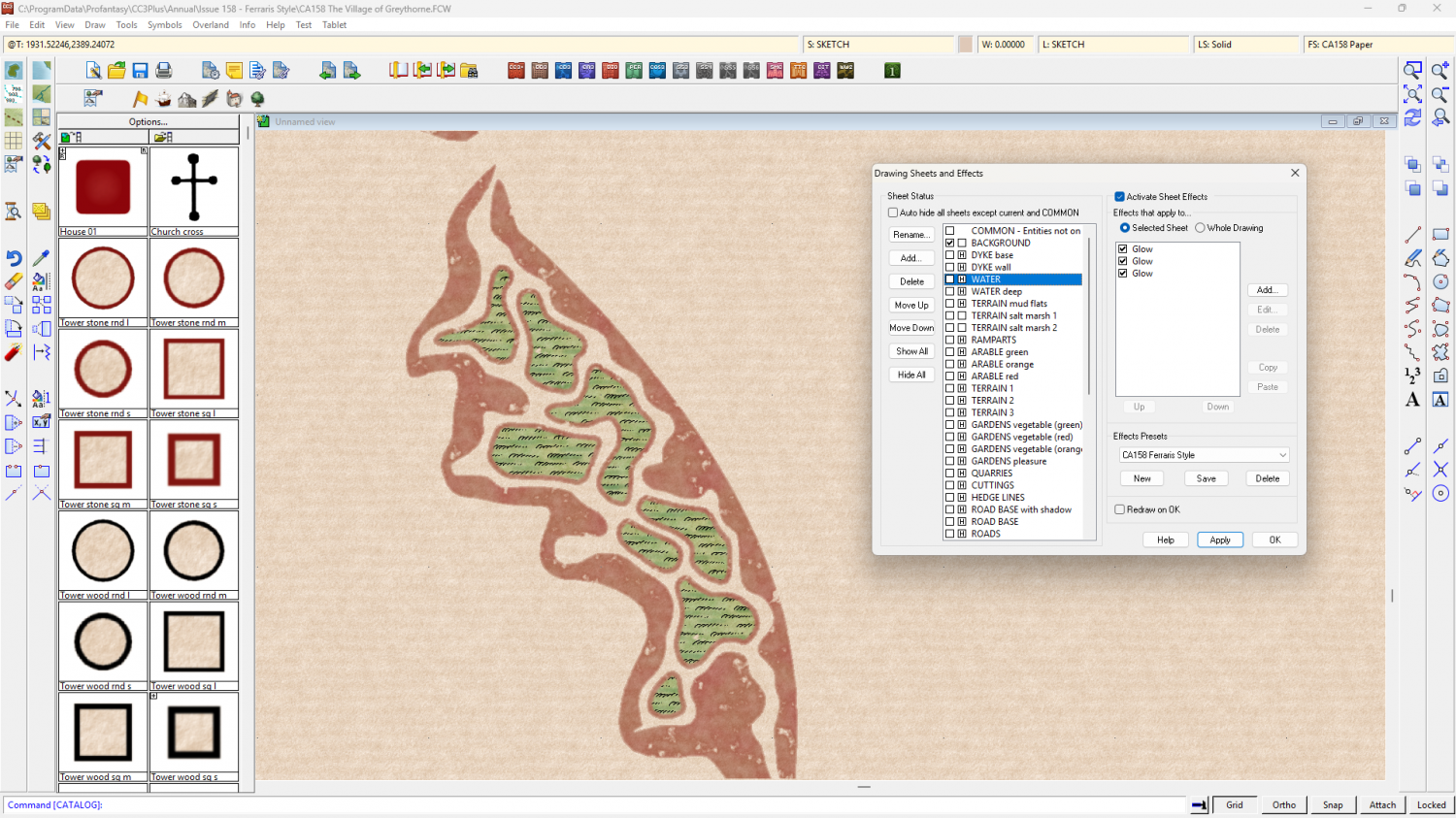
It is a very long time ago (for my memory) since I drew this map, but I believe the water was drawn first using the River, Default straight drawing tool.
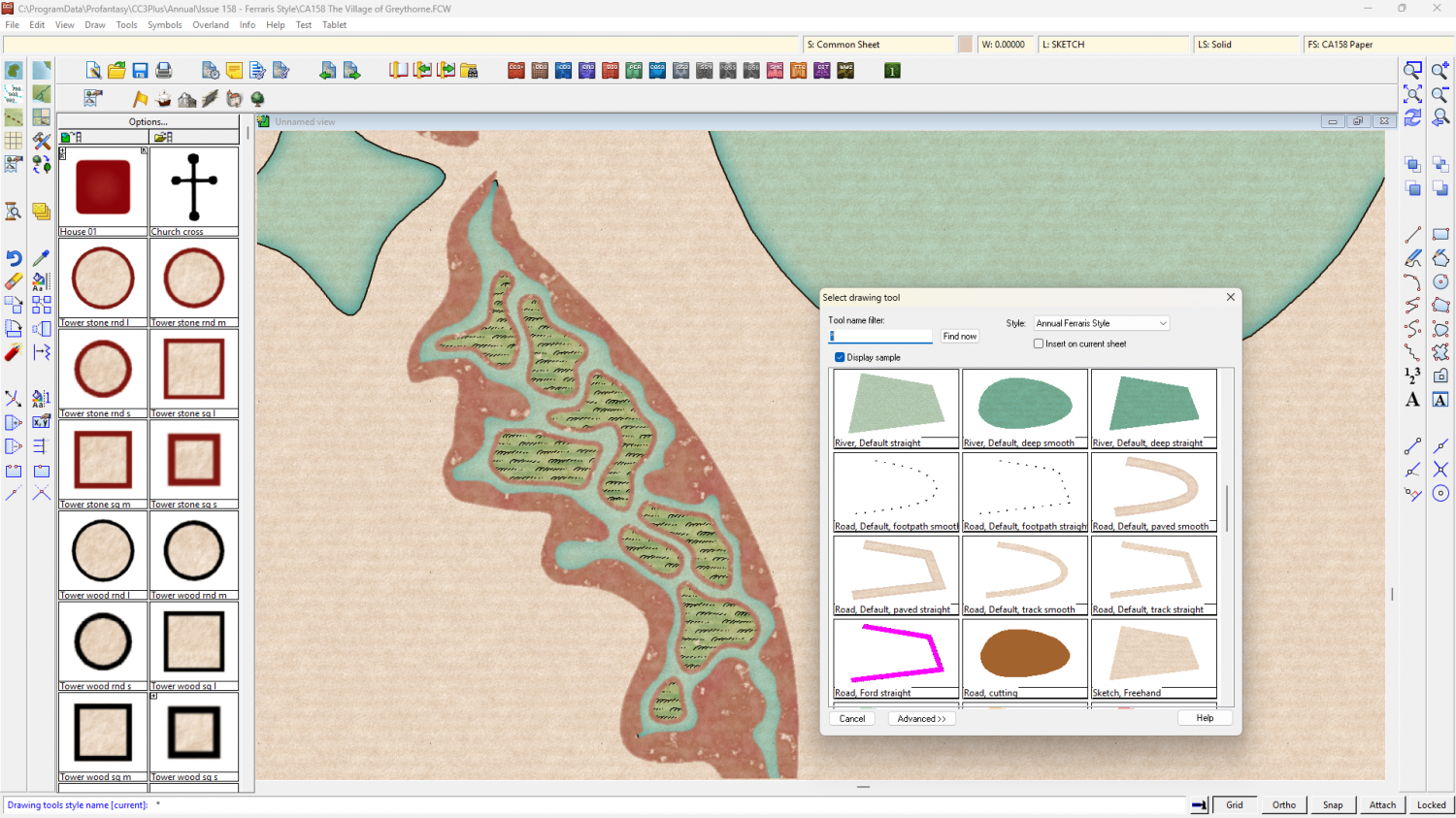
Then the mud was drawn around the rim of that water using the Terrain Default, Mud drawing tool. (I've drawn a quick example to the right of the actual marsh)
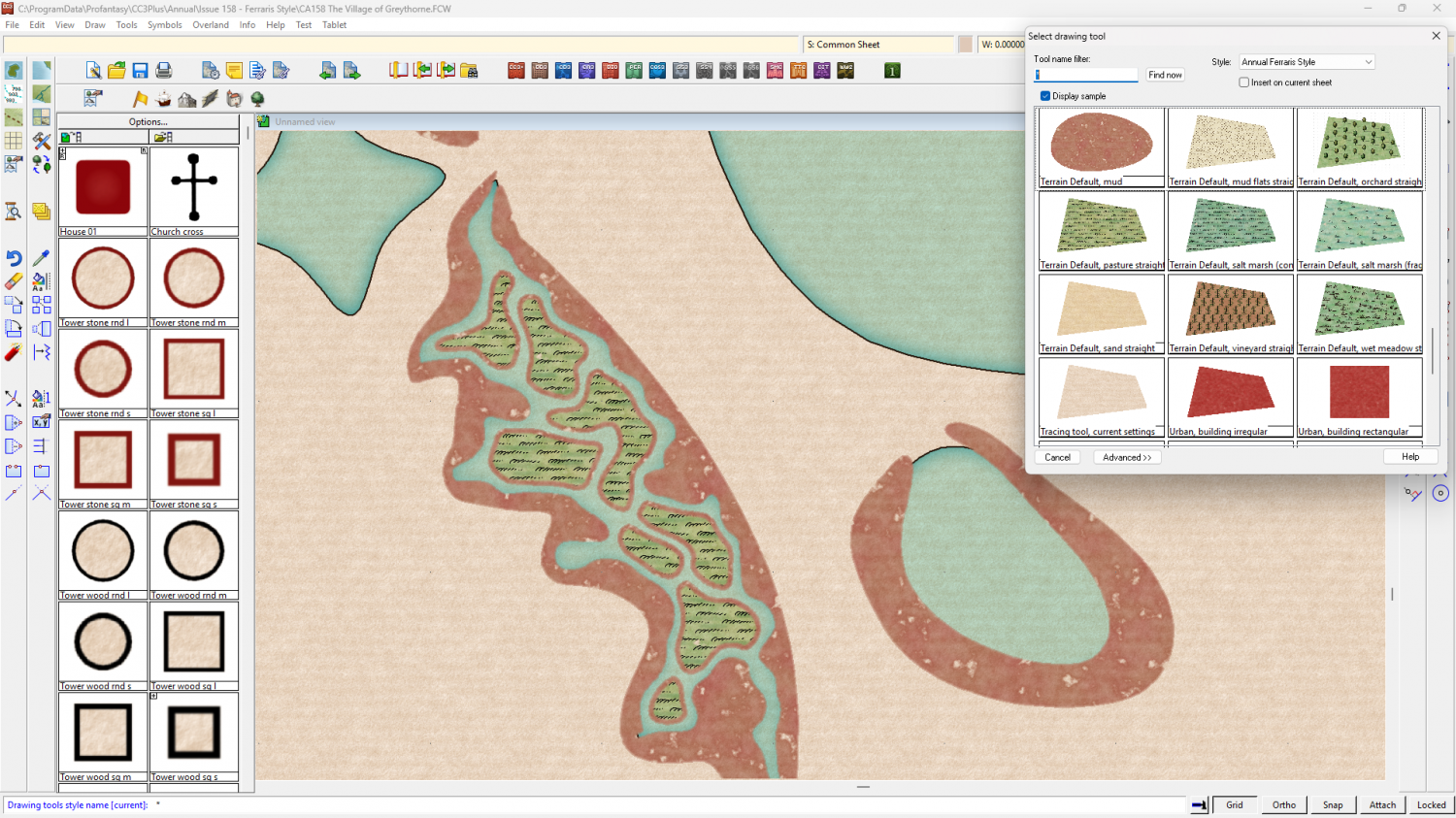
Then the islands were drawn last, using the Terrain Default, marsh island drawing tool.
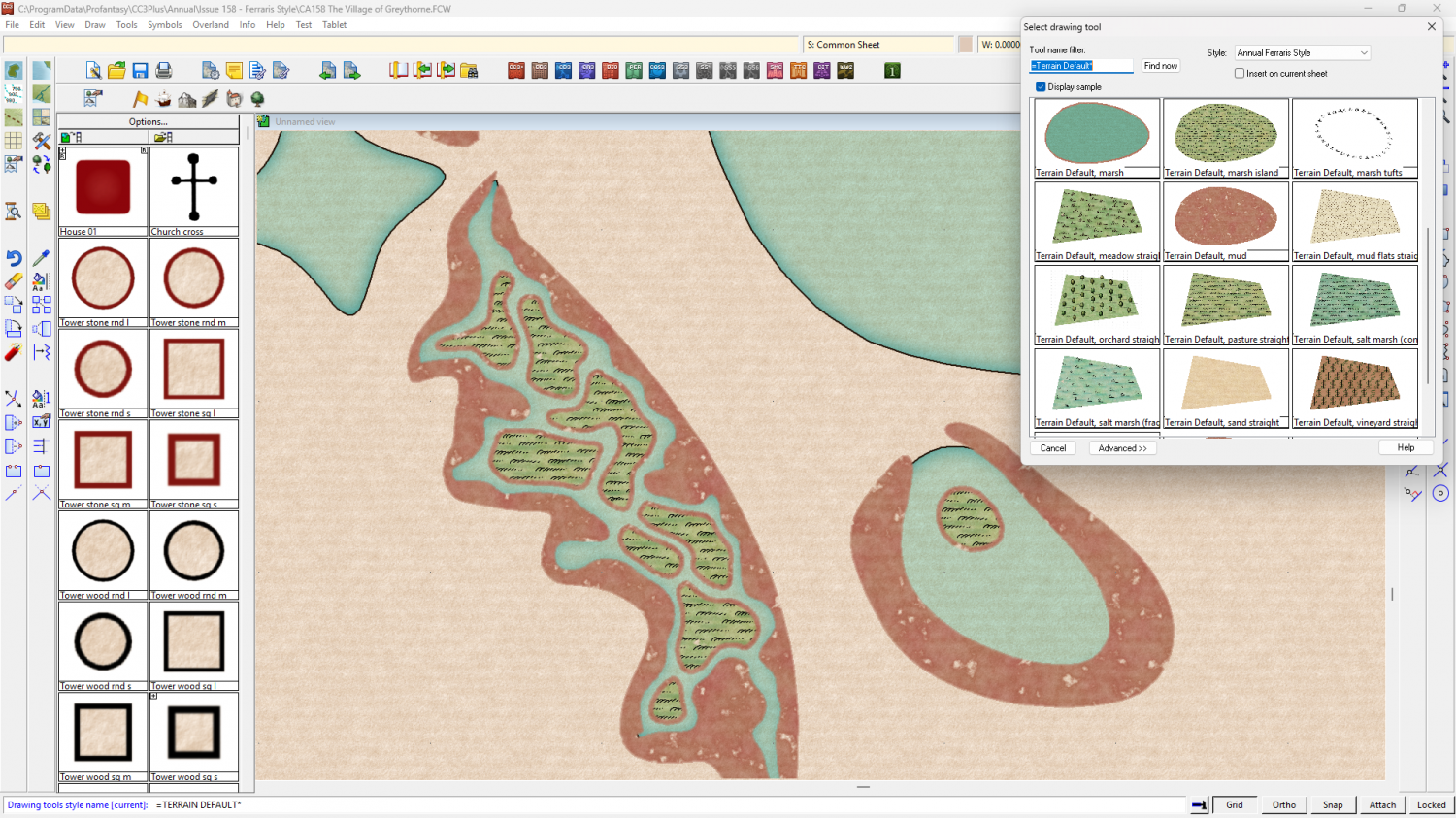
So there are 3 drawing tools involved in creating this marsh area with it's muddy banks and marshy islands. There aren't any multipolies involved. I try to avoid them at all costs - even in the more advanced styles I make. The appearance of holes might be due to the fact that you need to refresh the view? I don't know why it gave you that impression.

-
Hollow shapes - Marshes in Ferraris example
Having had a second look at that, Claude, I think I must have used the trace option while drawing it. All drawing tools have a "T" option. If you check the command line after making the first click of drawing a shape you will see it. So I traced the edge of the water.

-
How can I stop the program crashing when I choose Print Wizard
Since this is a universal problem rather than just one map, and trying the last update again didn't work, I recommend you ask for help from Tech Support, using the Support tab on your Profantasy Account page.
-
A Hand-Drawn Fantasy Map of Jack Vance's Dying Earth
I think you could make a beautiful map in any style ;) It just looks even better when you use a beautiful style.




