Wyvern
Wyvern
About
- Username
- Wyvern
- Joined
- Visits
- 3,266
- Last Active
- Roles
- Member
- Points
- 5,585
- Rank
- Cartographer
- Badges
- 24
Latest Images
-
How Can I Draw Real-World Places in Campaign Cartographer?
It is fairly straightforward to draw hex maps using Campaign Cartographer, providing you have access to one of the hex-map styles. I did a series of small test-maps in such a style back in 2023 here, where you can see both the snap-grid placement of symbols and terrain hexes, coastal shading, and, by scrolling further down the page, some samples where I redrew the coastlines by-hand. Adding roads and river lines would be fairly easy as well, as they're simply coloured lines of whatever style and thickness you prefer, and which can be drawn freehand, or using the hexagonal snap-grid.
@mike robel here has created a number of historical wargame hex-maps. This is his most recent topic on the subject. He can doubtless advise further on the subject, given many of his maps are based on real-world examples.




-
Using Watabou generators to creat a campaign.
Might be worth tweaking the glow on the lettering to help it stand out more. Might be the colouring instead, but I'm struggling to pick out the numbers for some of the features on the map, and I get the impression the red doesn't seem so clear on the background as the black.
![[Deleted User]](https://secure.gravatar.com/avatar/c75d9a245b74d9c59be0999ea81ca541/?default=https%3A%2F%2Fvanillicon.com%2F92add7f8c954488718110edc4896ad39_200.png&rating=g&size=200)
-
Panzer sample thread
+1 from me for the tanks/AFV annual!
If you're seriously thinking of a full range of vehicles, maybe choose a specific theatre and time to reduce the options somewhat. Colour schemes and camouflage will easily swap over, but the modifications to vehicles, and the different types involved, end up as the real problems (speaking as a long-time model-maker and WWII wargamer).
Aircraft to follow? 😉




-
Richard Baker's World Builder's Guide Map Templates
It should be fine if you replace "sourcemaps" in the URL with "profantasy". We had a similar problem recently for another of these old Library maps, and Monsen came up with this solution!
[EDIT: Just did a quick test download, and it works fine.]

-
Ricko's Questions
Try this advice post on getting bitmap fills into your current drawing.


-
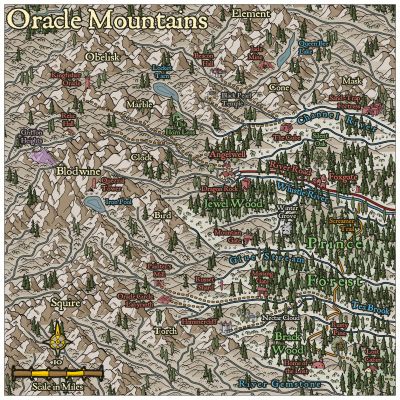
[WIP] Community Atlas: Oracle Mountains Area, Ruma Helrevy, Peredur
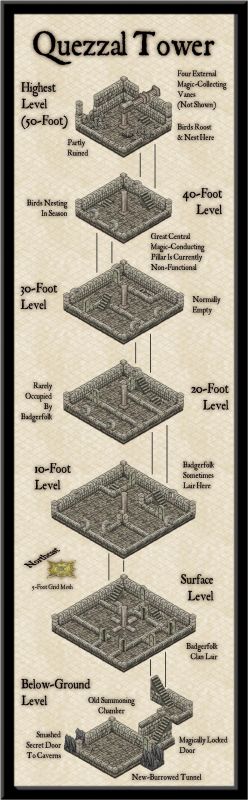
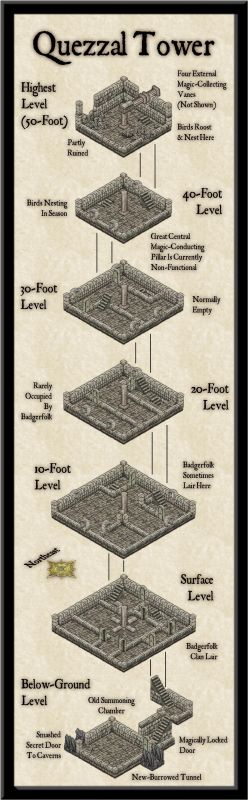
Having performed the usual New Dungeon Map Ritual, in consultation with the CC3+ Wizard of the New Drawings, and imported the hand-sketch for the map to a fresh Bitmap Sheet and Layer, as normal, the first section of the subterranean level could be prepared, essentially amplifying the Below-Ground Level of the Quezzal Tower map:

As we see, I'm using Ralf's Hand-Drawn Dungeon style again here, and it's likely also obvious to those more familiar with the style, that there are a couple of cavern walls missing here. These are where the next areas connect to this one, connections which are somewhat complicated by the fact the link-areas are actually cliff-lines in the cave, indicating steep rises and falls in the level. This part of the drawing already shows what happens when floors are all drawn on the one Floors Sheet, which has a nice inner glow effect on it, that the walls increase with their own glows. All the floors flow straight into one another, without any such shading effects. That's great if all the floors are on the same level, but cliff-lines mean they aren't. Thus, enter some new Floors Sheets:

Only it's not quite that simple, because to fool the eye properly, the floor level above the drop-line needs to be lighter up to its edge than the one below. Thus the floor level apparently above the drop line has to be drawn a little longer there, on a Sheet BELOW that on the other side of the drop-line. So the way I had the floor edges on the initial snapshot image here was only correct for the broader of the two connection points. The narrower passage one had to be edited after the fact to extend under the next upper, though actually lower in Sheet order, floor. And as the second shot above indicates, there were sometimes going to be multiple levels on the same passageway...
This wasn't actually quite so bad as it may sound, because I'd already discovered how to get round the problem when drawing the map for the Tomb of General Chengdai previously. Although I didn't draw attention to it there, nearly all the adjacent floor areas of that dungeon map are on different Floors Sheets as well, and the sliding walls have had an additional external glow effect added to their Sheet to help maintain a similar darkening close to them too.
Even so, it needed a couple more sessions to get the whole layout drawn, and I had to add an extra Sheet at one point because, for entirely unfathomable reasons, one of the new Floors Sheets started causing transparency acne problems with the next Floors Sheet in the stack (but none of the others did so, despite all being identical, and having minor overlaps in places, nor did the problematic Sheet with others that weren't adjacent in the stack...):

The freestanding rock stacks were drawn using the Cave, Cut-out drawing tool, that makes use of the Color Key effect to punch through the grey stone floors to show the brown stone background, and make it seem like they're upstanding features within the caverns. Occasional tweaks were needed to get rid of a few too-sharp fractal points along the edges, taken-out individually rather than using the "Simplify" command, which I find sometimes takes away a bit too much on this kind of smaller map.
One element that slowed things a little more was adding the cave walls after various segments of floor were completed. "Trace" does help hugely in this, although the individual floor patches meant constant chopping and changing as to which part was being traced at times. So this didn't leave a lot of time to start adding the first interior details:

Just some debris and the floor circle in the Old Summoning Chamber, the pool in the next main cave along (yes, that's going to need its own pool-edge drop-line at some stage!), a large central-cavern chasm, and, ooh, glowing spiderwebs! What can those mean? More next time...

-
[WIP] Community Atlas - Eknapata Desert
Sometimes getting things to stand out more means just changing the colour or line thickness a little (or font size for text). An outer glow of some kind can help, but it can also make things look too misty, which I think it what's happening with some of the smaller text labels presently. I'm not sure that brown colouring on the labels is working well enough, and even the grey labels could be a little clearer.
The general textures seem fine, although the desert edge is maybe a bit too abrupt (very obvious where the green coloration alongside the river ends currently). That seems to be accentuated by the line of desert-edge dunes north of the river too. The more wavy edge of the dunes south of the river looks more natural to my eye at least.
-
Community Atlas: Queen Mica's Scintillant Palace
Thanks very much Remy!
Slightly shocked on doing a quick tally-up today, while downloading the latest Atlas version, to discover this makes 140 maps of mine now in the Atlas! I'd forgotten quite a chunk of the earlier materials I'd done, looking at the list.
Still some way behind the great leaders of Quenten and JimP of course, but not doing too badly by comparison 😊
Plus, I think once the contributions from the recent mapping contest are added, this could take us over 850 maps in all!

-
[WIP] Community Atlas, 1,000 Maps Contest: Villages in The Whispering Wastes of Haddmark, Peredur
Map six - Hex 1304, Arvika:
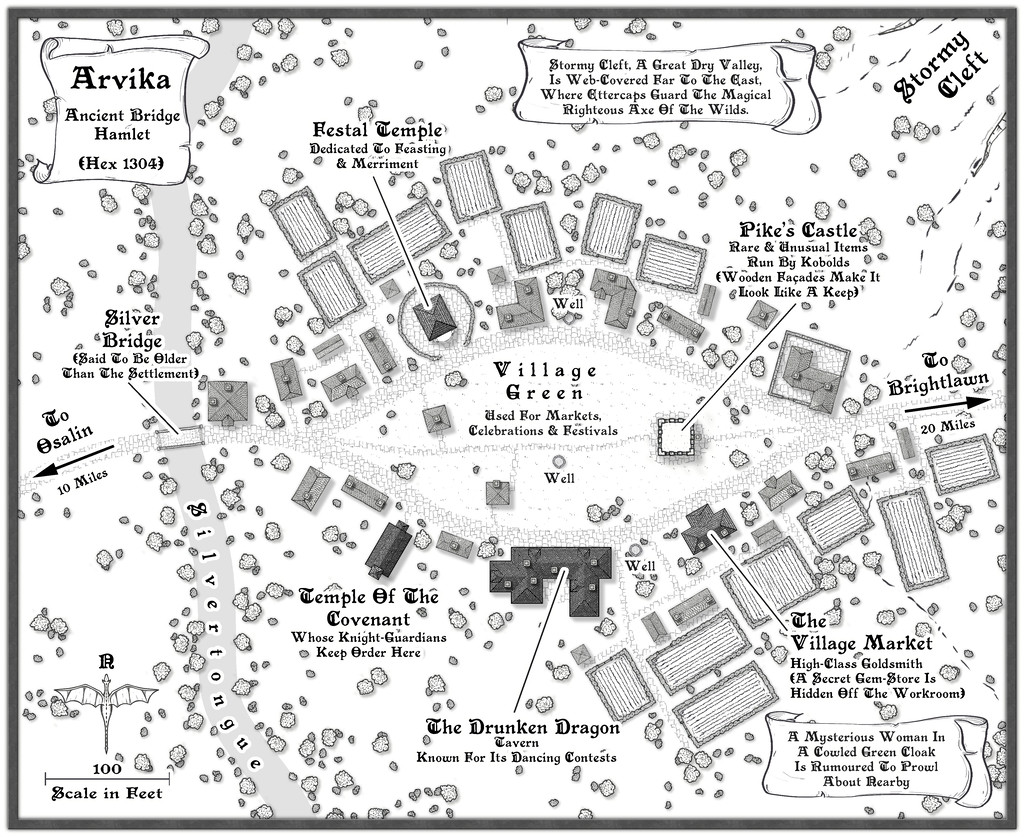
Arvika was one of the three settlements in this area that were originally shown on the existing Atlas map. In the absence of any text notes for it there, I simply looked at what the symbol was - a hamlet. As luck had it, no random feature was selected during the creation of my Whispering Wastes regional map for the hex it was in, but there was something in an immediately adjoining one, a mysterious ravine partly filled with webs, where a legendary artifact was guarded by a nest of Ettercaps. So I simply moved the ravine into the hamlet's hex, combining both elements. The hexes are six miles across, north-south, after all, so there's room for a lot more than just a single feature in each one.
The setting for the place was to be in a river valley, the Silvertongue, and I randomly discovered instead of the fords, so popular elsewhere so far, the proximity to the uplands had clearly provided stone enough for a bridge here for once, and it also turned out to be notably ancient, something that, like the Stormy Cleft ravine, simply helped reinforce why this hamlet had ended up being shown on the Atlas's area map, while other, seemingly larger or similarly-sized, settlements in the Whispering Wastes had not appeared there. Mapping it was straightforward enough, with the contour symbols fitted-in to act as the entrance to the ravine, although I did add a few more fields than I'd initially thought to provide some further interest around the settlement itself, which also lessened the impact of the ravine on the whole drawing.
-
WIP: Mega-dungeon, Dorag Skel Level 1A
As you might tell from my frequent use of random options in my Community Atlas maps, I've been a long-time fan of such random design systems, for all they can need a bit of nudging sometimes to get things to work out OK. I've not used the 5E system as yet, though almost exactly 20 years ago (July-August 2001), I created a classic 12-level dungeon using the random system in the original (1979) AD&D DMs Guide, each level filling an A4 page of graph paper. All done by-hand then, however. I did make a start converting it to CC3 not long after I got the program, around 2014 or 2015, I think, but that was very slow going, as I hadn't the option then to scan the hand-drawn maps to trace in CC3.
Have to say that your map looks a lot more elegant and less cluttered than any of my old ones from that dungeon set, so the 5E system may be something I should experiment with in future, perhaps...