


Loopysue
Loopysue
About
- Username
- Loopysue
- Joined
- Visits
- 10,416
- Last Active
- Roles
- Member, ProFantasy
- Points
- 10,161
- Birthday
- June 29, 1966
- Location
- Dorset, England, UK
- Real Name
- Sue Daniel (aka 'Mouse')
- Rank
- Cartographer
- Badges
- 27
Latest Images



-
Marine Dungeon - a Cartographer's Annual development thread
Thanks :)
You will also be able to use any symbol you want from any set you want at any apparent depth you like, which may solve a lot of the issues people might otherwise have had with there not being a 'this' or a 'that' in the style itself.

-
Marine Dungeon - a Cartographer's Annual development thread
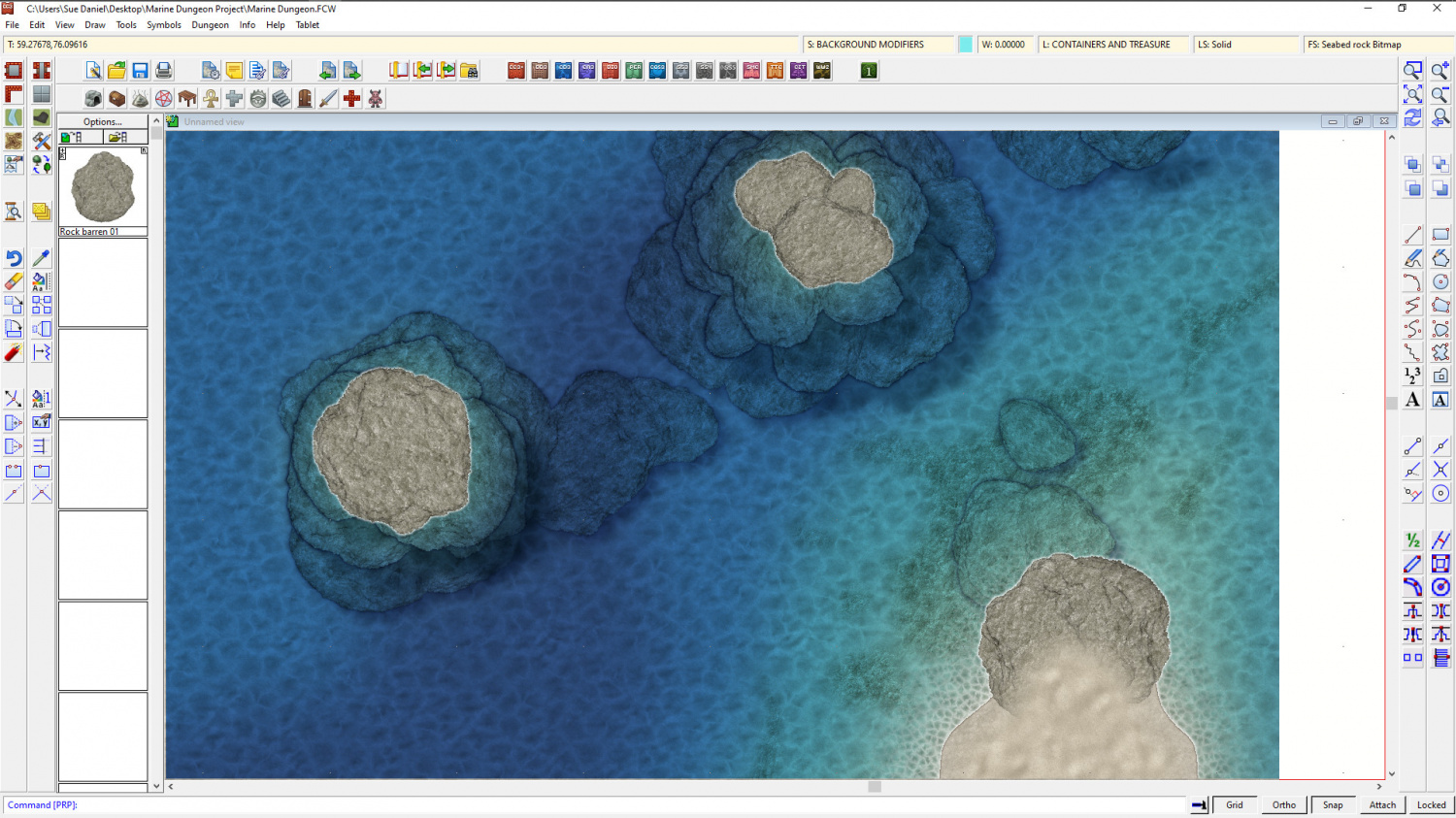
Well, I'm still on course for a basic style here. It's been a lot of work for not much apparent change, but none of the fills will cause transparency acne in any of the others. I've also done quite a lot of work on the bare rocks. I'll be using them as the base for other more elaborate rocks with weed and barnacles, etc.
![[Deleted User]](https://secure.gravatar.com/avatar/c75d9a245b74d9c59be0999ea81ca541/?default=https%3A%2F%2Fvanillicon.com%2F92add7f8c954488718110edc4896ad39_200.png&rating=g&size=200)




-
Cyberpunk: Proof of Concept
Oh yes, it's doable, but you need to have a really clear idea of what you want first, and there may be an existing style that could easily be adapted as DoubleDouble mentions above.

-
Cyberpunk: Proof of Concept
This is exactly the problem I had when deciding which way to go with Marine Dungeon.
In the end, because it is only one small issue in 12-13 of a Cartographer's Annual, I had to be firm in my thinking and select the most commonly requested themes. This may leave some mappers a little disappointed with the end result, but it is better to have a well defined theme and to do it well, than try to mix in all kinds of stuff and end up with a style that is too pick and mix to be useful to all that many mappers.




-
Live Mapping: Fantasy Buildings with DD3
In tomorrow's session Ralf will be creating a building floorplan based on the Fantasy Tavern from the Annual 2007.
Book your reminders now by visiting the YouTube link, and come along to join in if you can.

