Loopysue
Loopysue
About
- Username
- Loopysue
- Joined
- Visits
- 10,419
- Last Active
- Roles
- Member, ProFantasy
- Points
- 10,163
- Birthday
- June 29, 1966
- Location
- Dorset, England, UK
- Real Name
- Sue Daniel (aka 'Mouse')
- Rank
- Cartographer
- Badges
- 27
Latest Images



-
how do I set up two floors when both have the same footprint?
I can't say what the problem is without the FCW, but when doors and windows stop cutting walls the most common cause is that the walls have been moved to a different layer. They need to be on the WALLS layer for the cutting symbols to work on them. Maybe you are using layers to show and hide the different levels? That won't work in this case.
If you mean to keep the two floors in the same drawing you will need to use the sheets to hide things instead of moving things to different layers and using the layers to hide them. That means you will need a duplicate WALLS sheet with an added level number to identify it as the WALLS sheet for level 2, and will also probably need duplicate sheets for the rest of level 2 as well. That way all the walls on both the WALLS sheets can still be on the one critical WALLS layer.
...
There is a very much easier way of dealing with multi-level maps.
If you haven't got too far into this map it would probably be eaiser to create a file with multiple levels. You can set one up by checking the "Enable Multiple Levels" box in the New Map Wizard.
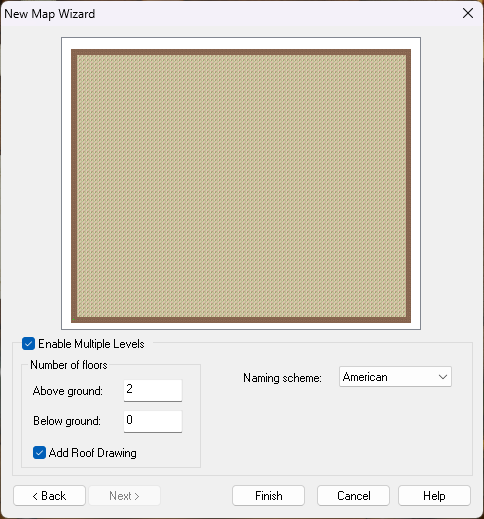
What this does is generate 3 maps (I added a roof drawing as well) and hyperlink them in a handy box so that you can move between floors quite easily.
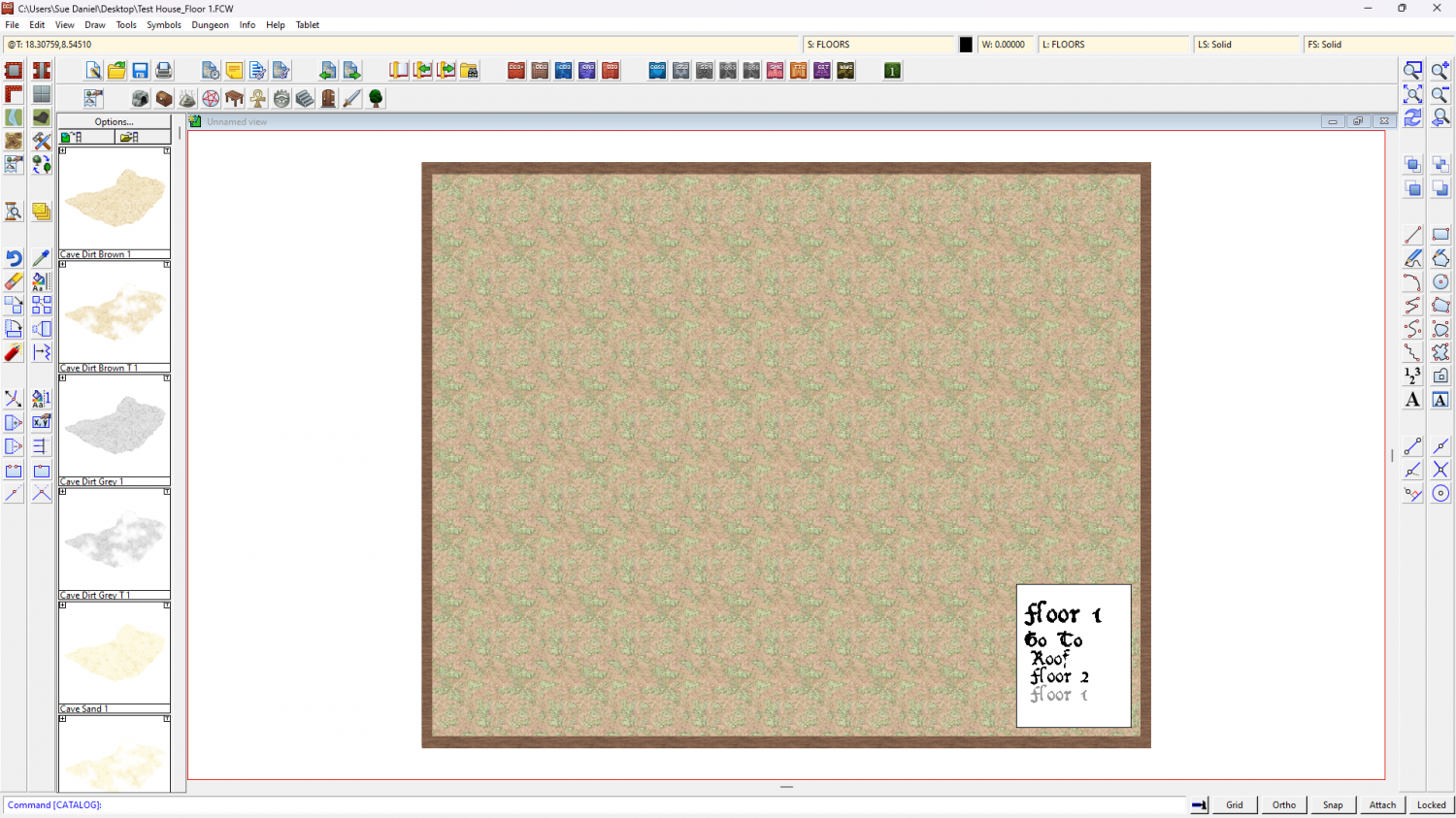
Quite often you have to use Change Properties to make the text more readable, but that's just a minor thing.
All the levels will start blank. The idea is that you draw the ground level map, copy the walls and stairs using the origin as a copy origin, and then hit the link to get the next level map and paste them on that level using the origin as the paste origin to align them perfectly between the different levels.
Ralf and Remy have both made live stream recordings of variations of this process that might help to clear things up a bit if you are having trouble with multiple level maps. The first link jumps into the live stream where Ralf has drawn a battlemap and is about to do a multilevel map of the temple, and the second is the full video Remy made to demonstrate how to make a multi-level map for a Community Atlas challenge more recently.
Live Mapping: A City Location with Building Floorplans (Ralf Schemmann)

-
gradient shadow effect?
I'm happy we solved your problem for now.
Please check my first comment where I edited it to mention that the png will have to stay with the FCW i fyou use Insert File.
If you want to reuse it again and again and not be tied to keeping a copy of the file with each map it might be worth creating a symbol from a separate copy of it, which you can do by importing it through the Symbol Manager. Instructions on how to do that are in the Tome, or you might find this video useful:
Symbols - Part 2: Creating a Symbol Catalog
For Remy's example warning symbols in that video substitute a folder containing the Stair gradient.png image.

-
gradient shadow effect?
Some styles have such stairs as ready-made symbols, but if not you can save the gradient as a png with a transparent background and import it as an image (Insert File in the Draw menu), scale it to an appropriate size and paste it on top of the stairs.
There are other ways of doing the same thing, like creating a new symbol for yourself based on the existing one and editing the copy in a bitmap editor, or importing the gradient as a new symbol so you can reuse it anywhere you like, but if it is just a one-off and you don't have much experience with CC3 this is probably the fastest.
Here is a transparent png you can use if you don't have one already.
Create a new sheet just above the stairs and call it something appropriate, like STAIR SHADOW (just an example name), and import the image with that new sheet active. The reason for putting it on it's own sheet is so you can use sheet effects on that sheet if you wish without disturbing anything else in your map.
...
EDIT: I should probably have mentioned earlier, but hopefully I'm not too late. When you insert a file you will need to keep the image file with the drawing from that point on, so best to start with it in the same folder. That is the one main drawback of using insert file.


-
Using 'Perspectives' - First Attempt
Pretty good for a first attempt :)

-
my Tunnels and Trolls world so far
That's a cool idea :)
And I agree about the wall texture.