


Loopysue
Loopysue
About
- Username
- Loopysue
- Joined
- Visits
- 10,414
- Last Active
- Roles
- Member, ProFantasy
- Points
- 10,161
- Birthday
- June 29, 1966
- Location
- Dorset, England, UK
- Real Name
- Sue Daniel (aka 'Mouse')
- Rank
- Cartographer
- Badges
- 27
Latest Images



-
WIP Crofton - Darklands Cities and Shassar Tutorials
It is a lovely map :)
One thing, though - with all the focus on the embankment, I think the effects on the SYMBOLS sheets with the trees and the houses have managed to get themselves switched off. It would look even better with the trees and the houses casting shadows.
I particularly like the way the river turned out - all credit to yourself there, since it was allready done when we saw it the first time.
Any chance of a slightly higher resolution render?
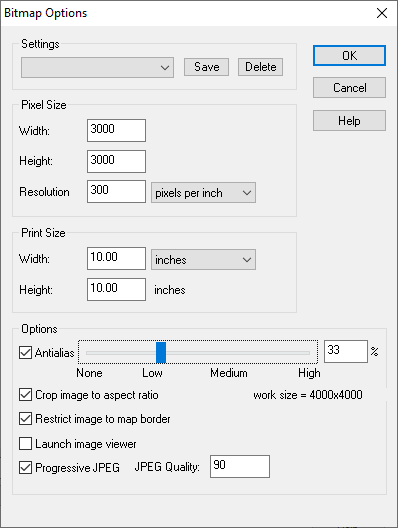
These are the settings I use when exporting a jpeg (of the non-rectangular section type). It gives a nice result without being too huge, and it crops to the map border all around, which gets rid of the white edge.



-
Another version of Jerion
Hi Everyone :)
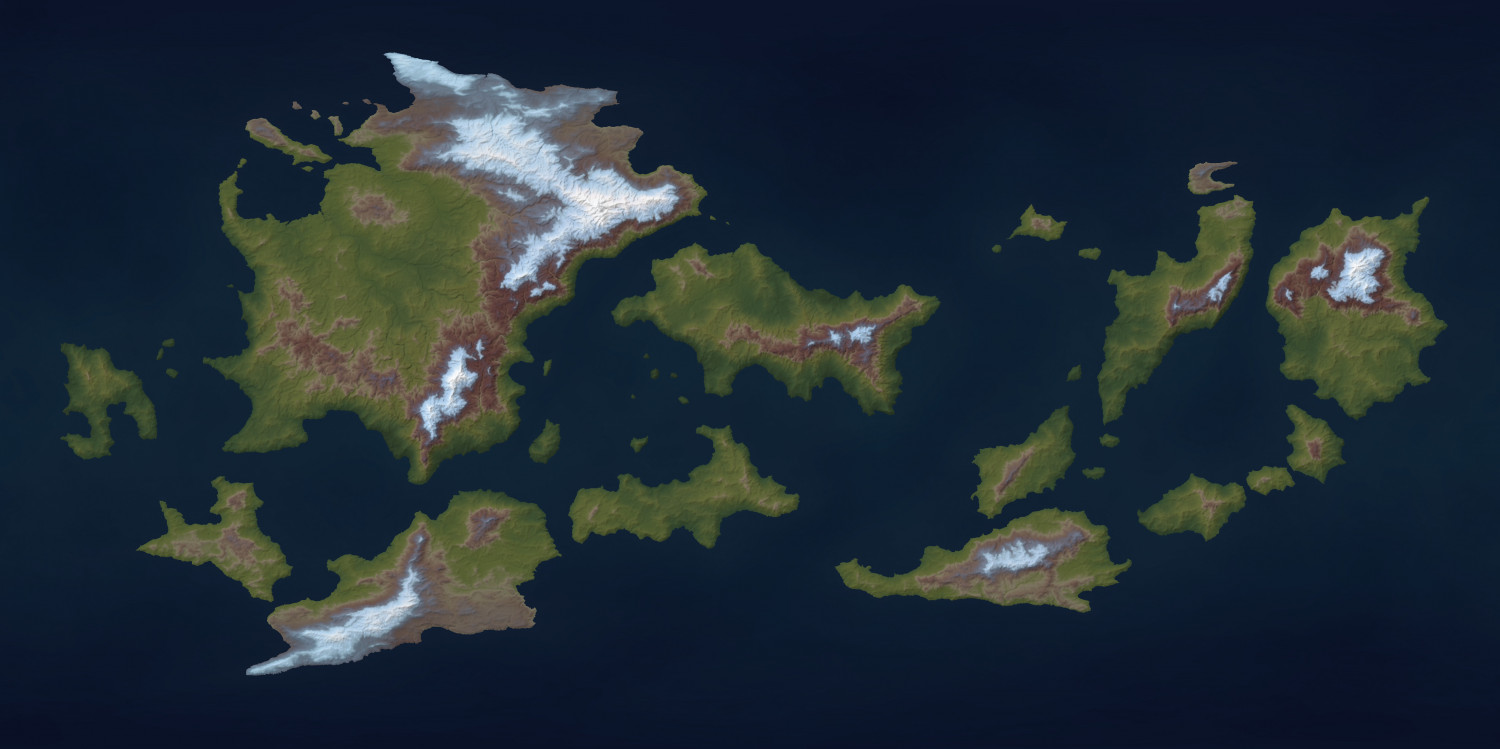
I've been playing with the Climate map feature of FT3 during my coffee breaks, and though I'm probably not the first to think of using it as a false colouring system I wanted to show you that you can get some interesting results.






-
Marine Dungeon - further developments
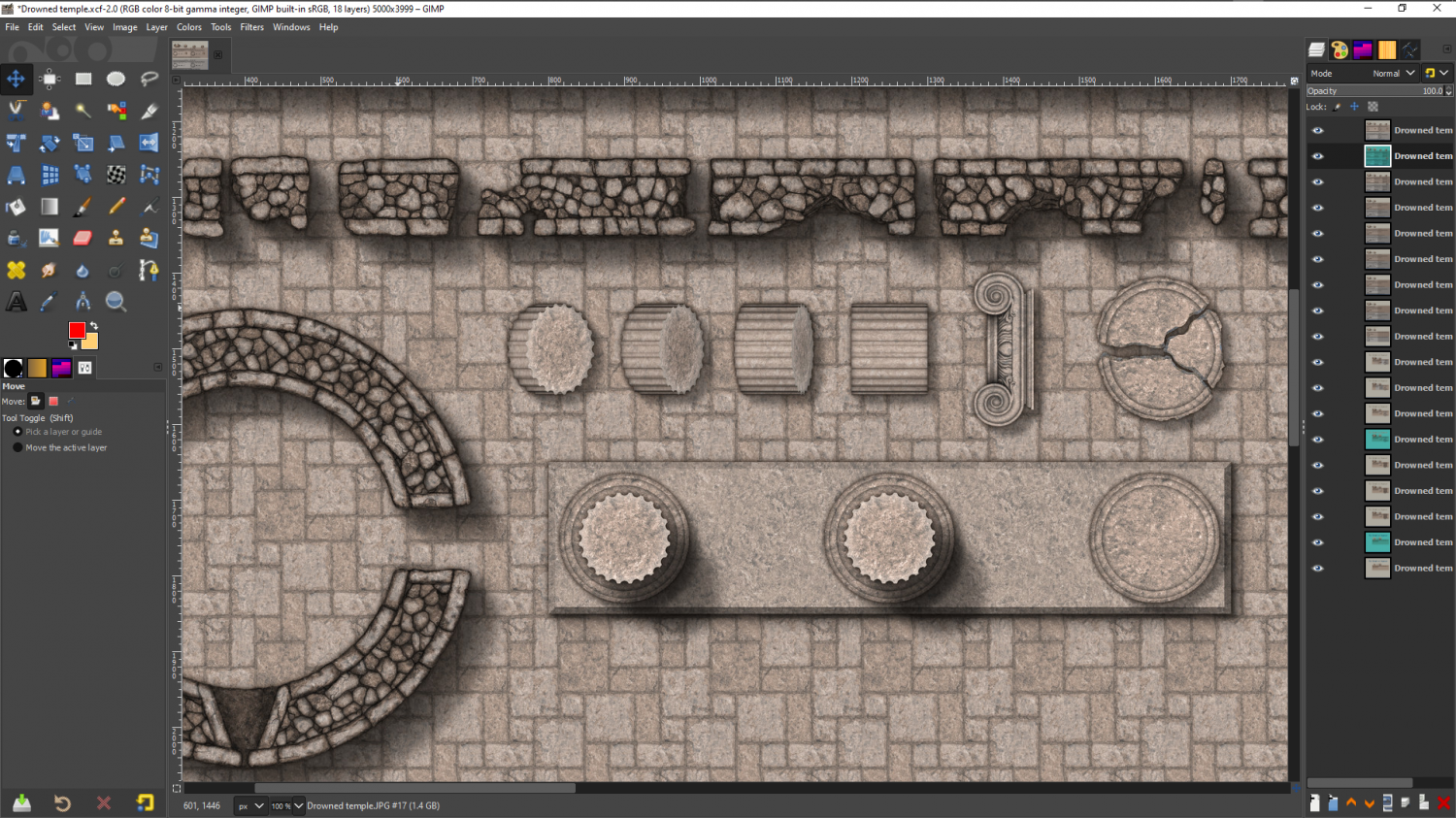
Slowly getting on with the ruins...
![[Deleted User]](https://secure.gravatar.com/avatar/c75d9a245b74d9c59be0999ea81ca541/?default=https%3A%2F%2Fvanillicon.com%2F92add7f8c954488718110edc4896ad39_200.png&rating=g&size=200)



 and 2 others.
 -
Live Mapping: Pete Fenlon Overland
Hi Everyone! :)
In this Thursday's Live Mapping session Ralf will be using the first style of the 2008 Cartographer's Annual to draw a map in Pete Fenlon's classic 1980's RPG map style.
Come along and join in the fun :)

-
Western Baja California
Those are beautiful Ricko, and don't really need any further embelishment like a parchment, but for future reference...
The fills you have just imported can be accessed in the Fill Style Properties dialog when you click the Fill Style window in the top bar.
I don't have the parchments loaded in this map because I don't need them, but you can see where they would be from this screen shot.
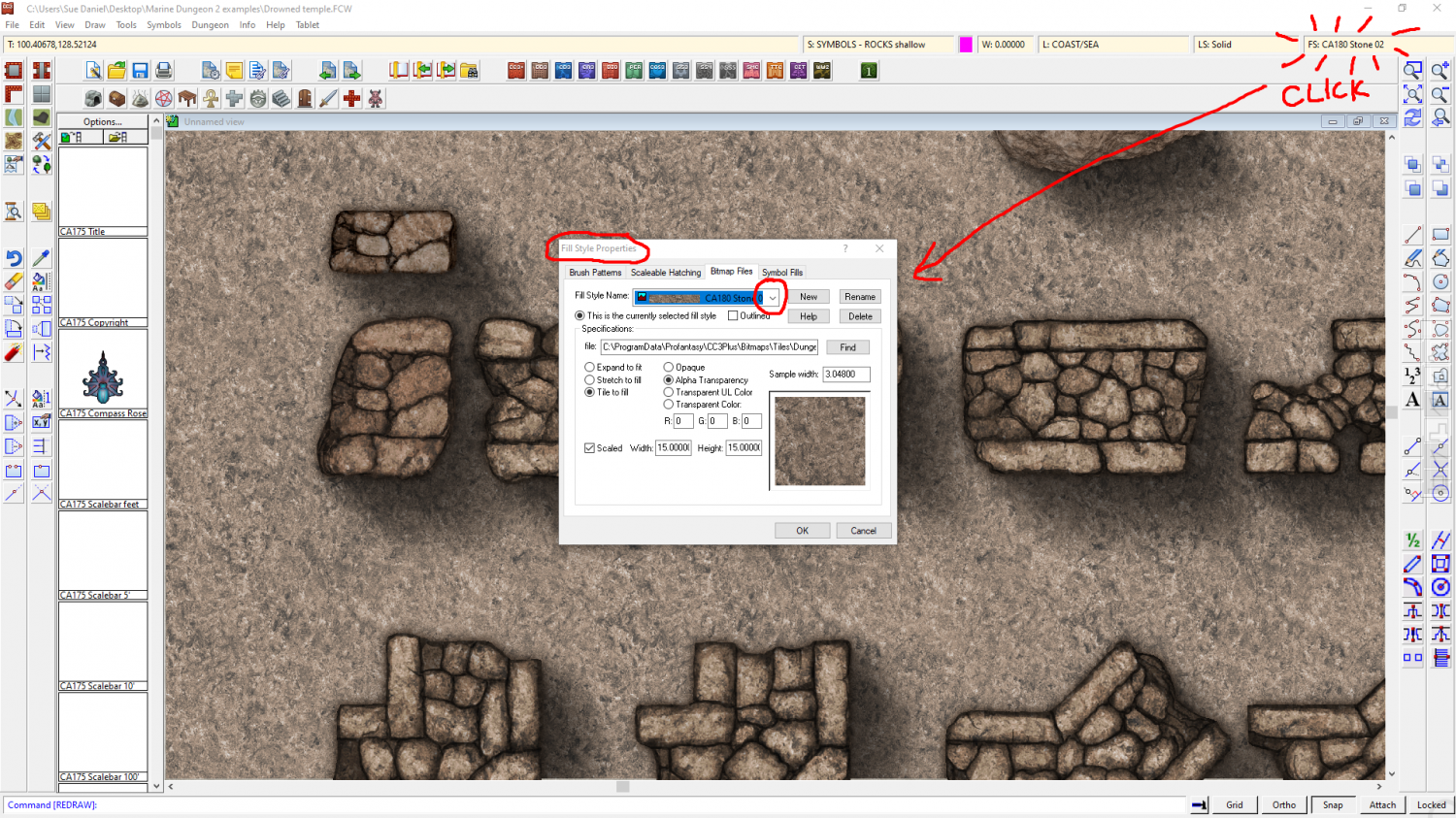
Once you have the dialog open make sure you are on the Bitmap Files tab, and click the Fill Style Name dropdown box to find the parchment you want. Having selected the fill so that it is the active fill, you can then use the tools on the right hand toolbar to draw new polygons with the active fill. Remember to chose the right sheet.
I hope that helps.

