


Loopysue
Loopysue
About
- Username
- Loopysue
- Joined
- Visits
- 10,414
- Last Active
- Roles
- Member, ProFantasy
- Points
- 10,161
- Birthday
- June 29, 1966
- Location
- Dorset, England, UK
- Real Name
- Sue Daniel (aka 'Mouse')
- Rank
- Cartographer
- Badges
- 27
Latest Images



-
Live Mapping: Hilltop Fort 1
It's tomorrow, Jim. Thursday, not Wednesday.

-
Change the contour of a landmass to a predefined path on another sheet
Stage 1
I exploded the land polygon because as an export from FT3 it was automatically a 'multipoly', which means you can't edit it or trace it. Then I hid the land and trimmed that black line down to just the wiggly side so I could see what I was doing.
As a side note to that simplified instruction - although I had picked the properties of the land before I exploded it, so that the exploded polygons would have the same properties as the original multipoly, they had a line width greater than zero, so became outlines rather than solid polygons. I put that matter right using Change Properties on all the bits of land to reset the line width to zero.
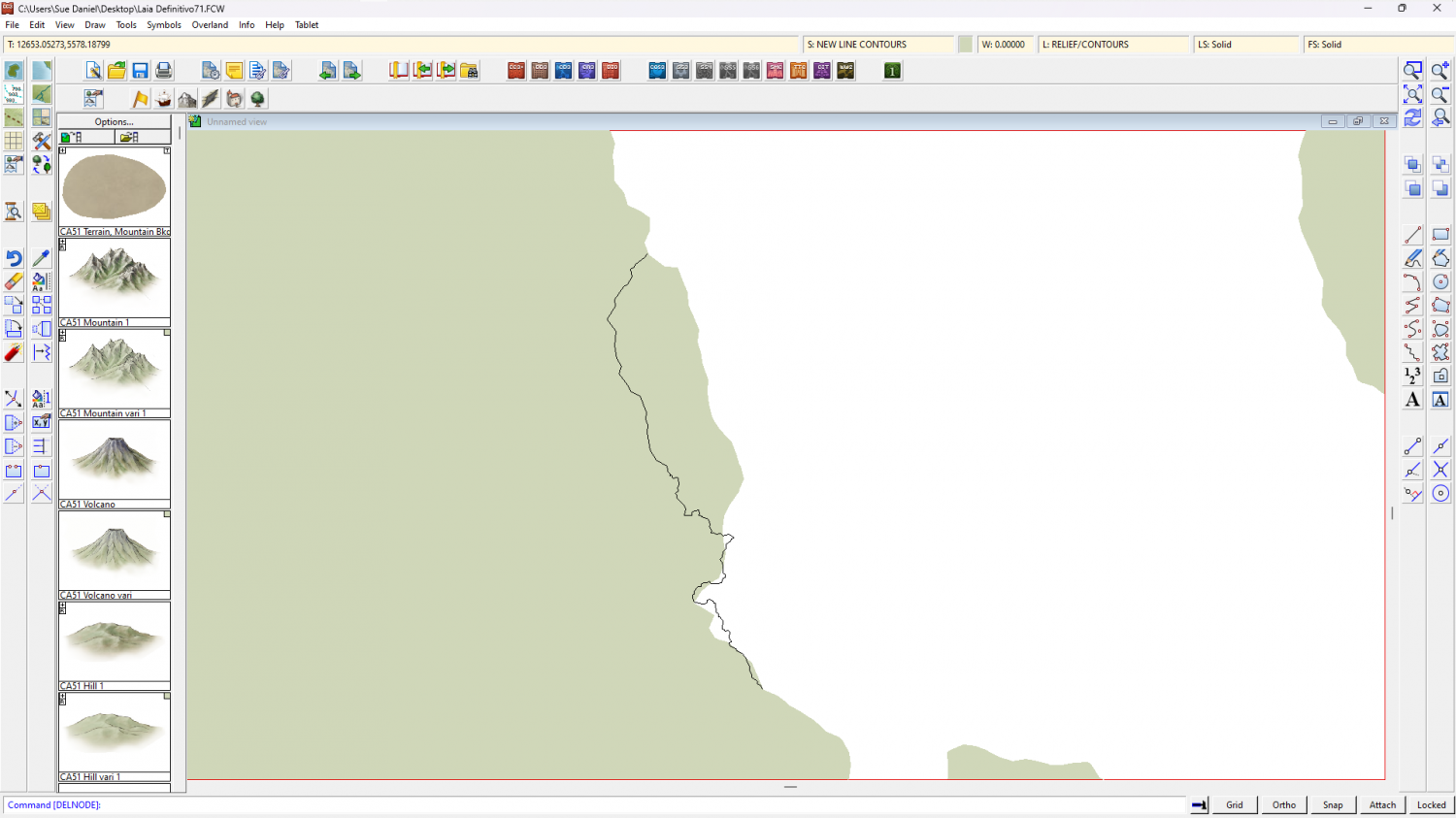
Stage 2
Next (and because I'm not great at using the editing facility of drawing tools) I decided to use the Land, Default drawing tool to trace the original landmass, breaking off the tracing at either end of that wiggly black line and tracing that instead of the original coastline in that area to close the polygon. The default land drawing tool uses a different fill colour to your original land mass, which is coincidentally convenient to show the result.
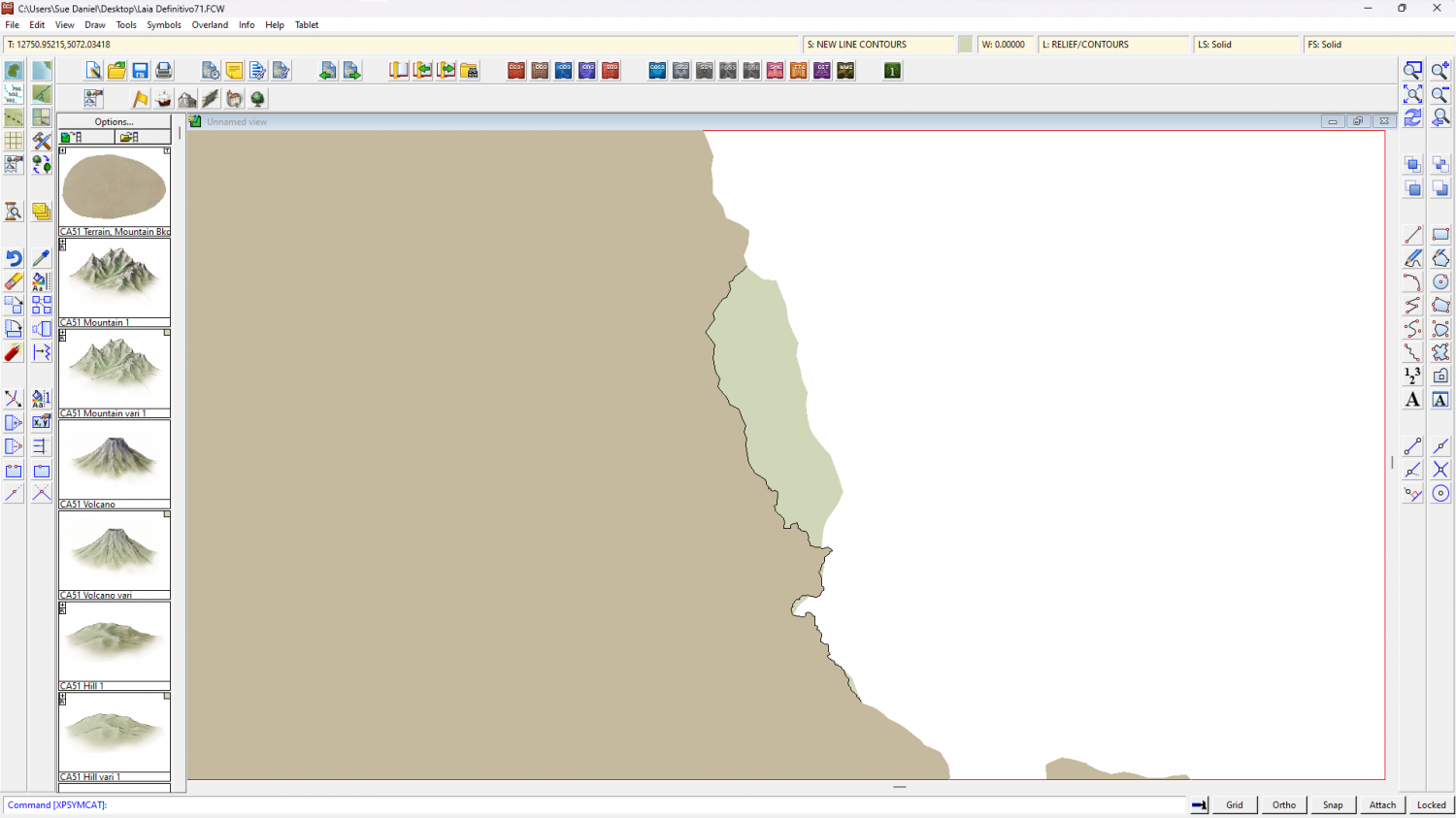
I then deleted the original landmass, hid the black line, changed the colour of the newly traced landmass to match the rest, and picked out the lakes in solid magenta (colour 6).
Another side note here. FT exports are notoriously full of far too many nodes, which makes the drawing sluggish. Since this map has only just begun I used the SIMPLIFY keyboard command at a distance of 5 units (you are prompted for the setting in the command line), which greatly improved the responsiveness of the drawing.
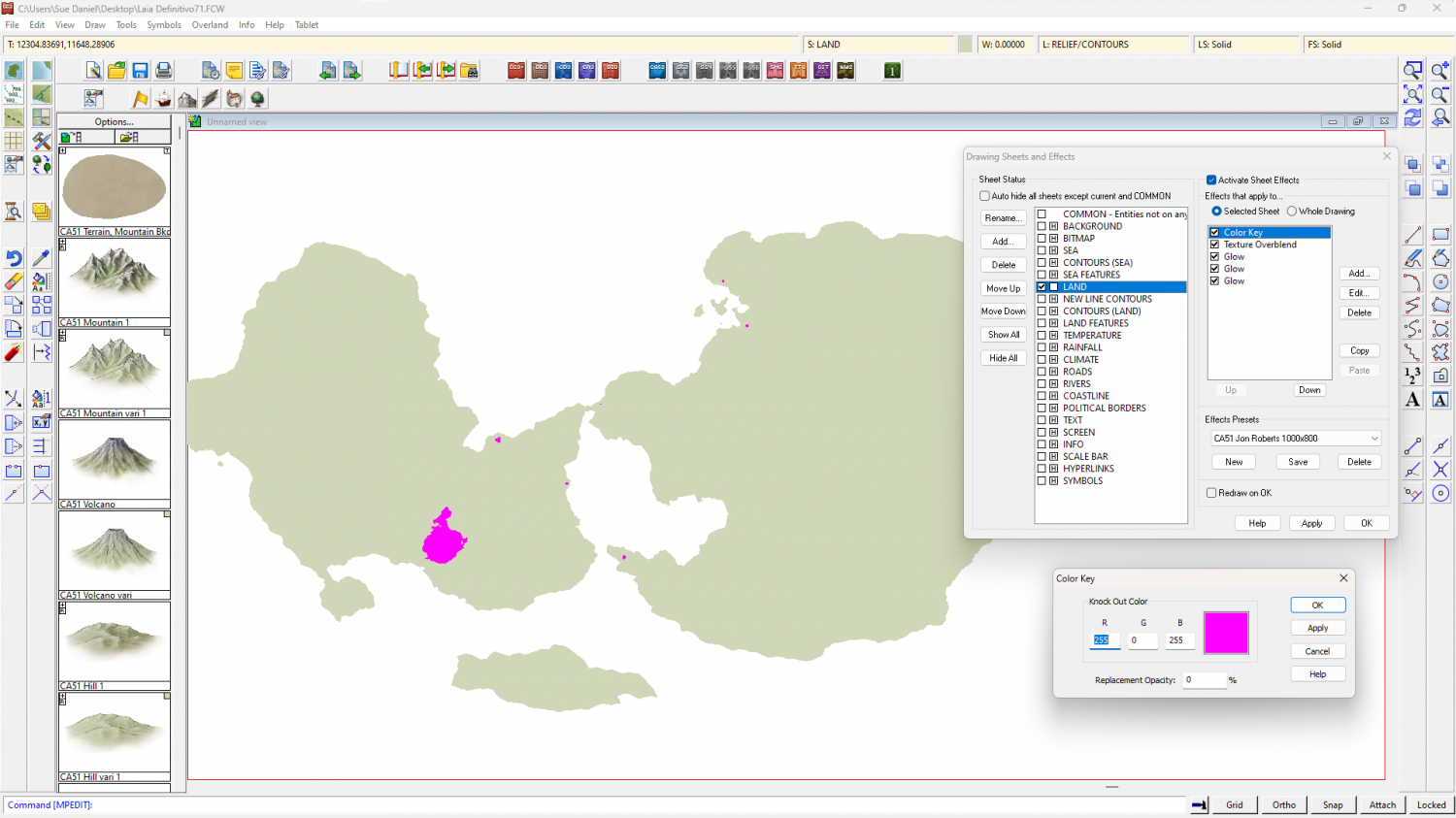
The reason for turning the lakes magenta is to use an alternative method for drawing them so that you don't have to re-multipoly the land. If you look I have added a new sheet effect to the land sheet called a Color Key. The Color Key knockout colour is magenta, so where the lakes are magenta they will become holes in the land when the sheet effects are turned on, like this.
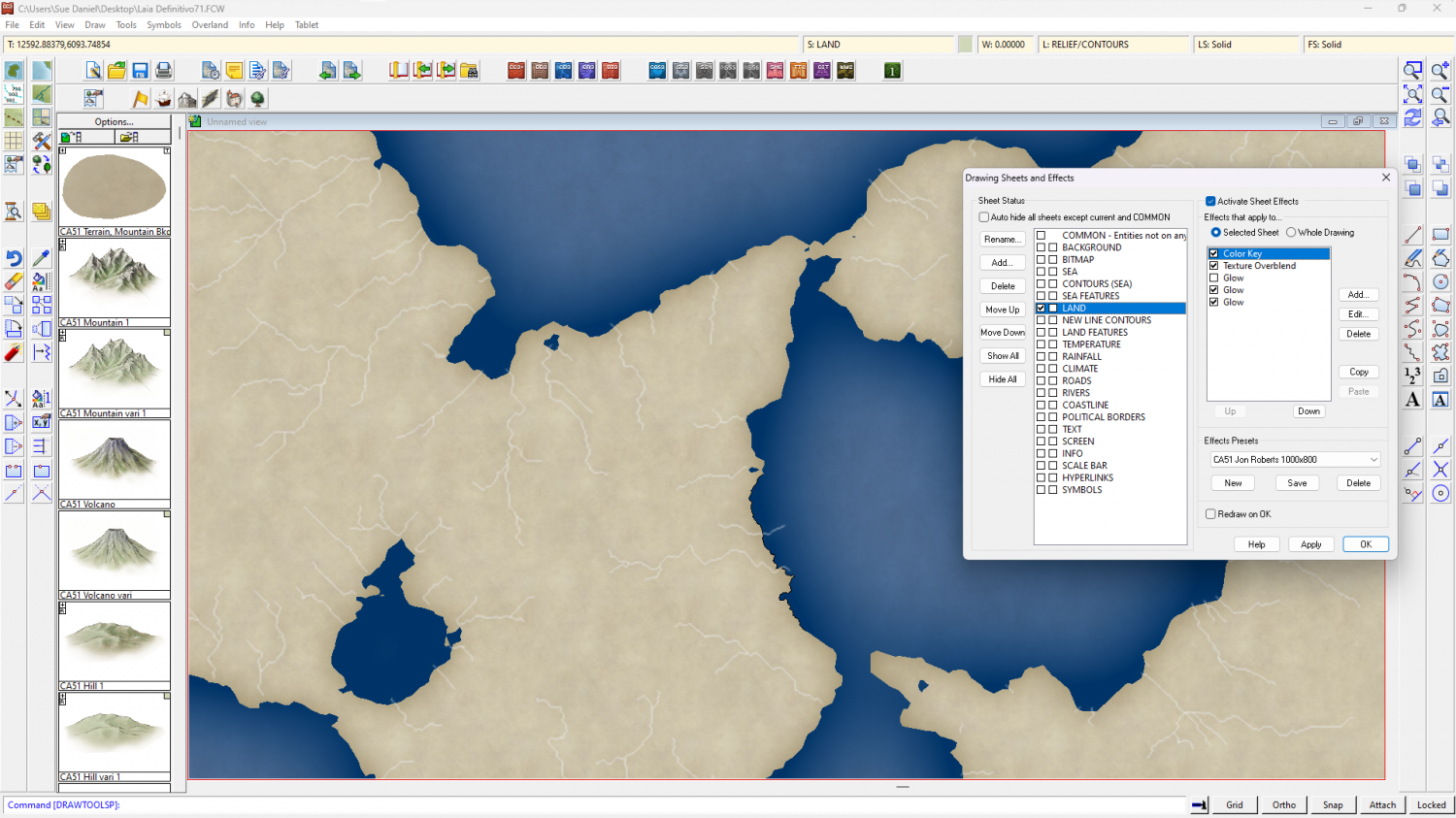
Other adjustments I made to speed up the drawing just a bit were to change the units of the LAND sheet effects to 'map units' and switch off one of the glow effects. You may find it faster to work with effects off in this very large map unless you really need them on to see what you are doing.
The full process was quite involved, so I've uploaded the end result if you want it here.

-
World Map
Square or not, that's really beautiful :)

-
Sheet Effects Question
It's possible you have an effect in the Whole Drawing category. In this map I have an RGB Matrix Process turning the entire map grey
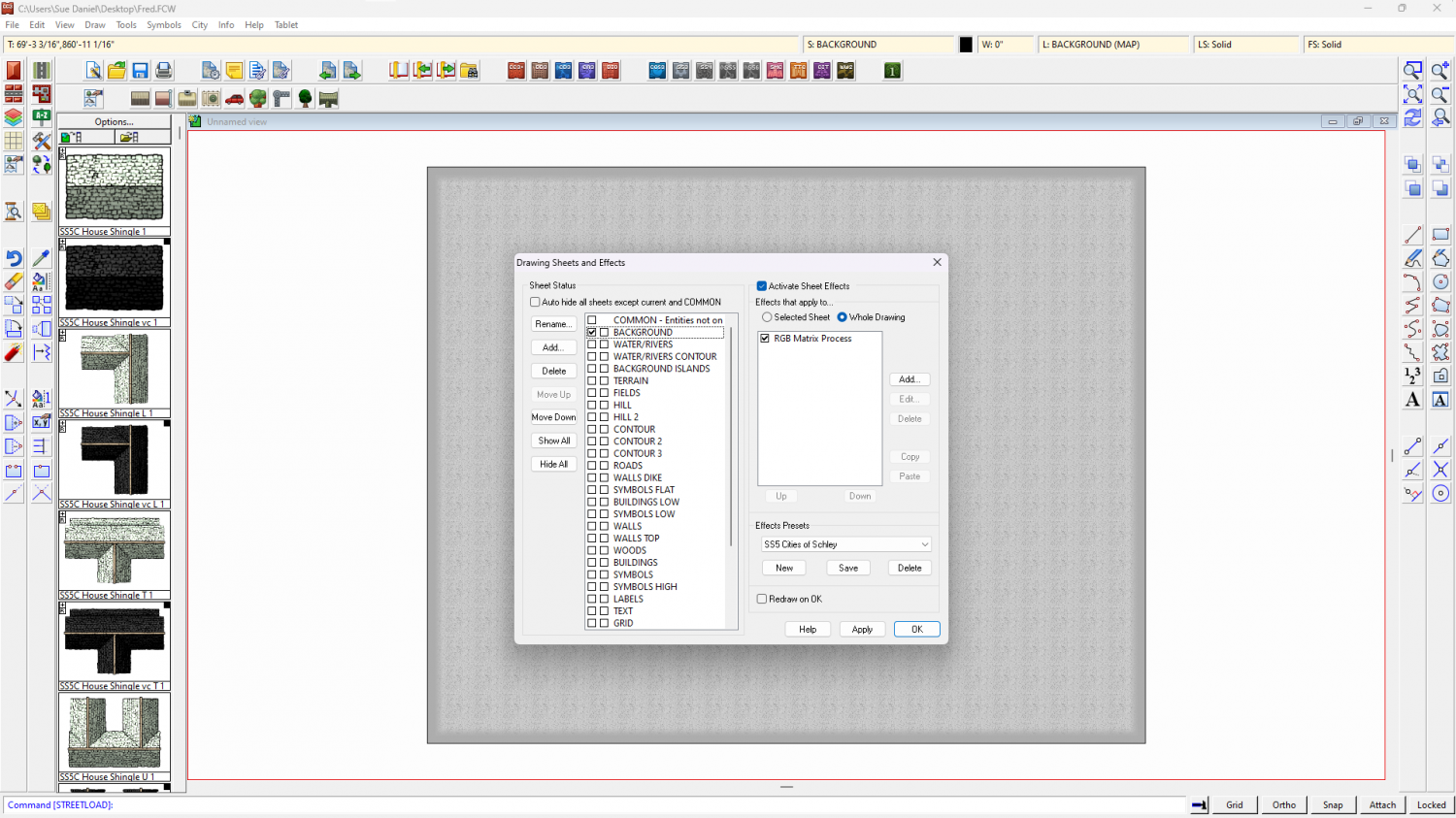
To check your own map click the Whole Drawing radio button at the top of the effects panel. Anything there will affect the entire map.


-
Live Mapping: Starmaps and Galaxy Maps
When I'm not so busy I will have a look at making a small set of backgrounds, maybe as an annual issue, though it would have to be impressive enough to become that.
