


Loopysue
Loopysue
About
- Username
- Loopysue
- Joined
- Visits
- 10,413
- Last Active
- Roles
- Member, ProFantasy
- Points
- 10,161
- Birthday
- June 29, 1966
- Location
- Dorset, England, UK
- Real Name
- Sue Daniel (aka 'Mouse')
- Rank
- Cartographer
- Badges
- 27
Latest Images



-
Lakes of Michigami - Regional Maps
I'm there :)
I can't afford any more time myself, but I will be around cheering everyone else on ;)
-
Banners
Trying out the first nearly finished test banner:
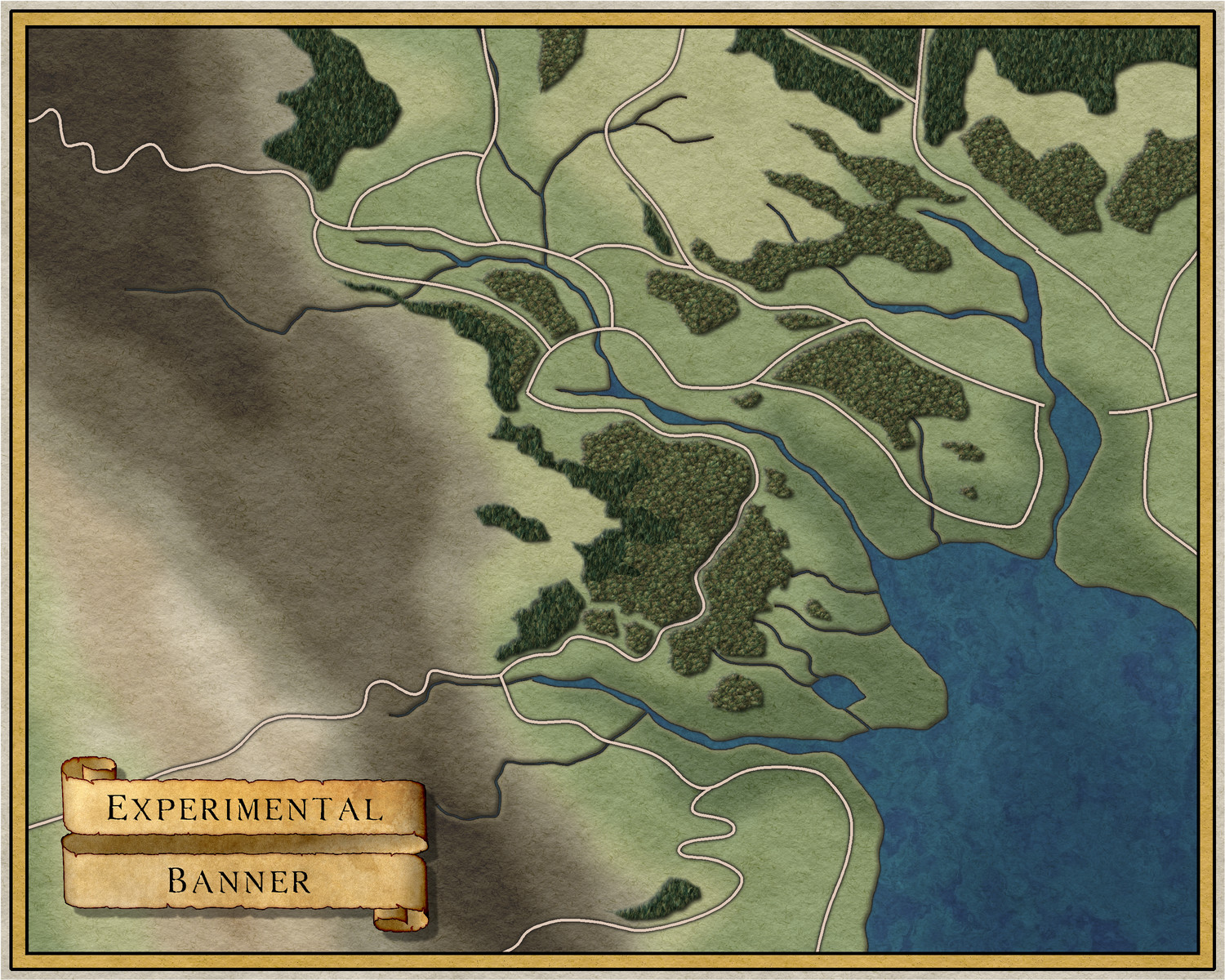
There's a Spatial Matrix effect on the banner text that makes it appear embossed. I think the effect may depend on how large the exported map is, since it is nowhere near as visible here as it is in the FCW.
-
Banners
Thank you :)
I've done a bit more - a few ideas.



![[Deleted User]](https://secure.gravatar.com/avatar/c75d9a245b74d9c59be0999ea81ca541/?default=https%3A%2F%2Fvanillicon.com%2F92add7f8c954488718110edc4896ad39_200.png&rating=g&size=200)



-
Banners
Hi Everyone :)
I was discussing various ideas with another member of the team when the subject of banners came up - how we don't seem to have very many.
I decided to make some for us.
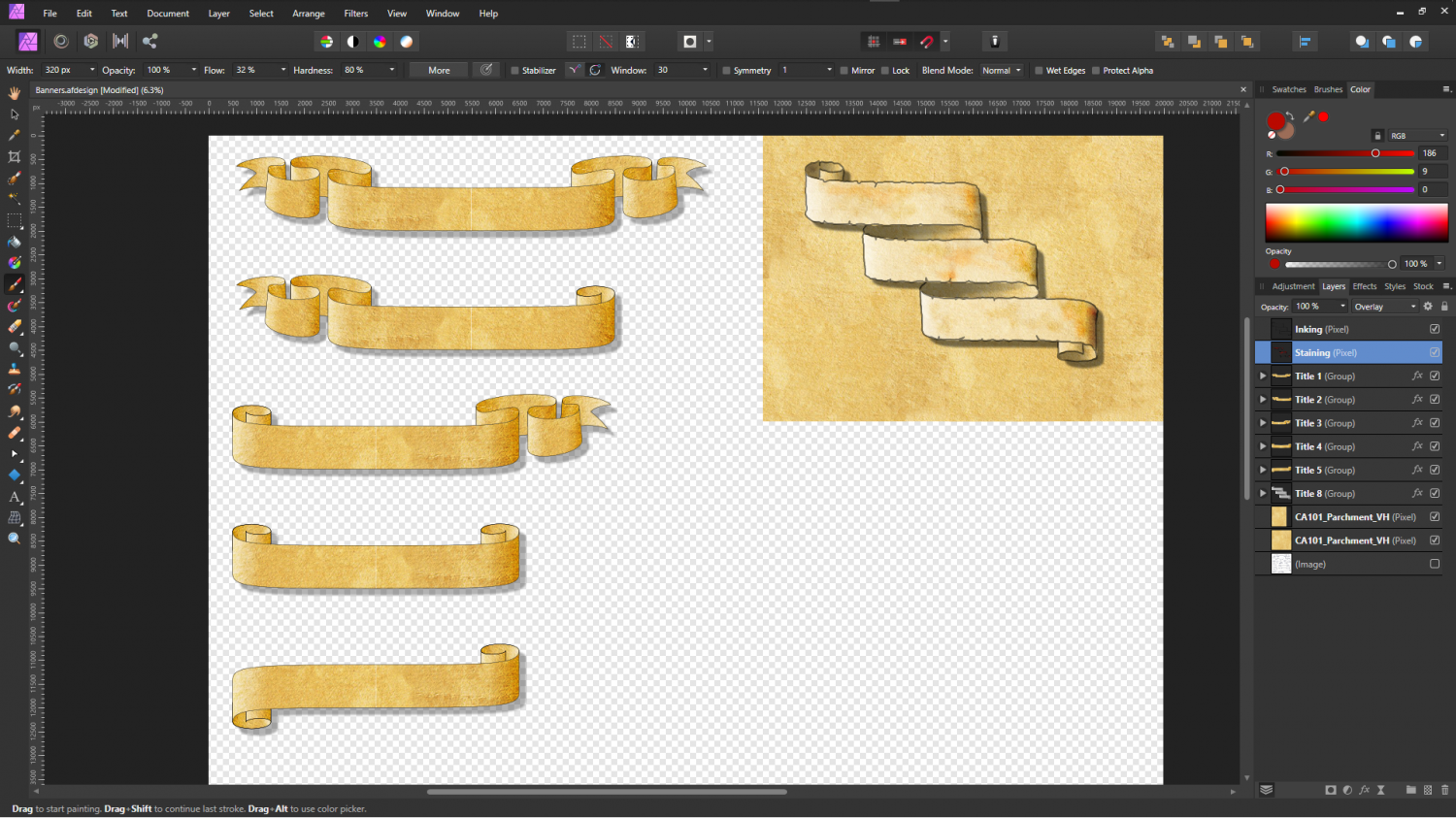
As you know, there are many different types of banner and many different styles. I won't smother you here with lots of examples that are not my own work, but I've made a start with the biggest ones - the title banners. Shown here as a screen shot of the work in Affinity Designer (like PS Illustrator but not as expensive). I would be interested to know what you think.
The file here is representative of the standard 1000 x 800 map unit template, so this is the size the banners will appear to be in a standard overland map.





 and 4 others.
 -
Grimdark Fantasy (renamed "Darklands") - development thread
This is how the sheets lie (please ignore the Effects Presets, which refer to the base template I used to build this on and not the style I'm making):
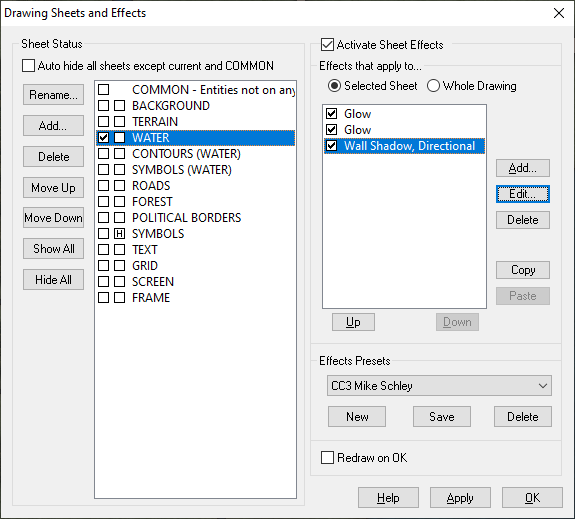
The WATER sheet lies above the land, not underneath it. The BACKGROUND is a parchment texture, the TERRAIN is a sheet with lots of green and brown patches blurred and blended into the parchment.
These are the 3 sheet effects on the WATER sheet. Please bear in mind that all these effects are set to map units, and that you might have to adjust them to suit your own map. This is more about the balance between the second glow and the directional shadow - they need to balance for the effect to work.
Also bear in mind that this will only work over relatively narrow bands because it is only an illusion - a fake bevel.
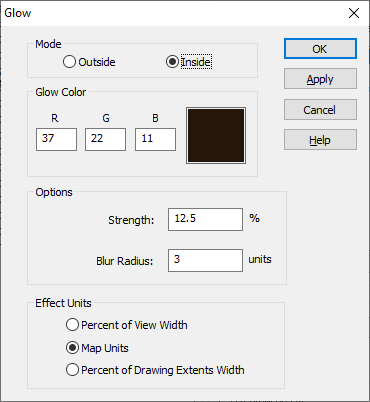
First I have a thin dark line to properly define the coast
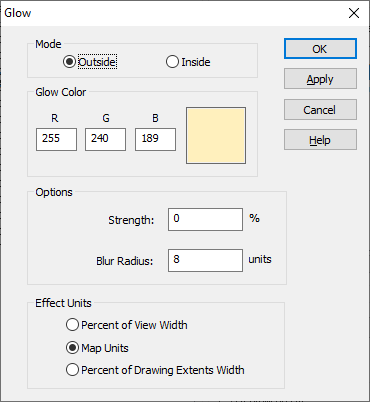
Then I have a pale glow set to Outside. I'm using a pale yellow here so that it hopefully matches any of the set terrain colours that might come to the coast.
And finally a dark directional shadow set in opposition to the default sun direction (which is 315 degrees)
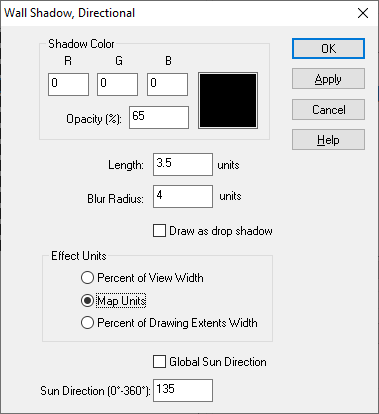
If it doesn't work immediately on your map remember that this is not a true bevel. You may have to fiddle around with the numbers quite a bit to get it to look right.

