


Loopysue
Loopysue
About
- Username
- Loopysue
- Joined
- Visits
- 10,354
- Last Active
- Roles
- Member, ProFantasy
- Points
- 10,108
- Birthday
- June 29, 1966
- Location
- Dorset, England, UK
- Real Name
- Sue Daniel (aka 'Mouse')
- Rank
- Cartographer
- Badges
- 27
Latest Images



-
Creating Symbol Catalog issue.
If the CSUAC folder and catalogue structure follows the same convention as the Profantasy ones, the folder containing the png should be in the same parent folder as the catalogue, and may even bear the same name.
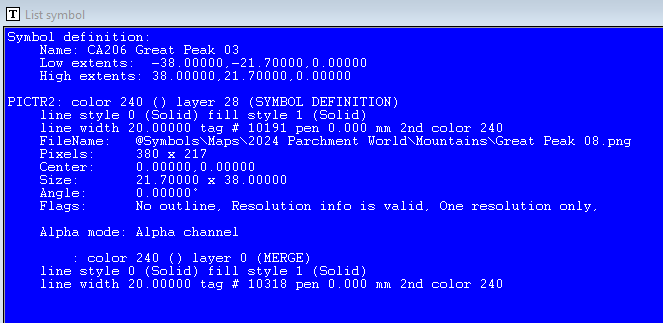
Alternatively, if you open the Symbol Manager and pick the symbol you want to find the png for, then hit the List button, it should give you the location and filename of the png on the 9th line.

-
Creating Symbol Catalog issue.
However, the problem has been swishing around my mind for a few minutes...
Have you tried editing the symbol through the Symbol Manager and bringing the text to the front?
Oh wait a minute! Are you using the actual symbol instead of the png the symbol is created from? You might need to import the png, then make the symbol with that non-symbolised png image.
-
Birdseye Continental - style development thread
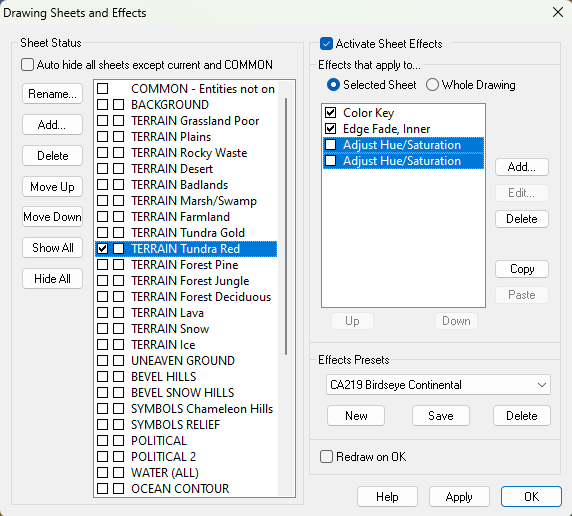
They're just sheet effects.
It's not too difficult to add a third of your own, though I'm going to stop at 2 for the template or it just gets a bit too heavy to explain everything in what is supposed to be a brief mapping guide.


-
Birdseye Continental - style development thread
It depends what season you see it in.
-
How to Recombine Text
You could group or multipoly them.


