


Loopysue
Loopysue
About
- Username
- Loopysue
- Joined
- Visits
- 10,411
- Last Active
- Roles
- Member, ProFantasy
- Points
- 10,161
- Birthday
- June 29, 1966
- Location
- Dorset, England, UK
- Real Name
- Sue Daniel (aka 'Mouse')
- Rank
- Cartographer
- Badges
- 27
Latest Images



-
Cartographer's Annual - all the issues linked in one place
I often get asked what each of the Cartographer's Annual contains, or which of them has a good style for a particular job, so I thought I would collect them all here with linked images to each issue as a quick reference guide.2007 (linked images)

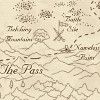
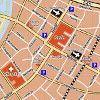

2008 (linked images)

2009 (linked images)
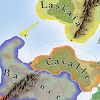
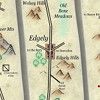
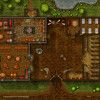

2010 (linked images)





2011 (linked images)




2012 (linked images)

2013 (linked images)

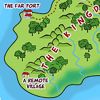
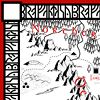

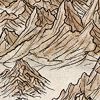
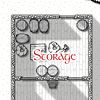
2014 (linked images)


2015 (linked images)






2016 (linked images)



2017 (linked images)



2018 (linked images)


2019 (linked images)

2020 (linked images)


2021 (linked images)




2022 (linked images)


2023 (linked images)




2024 (linked images)









 and 23 others.
 -
Curse of the Crimson Crown (Pathfinder Adventure Path)
A great start, but I see something that is catching my eye far more than the repeating textures. Does it take 3 passes to render?
If it does, and you are now asking your screen how the heck I knew that, I'm looking at the horizontal bands across your map.
This can happen if you have really wide glows, shadows or edge fades in operation (which by the look of things you have), and it is caused by the width of each pass. If the object casting the shadow, or the edge of the polygon with the edge fade on it isn't visible in the current pass width, CC3 can't see the sheet effect, even though the result of it falls within the pass.
You can check the pass width by typing EXPORTSETMPPP on your keyboard and hitting return. Check the number that shows in the command line. Unless you have changed it before the default value is 4000000 (4 million). You can increase it by typing 40000000 (40 million) and hitting enter. Try rendering the map again with the same settings as before. Hopefully by increasing the width of the pass this way you will get the whole map in one pass and those horizontal lines will vanish.![[Deleted User]](https://secure.gravatar.com/avatar/c75d9a245b74d9c59be0999ea81ca541/?default=https%3A%2F%2Fvanillicon.com%2F92add7f8c954488718110edc4896ad39_200.png&rating=g&size=200)
-
Turn off shading?
@Shessar I just saw Ralf use an RGB Matrix Process sheet effect on the cliffs to turn them bright green on the live stream. Maybe that might help instead of having to deal with the issues that normally arise as a result of making symbols transparent?
(not turning them bright green, but using one to make them paler and more in line with Mike's colour palette)
-
WIP Novaregna
I meant it the first way - a great base map to start developing the rest of your campaign in a series of larger scale maps :)
I wouldn't think that a waterfall would be visible on a map at this scale. That would really be for one of the larger scale regional maps.
-
Changing Palettes
You can get the default palette back again by clicking the colour swatch on the properties bar at the top, and then clicking the "Use Default PAL" button.
Remy Monsen covers palette management in some detail in this blog article here:
Details on how to save and reload palettes are near the end of the article.
