


Loopysue
Loopysue
About
- Username
- Loopysue
- Joined
- Visits
- 10,416
- Last Active
- Roles
- Member, ProFantasy
- Points
- 10,163
- Birthday
- June 29, 1966
- Location
- Dorset, England, UK
- Real Name
- Sue Daniel (aka 'Mouse')
- Rank
- Cartographer
- Badges
- 27
Latest Images



-
Making Hex Maps/Templates Which Fit Paper Sizes?
I think the white band is the screen. You asked about it on your other current thread and I suggested a solution for it there - the commands contained in this blog by Remy Monsen should help.
...
Making and positioning a grid.
In these example images I have turned the usually invisible white screen object grey to show the extent of the map, and also to illustrate what happens when you use the collar commands.
Make your grid deliberately too large by using the Select points option above the Apply button and place it very approximately in the right place. At this stage you are merely using the map to judge how many hexes you want - a bit like stretching a length of curtain material over a window to see if it will fit. There is no need to worry about accurate placement. Be more concerned that you have enough hexes.
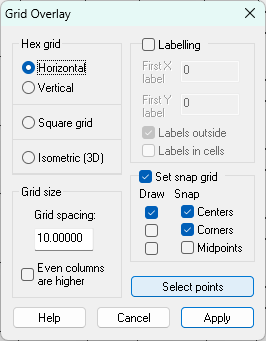
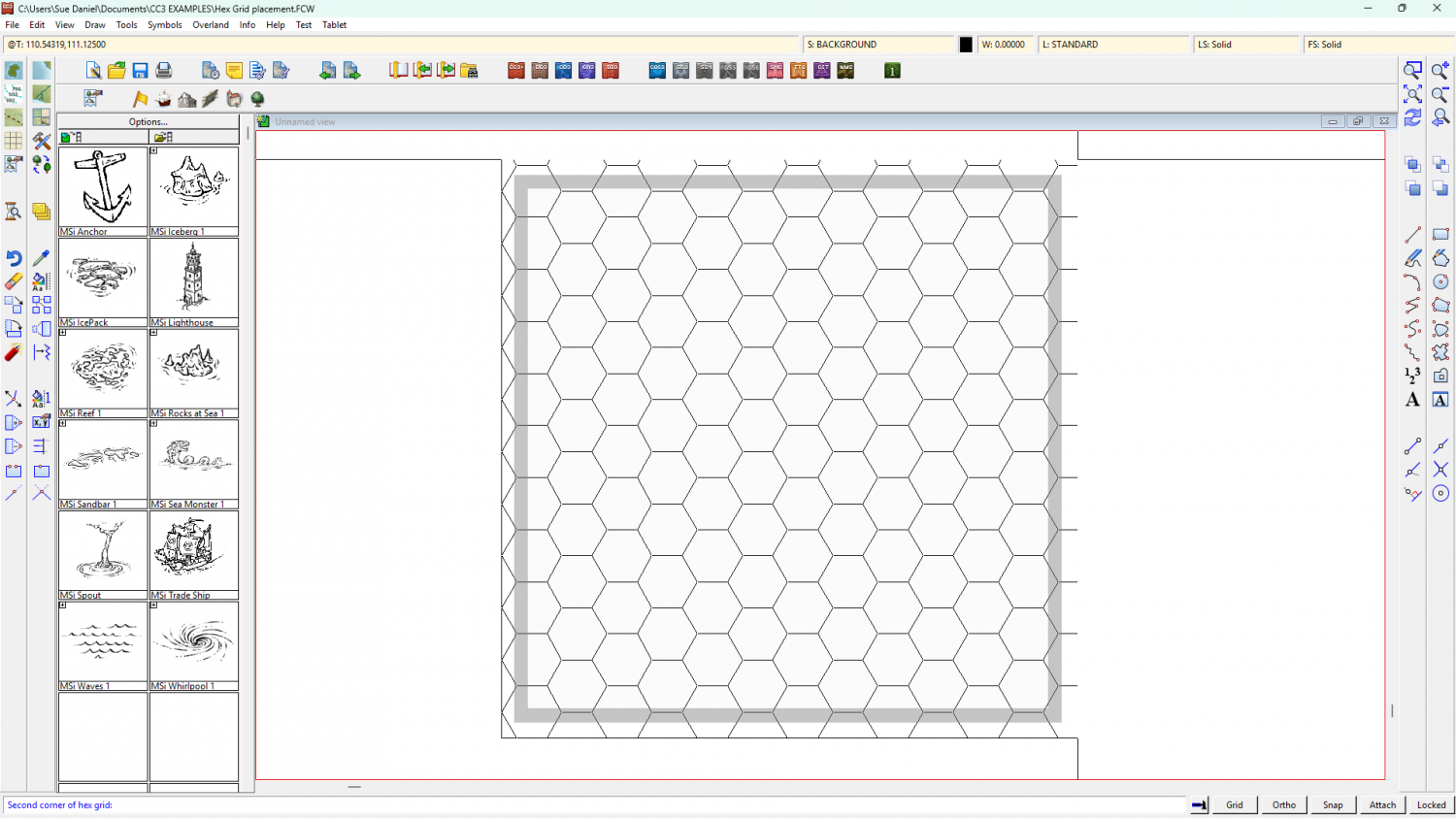
The new grid will have generated its own snap grid, which is useless from our point of view. Next we need to make our own new snap grid and move the drawn grid to match it.
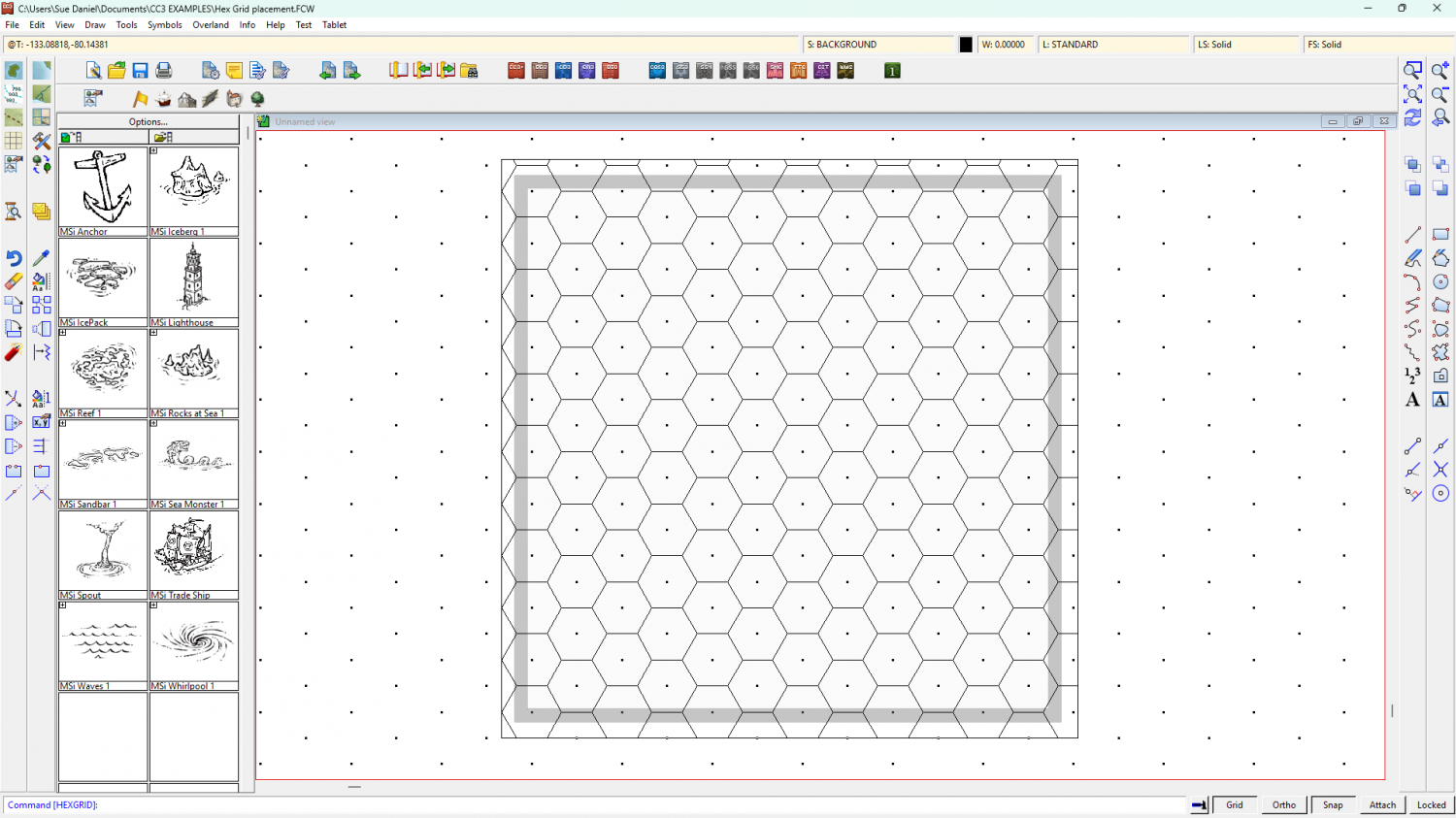
To create a new snap grid right click the Grid button and select New.
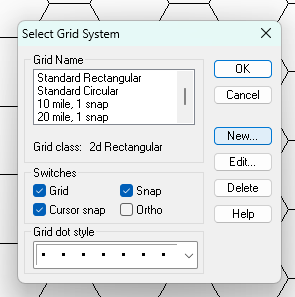
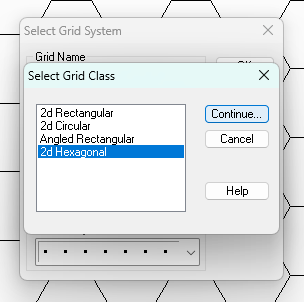
Pick 2D Hexagonal and Continue...
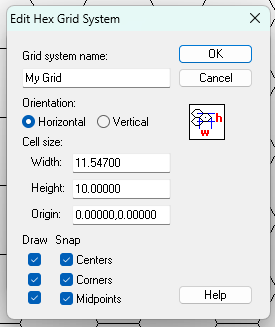
Give your new Grid an appropriate name and adjust the settings to your taste, then OK
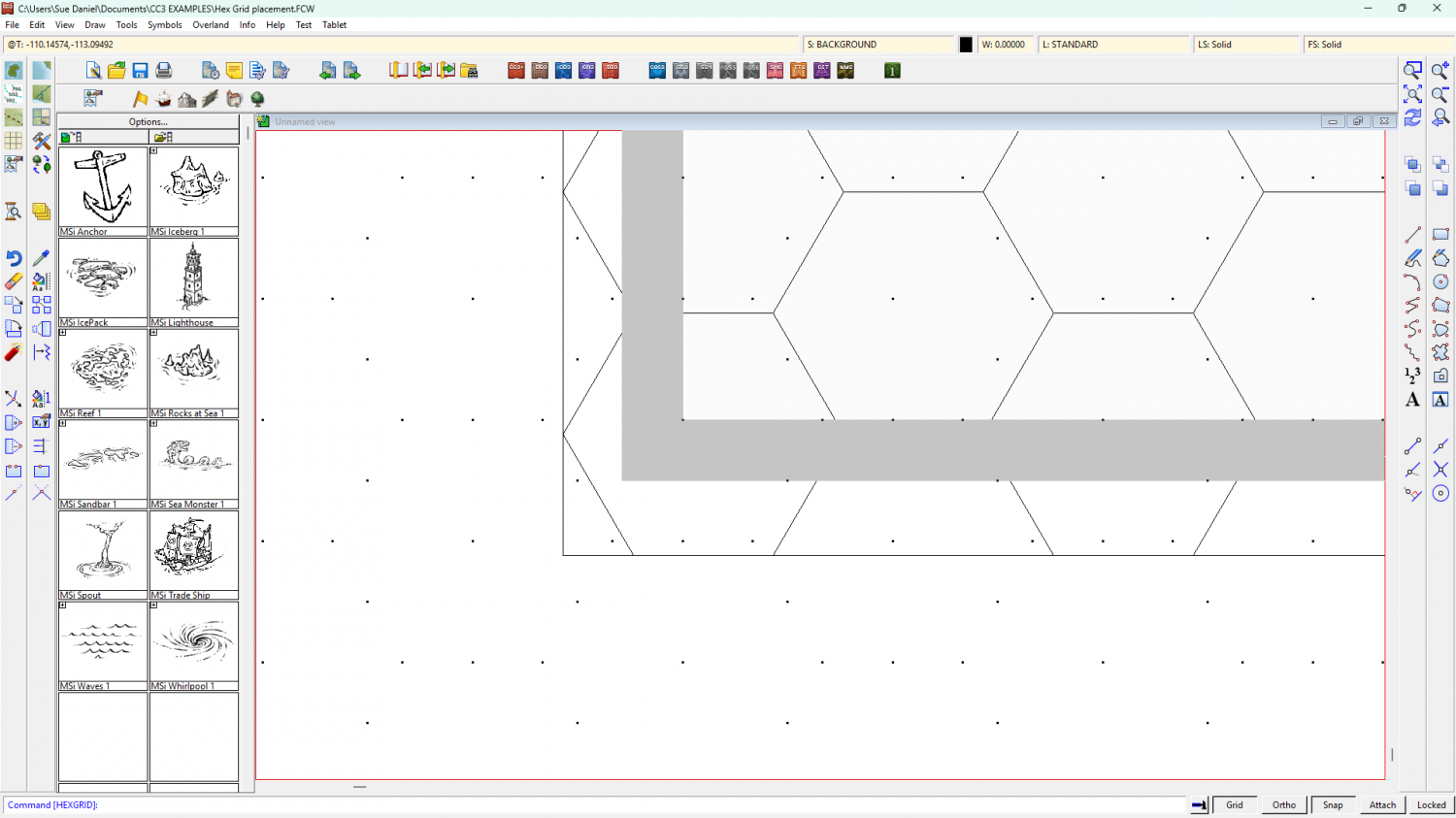
Your new snap grid should appear in the drawing window.
To move your drawn grid into alignment with the new snap grid, turn off Snap and turn on Attach. Then use the Move tool and pick up the grid at the corner of one of the hexes. Don't click the outline of the grid, but the side of one of the hexes.
While you have the grid hovering on your cursor mid-move operation, turn Attach off and Snap back on. You should be able to snap the corner of your hex to the right position according to the newly generated snap grid.
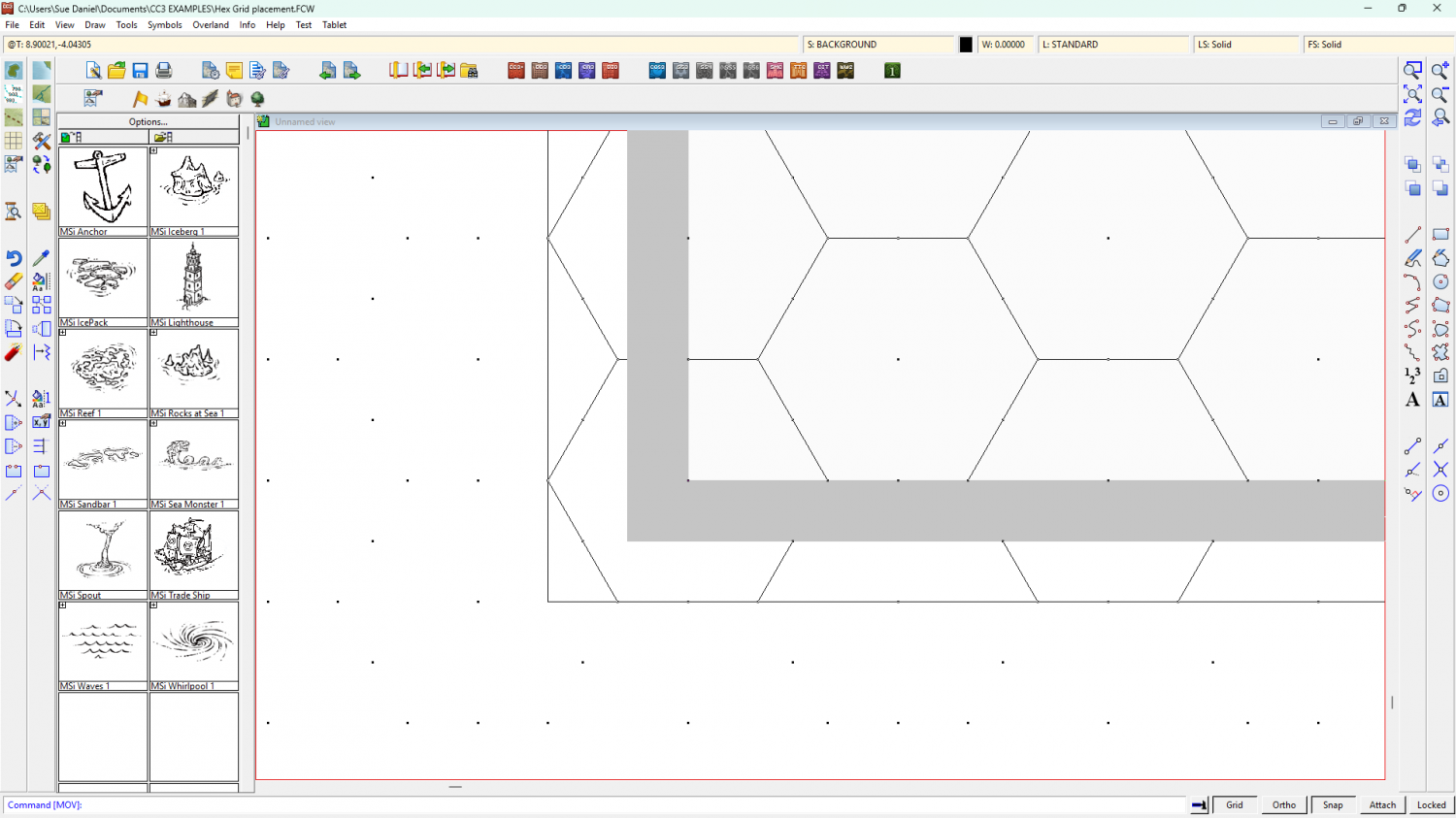
So the drawn grid is now in the right position*, but the screen (grey) is too narrow to cover the grid up.
Use COLLARDEL to delete that screen and COLLARAUTO to generate a new one.
The generated screen will be generously proportioned, but it does the job of hiding all those excess hexes really well. It will automatically be white, but I've turned mine grey again in this shot so you can see it.
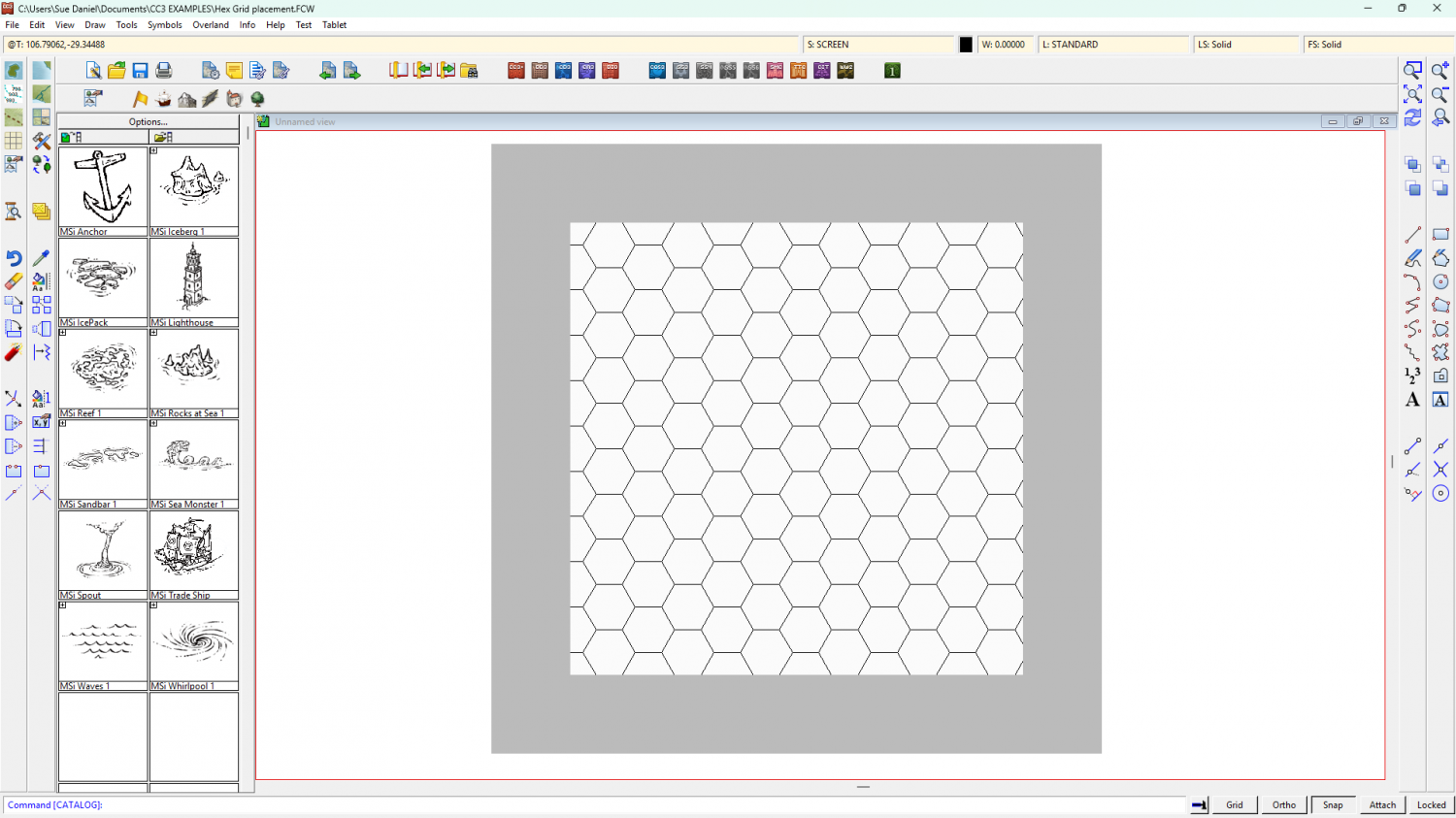
I hope this helps.
*Please note that I have no idea if I'm showing the correct position as you described it, but only that the drawn hex grid is now perfectly aligned to the new snap grid.


-
Live Mapping: Winter Lights
It's the festive season again!
Matching the holiday spirit, this week Ralf will be using the Winter Village style along with lighting options to create a festive village square map.
Come join us live on Youtube for the live mapping show at the time indicated in the left margin of the forum, and join in the chat.
https://www.youtube.com/watch?v=Cl6XfJeI9Cw
Or you can watch it here at any time after the show if you prefer.
I don't monitor this thread during the show, but if you have any comments or questions you can put them below if you missed seeing it live.


-
Community Atlas - Torstan Holy District - the Frog Tavern - a joint collaberation
Gross! LOL!

-
Desert planet
The export process is very flexible, so it may take a few tries to get what you want while you work out what all the controls do, and what all the templates look like - what and how much detail each one shows.
A couple of key points you may already have picked up:
- An export covers the area of your world that is showing in that moment, so if you want your whole world zoom to extents, and if you want just a region zoom to that region.
- Sometimes, if you pick a very high resolution the resulting map may be rather slow once you get it open in CC. We can cure that easily enough using explode to break apart any multipolies (polygons with holes in them that aren't editable), and then the keyboard command, SIMPLIFY, to reduce the number of nodes. Or if you don't feel like trying to marry up exploded multipolies once you've reduced the node count, you can try lowering the export resolution from FT instead.
There are several FT-related live mapping sessions that might be of use if you are a visual learner, or you can ask more specific questions here on the forum if there is anything that you can't solve.
-
Problems with Ferraris Style Example Maps Crashing - Solved
The Ferraris Style is older than my machine, and all the original artwork was archived long ago, so I might have been talking about another style. However, like you I'm progressively finding that last week is distinctly more foggy than it used to be.


-
Live Mapping: Gritty SciFi Blueprints Prt 2
This week, Ralf will be picking up the live mapping with the Gritty SciFi Blueprints style where he had to interrupt it last week. So if you want to watch him complete the research station, join us tomorrow live on Youtube!
Come join in the chat. Date and time shown in the left margin :)
https://www.youtube.com/watch?v=zUTiZKXkI3o
Or you can watch it later if you wish.
This thread isn't monitored during the show, but is a better place to add comments and ask questions than Youtube, after the show is over.

-
Welcome to the Updated Forum
Yes, Remy has resolved that in the last couple of minutes. I've just created an album and uploaded an image.

-
***Profantasy Live on YouTube***
LOL! I've just seen that my old fashioned smiles have been converted to something that looks like a giggle or a laugh!
![[Deleted User]](https://secure.gravatar.com/avatar/c75d9a245b74d9c59be0999ea81ca541/?default=https%3A%2F%2Fvanillicon.com%2F92add7f8c954488718110edc4896ad39_200.png&rating=g&size=200)
-
Project Spectrum - Part 2
My goodness!
What a lot of interesting information. And after all that I'm not even sure if I will have time to do any of these extra things, but we shall see.

-
Project Spectrum - Part 2
Thank you, Mike :)
The app is free, but relatively primitive. "It's really heavy to steer." As my dad used to say of the Ford Zephyr we had. For you young-uns, that's the same type of car used as cop cars and smashed up in their hundreds in the Blue's Brother's film.


