


Loopysue
Loopysue
About
- Username
- Loopysue
- Joined
- Visits
- 10,416
- Last Active
- Roles
- Member, ProFantasy
- Points
- 10,161
- Birthday
- June 29, 1966
- Location
- Dorset, England, UK
- Real Name
- Sue Daniel (aka 'Mouse')
- Rank
- Cartographer
- Badges
- 27
Latest Images



-
Birdseye Continental - style development thread
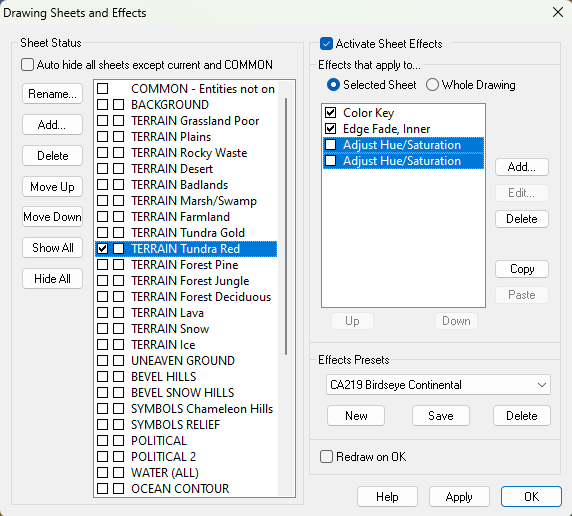
They're just sheet effects.
It's not too difficult to add a third of your own, though I'm going to stop at 2 for the template or it just gets a bit too heavy to explain everything in what is supposed to be a brief mapping guide.


-
Birdseye Continental - style development thread
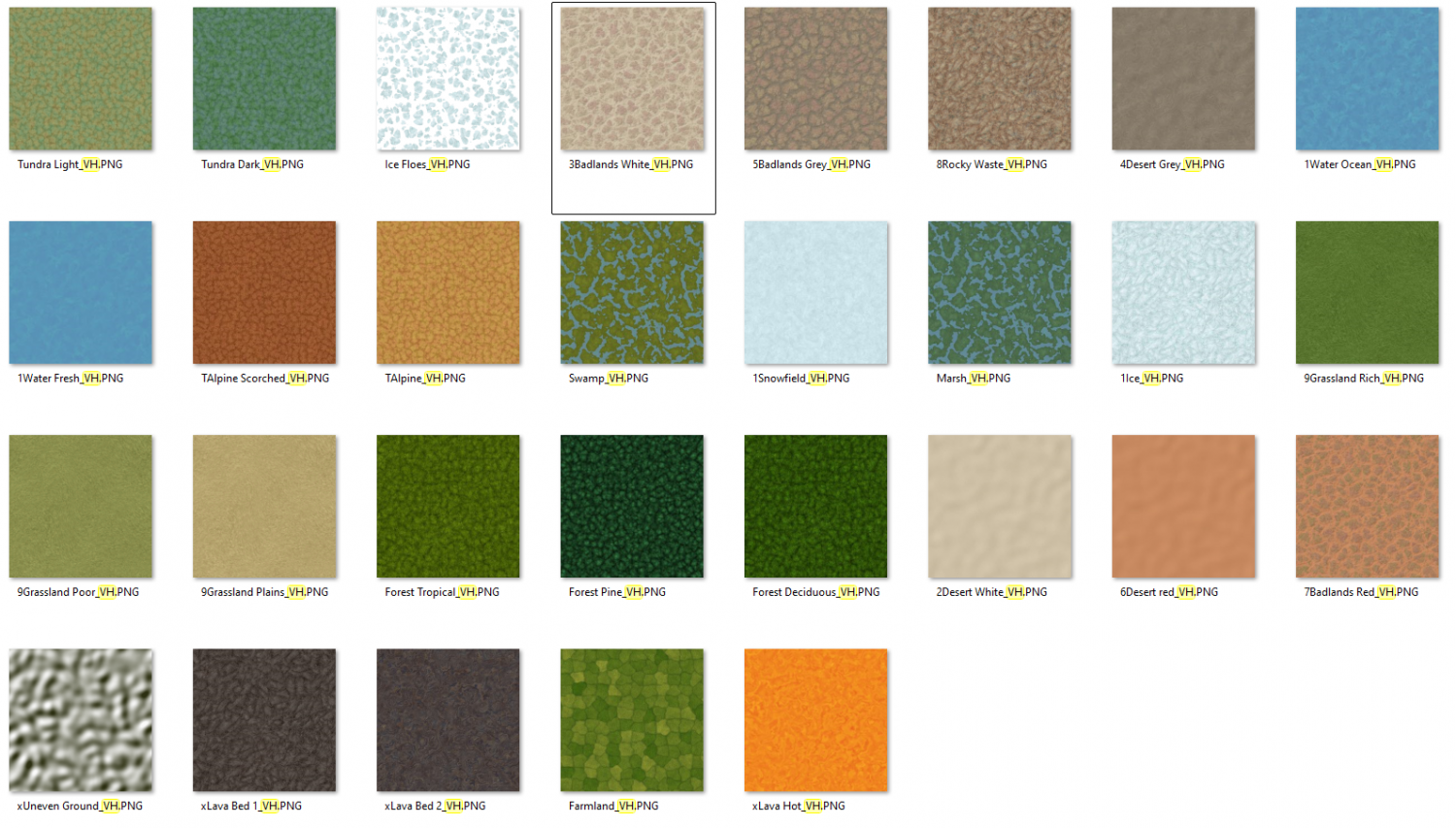
I think I have most things covered, though not specifically mangrove. There is a swamp fill, and a tropical forest fill, so you could make a mangrove using a patchwork of those two. However, unless your mangrove is the size of a county it won't really register as more than a dot on a world map.

-
19 c. map - is there template I can use and where it is (modern? one of annals?)
If this is a map for a whole country you probably need an overland mapping style. CC3 comes with a small collection of default styles. If you click the New Map |CC2NEW|button, pick the Overland Maps type and the Decide settings myself option, the Next dialog you get will reveal which overland styles you currently have available.
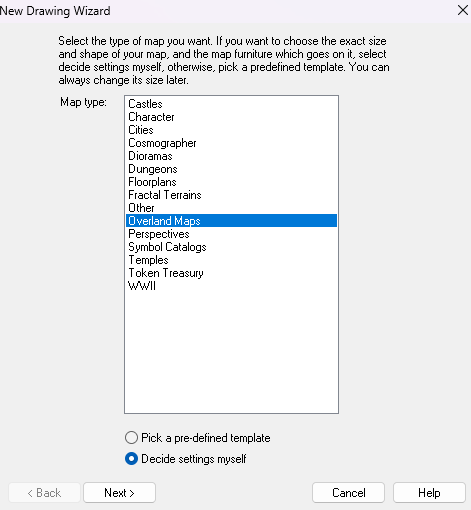
I've been here for years and have all the overland styles, but if you are only just starting you may only have a one or two. One of them will be the CC3 Mike Schley Overland style, which is one of the most flexible and useful mapping styles we have.
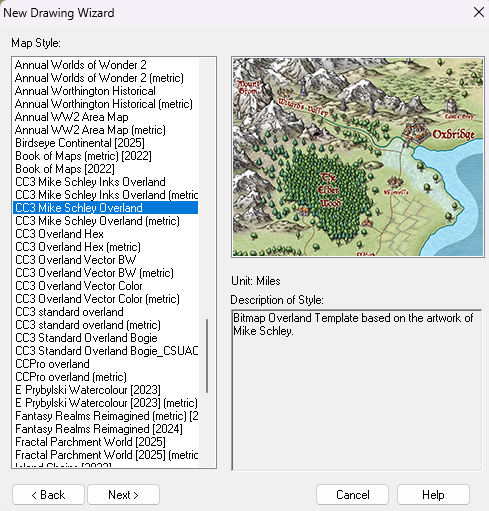
Pick your choice of style and click Next, which will take you to a window where you will have settings you can make, such as for the size of the map you want.
If this is the first map you have made I recommend watching this live mapping video. The sound track is a bit messed up before the start point I have given you a couple of minutes in.

-
CC4 Overland Development Thread
Yes, I have been thinking of ranges. These models are basic inspiration and could be combined in a range symbol once I get past the basics of how big to make them and how much to modify the general appearance.
The smoother hills are a popular request.
-
[WIP] - Lumadair: Birdseye Continental
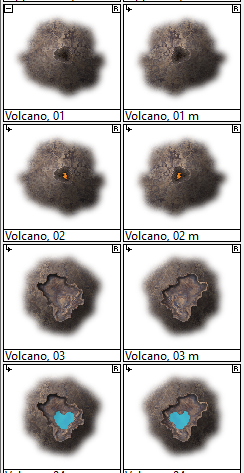
It's one of the volcano collection.
-
WIP: ESTONISCH CONTINENT BIRDSEYE
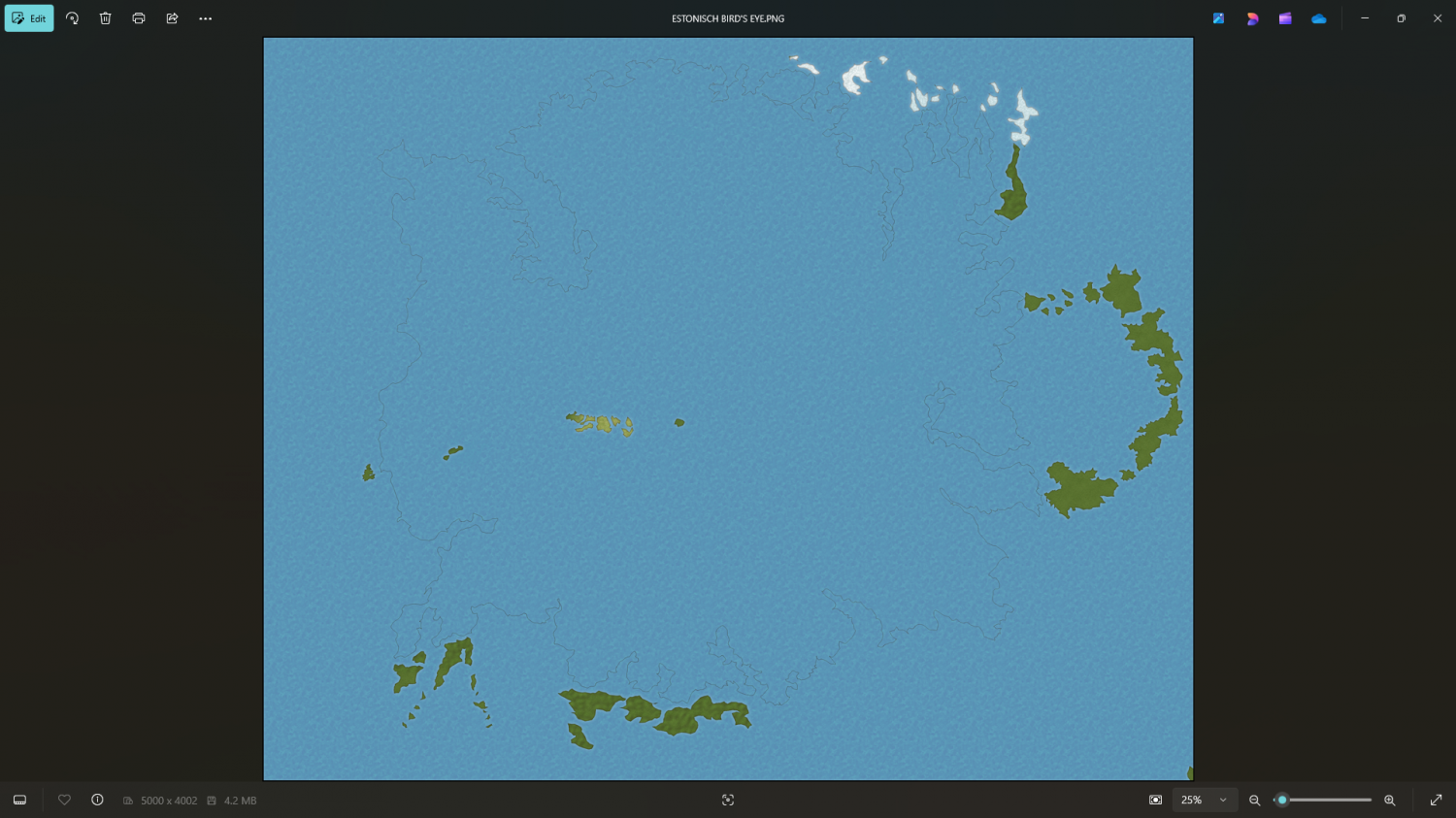
Ah ha!
I forgot to switch off the antialias.
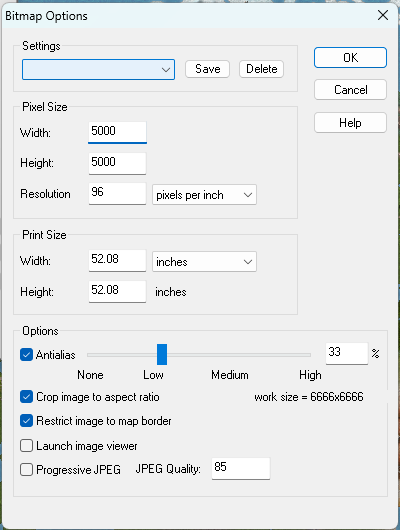
For some reason you need to have some antialiasing going on.
Try about 20-33%
That definitely shouldn't be happening at zero antialiasing. Please can you report it to TS for me?
-
WIP: need some help with making text more visible
Hi Brian! :)
The most important thing to remember with lables is contrast. If you turned your map black and white the map itself would be all shades of grey, ranging from a very dark grey to a very pale one. To make text stand out from it chose either a very pale label colour with a very dark glow, or a very dark colour with a very pale glow. The kill-all solution is to use the palest and darkest shades of grey - one for the text and the other for the glow.
Drop shadows don't generally work very well for readability, but can look good on a title sometimes.
Your labels are pretty much mid-tone, which is the most difficult colour to make stand out, even when you intensify the native white glow.
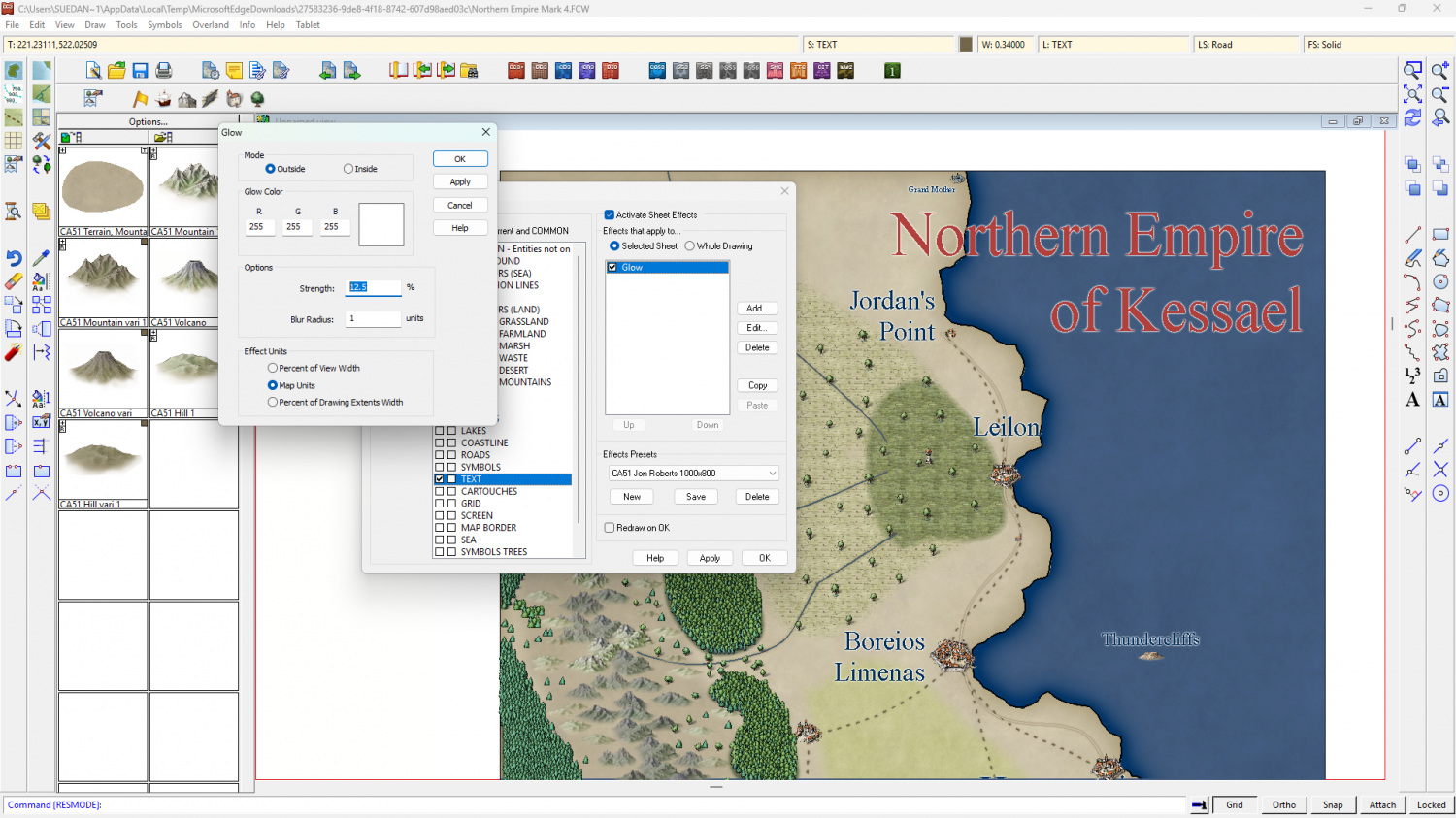
I recommend picking lighter or darker labels, and maybe using an Outer Glow instead of the slightly less tidy Glow, like this.
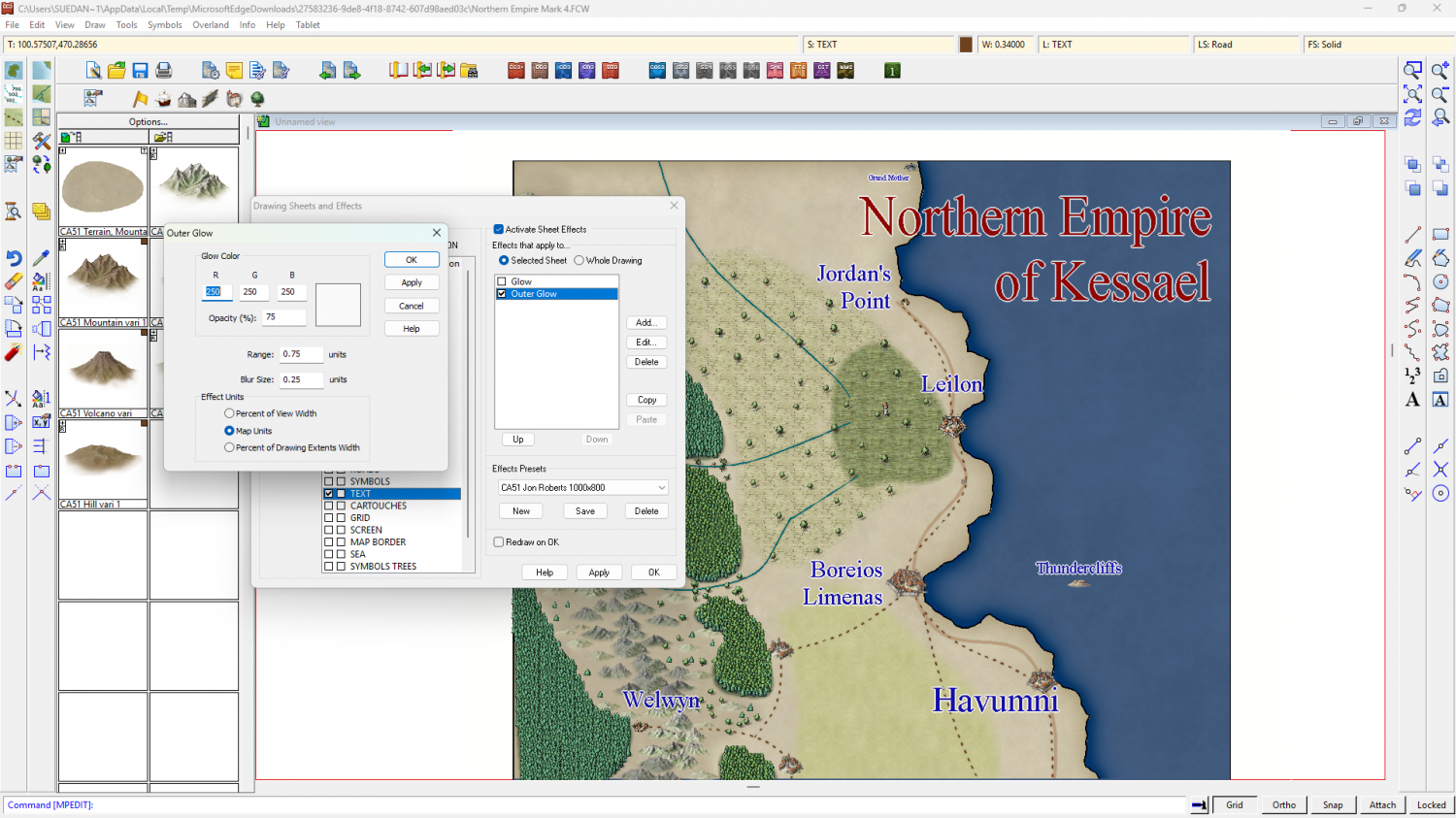
Or like this.
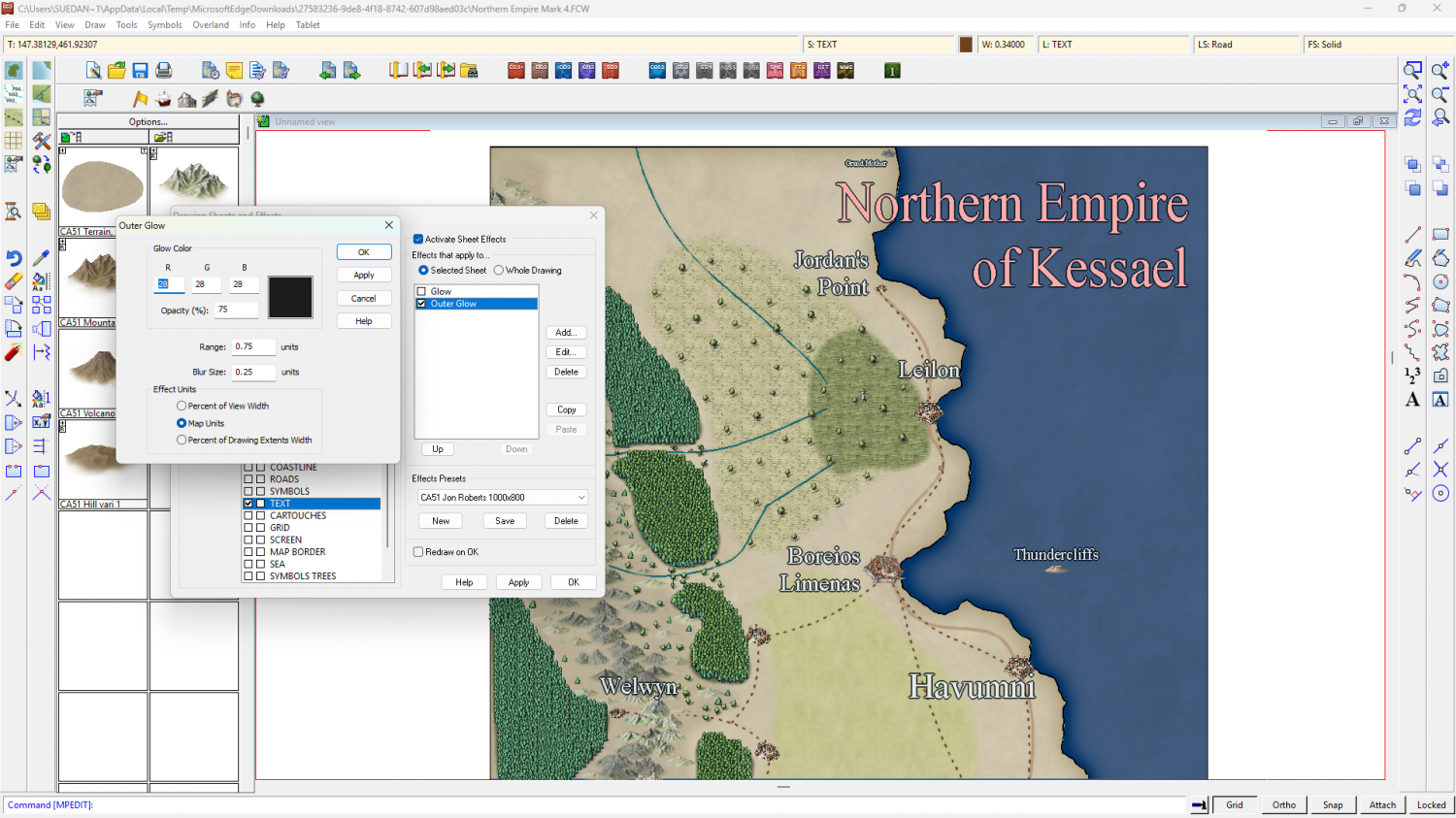
You could use both on two TEXT sheets - one way for the title and the other way around for the map labels.

-
Community Atlas: Barrows of the Ferine Magi area, Feralwood Forest, Alarius
Oh aren't they?
Well, wonderful work by the original artists :)

-
WIP: need some help with making text more visible
The Herwin Wielink colour palette on your map isn't really helping you, with only a single row of relatively dull blues to use, so here it is again with a more balanced colour palette attached to it - to give you more choice with your labels (and only if you want it with this modification).
-
CC4 Overland Development Thread
Here is the first mountain draft dropped down on isometrically scaled borrowed Birdseye Continental textures. There will be new textures specifically for CC4 Overland, but the colour scheme will be much the same.
There are several things wrong with this first draft, like the base shape (which should be level rather than tilted) and the mountain colours (which definitely won't be kind of brownish), but the painting style is more or less the one that's worked best so far - no inking, but everything drawn with ink-style lines, but instead of drawing in black they are drawn in colour.
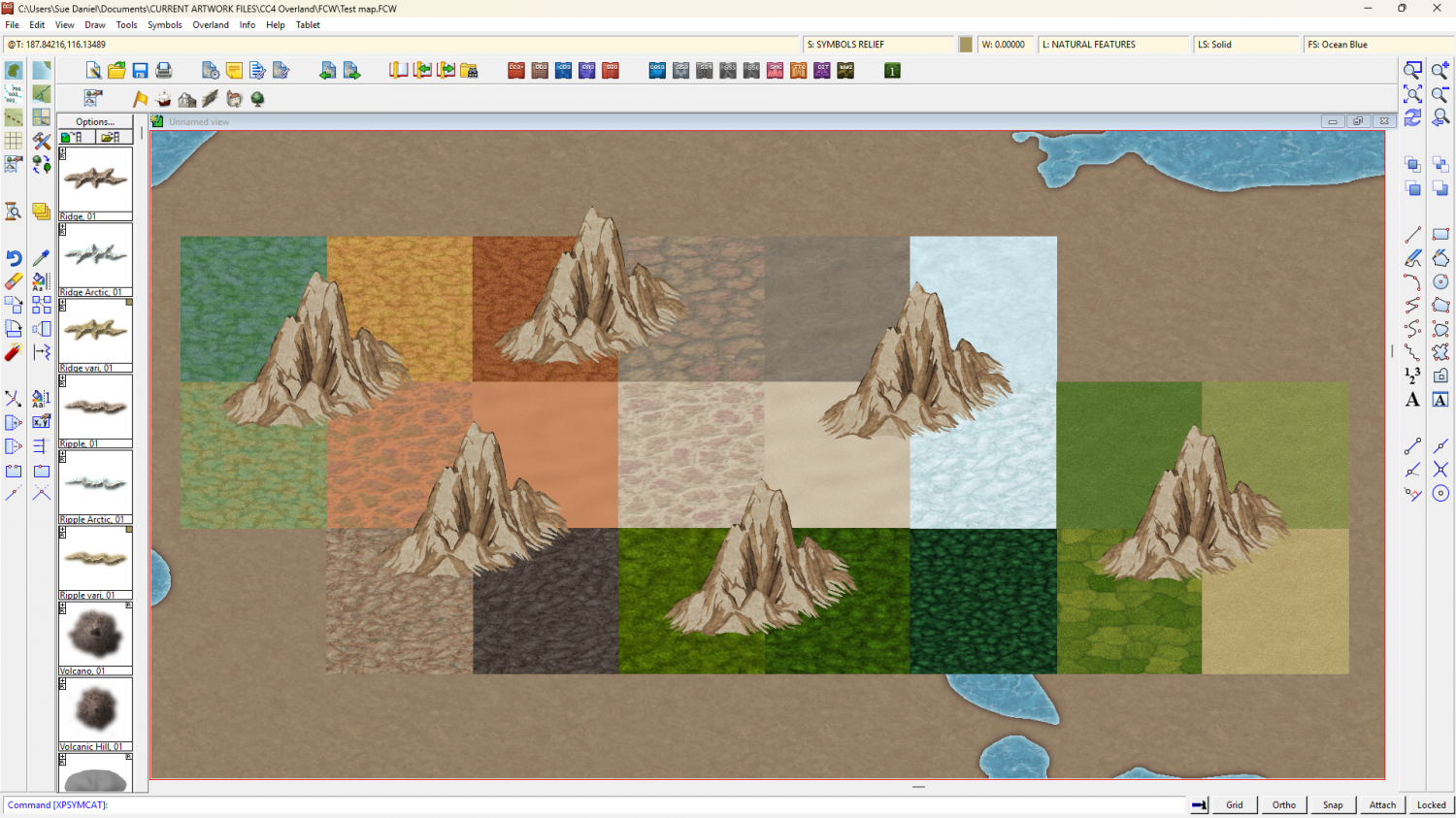
What do you think?



