


Loopysue
Loopysue
About
- Username
- Loopysue
- Joined
- Visits
- 10,416
- Last Active
- Roles
- Member, ProFantasy
- Points
- 10,161
- Birthday
- June 29, 1966
- Location
- Dorset, England, UK
- Real Name
- Sue Daniel (aka 'Mouse')
- Rank
- Cartographer
- Badges
- 27
Latest Images



-
(WIP) Night City
You can easily set up your own House style, and then use it to create your own Street styles.
The process is shown in several of the live mapping sessions. I will be back to edit and add a few links when I've found a good one.
EDIT: Try this one, Julian. https://www.youtube.com/watch?v=7dLtzBiObwY


-
Creating a Template to simulate the Khorvaire Map
Ok, that's good to know :)
For the landmass and ocean I recommend Darklands Overland style from the 2021 annual. Read the mapping guide for that one carefully since the sea goes on top of the land. That will give you a parchment land mass and will allow the different colours blended onto the land to extend right up to the coast despite being broadly blurred to give that soft colouration effect. there are set colours for the drawing tools, but you can clone and modify the drawing tools if you want different colours.
Once the land is put down and all the colours sorted out I think your ideas for the symbols are pretty good as it goes, though you might find it a little tricky matching them on a comparatively dark background like Darklands Overland. If that happens use the Mike Schley inks style and add a Blend Mode sheet effect to the symbols sheets set to Multiply to get rid of the white parts.
As for the structure symbols Remy has already explained those.
That leaves just the escarpment symbols. The closest I can think to that style is possibly the escarpments from the new E Prybylski Watercolor style in this year's annual, but they might not match that well.
-
Creating a Template to simulate the Khorvaire Map
Then when you start adding the colour patches for the terrain you can draw them as far under the sea as you like and they will be masked by the water when you refresh the drawing.
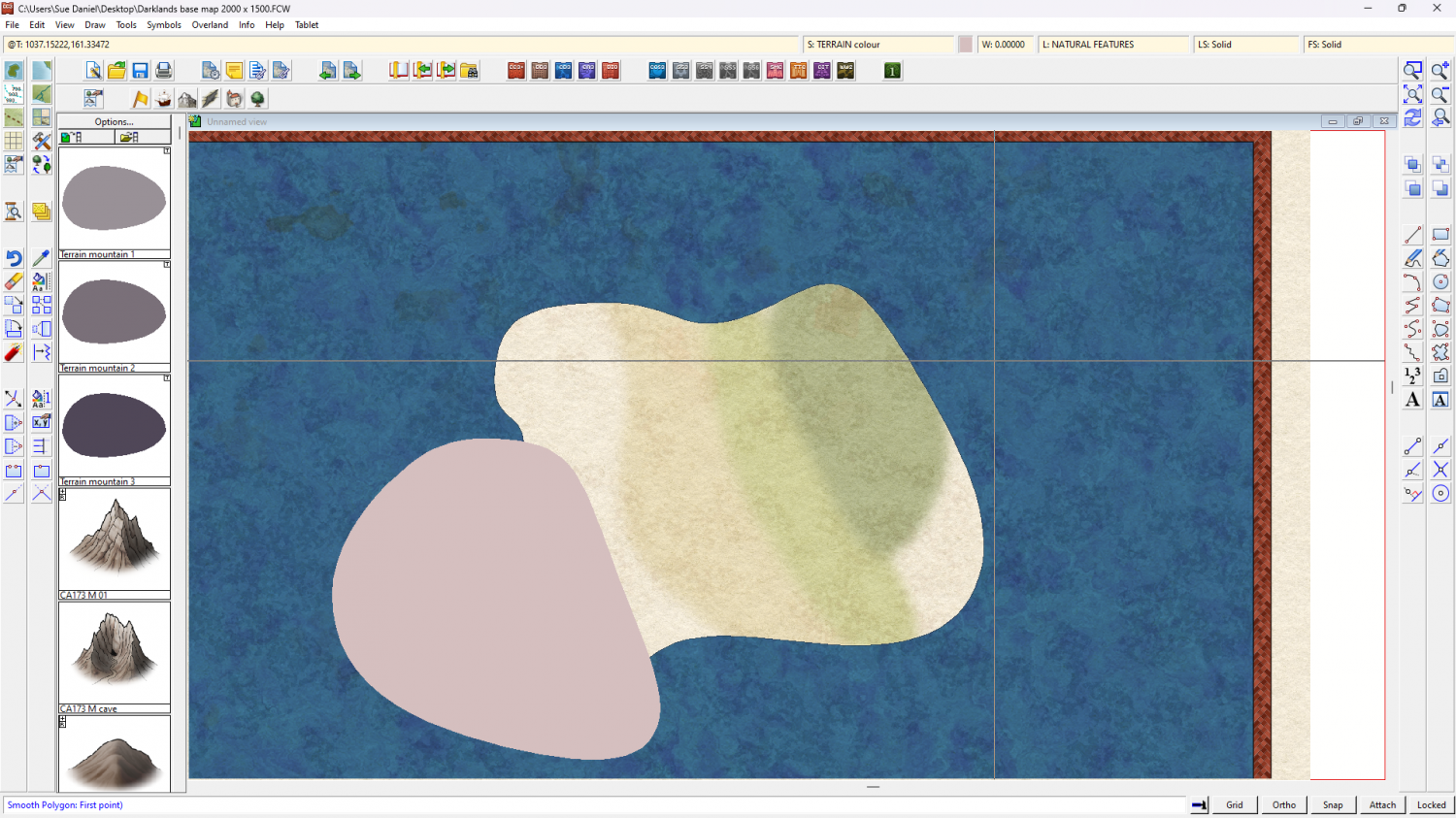
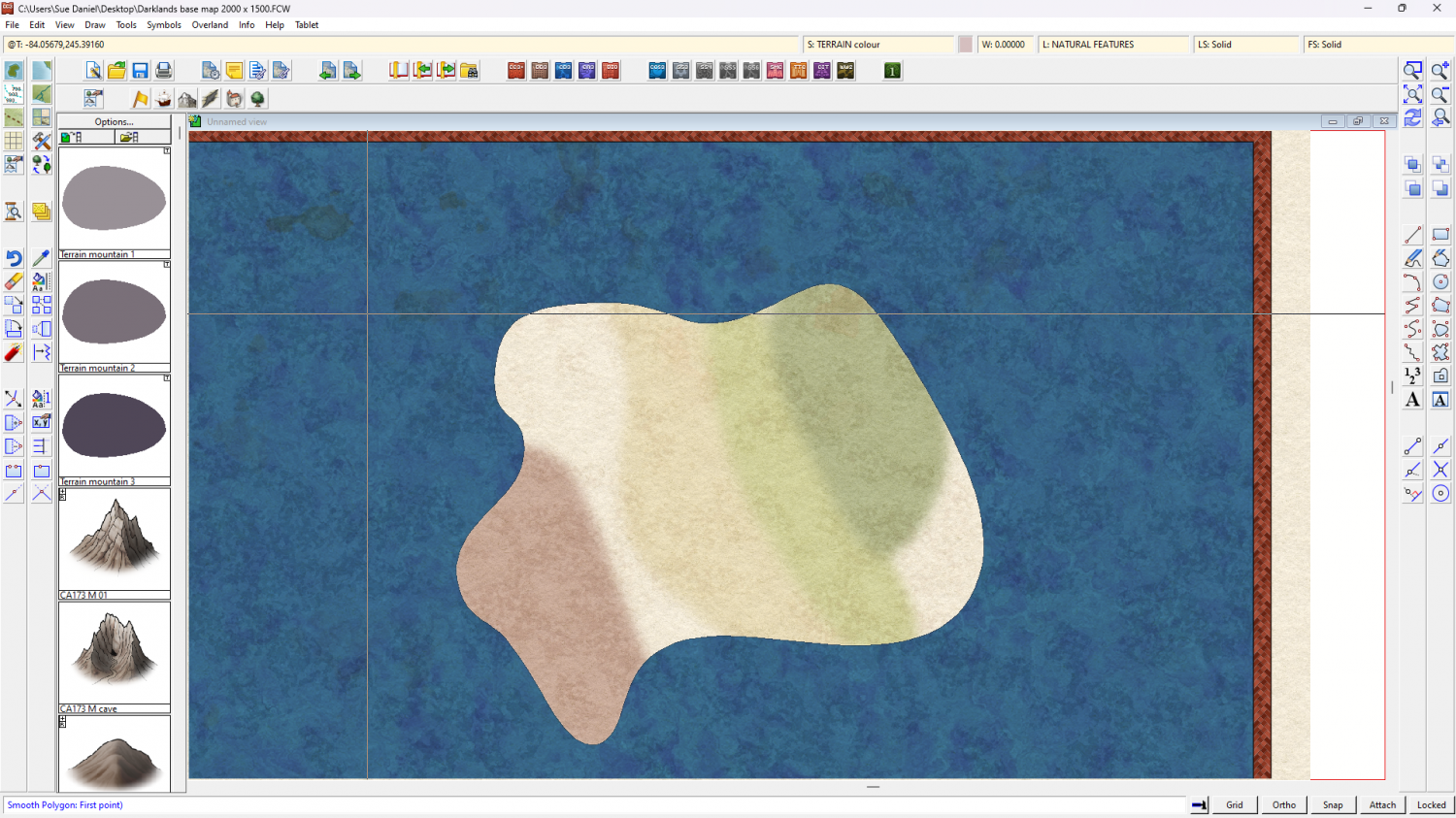
(this is the point at which you might want to make some new drawing tools to add more orangey colours for the desert than the pinkish ones I did)

-
Creating a Template to simulate the Khorvaire Map
Thanks :)
You can if you want, Hadrian, but it's easier to put a whole rectangle of sea over the map and cut holes in it making use of the Color Key effect on the WATER sheet.
It's not really an original idea. Most city map styles have the water over the land. It's just an adaptation of that for overland maps.
-
Creating a Template to simulate the Khorvaire Map
Thanks guys :)
Remember I'm just one of the crowd though. There are lots of others here working quite hard.

-
Battlemap collection for personal use
Wow, Ricko! What beautiful maps. Thank you very much for sharing them :)

-
Is there a way to search all Symbols across catalogs?
Click the open symbol catalogue button at the top of the symbol panel. Navigate to the Symbols folder and use the Explorer search bar to search for words like cupboard, or rack. You will get everything from every style you own 4 times over for each symbol because there are 4 different resolution images for each symbol. Give the search a chance to look in all the subfolders. For some reason it seems to stop after the first thing it finds and then after a few seconds it shows the rest of the results.
If you find something you want in the results right click it and pick 'Open file location' and go up one level to pick the catalogue file - the .FSC file. It will have the same name as the folder you were just in. That will open the right catalogue for the symbol you want.

-
ProFantasy Fractal Terrain - Polos World
It might help if you had some kind of established workflow of some kind that has been successfully used by many other mappers.
Depending on what version of FT you are using you may might have access to the One Day Worldbuilder pdf. It comes free with FT3.5. Even if you are still using FT3 you could download and install FT3.5 just for the pdf. The download should be available under the same group of files on your Downloads tab when you log into your account on the main webpage.
It's a pretty long read (though actually its mostly pictures), but there is a supplemental notes pdf that covers creating your own world from a blank world, such as you are doing right now, and it was written for FT3.
Without transferring files (FT3 files are simply enormous), you might want to look at that for a basic workflow, or at least to get some ideas about how to solve some of your current workflow problems. You won't need to do all the last bits of the process which are concerned with transferring your world to CC3 for CC3 mapping projects.
This is just an idea. You don't have to do it that way if you don't want to.
As a plus, the One Day Worldbuilder will show you how to take your world from FT3 to a really handy piece of free software called 'Wilbur', where you can play with erosion, and then bring the file back to FT3 again.
EDIT: sorry - no Discord that I am aware of.

-
Are gift certificates available?
Julian is right. That is the way the software is normally gifted. As long as you don't register the code yourself first there's no problem. Just forward the email to the recipient.

-
Create maps with my own graphic elements?
Hello brandor :)
Yes, you can do all of that.
I recommend the Tome of Ultimate Mapping as a reference book that contains all the technical information you will need to do the job, and this forum as the place to ask for freindly and usually accurate help and advice.

