


Loopysue
Loopysue
About
- Username
- Loopysue
- Joined
- Visits
- 10,416
- Last Active
- Roles
- Member, ProFantasy
- Points
- 10,161
- Birthday
- June 29, 1966
- Location
- Dorset, England, UK
- Real Name
- Sue Daniel (aka 'Mouse')
- Rank
- Cartographer
- Badges
- 27
Latest Images



-
Forest encounter area - Forest trails + SS2A
You're welcome :)
I've just noticed how low your JPG quality settings are. That probably isn't helping the appearance of the map. The default is much higher than that and will still produce a relatively small file. Try about 85% and see if that helps.


-
[WIP] First Cosmographer Map - Space Elevator Cabin
Yes, thanks.
There may be a less 'aeroplane' way of doing the seating if there is no forward direction. I remember being on a hydrofoil across the channel to France a long time ago when such things were really new. The seating took me a bit by surprise, as it was arranged in little 'cups' with a small table for you to put your refreshments on, so you could sit together as if you were in a cafe. It wasn't very spacious, but it was a whole lot more friendly than rows. It was quite impossible to see anything but sky through the windows anyway, so forward wasn't really all that interesting to look at. But maybe your vessel is more military than that, and I think the military tend to stick with endless rows of things.

-
Map Size - ReSize
That's a different thing again.
The size of your map in CC3 doesn't really matter. It's the size you export it as an image.
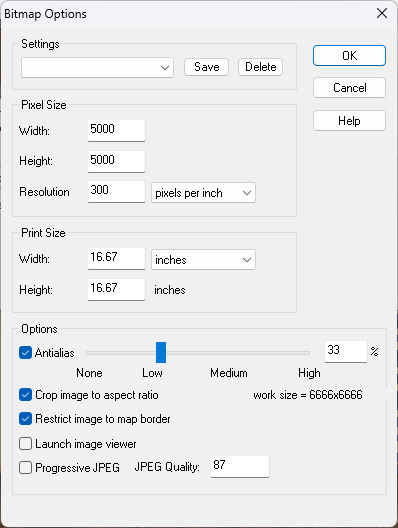
When you pick Save as... from the File menu the Save as... dialog box has a drop down box where you can pick the kind of file. Pick one of the rectangular section images. JPEG is better for VTT because PNG are a bit large. Once you've picked your Rectangular section JPEG click the Options button. That will bring up this box.
These just happen to be my settings as they are this moment in time. They probably won't be what you need unless there is a huge coincidence. So work out how big you want your exported image (adjusting any of the settings will affect the others accordingly), and ok them. Then export your map. A rectangular section export requires you to click both the opposite corners of the rectangle you want to export.
-
Map Size - ReSize
Hi Gulwolf :)
Resize is different to scale because it works by leaving most things as they are but extending the background, map border, screen and any frame the map might have. This is to increase the space available to draw extra bits onto the edges of the map, while scale just makes the whole map bigger, including all the symbols and fills.
If you were trying to get some more space to continue the map beyond the current edges and your 'sea level' was supposed to be stretched like the background was, reverse the resize operation by doing it again but putting the old size back in, then move your sea level to the BACKGROUND layer using Change Properties. (That's the layer, not the sheet. It can stay on whatever sheet it is on.) The Resize operation should then work as before but this time include the sea level information.
-
How to Kern
Do you have a screen shot of the fonts you mean and the bad kerning?
Some fonts don't behave well when placed as curved text.
I believe font kerning is controlled by Windows (even in CC3) based on information built into the font itself. If you are having issues with straight text problems can arise because the font is badly designed - as many of the free ones tend to be these days. In those cases the only solution is to explode the text and move the letters individually wherever it is particularly bad.
-
World Map
Square or not, that's really beautiful :)

-
What games do you use ProFantasy to create maps for?
I've never played at all.
My interest in mapping is from the angle of being a writer. No published novels as yet, but the mapping is fun :)


-
How to light caves without entire outside being dark
If you have the Tome of Ultimate Mapping, lighting is covered from page 279 under the title "Lighted Dungeons"
Alternatively, there are a couple of Live Mapping sessions you might be interested in here:
https://www.youtube.com/watch?v=XuzRZFJl53M
https://www.youtube.com/watch?v=TQKEswmn10A
At the present time there isn't a way of transferring the settings themselves to VTTs. Any lighting you add to your CC3 map will show in the exported image and be fixed as part of the image.
-
Project Spectrum - Part 2
Thank you, Joe :) That's really helpful.
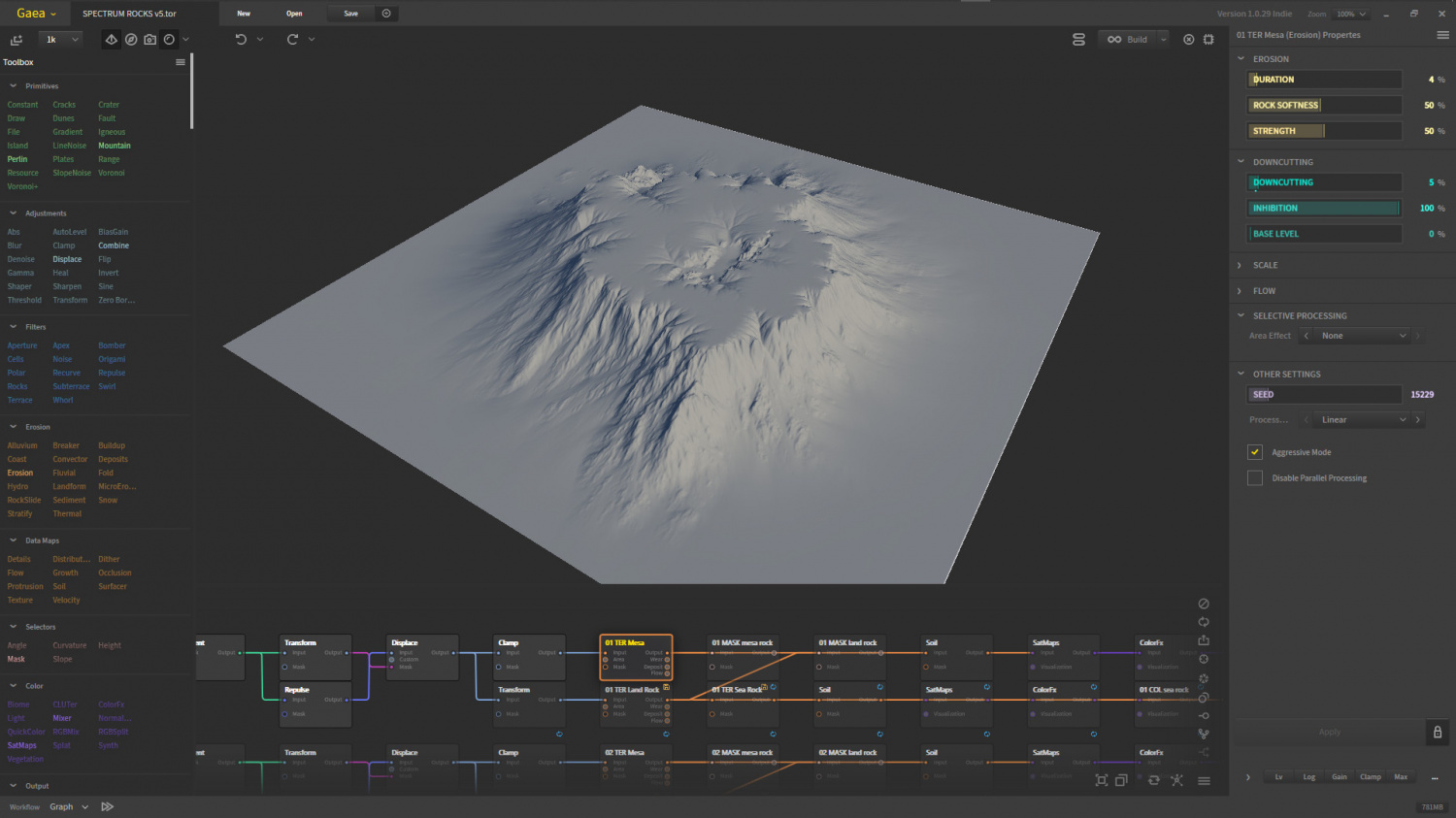
Unfortunately, if such things are possible in Gaea I haven't found them just yet, but I will have a look. I am just in the middle of adjusting the models to have flatter tops at least, even if I can't seem to control the steepness of the slopes. This is shorter than they appear in Blender because I exaggerate the vertical scale in Blender.
-
Live Mapping: Hilltop Fort 1
Hi everyone :D
In this week's live mapping session Ralf will be starting a new project: combining dungeon and city assets to build a hilltop fort.
Join us live on YouTube here to be part of the chat: https://www.youtube.com/watch?v=Zc89lO0ODAc
You can watch it there later if you miss the stream, or maybe right here on the forum if you don't like YouTube:



