Loopysue
Loopysue
About
- Username
- Loopysue
- Joined
- Visits
- 10,416
- Last Active
- Roles
- Member, ProFantasy
- Points
- 10,161
- Birthday
- June 29, 1966
- Location
- Dorset, England, UK
- Real Name
- Sue Daniel (aka 'Mouse')
- Rank
- Cartographer
- Badges
- 27
Latest Images



-
Rivers
After you have filled the basins:
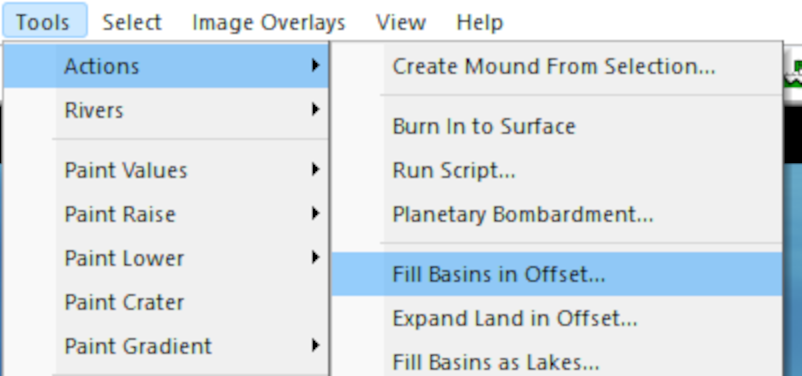
Pick the option to Find Rivers:
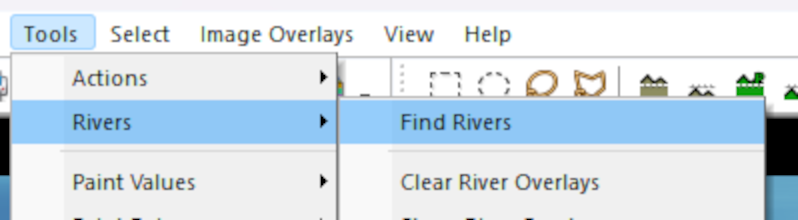
That is when you will be given the dialog where you can set up your rivers:
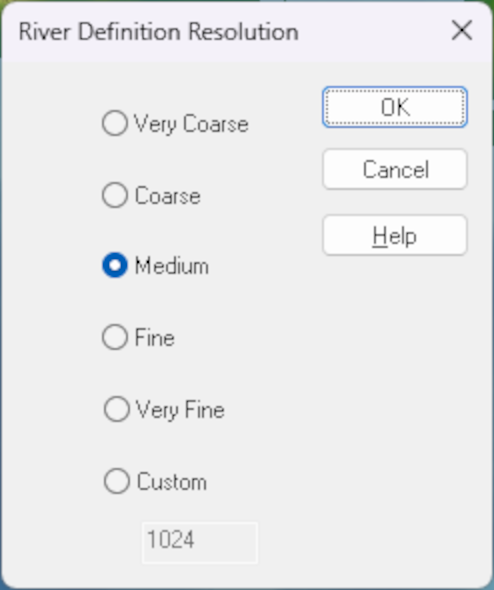
When you click OK in the first box, the second one is where you can set the river length and pick the colour of your rivers:
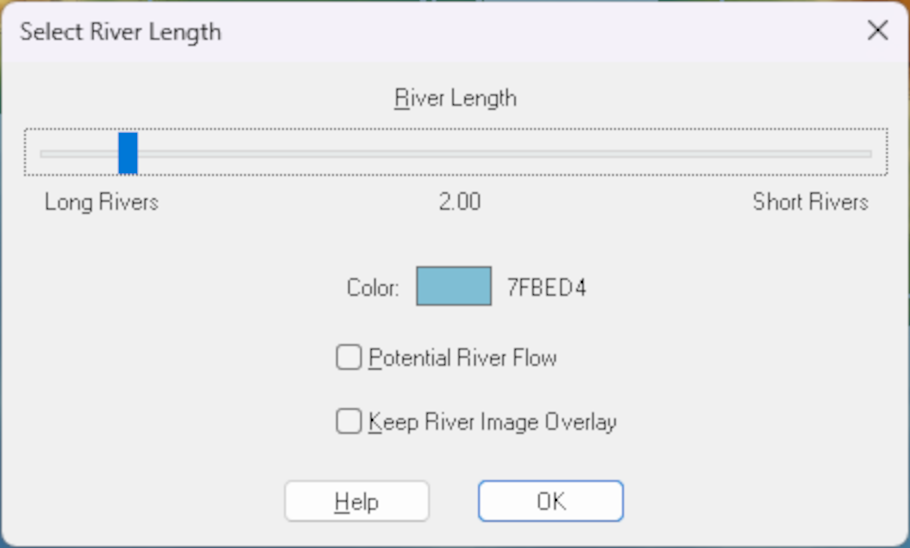
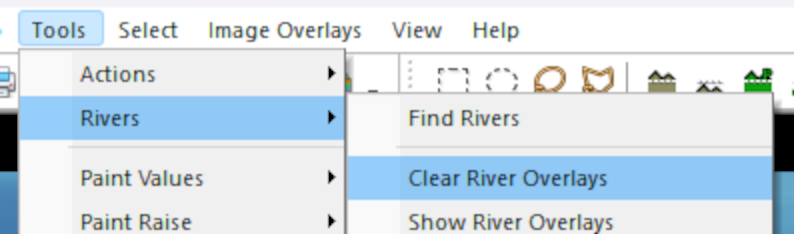
I don't think you can change the colour once they have been created, but I may be wrong. If I'm right about that it is relatively easy to delete those rivers and repeat the process with a different colour. To delete existing rivers pick Clear River Overlays:



-
March 2023 humble bundle
The bundle is an encore or repeat of the Maps Bonanza humble bundle from 2021.

-
Ss6 not working
Just to make sure we are all talking about the same thing here, this is a screen shot illustration of the process Ralf described.
Click the new map button...
That brings up this dialog:
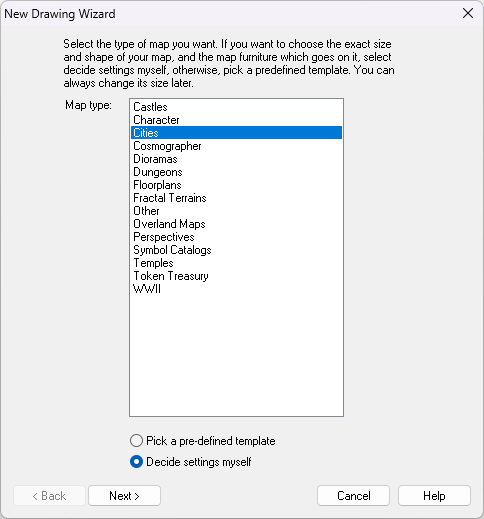
Then you select the Cities option and click Next, which brings up this dialog:
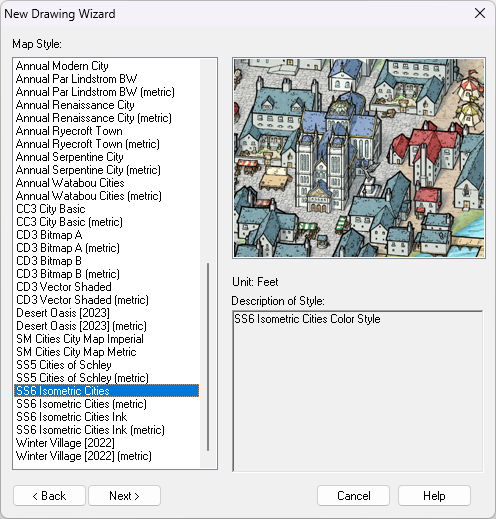
If SS6 is installed you should find the highlighted option near the bottom of the list - shown in the above screen shot.
Then you click Next again and go through the process of creating a new map in the SS6 style.
The question then is: which part of this isn't working?

-
Any Feedback to my first CC3+ Map?
A sky island...
When you turn the sheet effects on you could try dding a Drop shadow sheet effect to the LAND sheet, to make it look more like it is flying.


-
Live Mapping: 1930s Floorplans
Hi everyone! :D
This week in our Live Mapping session, Ralf will be completing his 1930s Travel Guide series by creating a floorplan in the Baedeker-inspired style.
You can watch it right here on the forum, but you would be most welcome coming along to join in the chat, live on YouTube here: https://www.youtube.com/watch?v=TH69okYSPQw


-
Lake sort of glazes over
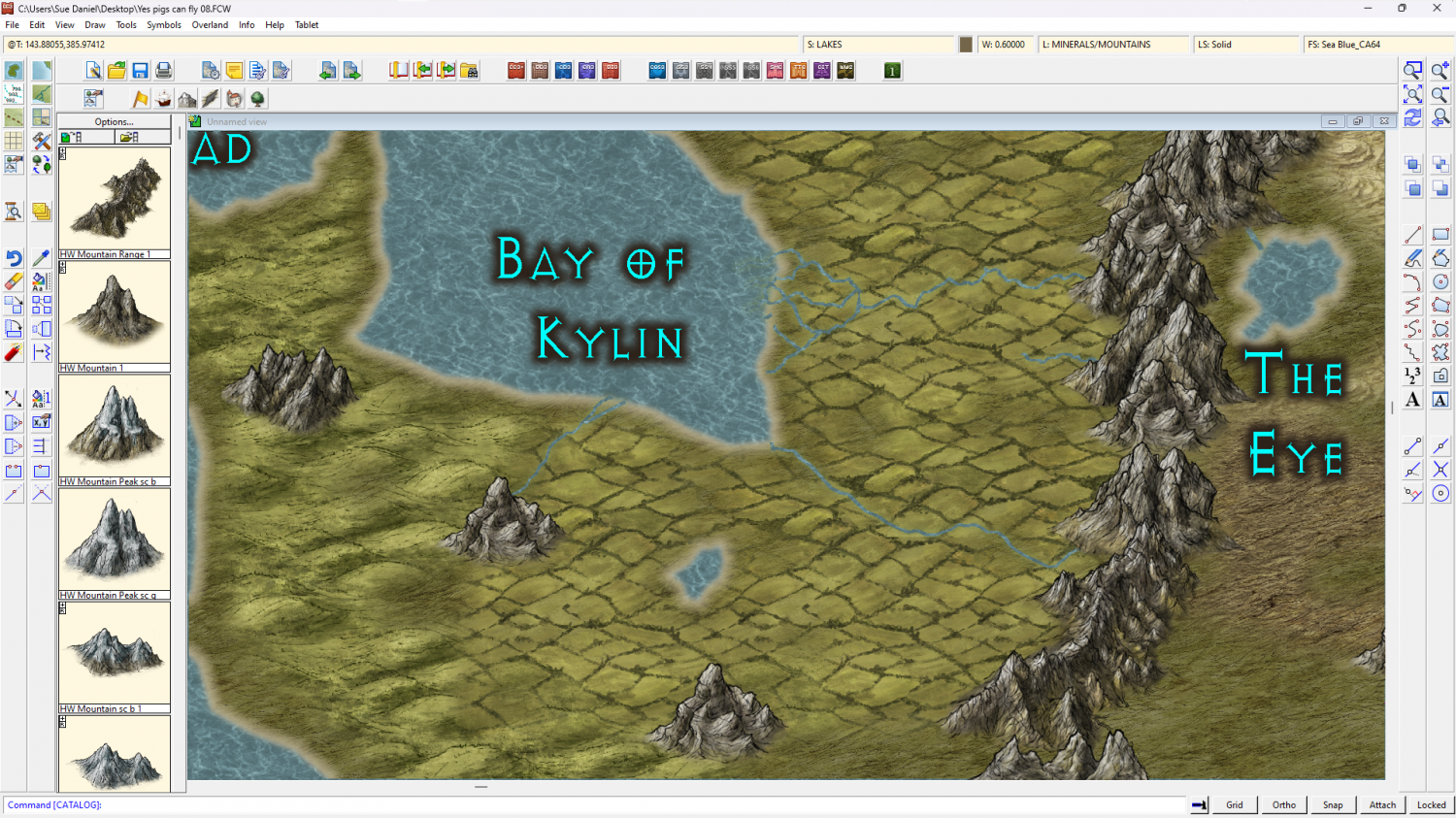
You can use the lake polygon as a cut out shape on more than one sheet. I've set it up for you in this version. All I did was add a Color Key sheet effect to the TERRAIN FARMLAND sheet, change the properties of the lake to solid colour 6 (magenta), moved it to the TERRAIN FARMLAND sheet and copied it from there to the LAND sheet.
There's nothing left on the actual LAKES sheet now.
I hope this is what you wanted?
-
[WIP] Continent Map using CC3+ MS Overland and other resources
If you right click the fractalize button there's an option to convert Straight to Smooth. You can go back and forth with it. You might want to fractalise it just a bit more right now before going smooth as that will give it a more wiggly appearance. Don't go overboard, though. No more than 3 hits with the fractalize tool at it's default setting. Then go smooth and see what you think.
Save a copy first ;)

-
Community Atlas - North West Berenur - Azin Forest
A fantastic set of maps. Thanks very much, Ricko :)

-
A New In-World Map for My 5e Homebrew
Good work :)
Maybe the coastline can be made thicker, or the most pointy hills shrunk down to miniature size and used as waves? You could draw your own vector symbol waves, or if you have the latest annual issue (Ellis Prybylski Watercolour) there are wave symbols in that one.
You could try a pale transparent shape over the sea to make it fractionally darker than the land, but it might look odd where this is a linework style.
The effect around the labels is a little narrow to separate them from the black detail of the map, but it might be ok if the map is much larger than here.

-
How to export very large maps
Incidentally...
Is it crashing after the passes are done and during the processing of the final image from bmp to png? If it is then the sheer size of the resulting png file may actually be the problem. Try for a JPG instead.