Loopysue
Loopysue
About
- Username
- Loopysue
- Joined
- Visits
- 10,416
- Last Active
- Roles
- Member, ProFantasy
- Points
- 10,161
- Birthday
- June 29, 1966
- Location
- Dorset, England, UK
- Real Name
- Sue Daniel (aka 'Mouse')
- Rank
- Cartographer
- Badges
- 27
Latest Images



-
Cartographer's Annual - all the issues linked in one place
You're welcome :)
And thanks for commenting. I needed to remember it was here and in need of an update.


-
Live Mapping: 13th Age Revisited
Hi Everyone! :D
In this first Live Mapping session of 2023 Ralf will be presenting the first issue of the 2023 Cartographers Annual: 13th Age Revisited.
Or come along and join us/watch it on YouTube later, here:


-
Live Mapping: Cities of Schley
Hi Everyone! :D
In this mapping session Ralf will be demonstrating how to create a city map using the Cities if Schley (Symbol Set 5) style.
You can watch it here:
Or join us on YouTube here:


-
And another small map, this time in SS2 / CSUAC2
Beautiful work, Daniel! :D

-
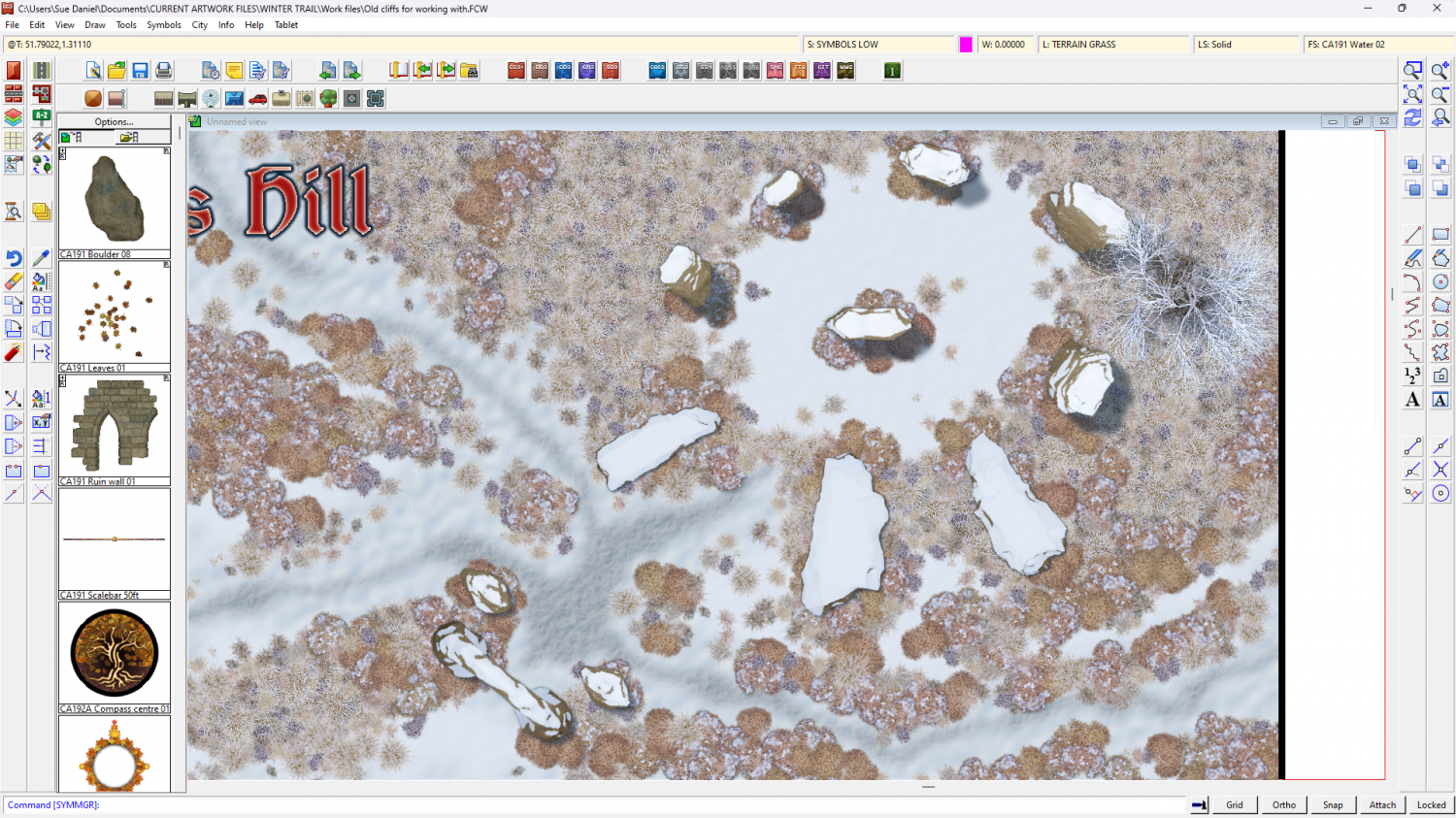
Winter Trail Project
Got the stones sorted out as well now. Quite a good day, really :)
![[Deleted User]](https://secure.gravatar.com/avatar/c75d9a245b74d9c59be0999ea81ca541/?default=https%3A%2F%2Fvanillicon.com%2F92add7f8c954488718110edc4896ad39_200.png&rating=g&size=200)
-
Dhakos, The City of Spires - Watabou Cities Annual
If you are working on top view maps it's a question of shadows.
A spire would be either a circular roof or some regular polygon shape, so they can be drawn using the House tool with a roof texture of your choice, on a sheet above all the other building sheets in the map so the long shadows they cast will fall over everything else. Or you could pick from the City Domes annual issue https://www.profantasy.com/annual/2018/bonus18.html which contains all kinds of small regularly shaped rooftops that could top a tall tower.
A spire might have a tall pinnacle above that roof, so you might need another sheet above that one to draw simple very thin pointy shadows to suggest that the little 'bobble on top' of a roof is actually the pointy bit of the spire.

-
Live Mapping: Secret Info and Interactive Maps
Hi Everyone! :D
In tomorrow's live mapping session Ralf will be digging into how to add various information overlays and interactivity to a CC3 map.
You can watch it here if you like:
Or come join in the conversation on YouTube here:

-
Post-processing Map to Age It
There are lots of different things you can do, but possibly the easiest if you happen to have an image of an old piece of parchment is to import that image onto a sheet that has a Blend Mode sheet effect on it set to multiply right at the bottom of the list of sheets (on top of everything else in the map).
I expect lots of others will come along and recommend more ways of doing it that are equally good, but that is one way of doing it within CC3.
-
Post-processing Map to Age It
I'm not sure I know for sure what you want, but I did write a blog a while back about achieving various map effects here:
There is a bit about increasing the contrast (number 3), and if that's not what you meant there are several other effects that might be the one.
-
can't view all of my map
Hi Helen :)
At this stage, where none of us know what extent or position everything should be in the map it might be easier to make a new HW map of the correct extent and then copy the details you want from the old map across to the new empty map. You can position everything as you paste it then. Be careful to only have the things you want to keep still visible as you copy. Hide things like the map border, screen and background before you copy from the old map.