


Loopysue
Loopysue
About
- Username
- Loopysue
- Joined
- Visits
- 10,415
- Last Active
- Roles
- Member, ProFantasy
- Points
- 10,161
- Birthday
- June 29, 1966
- Location
- Dorset, England, UK
- Real Name
- Sue Daniel (aka 'Mouse')
- Rank
- Cartographer
- Badges
- 27
Latest Images



-
Ayreon
It looks like an artefact that can happen sometimes if there are 2 nodes very close together. It will probably appear and disappear as you zoom in and out.
The solution is to use the SIMPLIFY command to remove these problematic nodes.
Type SIMPLIFY on your keyboard and hit Enter. Look at the command prompt and see the distance set by default. You can enter a new value, or just hit Return again to use that one. Then use the tool to simplify the coastline of the island the line is coming from.
If you lose too much detail just hit the undo (CTRL+Z) and reduce the factor and try again.


-
are there one on one mentors
We're all generally available to everyone :)



-
Fantasy B&W Map
Here's a checklist:
- Check that the sheet with the parchment on it is on top of everything else (bottom of the sheet list).
- Make sure you have a Blend Mode sheet effect on that sheet, and set it to Multiply and 100%
- Type the command DELAYDRAWSYM and set it to 1
That should work, but if it doesn't shout again.

-
How do you make your own terrain fills?
Most fills used in CC3 are seamless. That means the image can be tiled side by side or top and bottom without the join showing. Like this. (I've moved them apart a bit here to show what is meant).
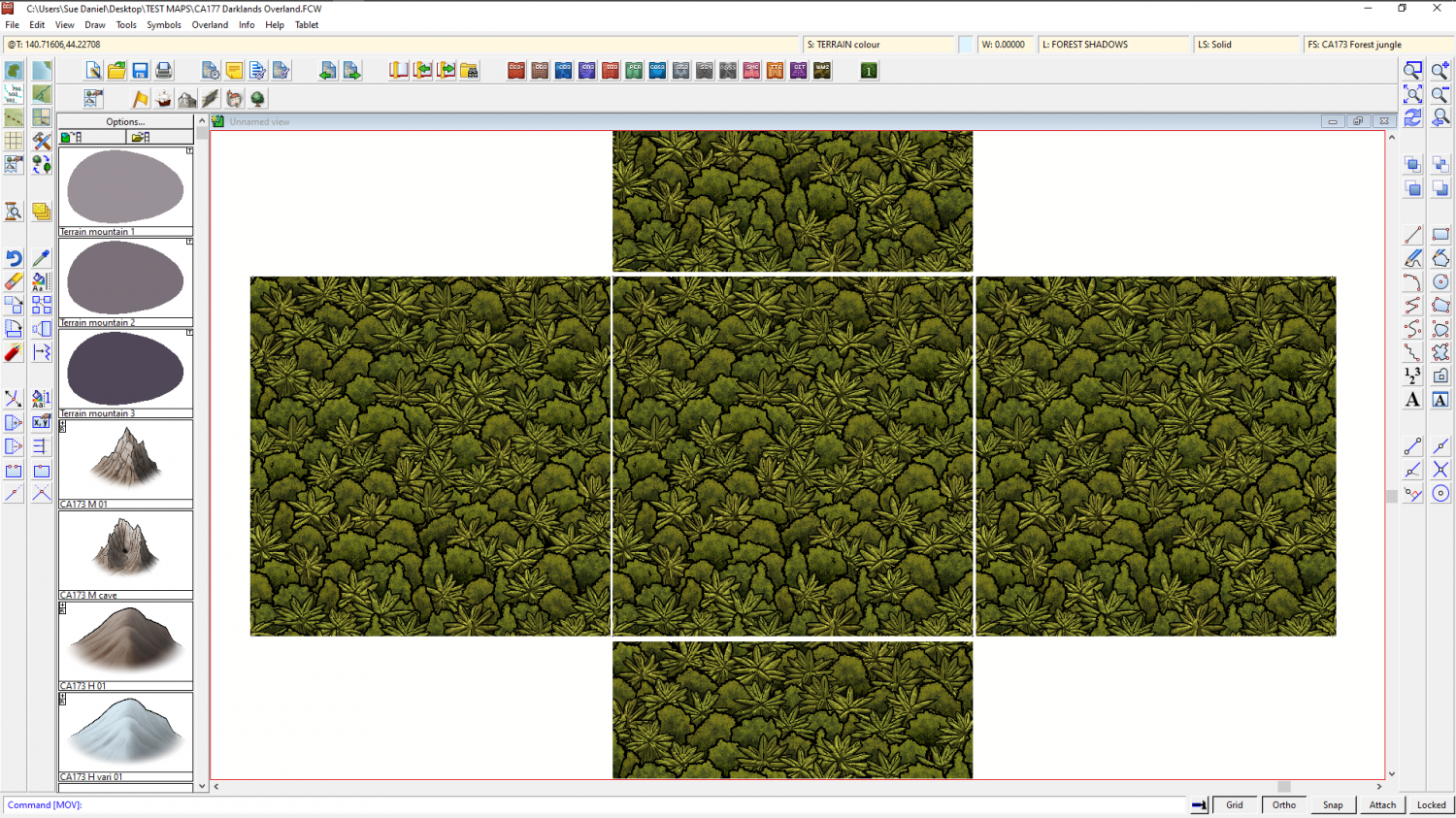
Most fills aren't that big - about 1000 px square, though some I've made are 1500, 2000, 3000 px square. It depends on how much variability you intend to put into it. If you have whole hills in a fill that can be really repetitive if you don't have a bit enough patch to put them in. Consider that if you import a fill that is 2000 px square, to match the resolution with the symbols you have in the map it should really be scaled to about 100 map units, or 100 miles/kilometres (overland symbols are usually 20 px per map unit).
To make a new drawing tool for your fill you could start with one of the two bitmap fill tools already available in the style, select it, then hit the New button and set it up to put your fill on a sheet of its own with its own edge fade, etc.
If you were making a fill of trees like the one above, I've written a short blog about how you can do that in CC3, but I doubt that will be relevant to a dirt fill. https://rpgmaps.profantasy.com/generating-seamless-tiles-part-1-making-seamless-tiles-in-campaign-cartographer/


-
Battle map question
1" = 5 feet = 1 grid square.


-
First Map
That's a pretty good first map :)
The next stage is to start playing with the sheet effects like the shadows to see what different results you can get. For example, those smaller shadows are a lot sharper than the taller ones on the trees. Maybe they could do with a little more blur on them?

-
Importing terrain/texture art into DD3
While a glance suggests they are ok, they are a little dated.
You might be interested in this series of videos by Remy Monsen.
https://www.youtube.com/playlist?list=PLulP-cGMLxw4qTpXfilRHgbDUg8WvrEX2

-
Multisheet symbols (first impression)
I would use a mixture. Use the harder style for the rocks, and the softer style for the trees. But that's only what I would do.
Lovely work :)

-
Winter Village style development (March 2022 CA issue)
@Wyvern I sat here for nearly a minute trying to work out where pentagonal igloos came into the equation, and then suddenly realised you were talking about the separate dormer window symbols I pasted into the area where I'm laying out all the symbols I've done so far! LOL! I'm not surprised you weren't sure about them. I didn't even know I'd drawn any igloos...
But... I can eventually - when I've sorted out the conversion of the existing buildings.
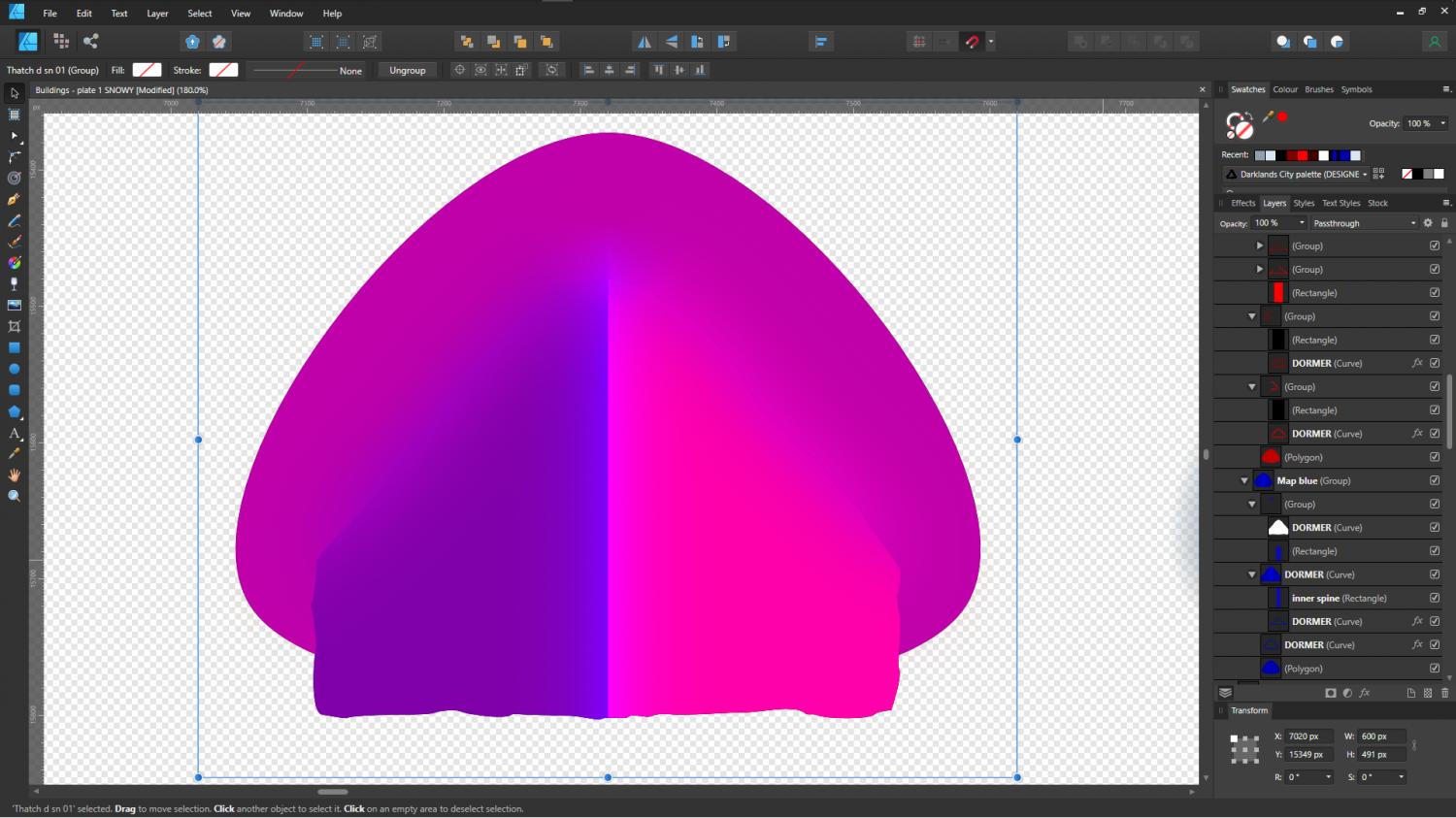
@JulianDracos Yes - eventually, though not yet. I've some work to do to get to where I'm inventing new stuff. There is quite a lot of maths involved this time, and I've never been very good at that. For example, it took 3 days to work out the map file for the dormer windows (below). This little graphic, which isn't even visible in the map, but which controls the way the dormer window is lit, is made up of over 20 blended layers of red and blue - all in the name of getting a smooth transition between the dormer window and the rooftop.

-
Festive Winter Card Challenge WIP: Frosty Village
I can paint, draw, and even sculpt reasonable looking trees out of wire and modelling clay, but I'm still crap at watercolour.
You, on the other hand, are great at it - even when there are no actual watercolours in sight :)

