


Loopysue
Loopysue
About
- Username
- Loopysue
- Joined
- Visits
- 10,411
- Last Active
- Roles
- Member, ProFantasy
- Points
- 10,161
- Birthday
- June 29, 1966
- Location
- Dorset, England, UK
- Real Name
- Sue Daniel (aka 'Mouse')
- Rank
- Cartographer
- Badges
- 27
Latest Images



-
Draw Hex or Square Overlay won't label bottom row...
Does your map have a SCREEN sheet with a thick white border polygon on it? If it does, move that sheet to the bottom of the sheet list one up from any MAP FRAME or MAP BORDER sheet you have there, so that it covers the extra grid.
-
[WIP] Villa Citri (Roman-style villa)
Oh you mean that none of those 4 rooftops pieces are joined in any way? In that case it now makes sense :)

-
Birdseye continental query
Every map is different. If you've drawn the sea, it's done :)
-
Birdseye continental query
Here I have changed the background texture in exactly the way Remy describes. Is this what you wanted to do?
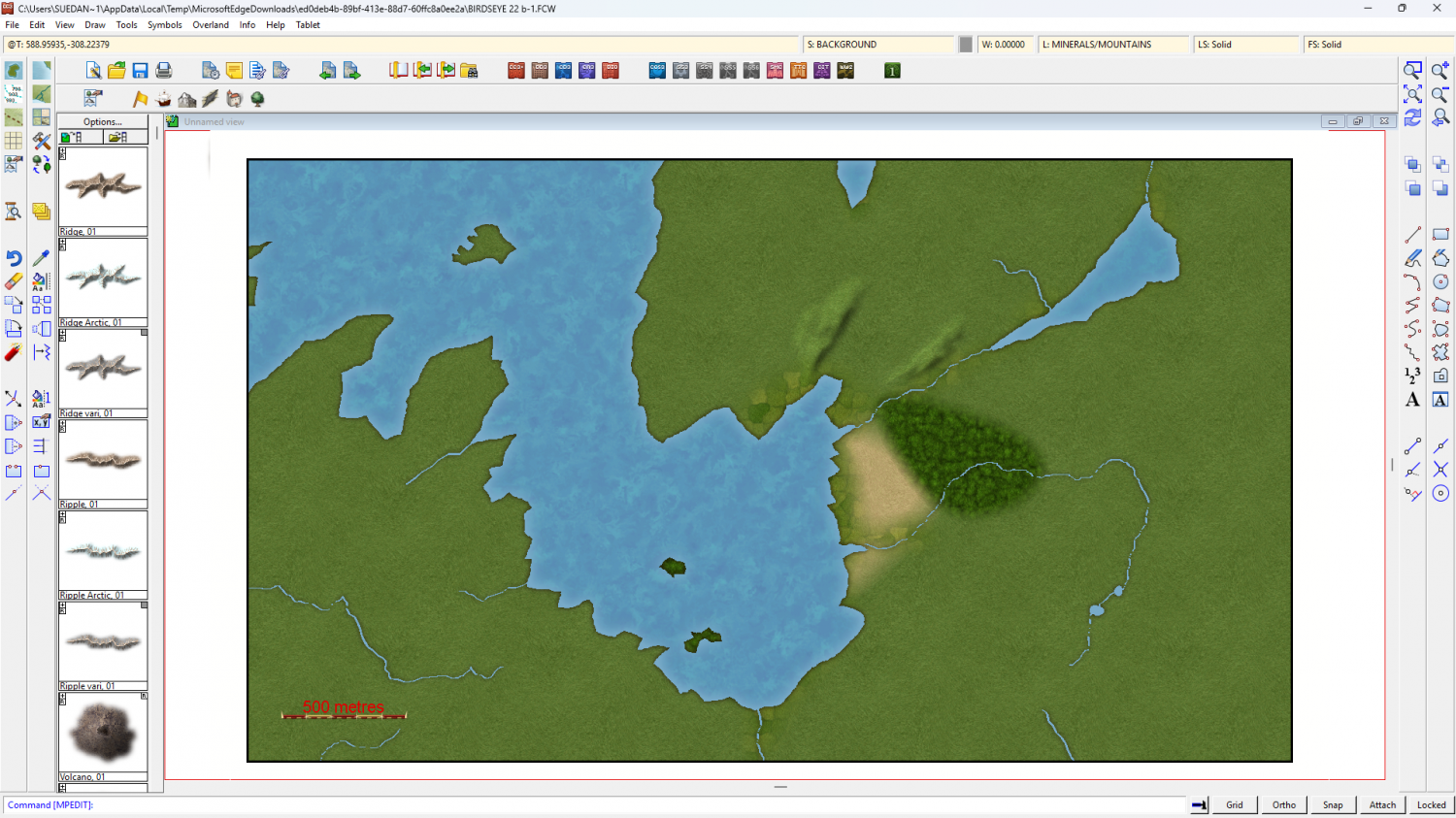
If it is, this is the updated file.
I'm not sure why the fjord was vanishing on you.
-
I ALSO must have changed the default textures for the symbols
Those are the 'symbols in map'. You can tell by the depressed button on the left at the top of the panel.
If you click that depressed button now you will be returned to the catalogue you were using.
-
Working on Atlas maps....
Jack is king.
His servants will make way for him, or in this case space :)
-
Live Mapping: Fun with Hotspots
Oh, I see!
Yes, that kind of got forgotten in all the excitement I think ;)

-
My 3rd map, using the Spectrum Overland style
When you have a symbol on your crosshairs, left click is reserved for symbol manipulation - mirror, scale, etc, for the symbol you have on your crosshairs.
When you are using a collection, like the trees, you can hit the TAB key to get the next symbol in that collection - providing you don't have the collection expanded. It must be collapsed for the random presentation of the symbols to work. Maybe you have been having problems with that, while not realising that the expanded collection prevents the random thing from happening?
If you want more varied collections you will need to make your own, but that vid I linked to earlier will show you how.
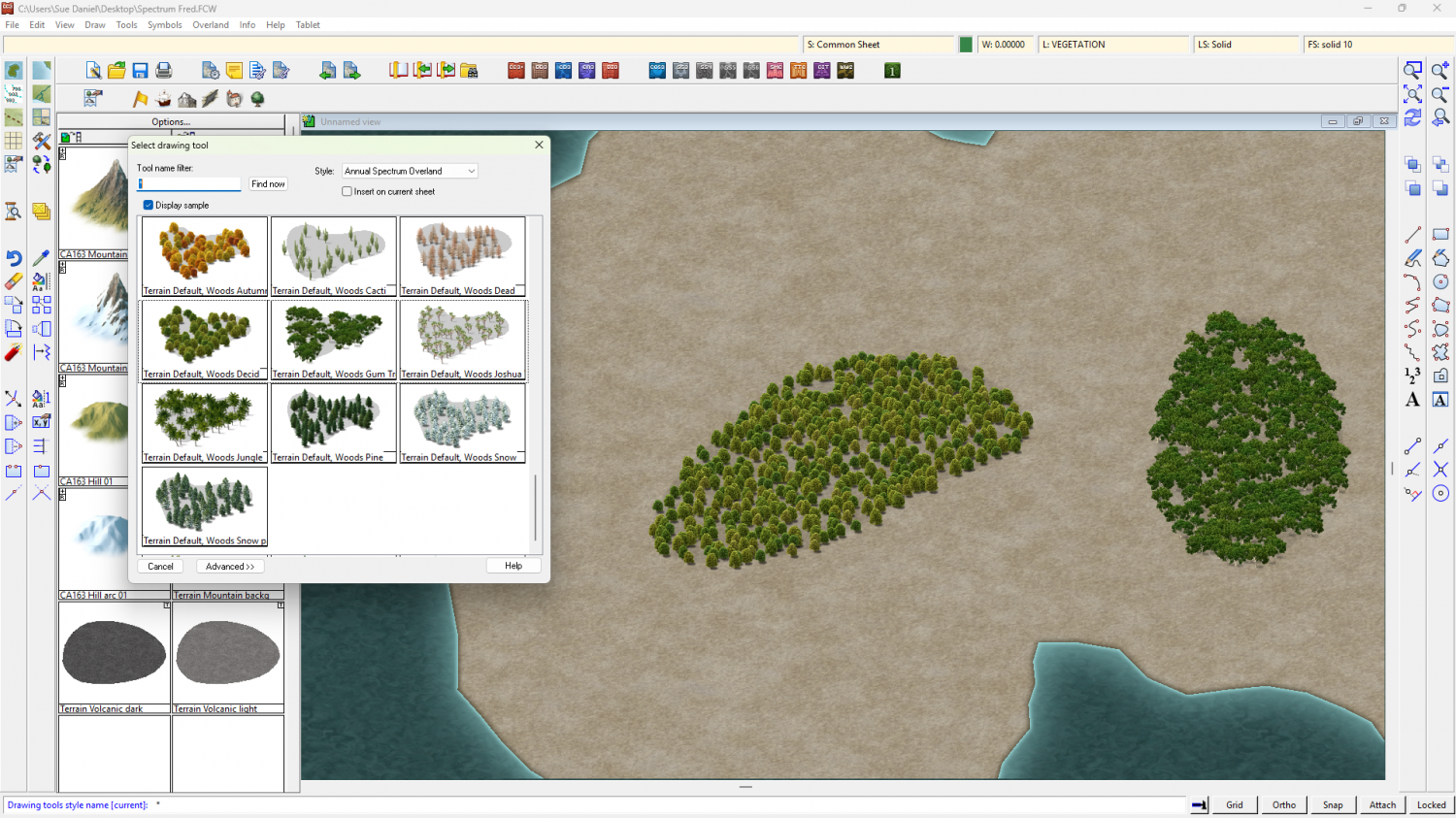
There are drawing tools for forests and woods in that style. They will fill an area with a random selection of trees, as shown and named by the drawing tool. This can speed things up quite a bit, and you can add more trees in the gaps or around the edges by hand.
-
[WIP] Villa Citri (Roman-style villa)
Contrast between the background and the text is the key. I prefer Engraved 6.
-
Map under an hour challenge
That's not bad for a time restricted map.
Sadly, I take forever to create maps. It's because I keep changing my mind.
But there may be some who could give Ralf a run for his money ;)
Perhaps I know one in particular, but I won't name that person for fear of putting someone on the spot at an inconvenient time. Maybe they will do one anyway at some point.

