


Loopysue
Loopysue
About
- Username
- Loopysue
- Joined
- Visits
- 10,414
- Last Active
- Roles
- Member, ProFantasy
- Points
- 10,161
- Birthday
- June 29, 1966
- Location
- Dorset, England, UK
- Real Name
- Sue Daniel (aka 'Mouse')
- Rank
- Cartographer
- Badges
- 27
Latest Images



-
A1 Inn and Stable Battlemap
I guess it depends if they are kept in them permanently or go out to pasture. When I do stables I tend to make them big enough for the horse to basically live in (though not ideal, not everyone has a nice field to let them run around and graze), so mine are larger than any of yours. I go for 15 ft square, but I do love the larger breeds, like Fresian and Shire.

-
The Temple of Hekaria - a Dungeons of Schley Battlemap
Nice map, and awesome work on the statue :)

-
Very odd but persistent problem in Campaign Cartographer 3+ on Windows 11
Hi Nivenus :)
I'm not a tech expert by any stretch of the imagination, so for more detailed help you might have to wait until someone more tech-savvy arrives on the thread. But I do have a shared experience that may or may not be relevant.
A couple of months ago I had massive issues with Explorer crashing in Win 11 and then continually failing to restart, so that all the monitor could do was flash about twice a second leaving no time for me to do anything at all except hit the restart button on the PC. It was so severe that I had to ask for help from the PF team and from the PC manufacturer to try and sort it out. (My machine is only 9 months old)
In the end I had to uninstall a piece of third party software that allowed me to place the Start bar where I like it at the top of the screen (Win 11 is totally inflexible and places it at the bottom of the screen whether you like it or not), and prevent the optional Win 11 updates. That means switching off the "Get the latest updates as soon as they are available" option in the settings under "Updates". These optional updates are a kind of beta release (as I understand it) and can sometimes be a bit buggy.
Since doing those two things I haven't had any problems with Explorer at all.

-
Very odd but persistent problem in Campaign Cartographer 3+ on Windows 11
You're welcome :)
We're usually around the place quite a lot.
Was everything ok once you finished installing it?
EDIT: Stupid question. I wasn't really all that awake when I asked it. I take it you haven't yet managed to install CC3+?
-
The Priory of Even
I think this adequately illustrates that even though FB has more active members, the forum is still the best place to present maps. I can see them much better here!
Great work, Daniel

-
Live Mapping: New City Style Part 3
No worries, Jim. They're always recorded.
-
DD3 Room/Floor/Wall Drawing tools
Most of the DD3 textures are created as seamless textures that usually cover 5 or 10 square feet on the map. So the default scale for most of them is either 10 x 10 or 5 x 5 map units where each map unit is equivalent to 1 foot. That should make them the right size for your dungeon map by default.
However...
The wooden floor textures are rectangular seamless tiles that are twice as long as they are wide (if horizontal floorboards are chosen) as you can see here in the folder
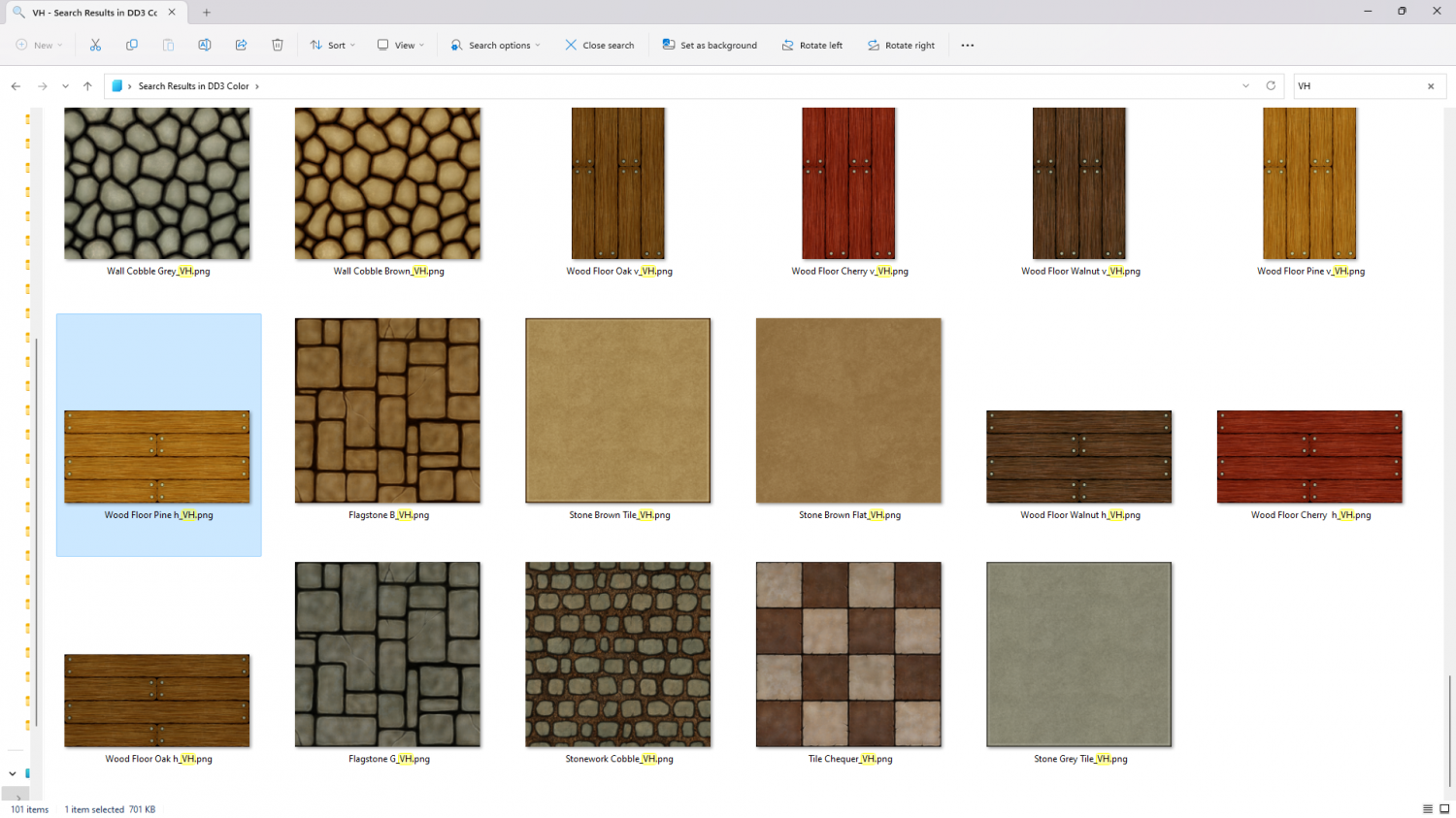
So the correct scale to set for that floor texture for your imperial map is 10 x 5.
If you don't like the boards that thick you can make them appear thinner and more numerous per 5ft square by adjusting the scale down from 10 x 5 to 8 x 4 like I have in this example below. That give you 5 boards in a 5ft square, making each floorboard 1ft wide.
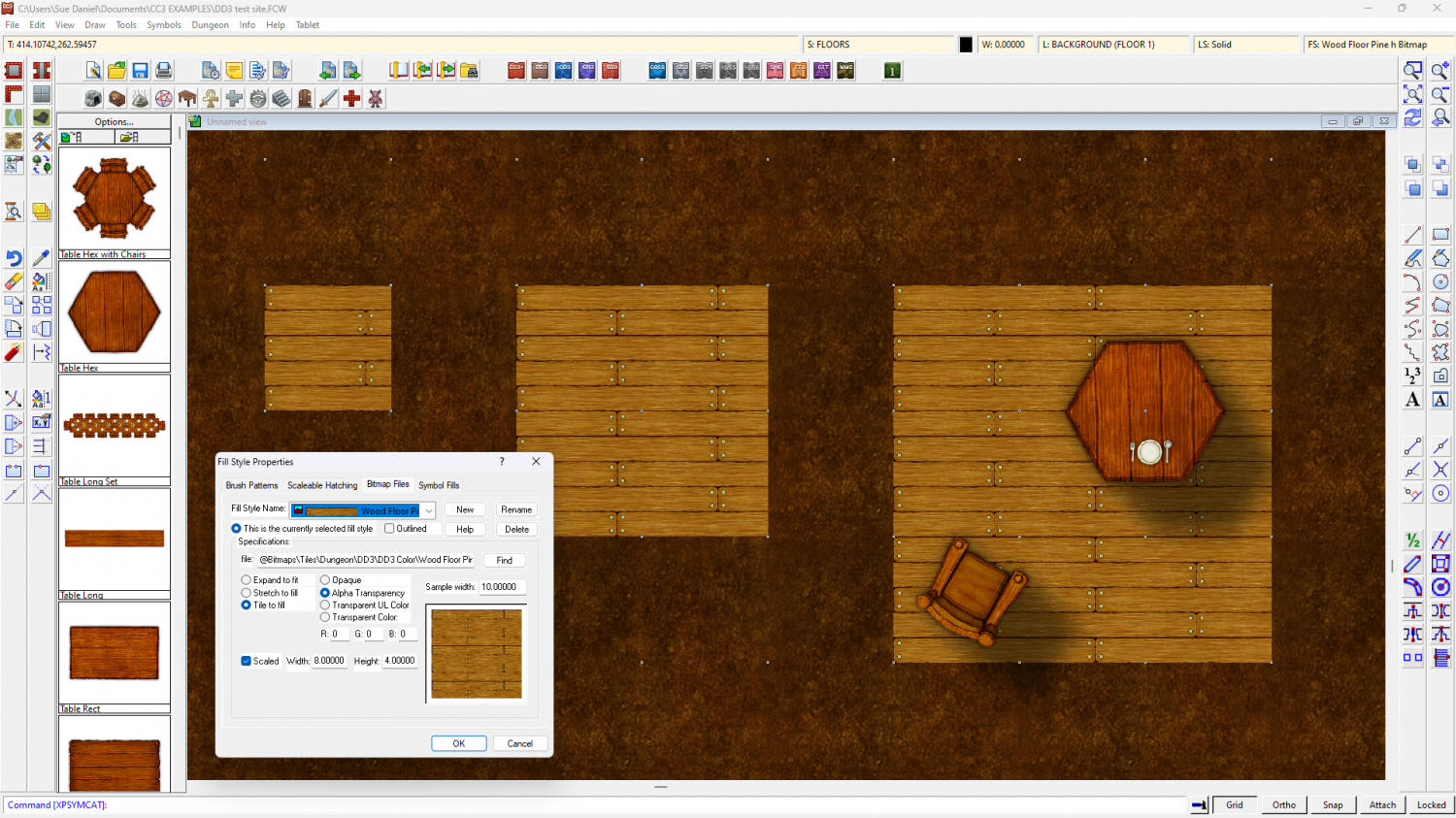
As far as I can tell from your screen shots you have drawn a patch of floor that is only 5ft square, like the smallest patch of floor I have drawn to the left side in my map. So you would only expect to have a few floorboards in it.
Once you draw a larger more realistically sized floor area there will be more floorboards - as you can see from my drawing above. The scale of the texture determines how big it appears relative to the grid, and not to how big your room is.
Make sure that you are drawing your rooms to scale, so that a 20 x 20 ft room is 4 grid squares wide and tall.

-
Lakes in Fractal Terrain
It would still be ok if you carefully drew the selection around the watershed for your area, wouldn't it - the ridge defining the catchment area?
-
Community Atlas - Berenur - Duir Bryn Region
That's a lot better.
-
Community Atlas: Dendorlig Hall - A Sort-Of D23 Dungeon for Nibirum
Wow, Wyvern! Congratulations on completing this mammoth project.
