


Loopysue
Loopysue
About
- Username
- Loopysue
- Joined
- Visits
- 10,414
- Last Active
- Roles
- Member, ProFantasy
- Points
- 10,161
- Birthday
- June 29, 1966
- Location
- Dorset, England, UK
- Real Name
- Sue Daniel (aka 'Mouse')
- Rank
- Cartographer
- Badges
- 27
Latest Images



-
conflict with explorer.exe during setup
We know about it, and it's not related to this problem.
The current annual issue isn't code-signed. Windows will be a little fussy at installation. Ralf left for Gen Con just hours after he published it, so he will fix it when he gets back. In the meantime you can get around it by overriding the warnings.

-
my Tunnels and Trolls world so far
That's a cool idea :)
And I agree about the wall texture.

-
how do I set up two floors when both have the same footprint?
I can't say what the problem is without the FCW, but when doors and windows stop cutting walls the most common cause is that the walls have been moved to a different layer. They need to be on the WALLS layer for the cutting symbols to work on them. Maybe you are using layers to show and hide the different levels? That won't work in this case.
If you mean to keep the two floors in the same drawing you will need to use the sheets to hide things instead of moving things to different layers and using the layers to hide them. That means you will need a duplicate WALLS sheet with an added level number to identify it as the WALLS sheet for level 2, and will also probably need duplicate sheets for the rest of level 2 as well. That way all the walls on both the WALLS sheets can still be on the one critical WALLS layer.
...
There is a very much easier way of dealing with multi-level maps.
If you haven't got too far into this map it would probably be eaiser to create a file with multiple levels. You can set one up by checking the "Enable Multiple Levels" box in the New Map Wizard.
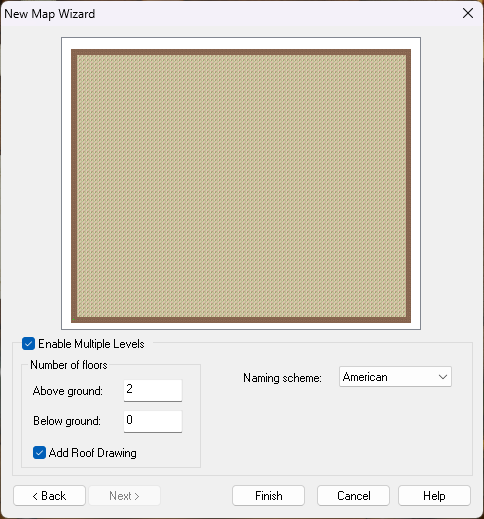
What this does is generate 3 maps (I added a roof drawing as well) and hyperlink them in a handy box so that you can move between floors quite easily.
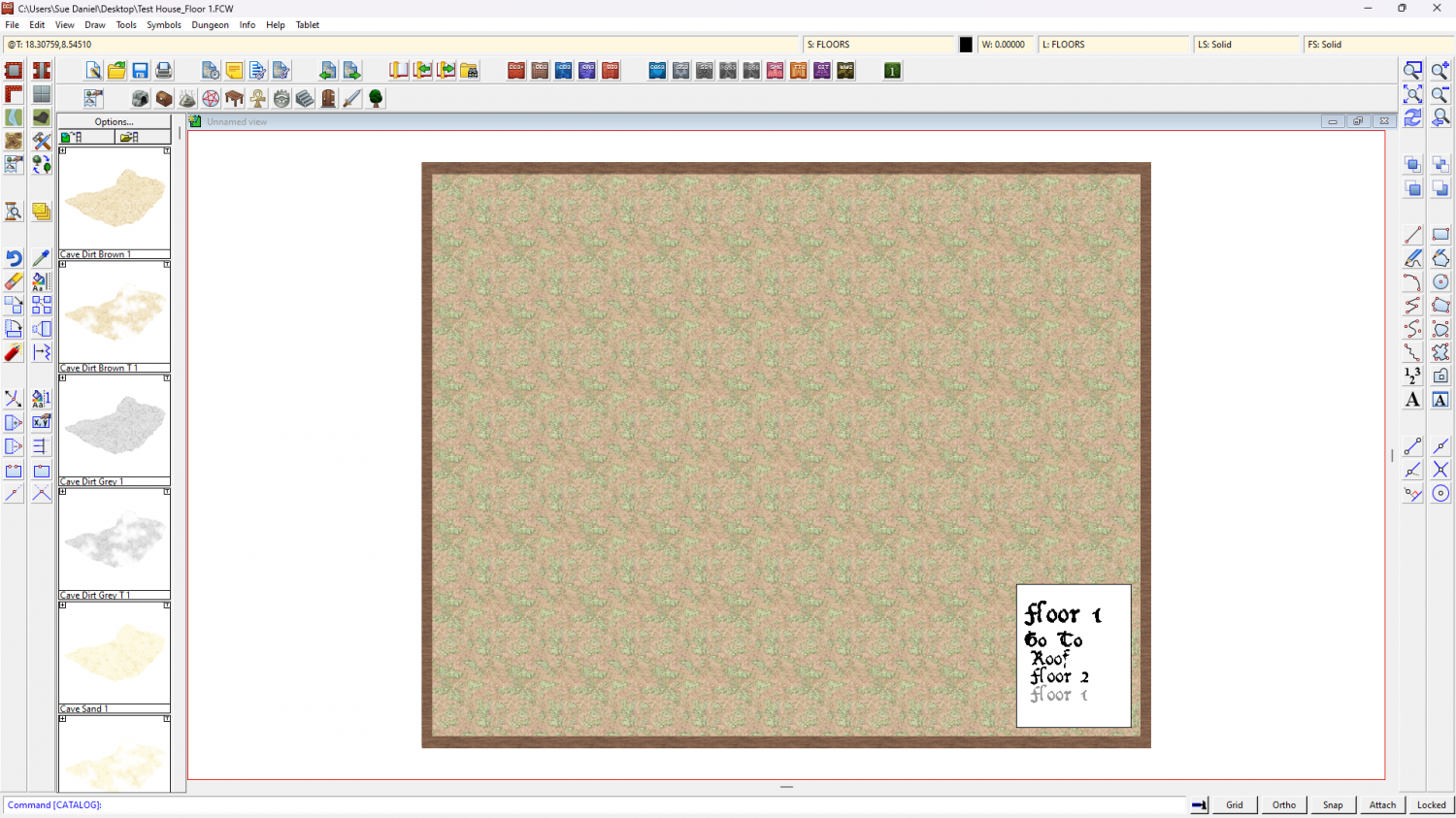
Quite often you have to use Change Properties to make the text more readable, but that's just a minor thing.
All the levels will start blank. The idea is that you draw the ground level map, copy the walls and stairs using the origin as a copy origin, and then hit the link to get the next level map and paste them on that level using the origin as the paste origin to align them perfectly between the different levels.
Ralf and Remy have both made live stream recordings of variations of this process that might help to clear things up a bit if you are having trouble with multiple level maps. The first link jumps into the live stream where Ralf has drawn a battlemap and is about to do a multilevel map of the temple, and the second is the full video Remy made to demonstrate how to make a multi-level map for a Community Atlas challenge more recently.
Live Mapping: A City Location with Building Floorplans (Ralf Schemmann)
-
Live Mapping - Inked Ruins
Hi Everyone! :D
Even though he's only just arrived back from Gen Con, Ralf will be doing a Live Mapping Session tomorrow at the usual time, in which he will be taking a look at the latest Cartographer's Annual issue; the "Inked Ruins" style... providing his voice holds out.
Come and join in on YouTube live:
https://www.youtube.com/watch?v=DubGdUmb-TE
Or watch it here if you prefer.
-
practice dungeon corridor
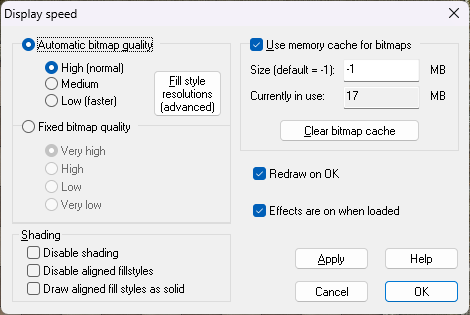
The older styles don't have the sheet effects automatically turned on when you open them, but you can change that by checking the little box called "Effects are on when loaded" in the Display speed dialog. It just means that things are immediately clear the moment you open the map. That first screen shot was without effects - either that or so far zoomed out they were invisible. It really is the largest dungeon map I've ever seen.
-
Live Mapping - Inked Ruins
25 minute shout :)
-
A quick shadows on 2023 inked ruins map
It looks good either way, but I prefer the style without the shadows. It has more of an inked map flavour.
-
Settings to export PNG for use as a Symbol
This set of tutorials by Remy might help.
https://www.youtube.com/playlist?list=PLulP-cGMLxw4qTpXfilRHgbDUg8WvrEX2

-
Settings to export PNG for use as a Symbol
That's a pretty map :)

-
error message
I don't know what caused the error, but usually that same dialog appears if you mis-type a keyboard command - only it repeats the mis-typed command letter for letter rather than that distinctive XPSYMCAT; one.
I've had the XPSYMCAT; one myself a couple of times, and the same 'can't use the symbols' experience. It does sort itself out though if you restart CC3. It must be some internal call for a command that goes wrong under certain rare conditions.
