


Loopysue
Loopysue
About
- Username
- Loopysue
- Joined
- Visits
- 10,415
- Last Active
- Roles
- Member, ProFantasy
- Points
- 10,161
- Birthday
- June 29, 1966
- Location
- Dorset, England, UK
- Real Name
- Sue Daniel (aka 'Mouse')
- Rank
- Cartographer
- Badges
- 27
Latest Images



-
CD3 Random street tool started acting weird
Curious.
Well, if it happens again try to capture the settings you have at that moment so we can see if they are different.
-
Live Mapping: Big City Project 5
Hi Everyone :)
IIn this week's Live Mapping session Ralf will be picking up his big city project to show us how to do detail work, including street labels and a location key for the map.
You can watch it right here on the forum:
Or you can watch it on YouTube: https://www.youtube.com/watch?v=oVzxVwNzOa8
Come along and join us live :)
The Big City Project series so far:
plist(PL7ObDF94M20g12CUzd9wNtNxurUziK1Dn)

-
SS6 - Isometric Cities
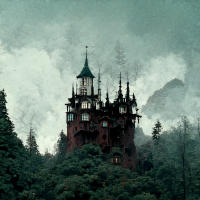
As I said on the blog post - Mike's artwork on this set is beautiful. It was a real pleasure to do my bit of the backstage work on this, but very difficult keeping it under my hat!
-
Parallel Lines close to Darklands City Roof Edges
Can you show us a screen shot of the result of using Info on one of those houses?
-
Need Style Suggestion for Azeroth (World of Warcarft) Map
Still not working for me.

-
Need Style Suggestion for Azeroth (World of Warcarft) Map
Thanks :)
Ok, well, that's not an easy one. I would pick a style and use it as the style it is to avoid spending weeks trying to modify it well enough to become a facsimile to one of those maps. Using one of our styles out of the box may also make it clear that you aren't copying the original artworks in anything other than actual layout.
With that in mind I guess whatever styles you feel will give you the right mood. Remember that you can do a lot to change the colours of existing map styles by playing with sheet and whole map effects.

-
Cartographer's Annual - all the issues linked in one place
You're welcome :)
And thanks as well - I have been rather busy over the last few months. It appears I forgot to update it!
I will do something about that in the next week.
-
Live Mapping: Classic Fantasy
That drawing tool draws a solid polygon of magenta on the forest sheet. Because there is a Color Key sheet effect on that sheet set to magenta, the magenta polygon cuts a hole in the forest fill, leaving the parchment beneath it exposed.
Try it out - draw your polygon around the text where you want the hole in the forest behind it, and then refresh the view.
-
Live Mapping: Classic Fantasy
Oh - I forgot to say.
For it to work you need to have the sheet effects turned on, which is a checkbox at the top right of the Sheets and Effect dialog.
-
Forest Trail project - part 1
What are trilathons?
I like the idea of a beacon.
A camp would be nice, but maybe a little too much work for the time, bearing in mind I have yet to do the standing stones and the waterfalls, but we'll see.
