


Loopysue
Loopysue
About
- Username
- Loopysue
- Joined
- Visits
- 10,416
- Last Active
- Roles
- Member, ProFantasy
- Points
- 10,161
- Birthday
- June 29, 1966
- Location
- Dorset, England, UK
- Real Name
- Sue Daniel (aka 'Mouse')
- Rank
- Cartographer
- Badges
- 27
Latest Images



-
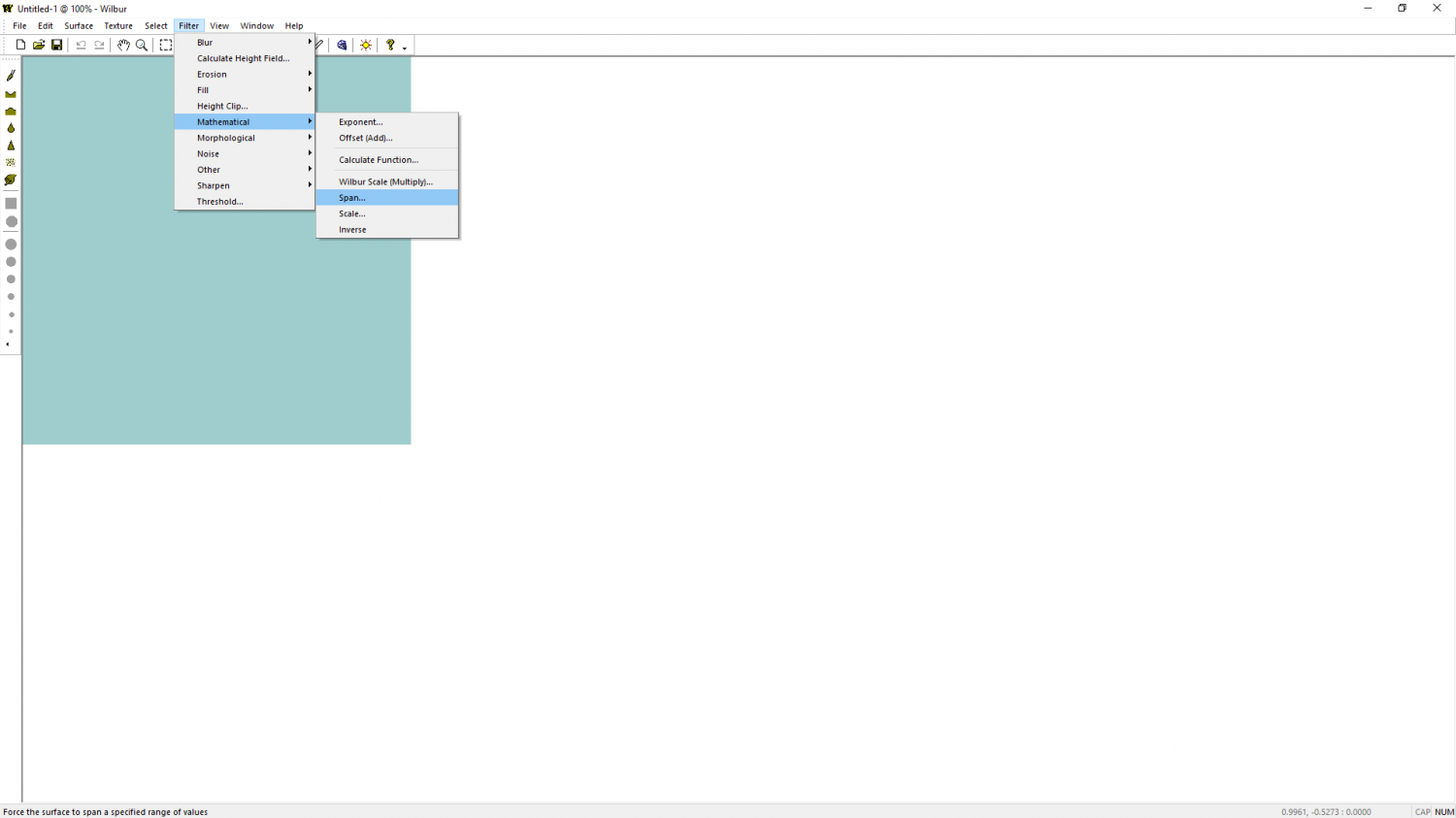
CA 2019 and Wilbur
Filter->Mathematical->Span...

-
Some Traveller sub-sector maps I have done
Set your worries aside for a few days. Nothing is worth ruining Christmas over.

-
New Symbol Not Showing in CC3+
Just checking that you aren't importing the image as an image, and not a symbol.
Check that you haven't called the one that's missing exactly the same name as one of the existing symbols.
Remy just suggested - double check that it really is a png image, and that the length of the filename doesn't exceed 32 characters.

-
Battlemap House of a retired adventurer.
People often apply a glow effect to the GRID sheet and edit the effect until it looks right.
Nice map, by the way! :)

-
Size of Sue's parchment bitmap
Remy is right if you want the parchment to look the right shape on screen, or you could rotate it 90 degrees to make it a better shape and reduce the amount of distortion before you scale it.
However, there is an alternative.
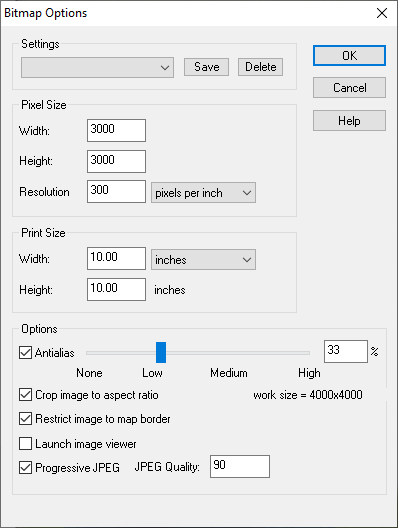
if you are working towards a bitmap export as the final map, and if the technical map border is in the right place (the technical map border is usually a set of green lines on the map border layer that denote the edge of the export), it doesn't matter how far outside the image sticks because it will be cropped out of the export providing you have the "Restrict image to map border" checkbox in the Options in Save as... checked (see below). If you set it up like that you could have the parchment stuck out all over the place and it wouldn't matter.
-
issue exporting
That's what I meant - yes. I think most of the grid is disappearing in the export where the lines are only one pixel wide, leaving only that one line visible where I thought there was a glitch in the render.
In the attached map I have adjusted the grid for you (using Change Properties) to give it a line width of 0.02, and played a little with the glow on that sheet for you. You may need to change it again to suit your style - what I did is just a demonstration of what I was talking about earlier.
Were you aware that you have all the relatively low and flat symbols like the skeletons on the SYMBOLS sheet, and that this sheet is casting disproportionately long shadows over the ground area? I see you have the trees on a SYMBOLS HIGH sheet, so there wouldn't be too much harm in reducing the size of the shadow on the SYMBOLS sheet for this map if you want to reduce those long shadows just a bit.
-
Last map of the Year
Wow!
That's beautiful, Ricko :)
Thank you for sharing.
-
WIP Inside a giant tree
Hello Ede :)
Looks like a good start.
I think you might be right about the age rings. I might also try to make the wood and the rings a more woody colour, possibly using the new Colorize sheet effect.

-
Canvas map development
@akbdeck @JulianDracos Thanks - that's really helpful. I hadn't thought of doing two versions with and without canvas, but I can see that it would be good to arrange everything so that the overall canvas texture can simply be switched off - an overlay set over the entire map and blended onto it, rather than built into the symbols and fills. I think I agree about that Desert light texture being a bit too pale ;)
@taustinoc Thank you! :)
-
Retired Bookmaker’s Home
Maybe you could use the doors for shutters?

