


Loopysue
Loopysue
About
- Username
- Loopysue
- Joined
- Visits
- 10,418
- Last Active
- Roles
- Member, ProFantasy
- Points
- 10,163
- Birthday
- June 29, 1966
- Location
- Dorset, England, UK
- Real Name
- Sue Daniel (aka 'Mouse')
- Rank
- Cartographer
- Badges
- 27
Latest Images



-
Using Mike Schley symbols
I forgot Sue's earlier posting on the subject!
Yeah. So did I, which is even worse.


-
Numbers Don't Appear on Dungeon Map
Try clicking the Text Specs button next to it |CC2TSPEC|. There's probably a very tiny number in the Height box. Put something sensible like 10 in there and try again.

-
Live Mapping: Handdrawn Fantasy - Bitmap vs Symbol Fills
This week, Ralf will be showing us the latest free symbols for his beautiful Handdrawn Fantasy style, and discussing the use of Bitmap fills versus Symbol Fills for larger terrain features.
Come join us live on Youtube here to ask your own questions or share your own experiences:
https://www.youtube.com/watch?v=GN7JeJs-BEQ
Or watch it later here on the forum if you miss the show.
This thread will not be monitored during the session, but is a place where you can discuss it or ask questions before or after the session.
-
WIP: New Dungeon Commission
Awesome, because you managed to finish it, but good maps as well :)

-
[WIP] Applevale
I think the video you remember might be this one?
-
[WIP] Rise of the Crone-Mother
@Frosty No, I think this is mostly Forest Trail and Creepy Crypts.
The overland map is Spectrum Overland.
-
Live Mapping: Dracula Dossier Floorplan
This week in Live Mapping, Ralf will be taking a look at, and starting a modern floorplan using the Dracula Dossier style from the 2015 Cartographer's Annual (Volume 9).
Come along and join in the fun and the chat with us here on Youtube:
https://www.youtube.com/watch?v=UglZYeAeHlA
Or you can watch it right here on the forum if you prefer*
*This thread is not monitored during the show, but is the place you can discuss it or ask further questions if you have any after the show.

-
Realms Reimagined Rivers
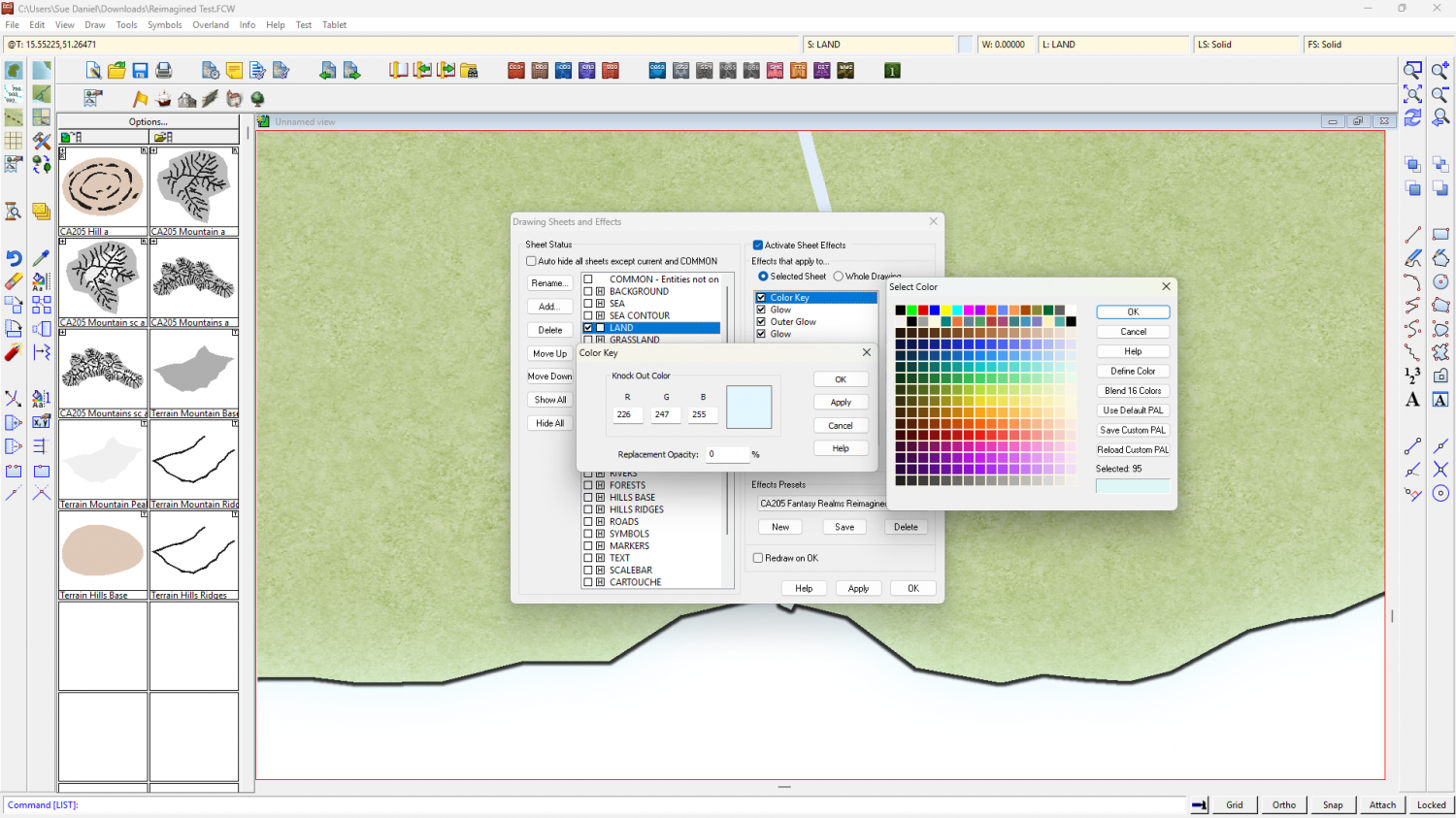
Well, I think it boils down to the fact that the colour key cutout colour is fractionally different to the colour used to draw the rivers.
The Color Key is set to be colour 95 - the end of the second blue line, but the colour of the river drawn in the map is actually colour number 79, which is the colour at the end of the third blue line.
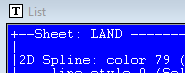
To cure it, either edit the Color Key to be the same colour as the river (colour number 79), or change all the rivers to be the colour of the Color Key cutout colour (95).
I'm not sure how this has come about, or why no one has noticed it before, but if it is wrong in the template I will let Ralf know.
-
Live Mapping: Cosmographer System Map *** NEW second attempt ***
This week in Live Mapping, Ralf will be creating a star system map in Cosmographer's Traveller System style.
Come along and join in the chat live on Youtube here:
https://www.youtube.com/live/eM6dB2b1IBM
(The correct date and time for your area are shown in the left column of the main forum page)
This thread will not be monitored during the show, but is a good place to discuss the show either before or after the event.
-
trace map aligning to grid
You can use the Move, Scale, Rotate tool|CC2MOVE| to pick the image and move it. If you pick a key point in the image as your "move from point" (check the command line), and then use SNAP to place the map you should have perfect alignment on that one spot.
As for scaling, it depends which videos you watched as to whether you got the information you wanted. There are about 200 of them.
