


Loopysue
Loopysue
About
- Username
- Loopysue
- Joined
- Visits
- 10,419
- Last Active
- Roles
- Member, ProFantasy
- Points
- 10,163
- Birthday
- June 29, 1966
- Location
- Dorset, England, UK
- Real Name
- Sue Daniel (aka 'Mouse')
- Rank
- Cartographer
- Badges
- 27
Latest Images



-
[WIP] Elmsbrook Township
It's beautiful :)
Would it be possible to give just a tiny Edge Fade Inner on that stone texture?

-
Looking for Symbols
I did one of those in Creepy Crypts.
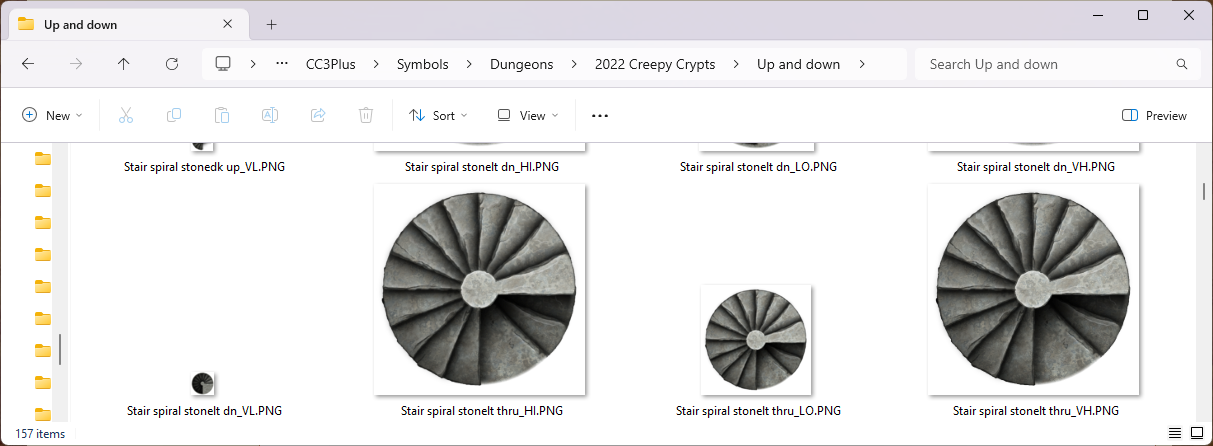
You should also be able to paste two spiral staircases slightly rotated for the same effect in styles that have a cut out section for the floor.
-
Community Atlas - Irisian City States - Giant Circle Island
Find out what the turquiose is using List from the Info menu on it if you can grab it. If not, then switch sheet effects off and see if it's still there.
In order to get rid of the white you must put the background sheet with it's canvas texture on top of everything else and add a Blend Mode sheet effect set to Multiply. It's an upside down way of doing things unless you use bitmap graphic apps, where it is quite common to 'impose' a background texture on top of the whole drawing this way.

-
Community Atlas - Irisian City States - Giant Circle Island
Ah yes. I had forgotten that the land itself has a texture other than white.
I hid the old BACKGROUND here because you don't need 2 backgrounds multiplied together.
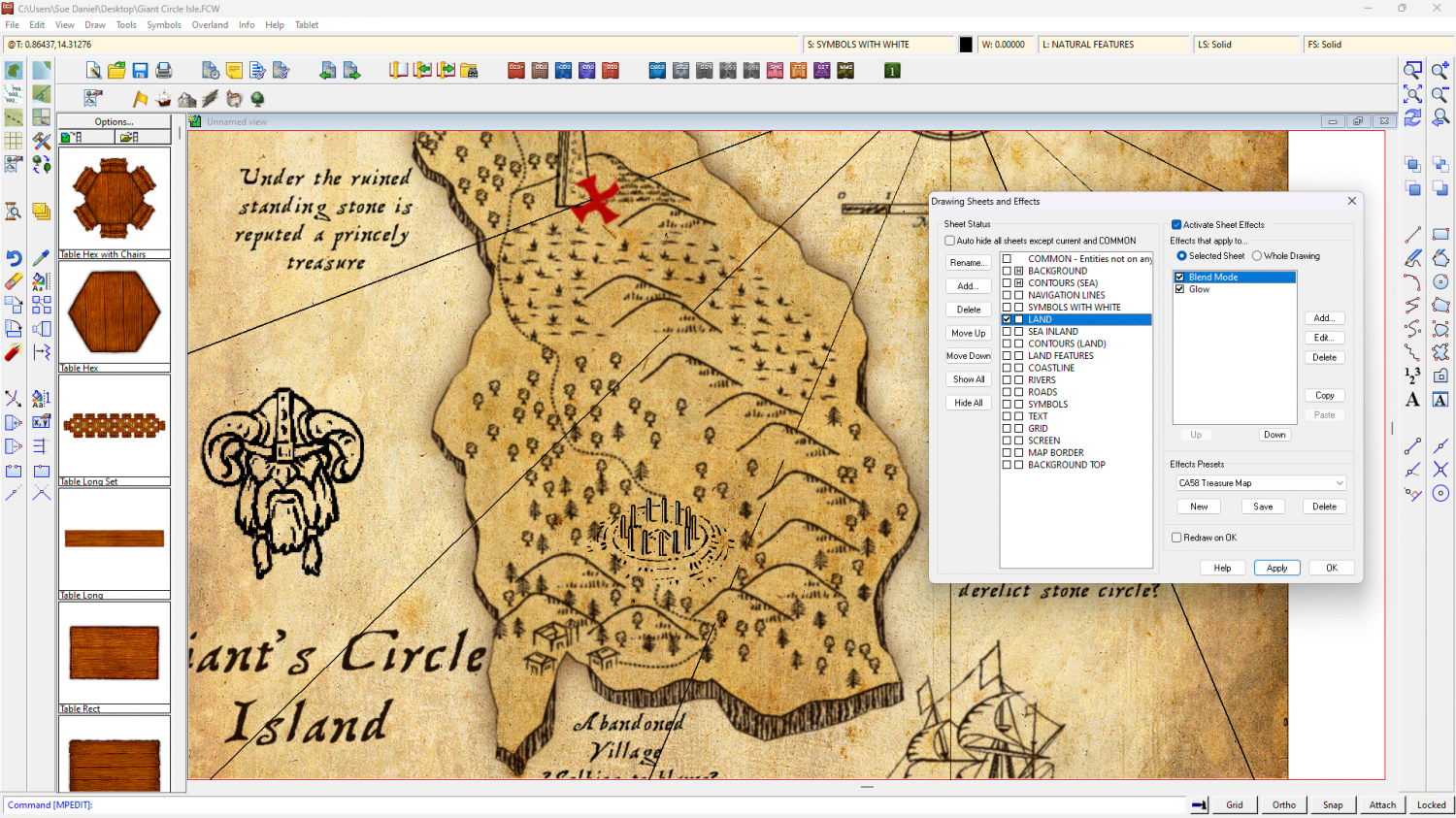
Try putting the imported symbol on a sheet of it's own below the LAND sheet and adding a multiply blend mode to the LAND sheet. Make sure the blend mode is above the glow effect in the LAND sheet effects list.
-
Community Atlas - Irisian City States - Giant Circle Island
I would have suggested changing the land fill to white and leaving everything else as it is, but the hills are parchment textured and appear darker than the land if you do that.
-
disappearing symbols
Yes, the template does seem to be a bit messed up if you change the background preference during creation. I'll report it as a bug.
In the meantime, if you want a new map that's ok, start one without changing the background, then hide all the sheets except the background in the new map, and use the Change Properties tool to change the background fill to the one you want.

-
Lidar mapping?
You could tackle that in a number of different ways, though most would be diagramatic rather than an accurate pictorial representation.
The easiest would be to edit the image itself in GIMP to desaturate it and remove the white, then import it to CC3 as an image or file (not a symbol or fill) on it's own sheet and add a Blend Mode effect to that sheet set to Multiply. Place that sheet under the SYMBOLS sheet but above any terrain and background sheets and add symbols on top of it. That way, whatever textures you used to depict the ground would be hill shaded by the scan itself. The disadvantages would be that your use of the map would always have to bear in mind the data usage rights of the scan and that the altered scan image would have to be moved around with the map to preserve the link.
Alternatively, you could use several beveled polygon sheets to emulate the relief in the same way that relief is done in styles like SS5, though that might take rather a lot longer.
Or you could do away with the idea of making the map look just like the scan and use a series of ground terrain sheets to draw what I call grass contours. There are at least 3 shades of grass in most styles, and even if there aren't you can use sheet effects to add more shades of grass (or dirt), remembering to use the darkest shades at the lowest elevations and the palest ones at higher elevations.
This is not an exhaustive list of methods.
-
Darklands City Water Fill is pixelated
It looks like the low res versions of the fills are being used for some reason. There are 4 resolutions available for every bitmap and symbol. CC3 picks the appropriate resolution for the zoom level and displays that resolution. But there are times when for some reason it doesn't get the right one.
Click the hourglass in the left toolbar and check that you have these settings. "Automatic bitmap quality", "high". Clear the bitmap cache and Apply. If that doesn't improve matters temporarily pick "Fixed bitmap quality" and "Very high". Apply that, and then switch back to the Automatic bitmap quality settings.

If you are still having trouble after switching resolutions and clearing the bitmap cache, hit the Fill style resolutions (advanced) button and check that you have them set up like this:


-
Quick (?) re-creation of of DCC Maps for game on Sat night
On map 2 you probably have 2 nodes rather close to each other. Fractal lines can do that sometimes. Try using SIMPLIFY with a distance setting of 0 (zero) or som really small number, like 0.01. That will remove any that are right on top of one another.
-
Darklands City Water Fill is pixelated
You're welcome :)


