Loopysue
Loopysue
About
- Username
- Loopysue
- Joined
- Visits
- 10,419
- Last Active
- Roles
- Member, ProFantasy
- Points
- 10,163
- Birthday
- June 29, 1966
- Location
- Dorset, England, UK
- Real Name
- Sue Daniel (aka 'Mouse')
- Rank
- Cartographer
- Badges
- 27
Latest Images



-
"Converting" paper/image maps to CC/CD
Hi CheeseshireCat :)
You can import the bitmap file into CC3 on it's own sheet and layer using Insert file in the Draw menu. (Create the BITMAP sheet and layer first and make sure they are active)
An open file dialog will pop up allowing you to pick your bitmap file. Then follow the instructions in the command line at the bottom of the window to pick the first and second corners for your image. if you need to move or scale it you can do that using the same commands you would use for polygons or symbols.
Then use the drawing tools and symbols to recreate your map.
You should be able to add a transparency effect to the BITMAP sheet to make tracing easier.

-
Unexpected results from Multipoly
Yes. Jim is correct. The first thing I do when I get a problem map is use List from the Info menu on the problem polys or symbols just to see what sheet and layer everything is on. I could see there was a duplicate because the count in the command line was instantly 2 instead of 1 object selected. When I pressed D for Do It the information for that red poly came up twice - on two different layers.

-
Color key isn't working again
You aren't wasting my time :)
-
Where do I install packs from recent Humble Bundle?
You're correct. These are files you can put anywhere you like on your system.

-
Live Mapping: Wilderness Tiles
Hi everyone! :D
In this week's Live Mapping session Ralf will be creating a custom Wilderness Tile with the latest Cartographer's Annual issue.
Come along and join in the chat on YouTube here:
https://www.youtube.com/watch?v=10SY2L-N8hQ
Or watch it here if you prefer:
We look forward to seeing you on YouTube! :D

-
An arcology dungeon
I think you have a positioning problem with the overlying sheets. The bevel looks fine, but the rest of the pyramid isn't lined up properly with it. They have to be squares that are exactly in the middle of each other all the way up.
I can't see a thing but a sea of red crosses in the drawing, but I can see the problem from the image you posted.
-
The Cartographer's Vault Humble Bundle
Just in case anyone is reading this thread now (after the presumed deadline mentioned above), the bundle has been extended for another 6 days, so if you wanted it it's still there at the moment of writing this comment.
-
Annual 2024?
It will be along soon.
I think there was a lot going on around the time there is normally a holiday sale, like the new random dungeon generator and the Humble Bundle.
-
Sinister Sewers - Style Development Thread (CA207)
Thanks Ricko :)
The stone fills are next. The current ones are just some old stone fill I made and never used with the colours adjusted to give the overall shade and tone of things like paving and lining block work.

-
Sinister Sewers - Style Development Thread (CA207)
It's very early days yet, Ricko. I'm experimenting. Yes, bricks had occurred to me, and so had rounded 'corners' at the edges. These things will come soon.
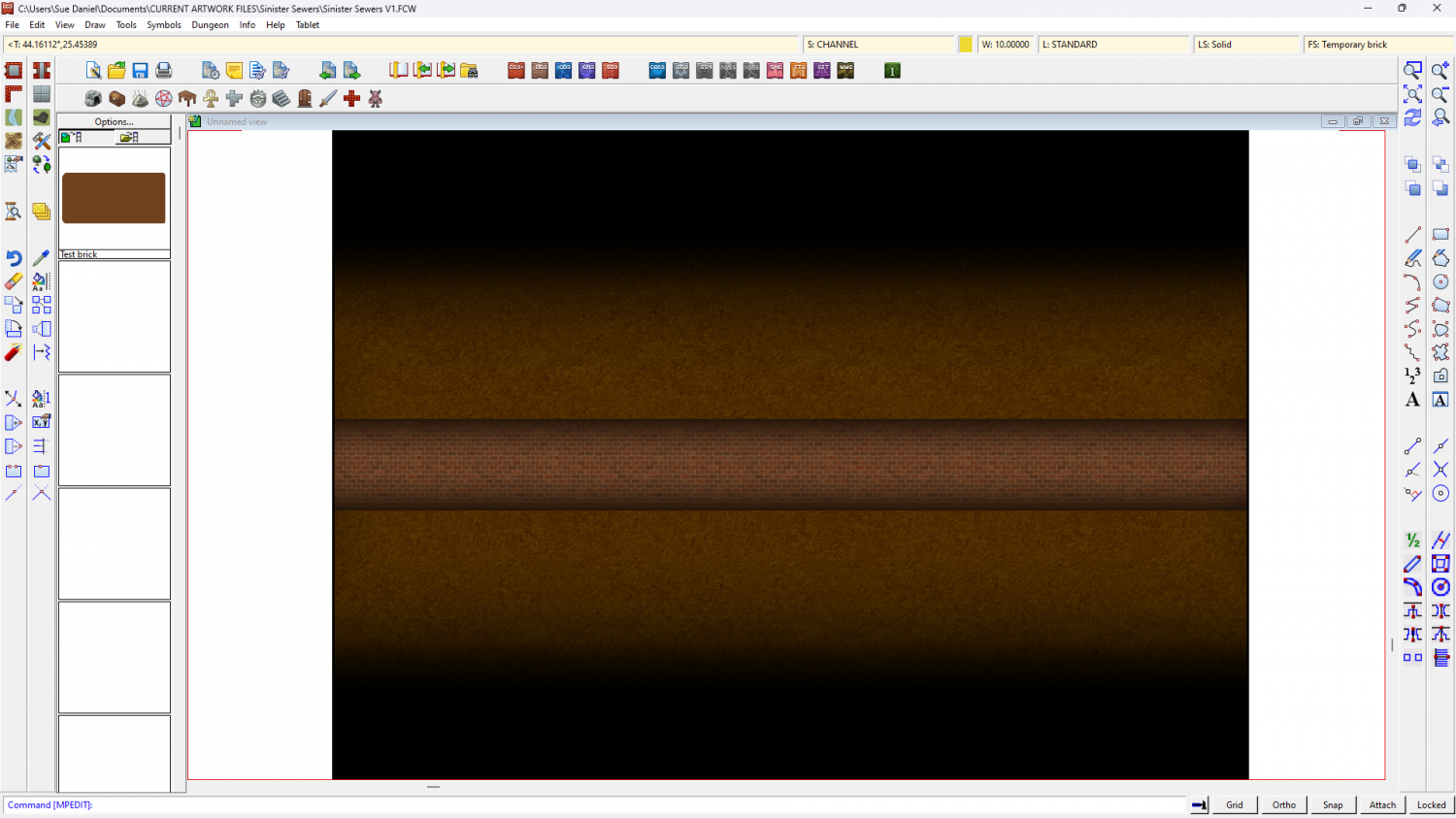
And here is that same boring background stone being used as a background texture for possible rounded floor edges.