


Loopysue
Loopysue
About
- Username
- Loopysue
- Joined
- Visits
- 10,419
- Last Active
- Roles
- Member, ProFantasy
- Points
- 10,163
- Birthday
- June 29, 1966
- Location
- Dorset, England, UK
- Real Name
- Sue Daniel (aka 'Mouse')
- Rank
- Cartographer
- Badges
- 27
Latest Images



-
Community Atlas - Forlorn Archipelago - The Bleakness - Dungeon of the Dragon
We thought it was one of your secret entrances, Jim.


-
"Dirt and Grass Light Bitmap" won't load even on a new map
Sorry - I had to go to bed shortly after I made that request, so I wasn't any help at all.
When I opened the map this morning there were only lines on the background and no background fill polygon, but there were a few other things not on the right layer. Use List from the Info menu on everything visible when the map opens and you get this:
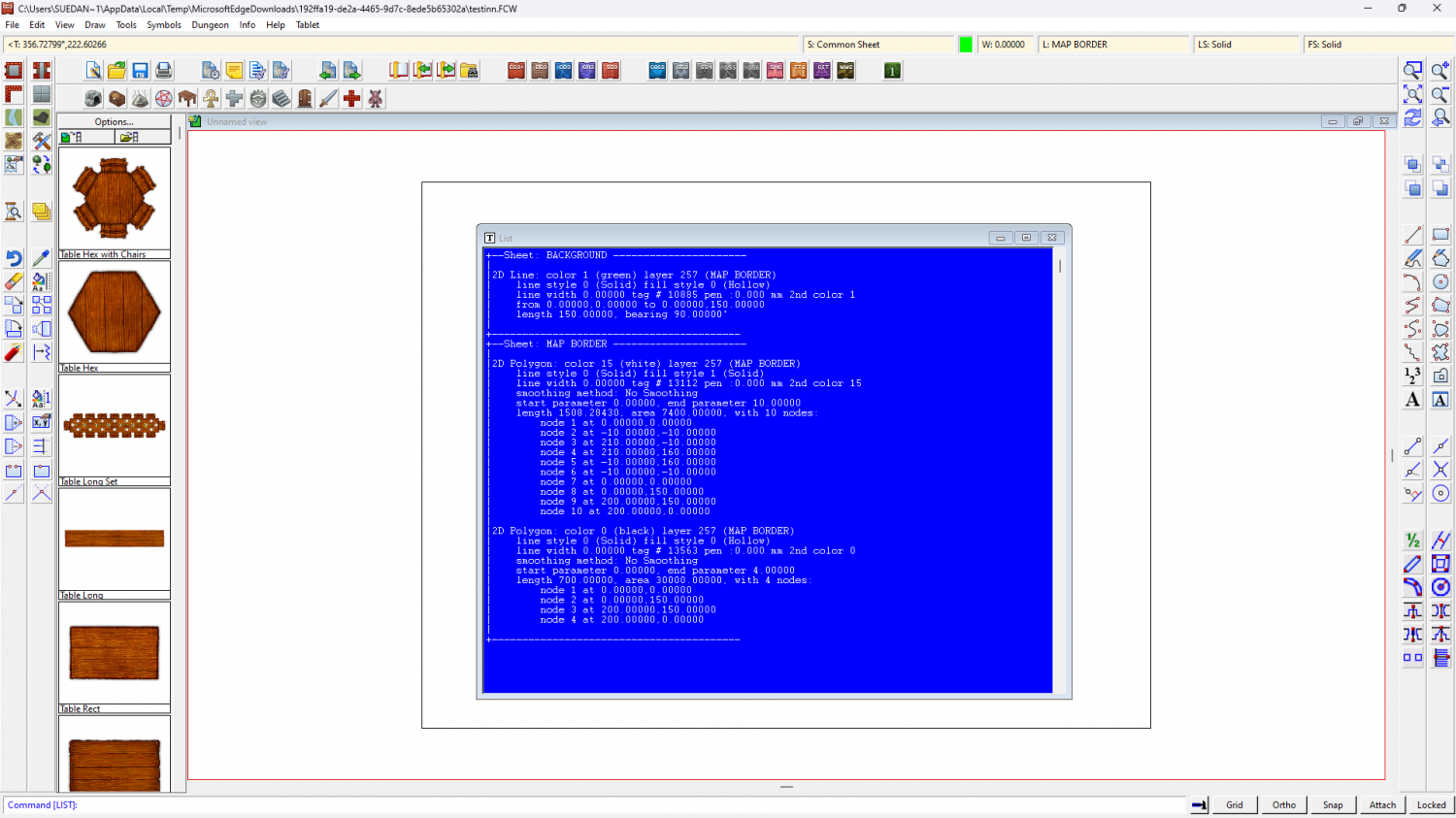
Either the background polygon wasn't there to start with or was accidentally deleted. We may never know.
Only the map border itself should be on the MAP BORDER layer, though it can be on any sheet. Whatever is on the MAP BORDER layer defines the edge of the map within CC3 and controls how it is exported if the "Restrict image to map border" option is checked in the export options dialog when you export your finished map.
I see you have replaced the frame and drawn a screen on the FCW you shared. This can be done more efficiently after you have set up your custom frame by using the screen commands explained in this blog by Remy Monsen.
https://rpgmaps.profantasy.com/leveraging-the-new-features-of-cc3-update-26/#more-6495
Since things are a little muddled on this map, and since I don't think you started the actual drawing part of it yet, I recommend starting a fresh new map and using the sheets (not the layers) to hide everything but the map border so you can modify that first, then showing all the sheets again and using the relevant collar commands from that blog to generate your screen.
Shout again if you have any more problems.
-
Passing of Jerry Thiel
I think all those of us who have been here for more than a couple of years will remember Jerry's beautiful maps, and how helpful and kind he was to everyone. I never met him face to face, but his online presence was a shining example of how to be a decent and loveable human being.


-
Easiest way to migrate to a new computer
Oddly enough I never thought of doing it that way at all. I just redownloaded all the installers and reinstalled everything fresh and new on my new machine last December. Although it takes a bit of time it means that if anything has been updated in any of those installers I get the updated versions. The drawback is if you have made your own symbols, fills and styles. I had to transfer those across as folders and files and put them in the right place.
-
Live Mapping: E Prybylski Overland 2
Hi Everyone! :D
Ralf is back from Spiel and recovered enough to start overland mapping again with Campaign Cartographer 3+, showing us this week how to make maps with the August Cartographer's Annual issue: "E Prybylski Overland 2".
Come along and join in the chat on Youtube here: https://www.youtube.com/watch?v=4u-rZXRZvNc
Or watch it here on the forum (though you won't be able to join in the chat right here)
-
So many trees!
Have you tried reducing the Display Speed 'Automatic bitmap quality to Medium instead of High while you work on the map? It means it won't look as sharp, but it may work just a bit faster.
I'm not sure if you will have to reverse that to High again before you export, but if you get a blurred export the answer to that might be yes.
You get the Display speed dialog by clicking the Display Speed Settings|CC2RESMODE| button on the left.
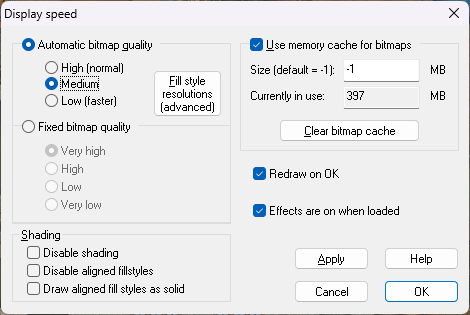
Alternatively you can try using 'Fixed bitmap quality' set to High instead of Very High, or even to Low.

-
Darklands City walls questions
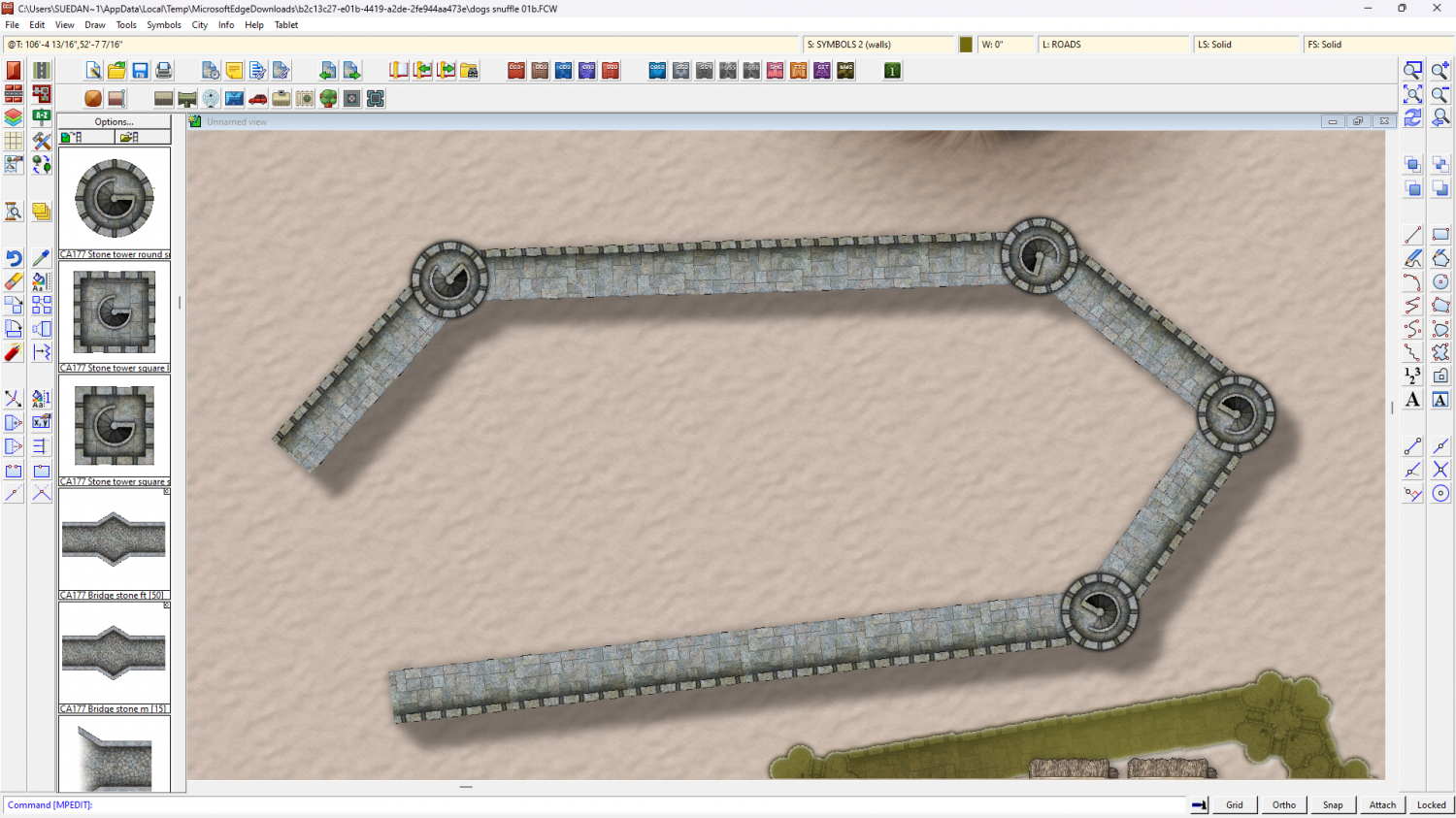
I can't make the connecting symbols break so I'm assuming you mean the gaps at the corners? Those gaps are intentional and are meant to be covered by the tower symbols. The best way to draw them is by going in straight lines between the towers in a single click.
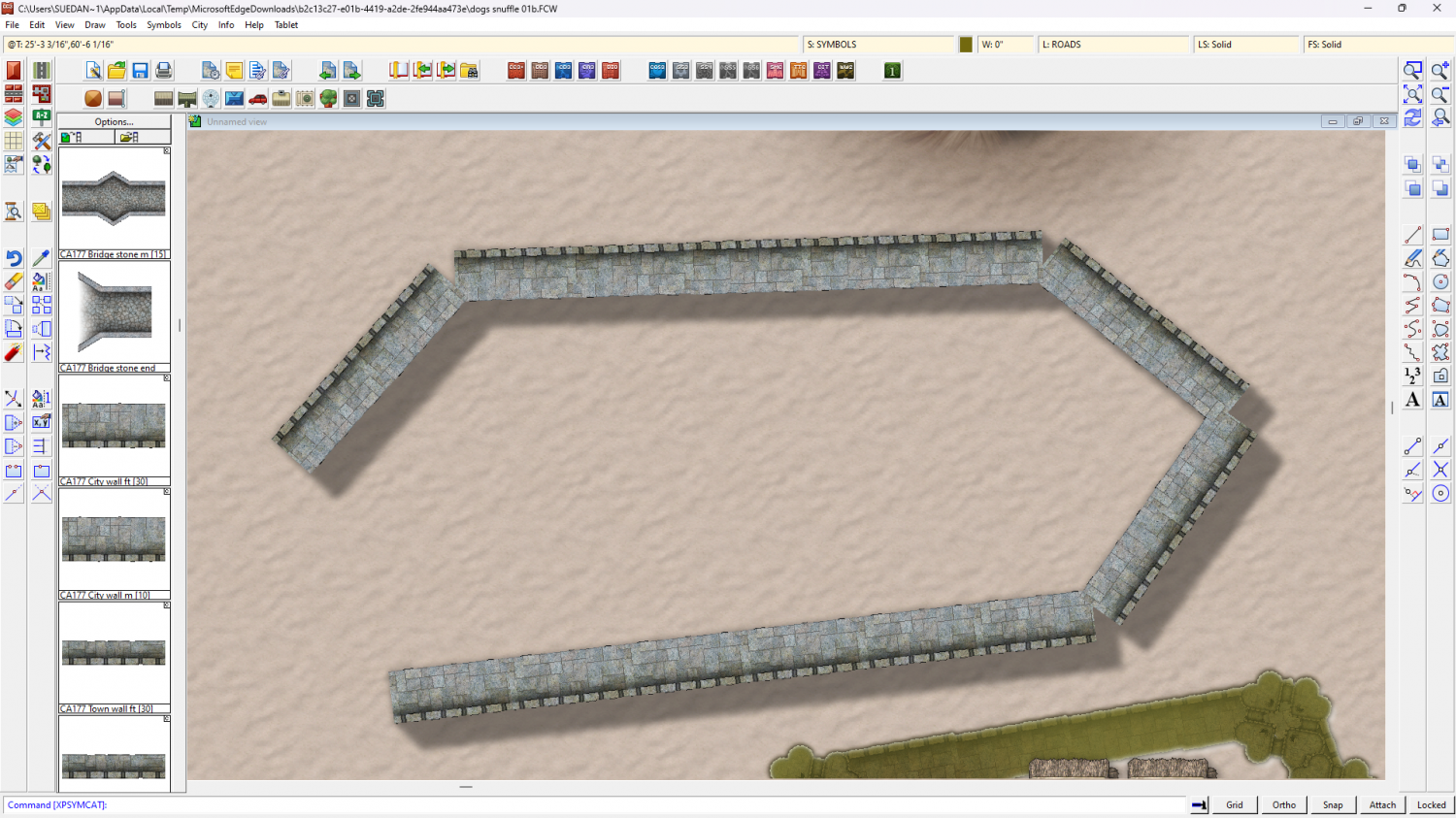
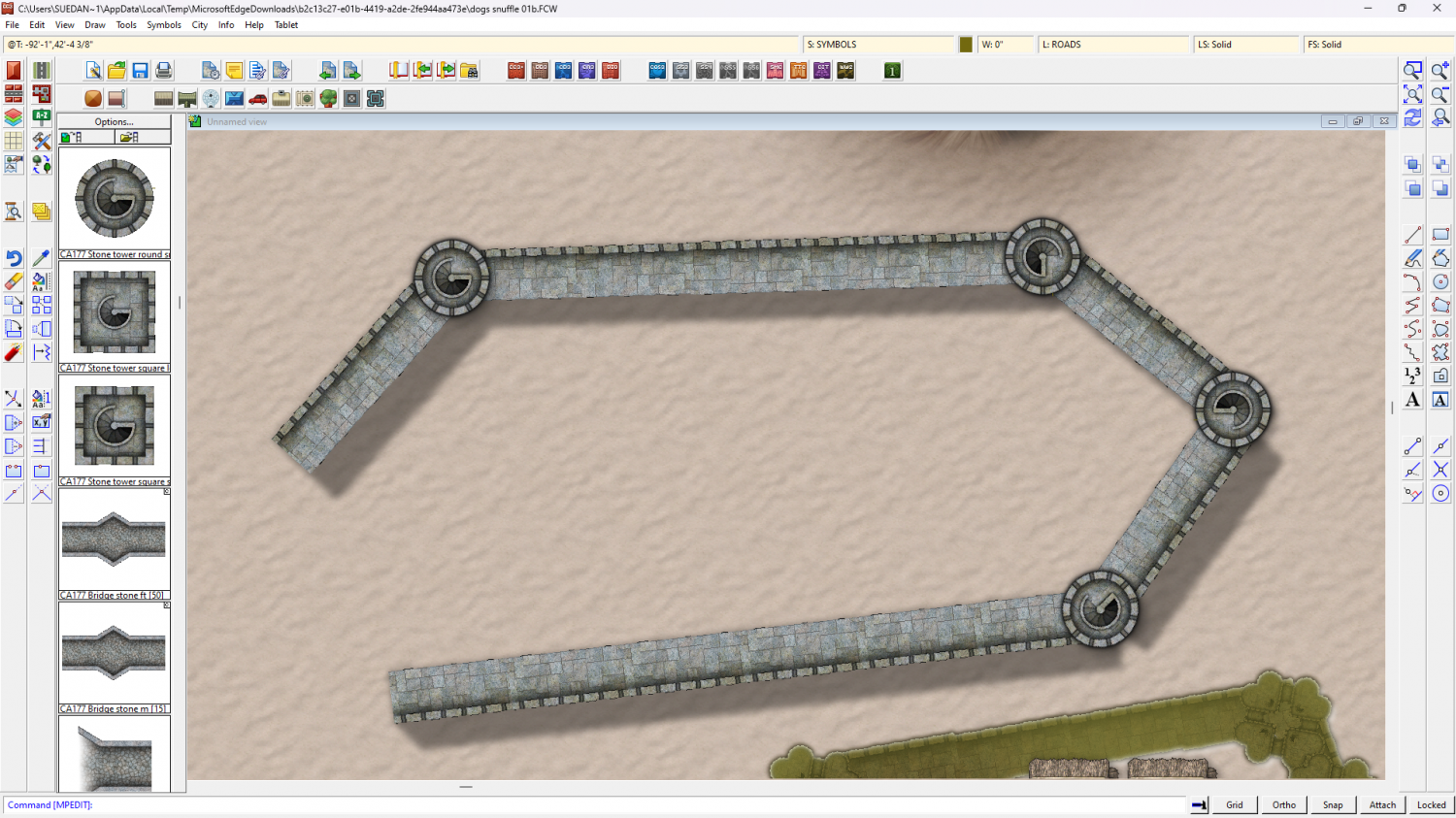
Also make sure that your default symbol scale is set to 1 in this imperial map, and that you haven't accidentaly adjusted the scale you are pasting them at by right clicking to check the current symbol scale setting.
EDIT: I also notice that the sheet effects on the SYMBOLS 3 (towers) sheet are a little off. If you make the shadow as long as the one on the SYMBOLS 2 (walls) sheet those gaps in the shadow will disappear.
Or alternatively, if you don't like the shadow overlap, you can copy the towers to the SYMBOLS 2 (walls) sheet so they cast the same contiguous shadow as the wall. in the shot below the towers are on thier correct sheet with a glow around them to raise them from the wall a little, but they are duplicated on the SYMBOLS 2 (walls) sheet for the shadow.
-
Fulnia - A Splittermond Map Conversion in Ferrari's Style
That's a really beautiful use of the style - a lovely map :)

-
Live Mapping: Isometric Fortress City
Hi everyone! :D
This week Ralf will be using Symbol Set 6 "Isometric Cities" and the free monthly symbols by Mike Schley to build a fortress city under siege. Come along and see it live to join in the chat here on YouTube:
https://www.youtube.com/watch?v=Nj6rnnc3xv4
Or watch it here on the forum later if you prefer.

-
Can anyone explain why sheet affects aren't working?
I have noticed that sometimes the sheet effects stop working for reasons I can't quite nail down to being because of A or B (if I could identify the cause I'd have reported it ages ago), but usually unchecking the Activate Sheet Effects checkbox, then checking it again and then clicking Apply will sort it out.
If that doesn't work please can you upload the FCW file, Elfling?
EDIT: to take a screen shot press the "prt sc" button and then paste in a comment by pressing CTRL+V
EDIT2: Also check if you have any layers hidden. If the MERGE layer in particular is hidden the effects aren't likely to work correctly if they work at all.
