


Loopysue
Loopysue
About
- Username
- Loopysue
- Joined
- Visits
- 10,418
- Last Active
- Roles
- Member, ProFantasy
- Points
- 10,163
- Birthday
- June 29, 1966
- Location
- Dorset, England, UK
- Real Name
- Sue Daniel (aka 'Mouse')
- Rank
- Cartographer
- Badges
- 27
Latest Images



-
Richard Baker's World Builder's Guide Map Templates
Was this a Profantasy product, or was it something published by Mr Baker himself that happens to work with CC3?
I have the whole set of everything Profantasy, and this doesn't seem to be part of it.

-
The Creepy Crypt project
Will rats do?


-
Slow Application Performance
I've been playing with the style for the first time just now, and it would seem from what I've done that the sheer number of trees may be the problem here.
You could try deleting a few of them perhaps?
My map was starting to get a little slow, but nothing like the way you describe. It was only about half a second delay.
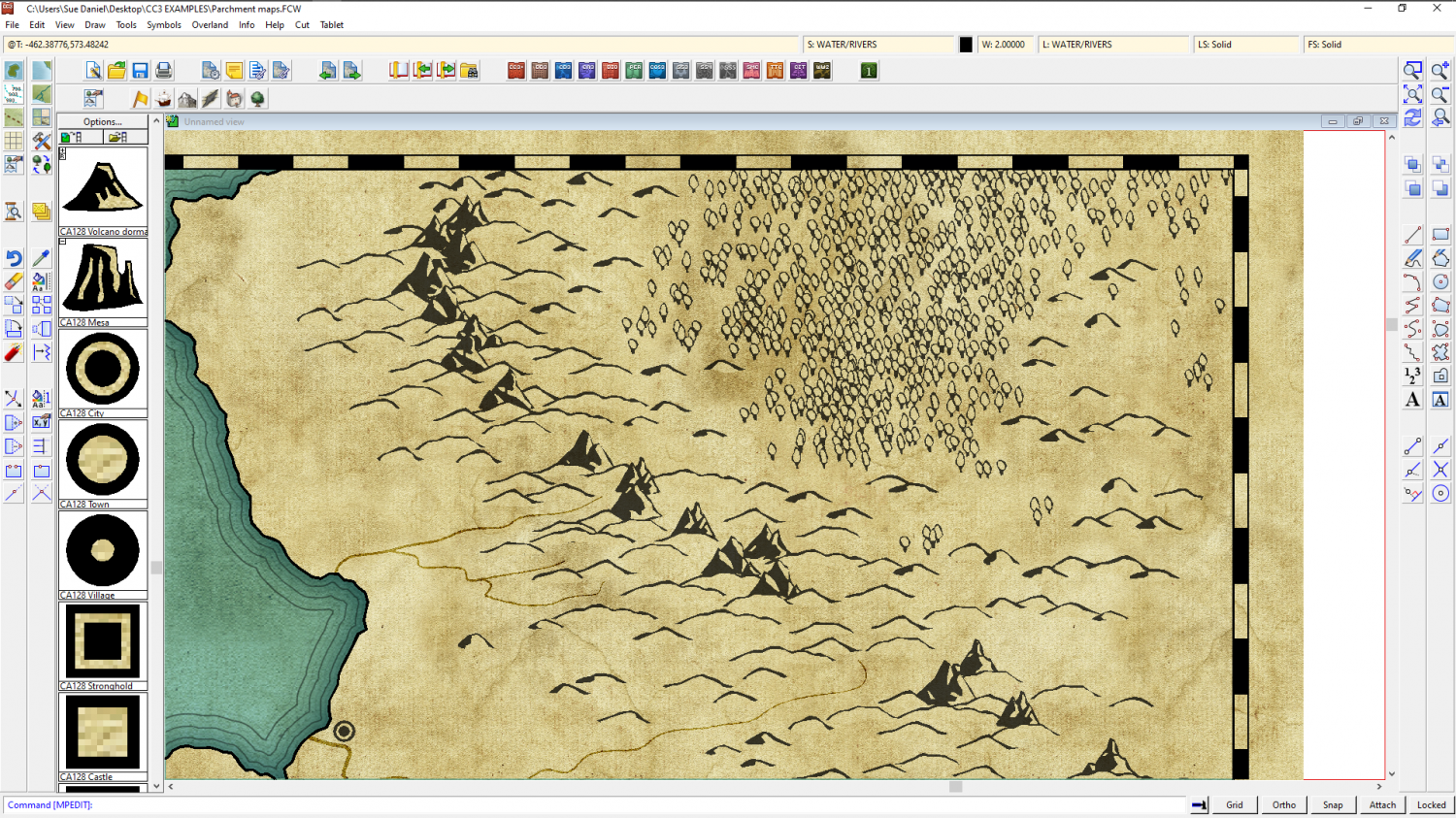
It is a matter of taste, of course, and maybe you think the trees need to be overlapping, but they look pretty good at much lower densities.

-
Slow Application Performance
I did a blog about how to make your own bitmap fill from PF symbols here:
-
Teaser or Bug?
Oooops! 😁
-
Strange artifacts from the Bevel sheet effect
That's a form of 'transparency acne', where the current rendering engine in CC3 suffers an error if a pixel on one sheet is the same colour as the underlying pixel on another sheet. The identical pixel is interpreted as a hole exactly one pixel in dimension, and the sheet effects are applied to its edges - hence the buckling effect when you have a bevel. The Bevel Lighted effect creates little craters, and the Edge Fade Inner creates telltale circular holes.
To cure it you can either use a different texture for the affected parts, or insert what I call a separation sheet. You can do that by adding a new sheet just underneath the one with the problem and copying the affected entities to that sheet. Then turn them purple, or some colour you can be sure isn't in the texture. 227 is a good colour to use.

-
Fast Marshes Tutorial
Wonderful work, Ricko - thank you :)

-
Live Mapping: Computer System Maps
Hi Everyone :)
In this session, and due to popular demand, Ralf will be showing us how to create a computer systems map based on an existing floorplan of a building or vehicle.
Come along and join in, or watch later :)

-
Live Mapping: Journey Maps (Cartographer's Annual Vol 3)
Hi everyone :)
In tomorrow's live mapping session Ralf will be tackling a journey map in Allyn Bowker's great "strip maps" style.
Come along and join in, or watch later :)
-
The Creepy Crypt project
I hadn't really thought about that part of the set just yet, Julian, but there will be mummies. Mummies can end up a bit unravelled at times...
![[Deleted User]](https://secure.gravatar.com/avatar/c75d9a245b74d9c59be0999ea81ca541/?default=https%3A%2F%2Fvanillicon.com%2F92add7f8c954488718110edc4896ad39_200.png&rating=g&size=200)

