


Loopysue
Loopysue
About
- Username
- Loopysue
- Joined
- Visits
- 10,415
- Last Active
- Roles
- Member, ProFantasy
- Points
- 10,161
- Birthday
- June 29, 1966
- Location
- Dorset, England, UK
- Real Name
- Sue Daniel (aka 'Mouse')
- Rank
- Cartographer
- Badges
- 27
Latest Images



-
Cosmographer: select all icons based on currently selected icon?
What are your placeholders? Are they symbols, or polygons?
A particular symbol can be deleted using the Symbol Manager in the Symbols menu. Open the manager, pick the symbol you want to delete, and hit the delete button. That will remove all instances of the symbol from your map.
If your placeholders are polygons and are all on a unique sheet or layer you can hide all other sheets or layers and delete them en masse by box selecting with the delete tool.
If your placeholders aren't on a separate sheet or layer, you might have to use one of the many select options available when you pick delete and then right click in the map area.

-
Birdseye Continental - style development thread
Thanks Don :)
This is Affinity Designer, which is a vector graphics app that can also do most things Affinity Photo can do - if you pick the bitmap mode instead of the vector mode. Everything except the warping of bitmaps, and since that is such fun I also have Photo.
I used Krita to do nearly all of the Ferraris Style, but I don't use it that often these days now that Affinity has taken over most roles. The only thing I can't get it to do is, ironically, the really simple stuff, like alpha mask. For that I export a png and work in GIMP.
It pays to have a wide range of tools in your toolbox for making new assets. I sometimes use CC3 to make new seamless textures from symbols like trees.
The only kind of app I don't have in my toolbox is rental apps, like PS.


-
Birdseye Continental - style development thread
I thought you might like to see some of the process involved in creating the mapped mountains.
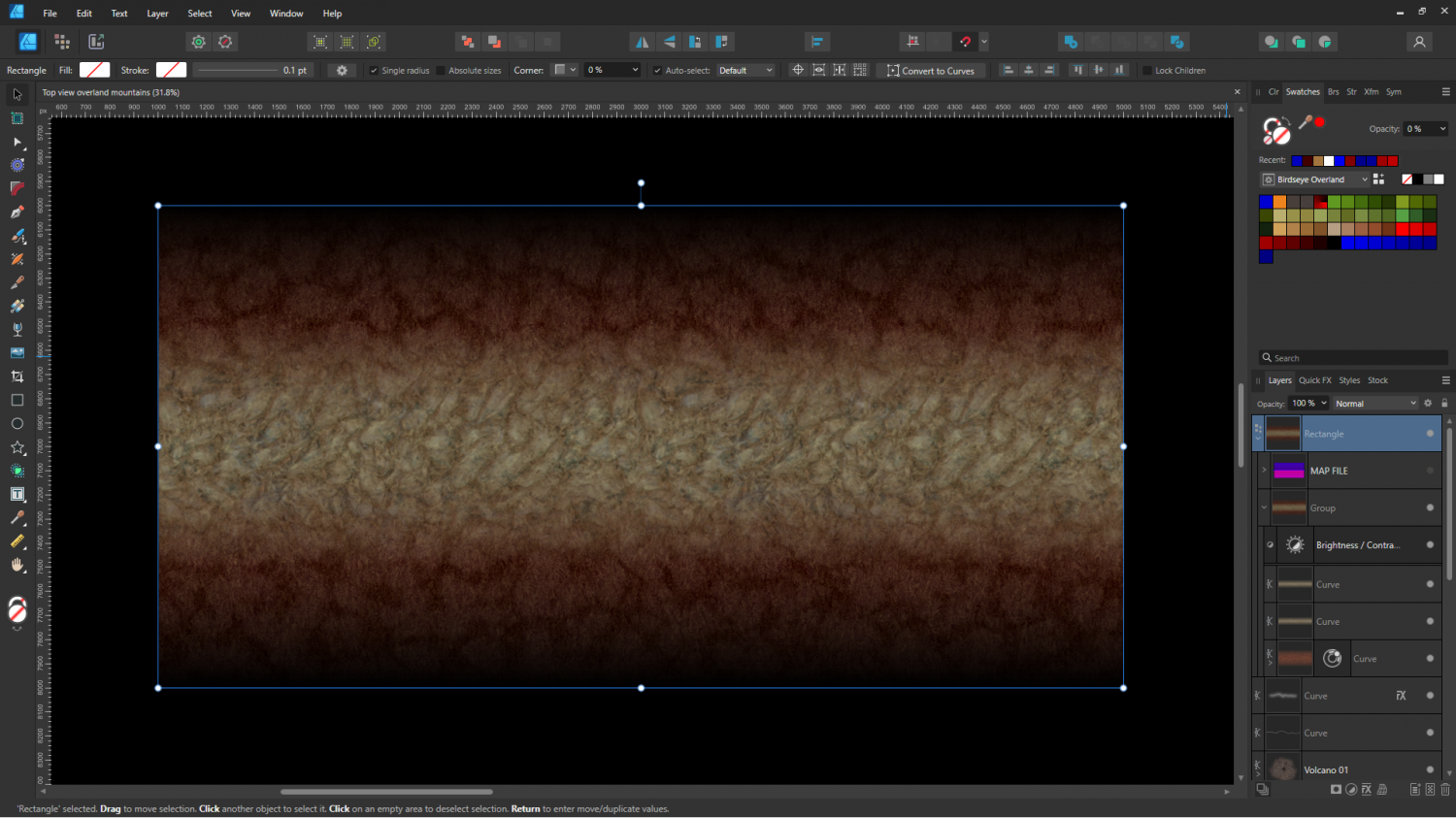
Here is the first prototype ridge - a simple edge faded thick line of the red tundra and a rocky texture for the spine.
And here it is in CC3 combined with a crude map file to test colours.
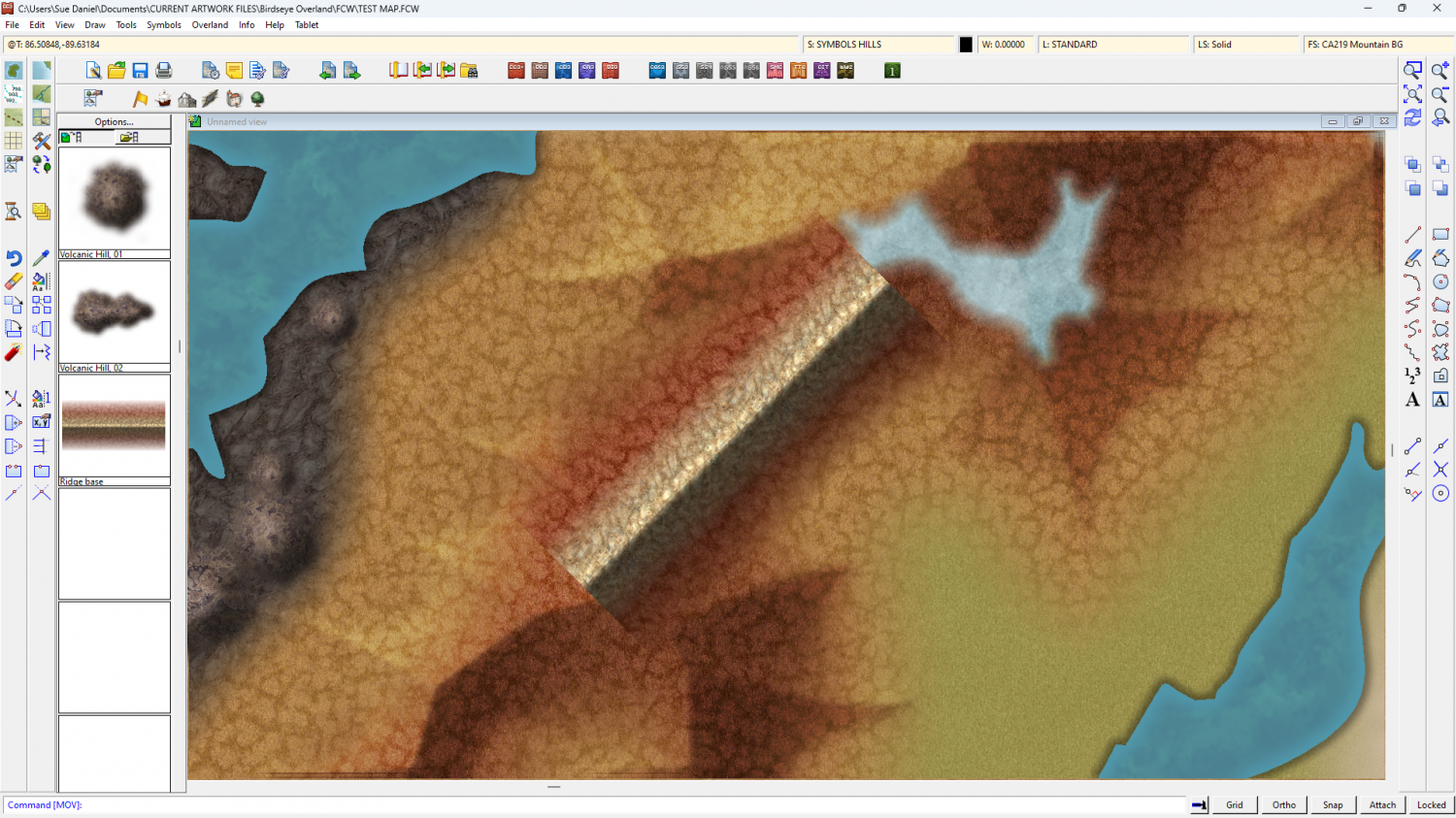
Don't worry - the volcanoes were just as crude when I started with them. This is just the initial stage - working out textures and colours.

-
Delete range of Entity Tags.
That would be a really useful macro if you succeed.
-
How does multi-floor works
There are some handy live mapping sessions dealing with multi-level dungeon maps.
Try this one: https://www.youtube.com/watch?v=Ani2oYh_dMg
Ralf generates a floorplan from a city building in the video, but you can generate a multi-level map by adding a number of levels to your new map in the New Map Wizard. After that the work is very similar.
Generally, if you start one from scratch using the New Map Wizard, you draw the main walls and add the stairs to the ground floor level, and then copy those things to the other floors, altering them as you go if the building has different extents on higher floors. Ralf covers copying in the video.

