


Loopysue
Loopysue
About
- Username
- Loopysue
- Joined
- Visits
- 10,415
- Last Active
- Roles
- Member, ProFantasy
- Points
- 10,161
- Birthday
- June 29, 1966
- Location
- Dorset, England, UK
- Real Name
- Sue Daniel (aka 'Mouse')
- Rank
- Cartographer
- Badges
- 27
Latest Images



-
After Day's of Watching Videos
Can you please click the colour swatch in the top bar to reveal the palette, and take a screen shot for us, RyanosRealm?
The ODW was written several years ago now. Since then there has been a notable blog, a new version of FT3, and at least one Cartographer's Annual that relate to it and update things somewhat. If you show me your palette I will have a better idea of how to help you from where you are, rather than trying to work it out in my head.
Thanks :)

-
After Day's of Watching Videos
I had the CorelDraw 11 Suite. After that it got too expensive to carry on, though, so I ended up more or less abandonning digital art till I got CC3.
-
ALPHA BLUR question
You're welcome :)
Experimentation is a great way to find out what you can do with the sheet effects.

-
Live Mapping: Custom City Map
In this week's livestream Ralf will be returning to the custom city style, and the Rhodenstein map - to finish it up and add final details.
Come watch live and join in the discussion on Youtube here: https://www.youtube.com/watch?v=cg28Y9XxPq0
Or if you prefer you can watch it here on the forum*
*There's no live chat on the forum, but you are welcome to discuss the session below.


-
Birdseye Continental - style development thread
First stage of refinement for the now-named "Mountain Spine 01" symbol.
I've been staring and staring at Google Earth images of the Himalayas for ages and decided the easiest way to do this in a CC3 map from above is to make a spine and stick side ridges on it here and there.
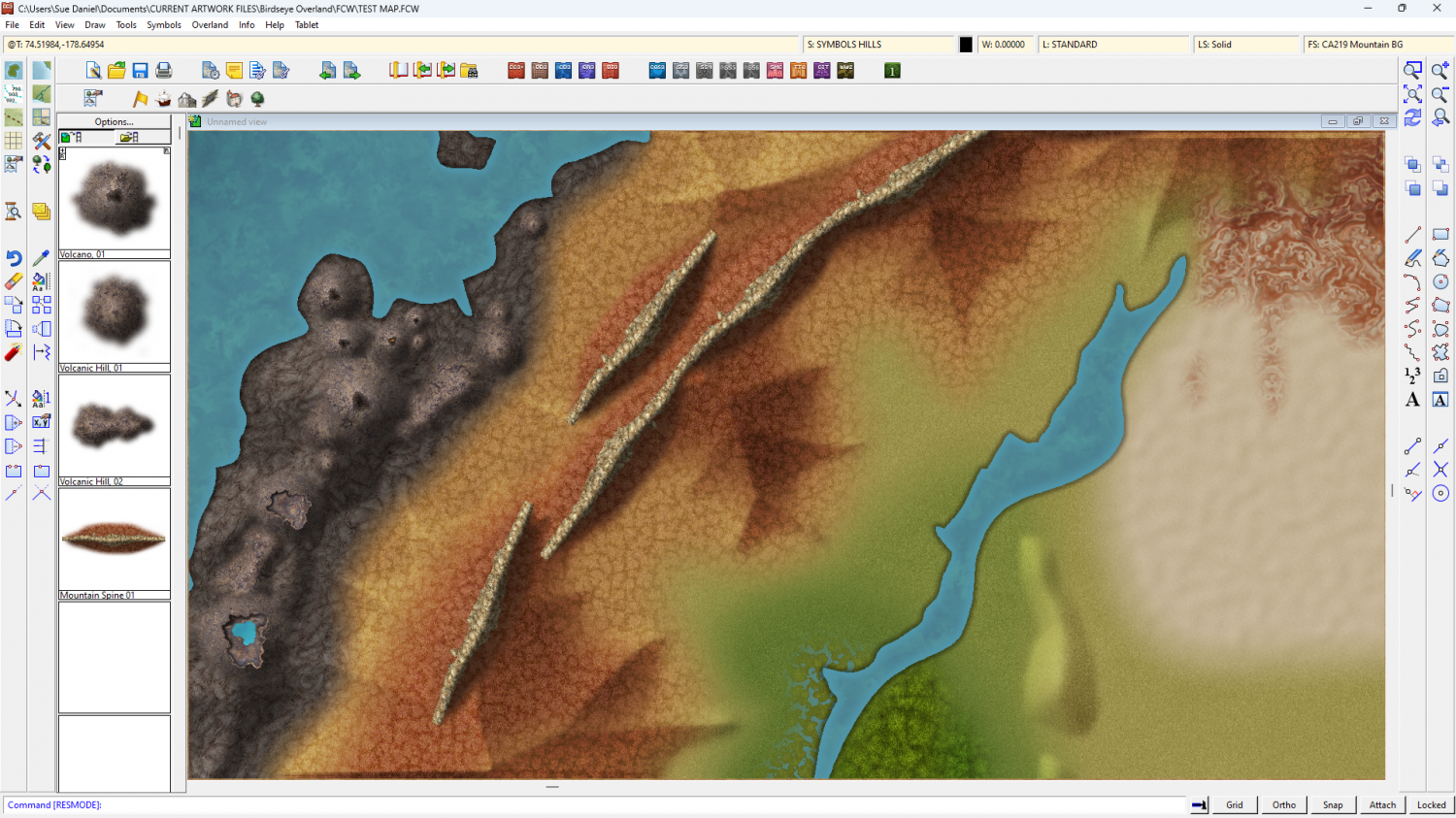
The old bevel mountains are still visible at the moment. I'm using them as a reference for the colour and shade required.
Once I've worked out how to do the ends, and whether this is possibly a connecting symbol or better placed by hand, I can do variations in wiggly-ness, curve and length.


