Loopysue
Loopysue
About
- Username
- Loopysue
- Joined
- Visits
- 10,411
- Last Active
- Roles
- Member, ProFantasy
- Points
- 10,161
- Birthday
- June 29, 1966
- Location
- Dorset, England, UK
- Real Name
- Sue Daniel (aka 'Mouse')
- Rank
- Cartographer
- Badges
- 27
Latest Images



-
Desert planet
The export process is very flexible, so it may take a few tries to get what you want while you work out what all the controls do, and what all the templates look like - what and how much detail each one shows.
A couple of key points you may already have picked up:
- An export covers the area of your world that is showing in that moment, so if you want your whole world zoom to extents, and if you want just a region zoom to that region.
- Sometimes, if you pick a very high resolution the resulting map may be rather slow once you get it open in CC. We can cure that easily enough using explode to break apart any multipolies (polygons with holes in them that aren't editable), and then the keyboard command, SIMPLIFY, to reduce the number of nodes. Or if you don't feel like trying to marry up exploded multipolies once you've reduced the node count, you can try lowering the export resolution from FT instead.
There are several FT-related live mapping sessions that might be of use if you are a visual learner, or you can ask more specific questions here on the forum if there is anything that you can't solve.
-
Recently got a new computer, installed. Some tiles are black or plain boxes. Error?
Thanks :)
There's no actual error as such involved.
The template for this map is CA177, which is Darklands City.
When you add a House entity from a different style, like CA183 (Winter Village), the map lacks the bitmap fills it needs to fill the roof parts. The missing fills are replaced with solid colour polygons instead, which shows as dark grey and black in one building, and white in the other.
The reason the two black rectangles are slightly different shades is because they are two sides of a single roof which has been shaded so that the side facing the global sun direction is lighter.
If you draw a house in the default style for this template (CA177) you will see what I mean. In this shot I've increased the resolution so you can see the tile texture clearly, as your existing houses were quite large.
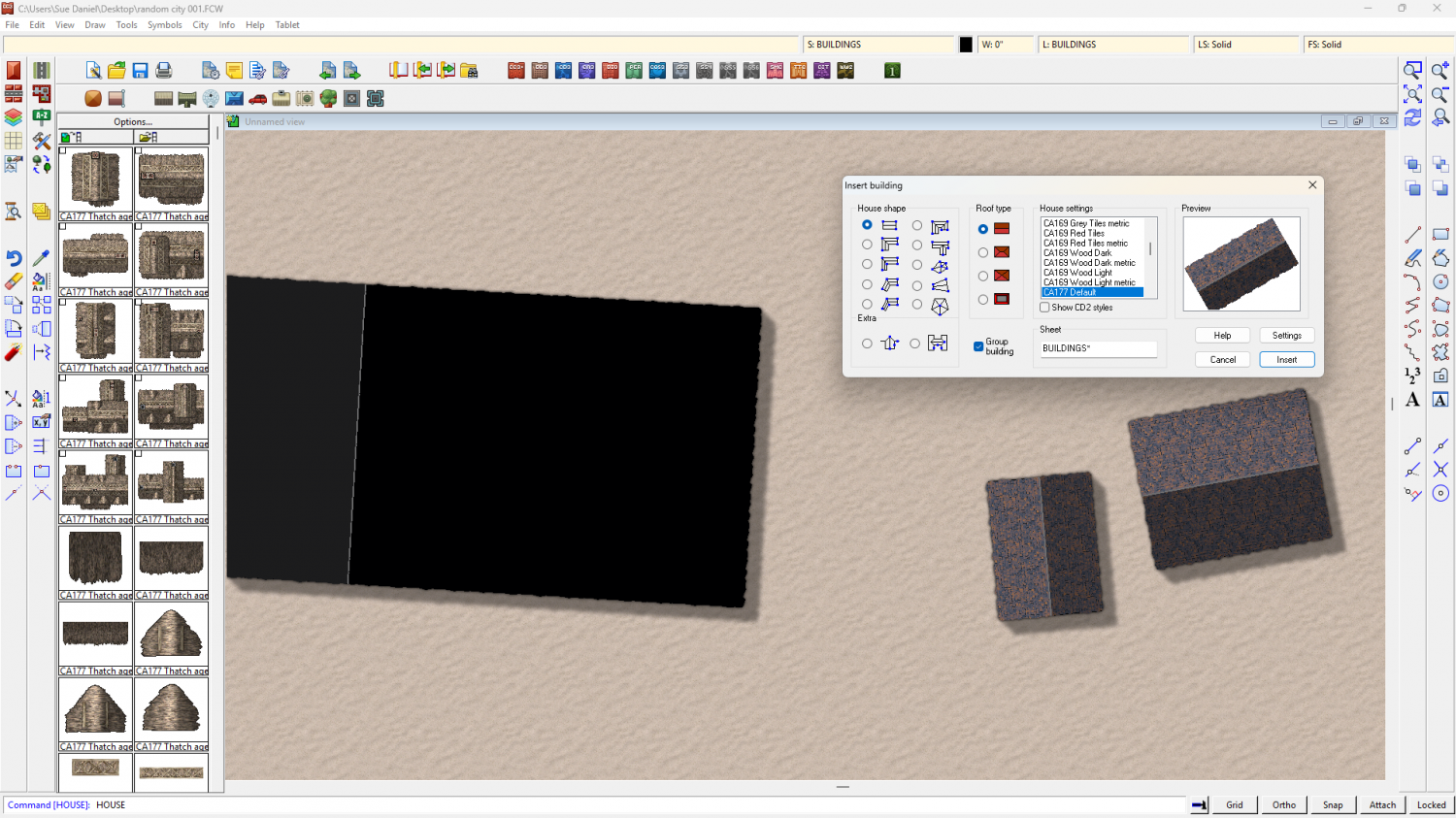
Although the ones you've already drawn can't be helped, you can draw CA183 houses in your CA177 map if you import the necessary fills.
First, create a new map in the CA183 style - a temporary map. The CA183 style template is called "Winter Village"
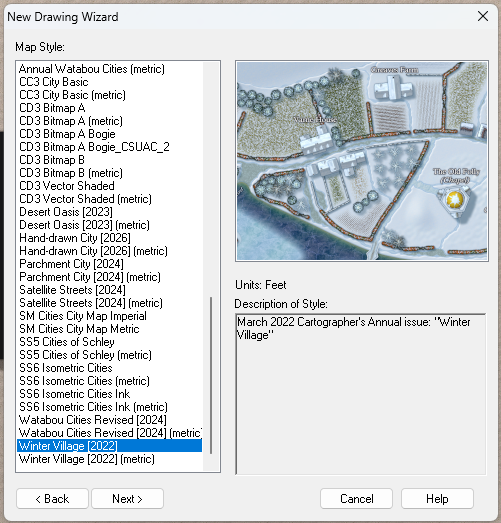
Then reopen the map you were working on and import the temporary Winter Village map into it using Draw, Insert file... Don't paste it, though. Just press escape. That will have imported all the necessary fills for you.
After that it will be possible to draw Winter Village House entities in your Darklands City map.
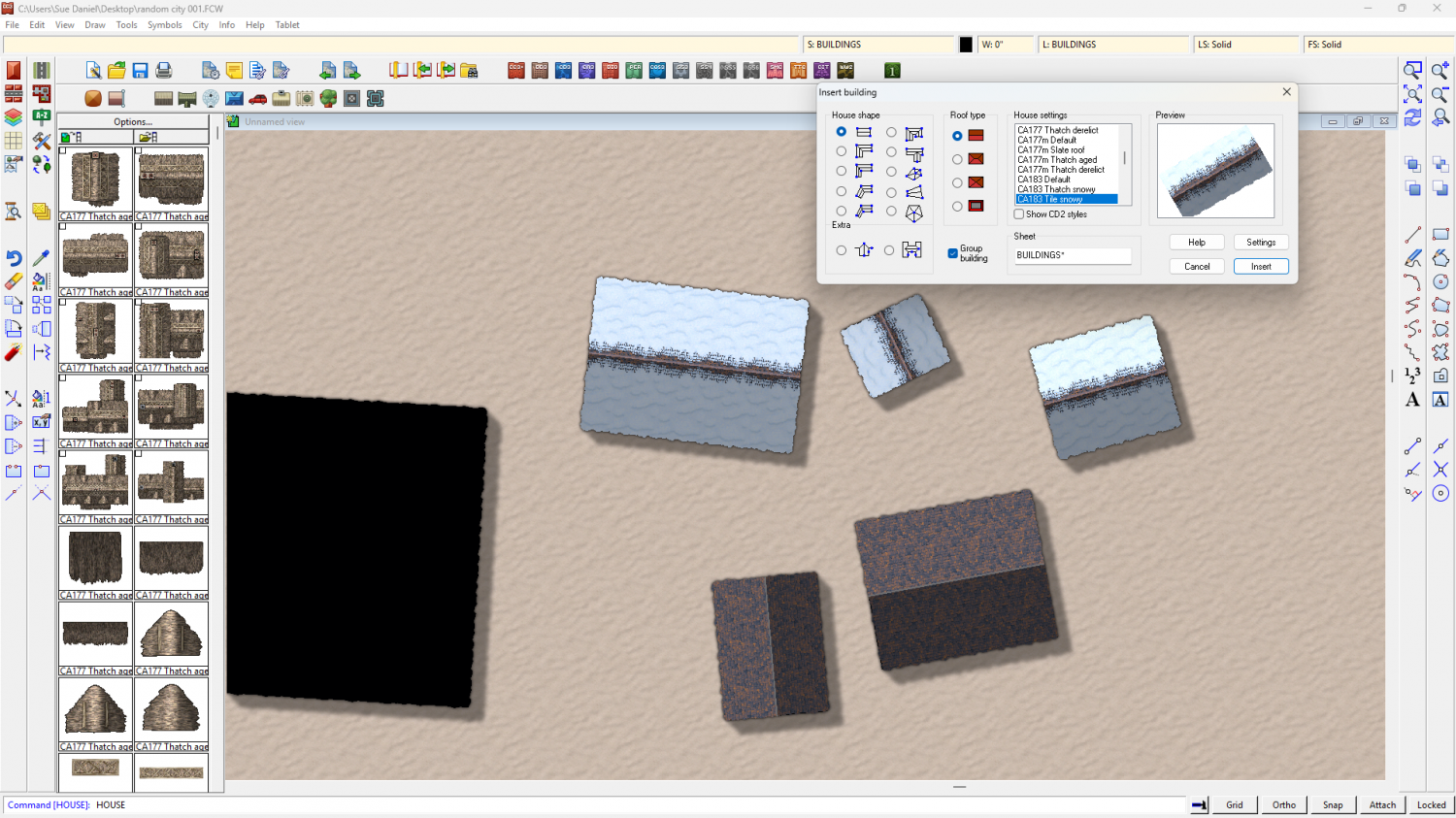
I've saved the version with the Winter Village fills here.



-
Live Mapping: Jon Roberts Dungeon (multi-level)
In tomorrow's live mapping session, Ralf will be demonstrating how to set up a multi-level dungeon layout using the Jon Roberts Dungeon style.
Come join us live on Youtube here:
https://www.youtube.com/watch?v=-8mfzPylFtc (Date and time in the left forum margin)
Or watch it right here on the forum - though please bear in mind that we don't usually monitor this thread during the show.
If you miss the show but still have questions you can ask them below.



-
Live Mapping: Hand-drawn City
Ralf will be kicking off the 2026 live mapping series with the first Annual issue of the year: the Hand-drawn City style.
Come along and join in the fun on the day (date and time is shown in the left-hand margin of the forum)
https://www.youtube.com/watch?v=JzudARj7FLU
Or watch it here if you prefer, though this thread is not monitored during the live show.
Please add your comments and any questions you might still have after the live show below. Thank you.

-
Ferraris Hedgerow Bushes change scale
Once you have used that drawing tool once the settings file it uses will be the default option if you then use Symbols Along from the Draw menu.
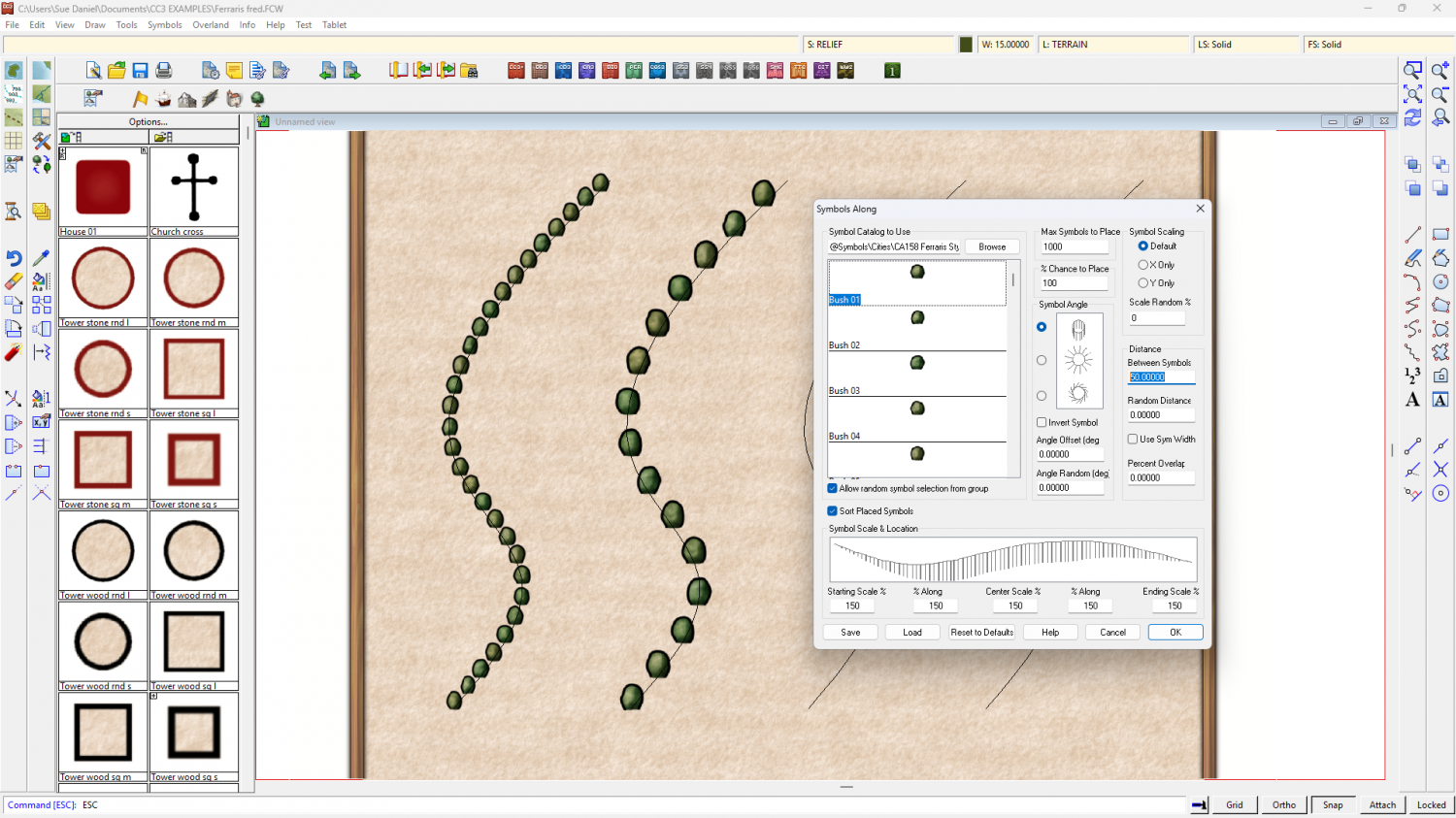
Then you can pick your line and alter the settings for this set of symbols along. Here I have made all the symbols 150% original size and switched off Use Sym Width so I can put 50 (map units) Between Symbols in the Distance pane.
The left line of bushes is the original drawing tool, and the right line of bushes was created using Symbols Along as described.