Loopysue
Loopysue
About
- Username
- Loopysue
- Joined
- Visits
- 10,354
- Last Active
- Roles
- Member, ProFantasy
- Points
- 10,107
- Birthday
- June 29, 1966
- Location
- Dorset, England, UK
- Real Name
- Sue Daniel (aka 'Mouse')
- Rank
- Cartographer
- Badges
- 27
Latest Images



-
Project Spectrum - Part 2
Well, I've still not done the swamp trees, but I've added a few more bits and bobs to the temperate zone vegetation.
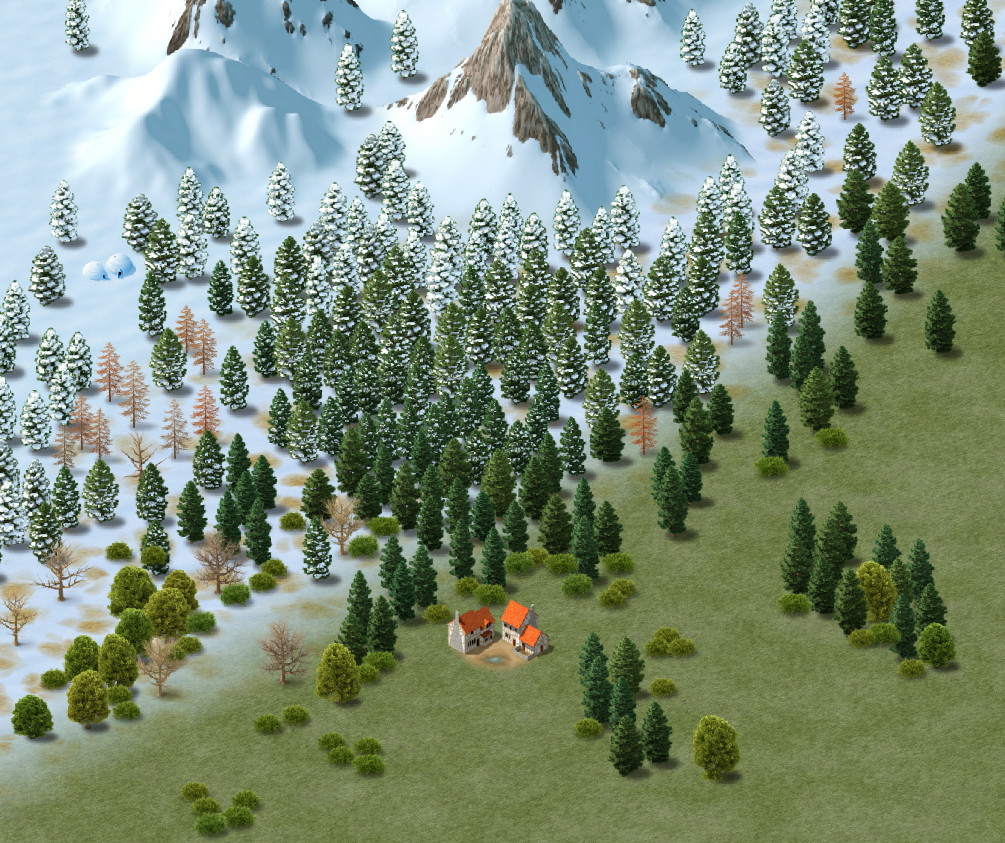
This could be a bit of a game for you. There are actually 2 structures in this shot. I bet you can't spot the new one ?


![[Deleted User]](https://secure.gravatar.com/avatar/c75d9a245b74d9c59be0999ea81ca541/?default=https%3A%2F%2Fvanillicon.com%2F92add7f8c954488718110edc4896ad39_200.png&rating=g&size=200)





-
Seeking advice/tips re: world mapping with FT3/Wilbur
You're welcome (you mentioned The One Day Worldbuilder there) ?
I think with a project like this you need to take it one stage at a time rather than trying to think of everything all at the same time. Just note the major geographical features you will need at roughly what latitudes, then draw a simple scribble map of the land shapes, either by hand or on PC it doesn't matter (though if you do it in Paint or GIMP you can import it to FT3 as an image overlay and use it as a pattern to sculpt on).
The thing about really massive projects is that they seem to be totally daunting if you don't break them down into more manageable chunks. I do understand what you are facing. I've already made well over 100 new symbols for part 2 of an overland style, and there are nearly as many to do yet. I could easily sit here in a state of despair and get nothing done at all, but instead I just blinker myself to the overall picture and say to myself "Today, I will get those 3 swamp trees done," and I do them.
Train yourself to think in little chunks. No one can fit an entire world into their head at the same time.


-
Howdy ! from Jim P
Another pretty awesome profile!
I feel like I've done nothing with my life in comparison with others now! LOL!
Thank you for sharing, Jim :D
-
How do I find out a symbols current color?
You can find that and a lot of other information as well by using the List command in the Info menu.
Pick List, and then select the symbol and press D for do it. That will bring up a blue window with all the relevant details.
-
Cartographer's Annual - all the issues linked in one place
You're welcome, Jim
I need a break from drawing trees every once in a while, or my brain goes a bit leafy!