


Loopysue
Loopysue
About
- Username
- Loopysue
- Joined
- Visits
- 10,415
- Last Active
- Roles
- Member, ProFantasy
- Points
- 10,161
- Birthday
- June 29, 1966
- Location
- Dorset, England, UK
- Real Name
- Sue Daniel (aka 'Mouse')
- Rank
- Cartographer
- Badges
- 27
Latest Images



-
Is there a way to scale hatch fills?
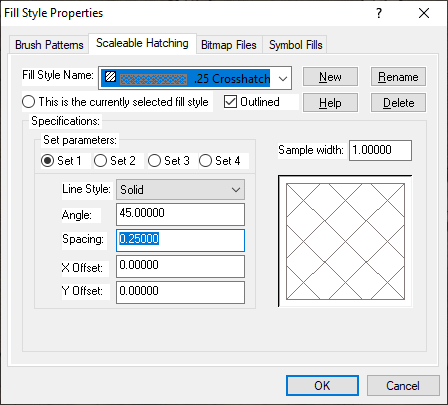
If you open the Fill Style Properties dialog and pick the Scaleable Hatching tab, then the rice terrain, you can scale the parts of the fill one at a time using the 'Spacing:' box on the sets. As an example this .25 crosshatch has 2 parts, or two sets of lines that make up the pattern.
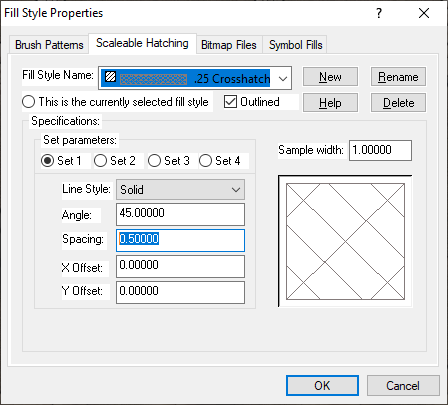
Here I have rescaled Set 1 to be .5 instead of .25, and you can see that one set of lines has been rescaled.
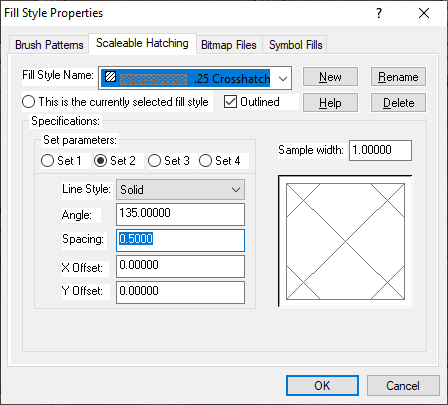
Pick Set 2 and do the same to that one, and you have a rescaled crosshatch fill.
I haven't used hatch fills in any of my maps, so I couldn't tell you if these changes affect the template, but maybe it would be wiser to hit the New button and create a .5 Crosshatch, instead of modifying the existing .25 Crosshatch.


-
City Cliffs - Incorrect Textures and other problems.
The fills you are showing above are only the fills for the bonus issue. These are the fills for the main issue of the cliffs - the ones I think were missed out of the very first installer.

As you can see, on my system at least there are two folders, though this might be because I created the fills. It's sometimes a bit difficult for me to know whether something is there because that is where I created it, or because the official PF installer put it there. The other folder is identical to yours, but I still have the original texture generating files in a subfolder within it.
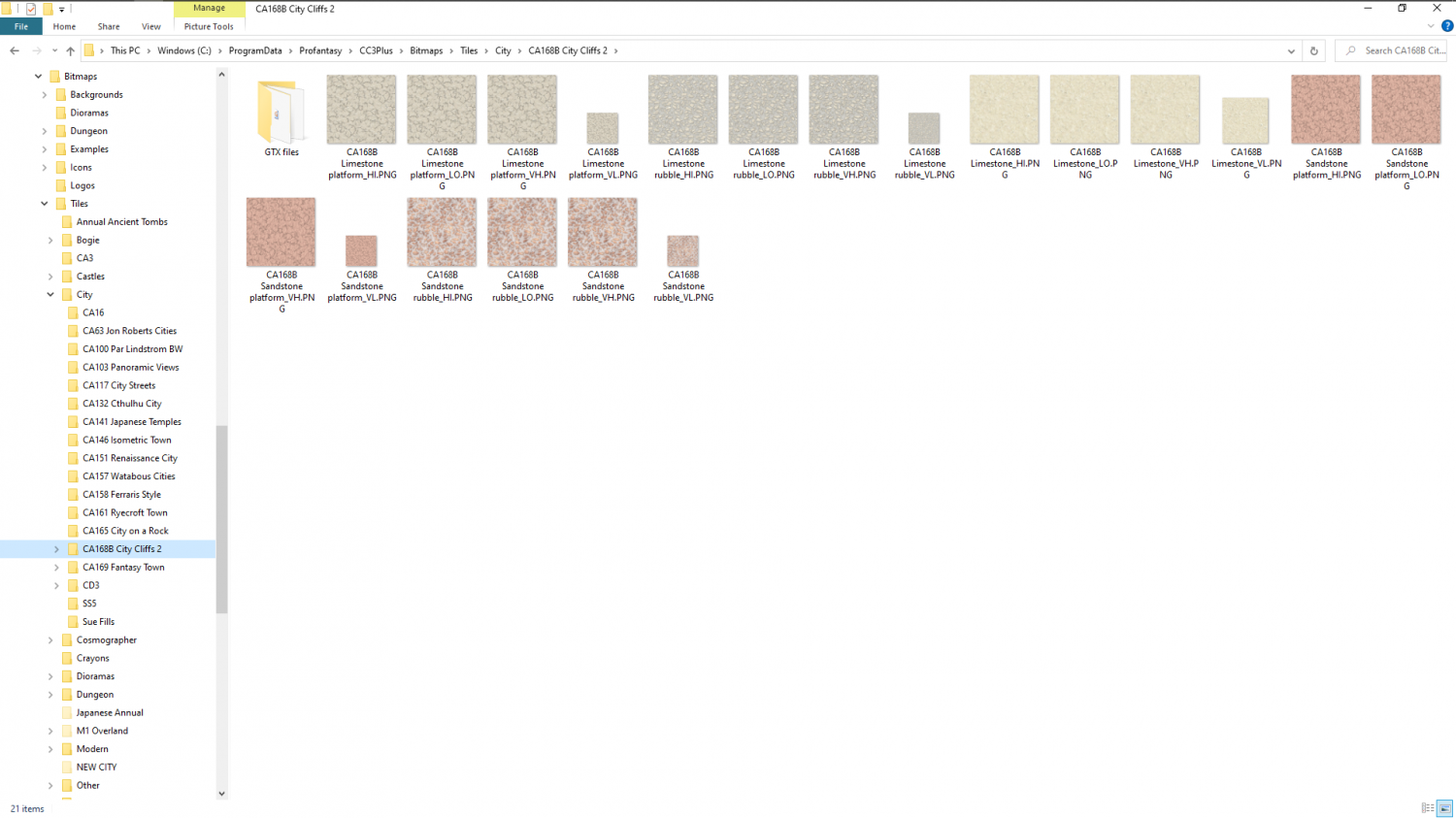
EDIT: That solid Limestone fill is a source fill, which is one I made as a precursor to the other limestone fills. It probably got left in that folder when I was packing everything away. It shouldn't be there, but in the GTX files subfolder that only I have. That folder holds all the original artwork.
-
Vincula, the City of the Mountaingate
Its not so much about house shape, but the sum of all the details together. I've done about 10 more minutes on this map tweaking fills and adding a few dormer windows and extensions. With more time it would be a reasonable village map, though it needs a focal point like a tavern or something. That one building I would take some care with. The rest are just simple houses after all.
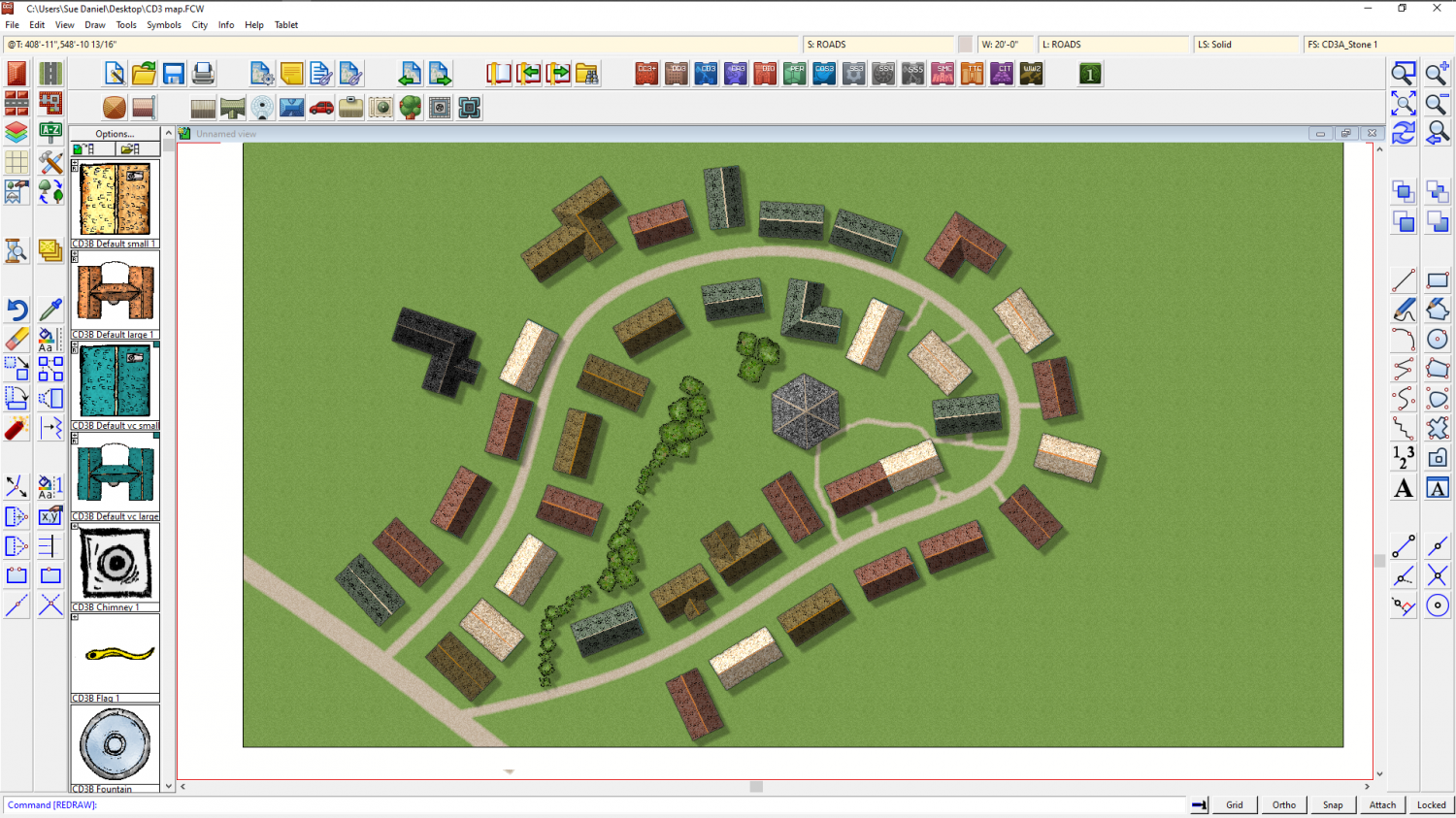
Don't forget that you can also make your own house styles to add to the mix, but you will need to do that first using the House settings and saving your own new styles. I have loads of my own.

-
Vincula, the City of the Mountaingate
You can pick several different house styles and have a random mix of them. Most of the presets are mixed. Click the Street Settings button and add another 3 different house types to your mix. The road on the map was populated by a single swipe of the Street tool using the 4 style mix you can see in the dialog box.
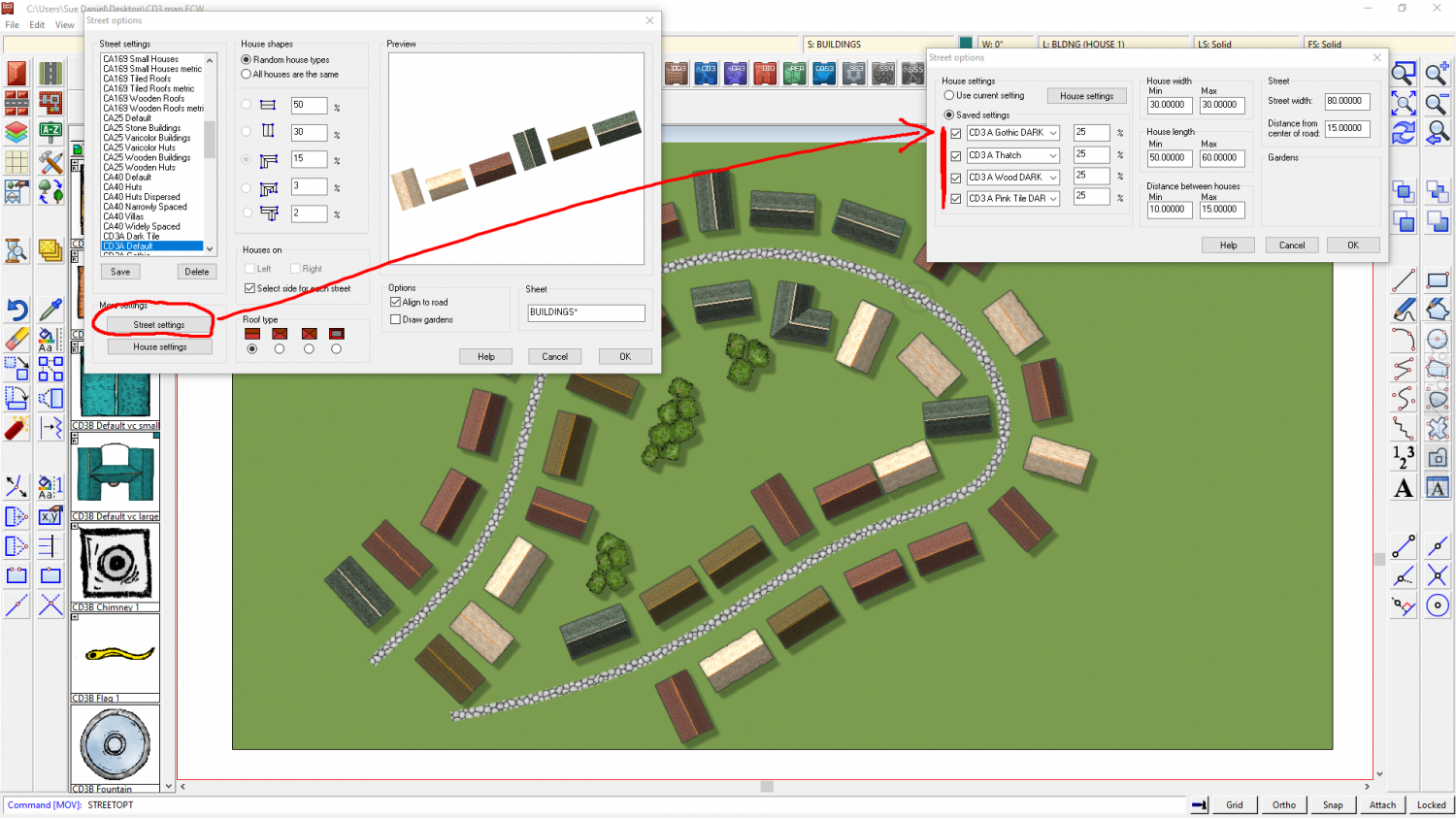
This is good for getting the basic fill of a city, and yes they are a bit the same even though I now have a nice mix of 4 different colours, but the idea is that you use a range of Street settings (remember to save any you edit under a new name so you can get them back).
Once the filling in is done you can then pick and delete houses here and there and take the time to draw a slightly more special shape using the House tool. Remember that you can add dormer windows and extensions. I used those tools a lot in Orde.
Once that is all done you can then add more little details, like garden boundaries and trees. That's all Orde is - a load of random street stuff jiggled around using the move tool, and with special buildings and trees added. Plus the city wall and the canyon of course.

-
Vincula, the City of the Mountaingate
I often use the Street tool to fill everything out, and then pick buildings to delete and replace with something more special. I built Orde with the House tool, making the special buildings first. In fact I think the only buildings in that map which aren't made with the House tool are the large rectangular ones with courtyards in the middle, which were drawn as polygon roof pieces and then shaded.
