


Loopysue
Loopysue
About
- Username
- Loopysue
- Joined
- Visits
- 10,416
- Last Active
- Roles
- Member, ProFantasy
- Points
- 10,161
- Birthday
- June 29, 1966
- Location
- Dorset, England, UK
- Real Name
- Sue Daniel (aka 'Mouse')
- Rank
- Cartographer
- Badges
- 27
Latest Images



-
Mapping and basing myself in CK2 campaign
Those are really nice looking maps.
Have you considered using "Text along a curve" in the Draw menu instead of just rotating the labels? You just need to draw a smooth line or an arc to click on to position and curve the text.
-
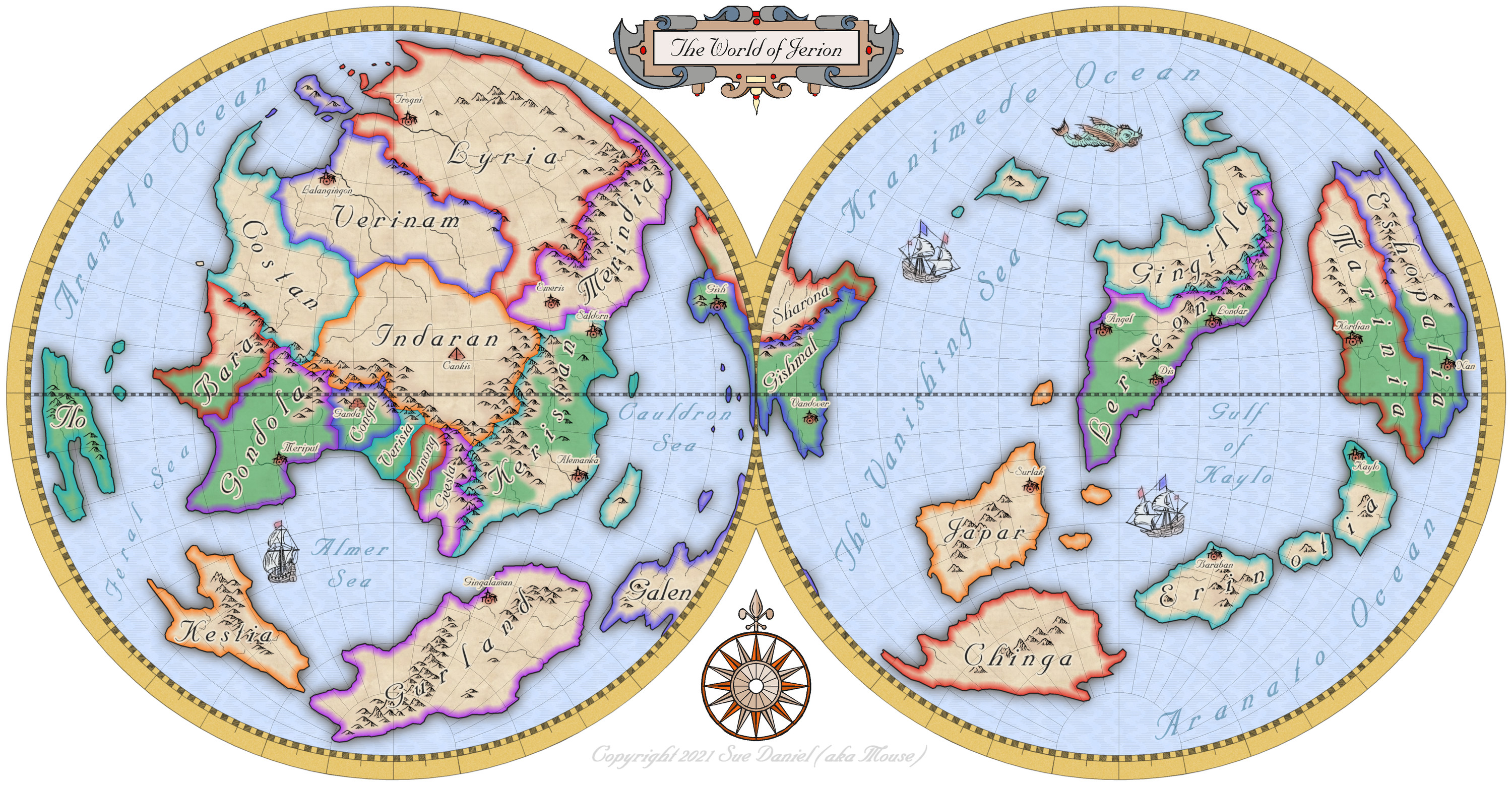
Mercator style world map of Jerion
Hi Everyone :)
Following on from Ralf's recent Live Mapping session covering the use of the Mercator style from the first ever Cartographer's Annual, I decided to take a couple of days break to make my own Mercator map.
I hope you like it :)
![[Deleted User]](https://secure.gravatar.com/avatar/c75d9a245b74d9c59be0999ea81ca541/?default=https%3A%2F%2Fvanillicon.com%2F92add7f8c954488718110edc4896ad39_200.png&rating=g&size=200)







 and 2 others.
 -
Ayreon
I think its looking quite good so far.
You can make the joins between different bits of terrain more natural by increasing the width of the Edge Fade Inner sheet effect that should be present on those sheets.
Don't forget that it won't work between two different terrains if they are on the same sheet as each other.

-
Marine Dungeon - a Cartographer's Annual development thread
It's a pity you can't do it the way I do it in dreams. The water exists as air. The only way I can tell I'm underwater is the light, the ripples in the sky, and the creatures swimming past. Think Mars gravity, thick air you can fly through if you flap your arms, coral and kelp instead of grass and trees, and 'flocks' of fish flying past instead of birds.


-
Ayreon
It looks like an artefact that can happen sometimes if there are 2 nodes very close together. It will probably appear and disappear as you zoom in and out.
The solution is to use the SIMPLIFY command to remove these problematic nodes.
Type SIMPLIFY on your keyboard and hit Enter. Look at the command prompt and see the distance set by default. You can enter a new value, or just hit Return again to use that one. Then use the tool to simplify the coastline of the island the line is coming from.
If you lose too much detail just hit the undo (CTRL+Z) and reduce the factor and try again.

