


Loopysue
Loopysue
About
- Username
- Loopysue
- Joined
- Visits
- 10,422
- Last Active
- Roles
- Member, ProFantasy
- Points
- 10,163
- Birthday
- June 29, 1966
- Location
- Dorset, England, UK
- Real Name
- Sue Daniel (aka 'Mouse')
- Rank
- Cartographer
- Badges
- 27
Latest Images



-
WIP: region of Lilia
That looks like an interesting map :)
There are lots of different ways of doing a glow, so I will tell you mine, and others will probably tell you theirs. Which you use is up to you.
I would draw the purple polygons with a smooth poly on their own sheet, and on that sheet I would add a reasonably large blur to soften the edge, and then a Blend Mode set to Screen.
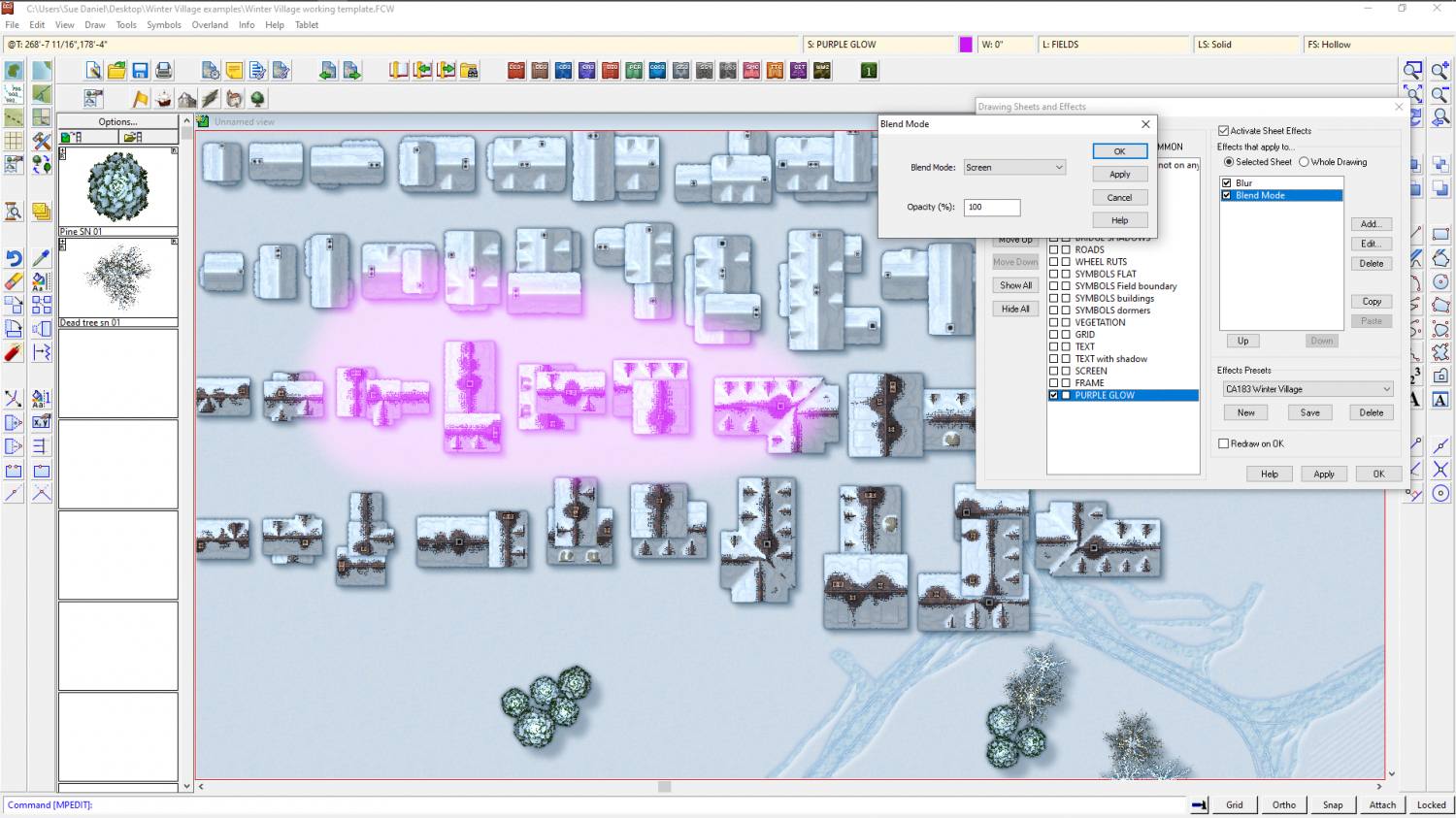
If you are interested in creating a heatmap Jason Payne wrote a good article on that not so long ago right here: https://rpgmaps.profantasy.com/overland-heatmaps-with-cc3-by-jason-payne/
-
Is there a way to make something like a fill style with a group of tileable textures?
It's nearly there roflo. If you erase around the edge of each of the cloud symbols in an uneven way (in GIMP/PS or similar app) so that there are no more sharp edges, and it should work a bit like a PS brush, but in CC3.
-
What should Spectrum Scrub Terrain settings be?
Solid 10 is a semi-transparent bitmap fill, which should already exist in the style template (if it doesn't, just shout and I will explain how to get it there). It's intended as a shadow.
That's interesting about the typo. Thanks for letting us now. I will notify Tech Support so that it can be put right for future users.

-
Blending
Type DELAYDRAWSYM and hit enter.
It should be set to 1 by default.
Type 0 (zero) and hit enter.
Then redraw.
-
Live Mapping: Book of Maps style (Annual 2022)
Hi Everyone! :D
In this week's Live Mapping Session Ralf will be presenting the February issue of the Cartographer's Annual 2022, with Pär Lindström's beautiful new "Book of Maps" style.
Come along and join in the discussion, or watch later :)

