Loopysue
Loopysue
About
- Username
- Loopysue
- Joined
- Visits
- 10,422
- Last Active
- Roles
- Member, ProFantasy
- Points
- 10,163
- Birthday
- June 29, 1966
- Location
- Dorset, England, UK
- Real Name
- Sue Daniel (aka 'Mouse')
- Rank
- Cartographer
- Badges
- 27
Latest Images



-
Missing buttons
First rule of installing any piece of PF software is - don't start manually moving anything around. I am aware that some bad advice was recently given on the FB Group page about moving things around, but this is a recipe for disaster. Please don't do that.
The installers put things in the right place, however, not all Symbol Sets have the same structure, so you can't compare them against one another like that.
Carry on installing your add ons (it doesn't actually matter which order you do them in as long as they all come after CC3 and you do a final reinstall of the most recent CC3 Update at the end of the process).
SS1 and SS2 don't have buttons.

-
CC3+ Going back to the basics-Dungeon
Oh dear!
I'm sure you will get the hang of it quicker than you think right now.
Have you thought of doing a bit of video research to help when the Tome and you don't see quite eye to eye? Joe Sweeney did a good short series on dungeon mapping here:
https://www.youtube.com/watch?v=Ekhz1CICTkM&list=PL1FFD4E50759762F1
PS - I know I shouldn't have because it's not really funny when people can't get things to work, but your blues did make me giggle - reminded me of my own first dungeon mapping experience ;)

-
The Creepy Crypt project
Fungus is on the list Julian.
Thank you! I think it's probably just that a change is good every now and then.
I'm not doing an entire dungeon style - just the crypt aspect for now.

-
Tracing an edge
No. It was meant as a solution to help you produce a shape to draw your border areas, which I noticed were lines of set width along the coast. You can't draw lines that thick and that wiggly without those artefacts you mentioned. The solution is to draw them as polygons with lines of zero width, but around the outline of the intended line. That would require a guide shape to do by eye, so the two glows act like a template - a drawing guide.
However, it is possible that I have mistaken your intent. I was working on what I could see in your shot.
-
Tracing an edge
Lines can be prone to this, and so can offsets, so there's no point in me suggesting that you use offsets instead.
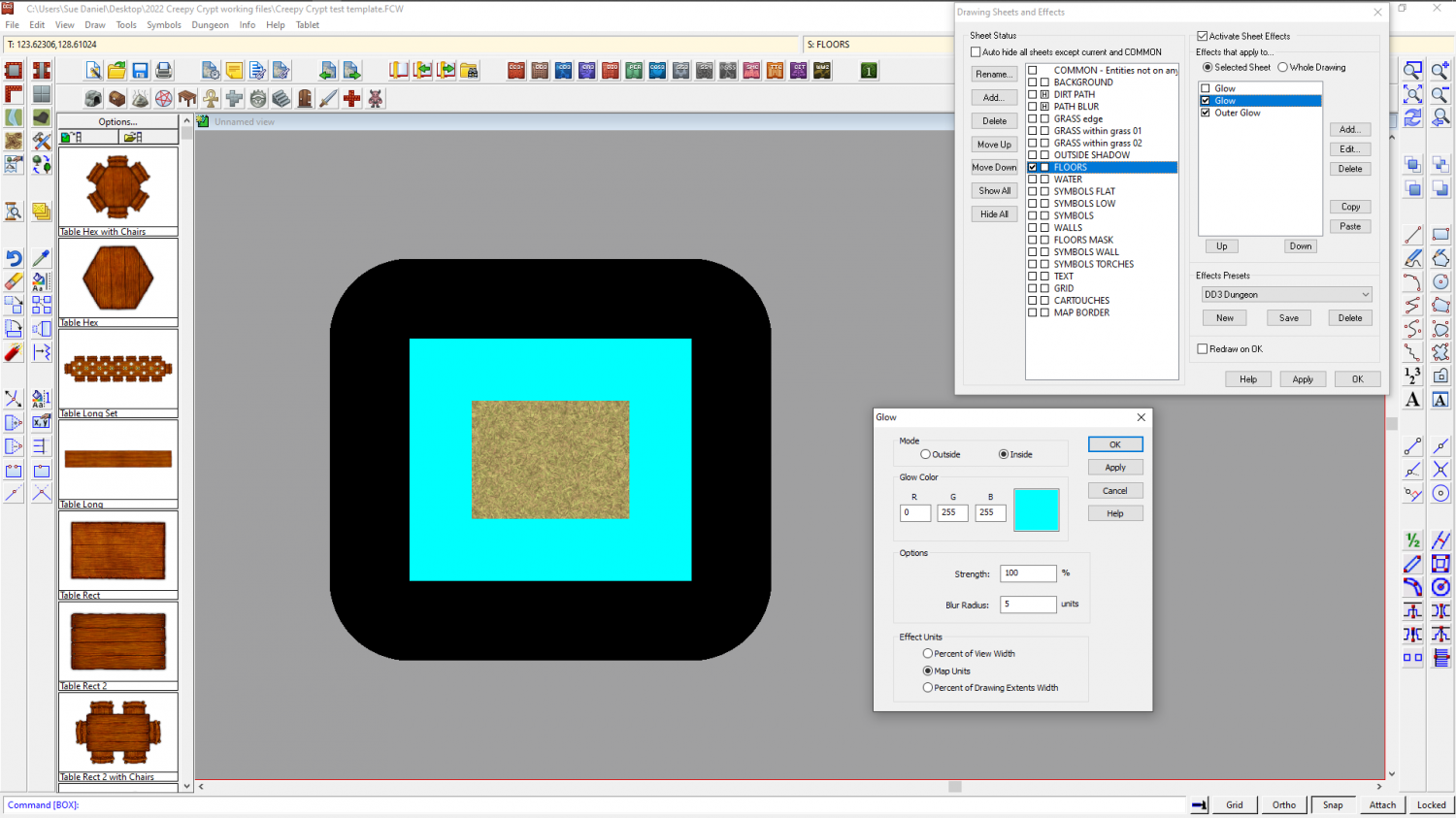
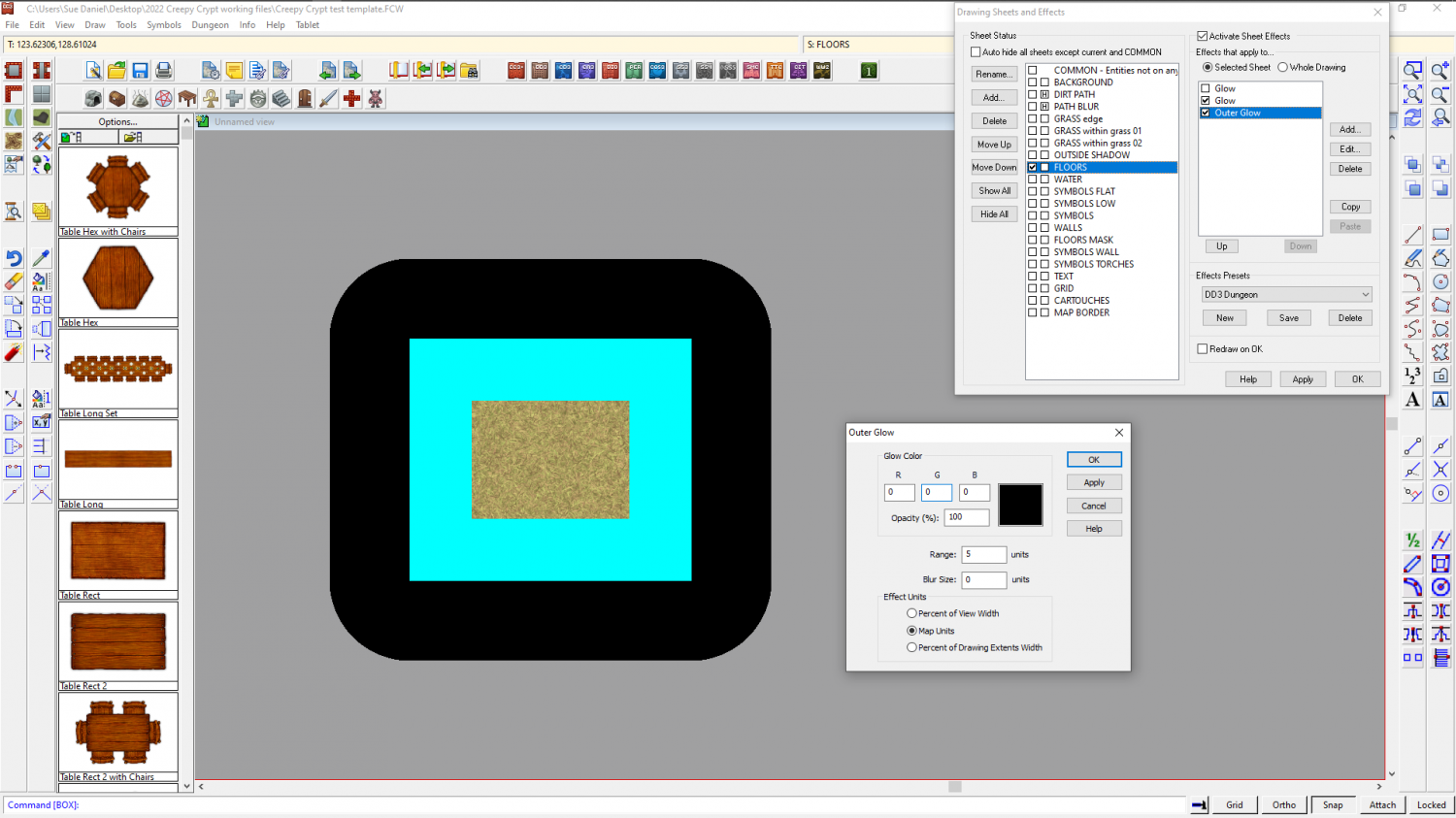
In this situation, where the borders don't have an edge of something to follow (like the land itself), I would probably add a temporary sheet effect or two to the land sheet to use as a guide to hand draw the border. This is a square of grass texture on the FLOORS sheet of this dungeon map I'm working on. I've added two temporary sheet effects to mark a 5 map unit distance outside and inside the perimeter of the grass square. The outer corners are rounded, but if you were measuring exactly that amount from the corner they would be rounded.
This is not the normal use for glows, so I have shown you both effects so you can see how to set them up to use them like an automatic guide.
I would delete them both when I was finished.