Loopysue
Loopysue
About
- Username
- Loopysue
- Joined
- Visits
- 10,425
- Last Active
- Roles
- Member, ProFantasy
- Points
- 10,163
- Birthday
- June 29, 1966
- Location
- Dorset, England, UK
- Real Name
- Sue Daniel (aka 'Mouse')
- Rank
- Cartographer
- Badges
- 27
Latest Images



-
Al Shammar - Cities of Schley fortified oasis
Well, there are actually several ways of getting the shadows to behave themselves properly. That was only one idea, which may or may not work for you. The other way is to create a new sheet called something like CLIFF TOPPING and use it to draw a shadow-casting plateau that covers the entire area of the higher ground a bit like this.
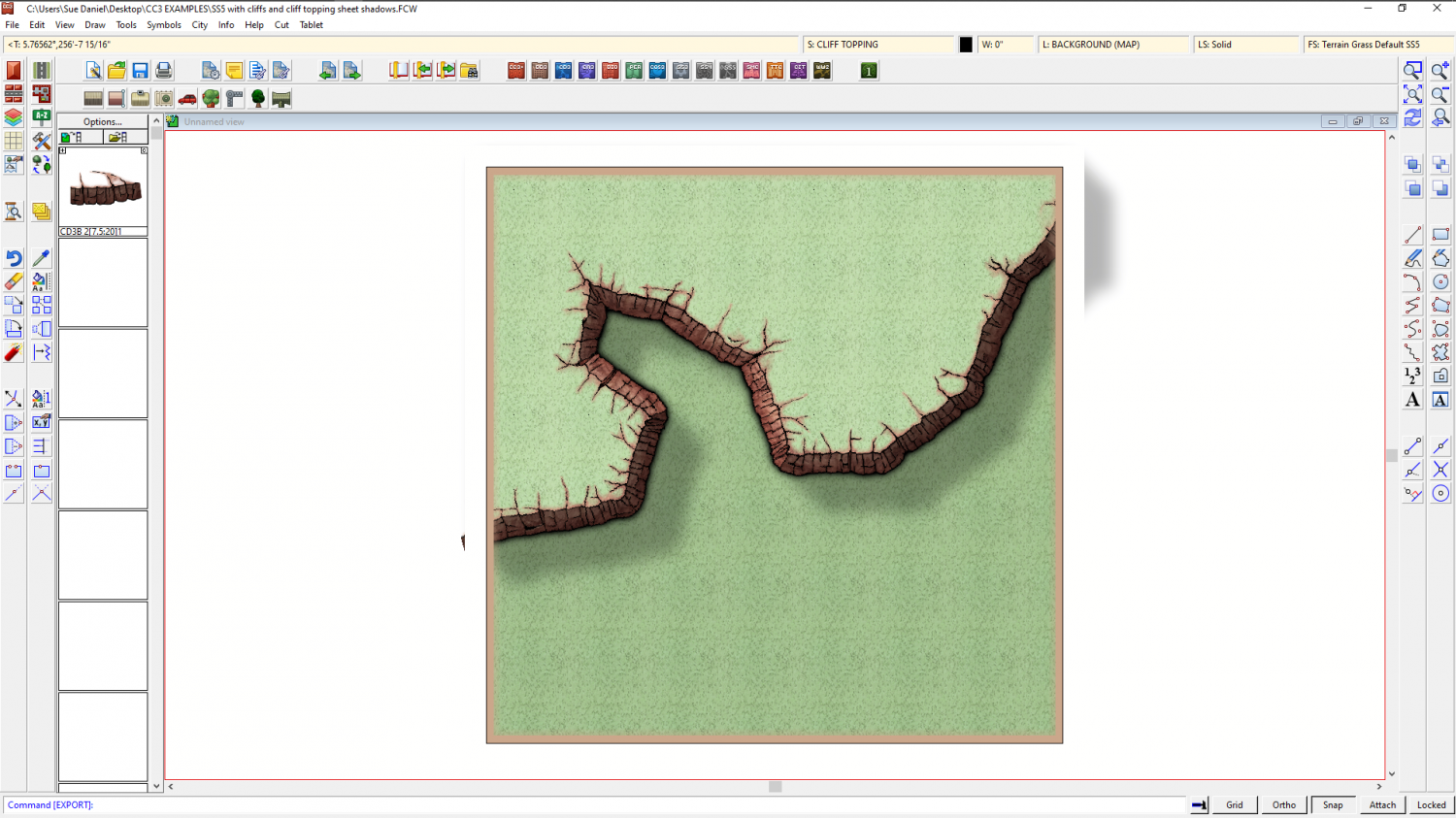
Here is the FCW for you so you can show and hide sheets and see what I did. It might be harder or easier to do it like this. I don't know. Only you can tell what issues might arise, as the creator of the map.
And here is the alternative I described before.
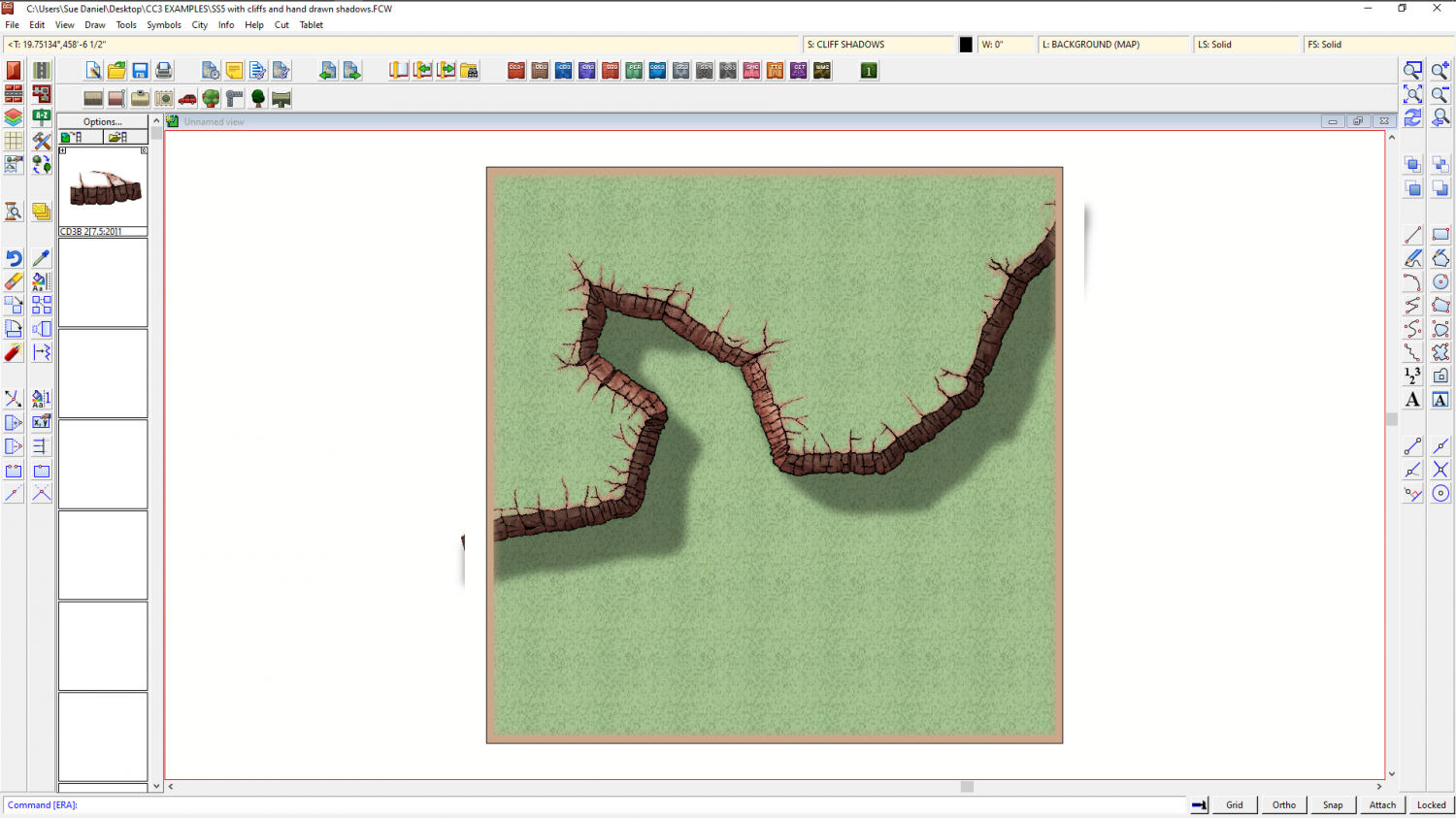
I haven't even tried to imitate those beautiful colours you created, but these are just 'how to' examples ;)
![[Deleted User]](https://secure.gravatar.com/avatar/c75d9a245b74d9c59be0999ea81ca541/?default=https%3A%2F%2Fvanillicon.com%2F92add7f8c954488718110edc4896ad39_200.png&rating=g&size=200)



-
Difficulty with choosing what terrain type to put where on my map (Overland Mike Schley style)
You're worldbuilding here, even if it isn't a whole world. That's a huge task if it's done properly, but most of us manage with a very basic understanding of how things work on a very general level.
Manmade terrain, like farmland, will tend to be at the lower altitudes where there is fertile soil and water, so the river idea isn't as bad as you think. but perhaps it would be easier to place the farmland if you add the settlements and roads, since no one is going to farm a fertile valley that is hundreds of miles from the nearest large town, and which has no roads to transport the food to that town.
Settlements themselves will tend to be on the coast where there is good fishing or good access to oceanic trading routes, preferably both. Or they will encroach inland up the larger rivers, particularly if there are resources to be had - like timber, mineral ores or just to farm the land to feed a growing city at the mouth of the river. They can also arise along major overland trade routes, particularly where these cross natural barriers like rivers or either side of a mountain pass.
Wherever man isn't building cities or farming, the rest of the land will probably be far more dependent on climate and altitude. After all - why waste magic on land that is no use to man?
Forests have tree lines that respect both altitude and latitude. Deserts, with a few really obvious exceptions, tend to appear at 30 degree latitudes on Earth because of the lack of rainfall where the Hadley Cell circulation causes descending air. https://en.wikipedia.org/wiki/Hadley_cell Deserts also appear in places like Chile over a much wider range of latitudes, where a cold sea current flows up the South American coast from Antarctica and fails to fill the air with moisture, causing little or no rain to fall on that side of the Andes.
That's more than enough to be thinking about, so now on to the practicalities of making that swamp and marsh terrain work together.
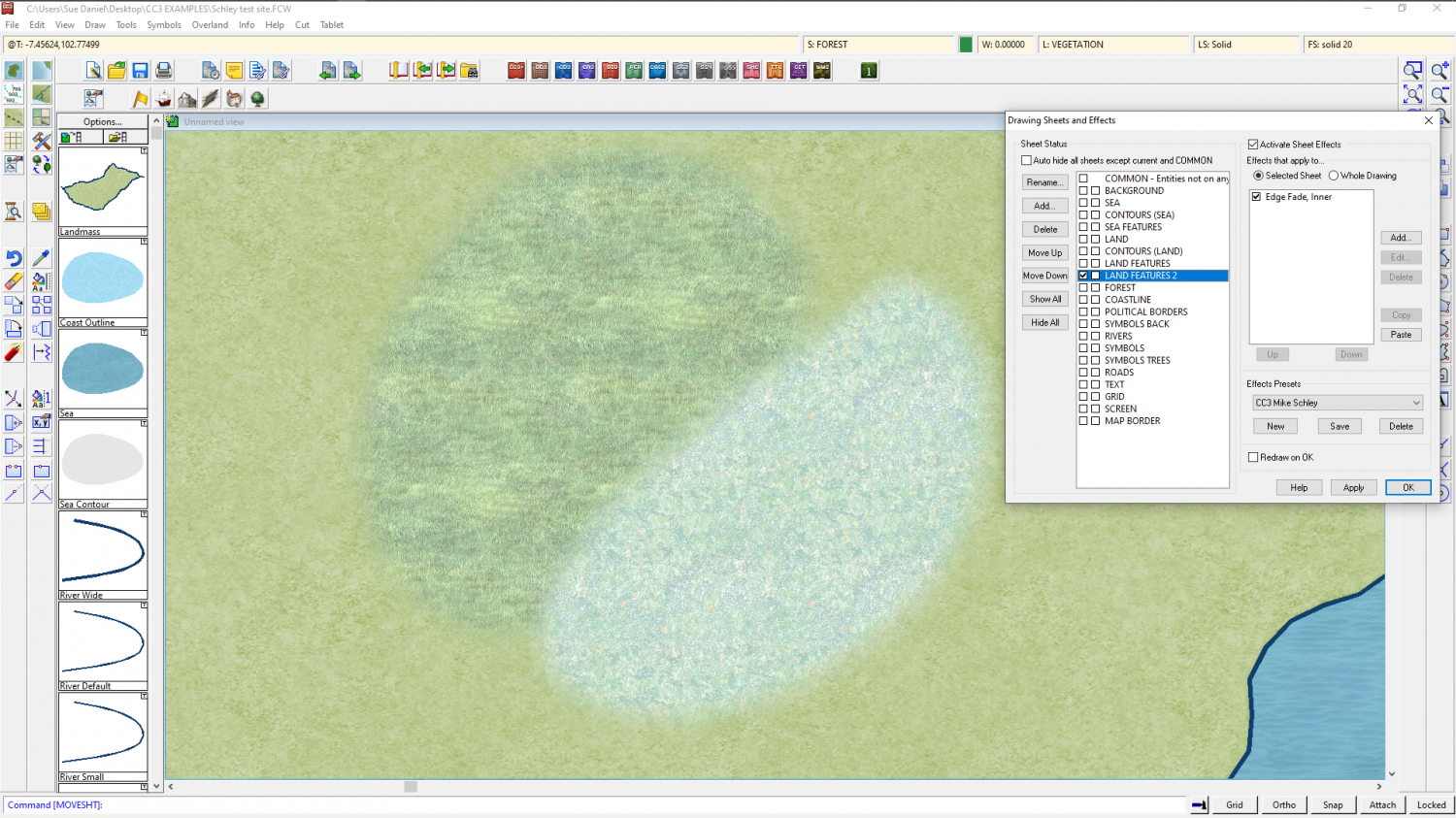
Both of those terrains are placed on the same sheet by their respective drawing tools, called LAND FEATURES. So where they overlap the Edge Fade, Inner doesn't fade the edge of the individual polygons, but only the outside edge of both the polygons taken as one mass
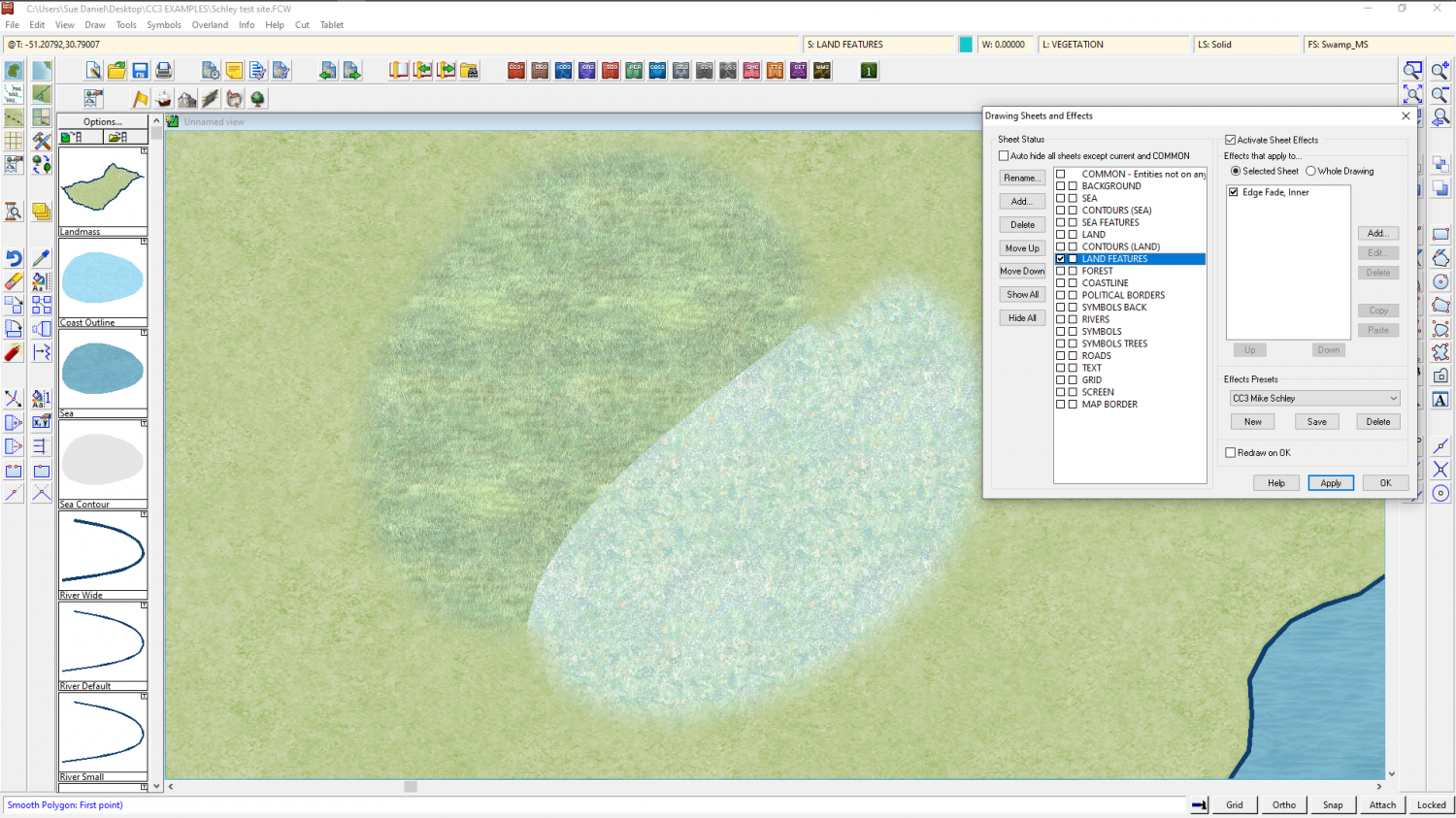
The solution is to add a new sheet either just above or just below LAND FEATURES and call it something suitable, like LAND FEATURES 2, copy the sheet effects from LAND FEATURES to the new sheet, ok that and then move either the marsh or the swamp texture to the new sheet.
Here I have moved the swamp fill to the new LAND FEATURES 2 sheet, which places it above the marsh and fades the edge.
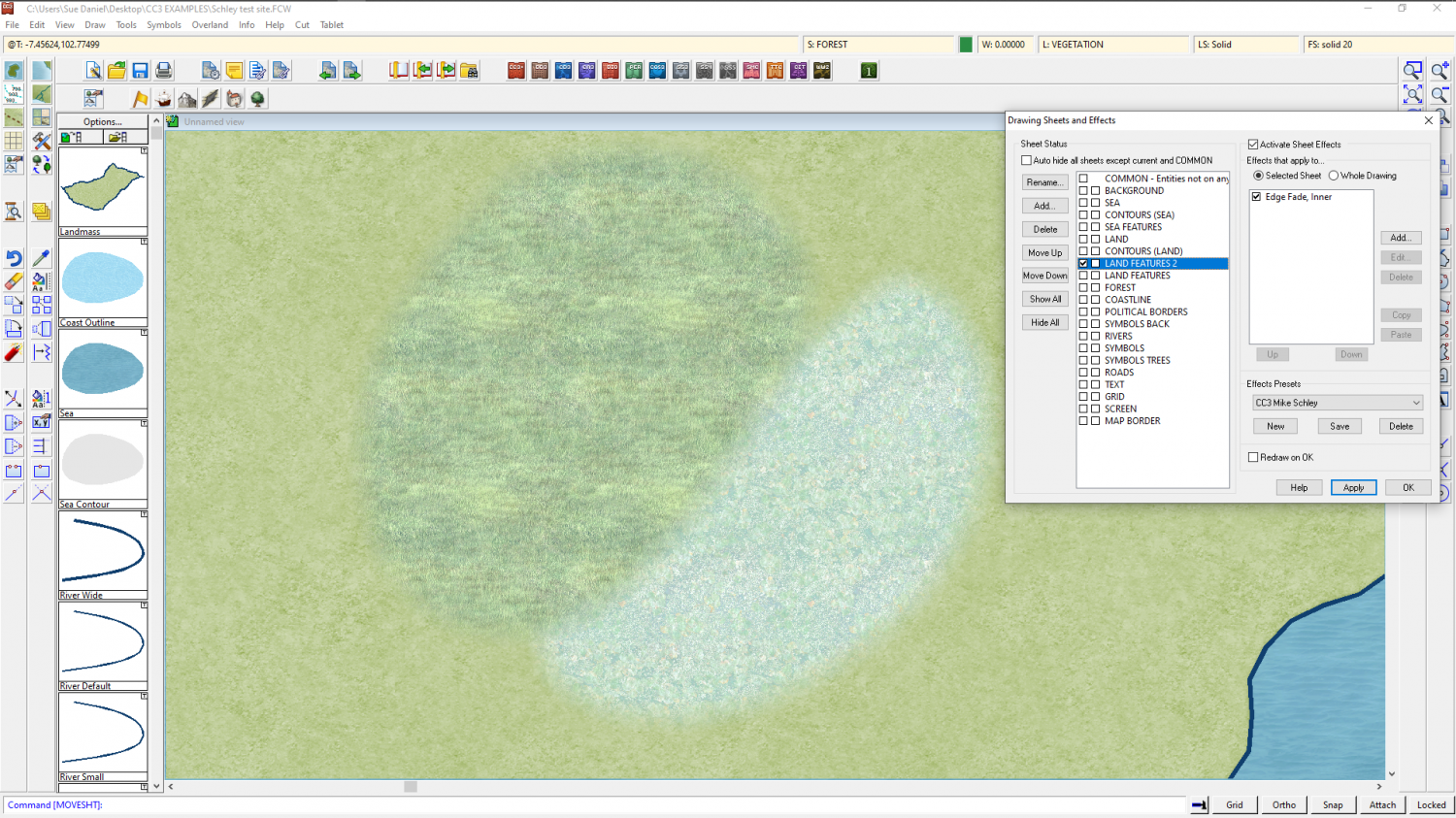
If I want them the other way around I might move LAND FEATURES 2 above LAND FEATURES in the sheet list, or move the polygons, each to the other sheet.





-
[WIP] Bā Dà Chéng Shì
Oh I see!
Maybe make the boundary a bit less regular, with mixed bushes and a few small gaps here and there?
-
Al Shammar - Cities of Schley fortified oasis
That's a beautiful map :)
If you are having issues casting that cliff shadow using a line, where lines tend to cast that intermittent stripy shadow, the alternative is to make the line thicker, or to draw the shape of the shadow as a solid black polygon on a separate sheet, using the existing effect shadow as a guide. Then add a small blur effect, and a Blend Mode set to Multiply or overlay, with a low opacity - around 15% for multiply, but more for overlay.
-
The Creepy Crypt project
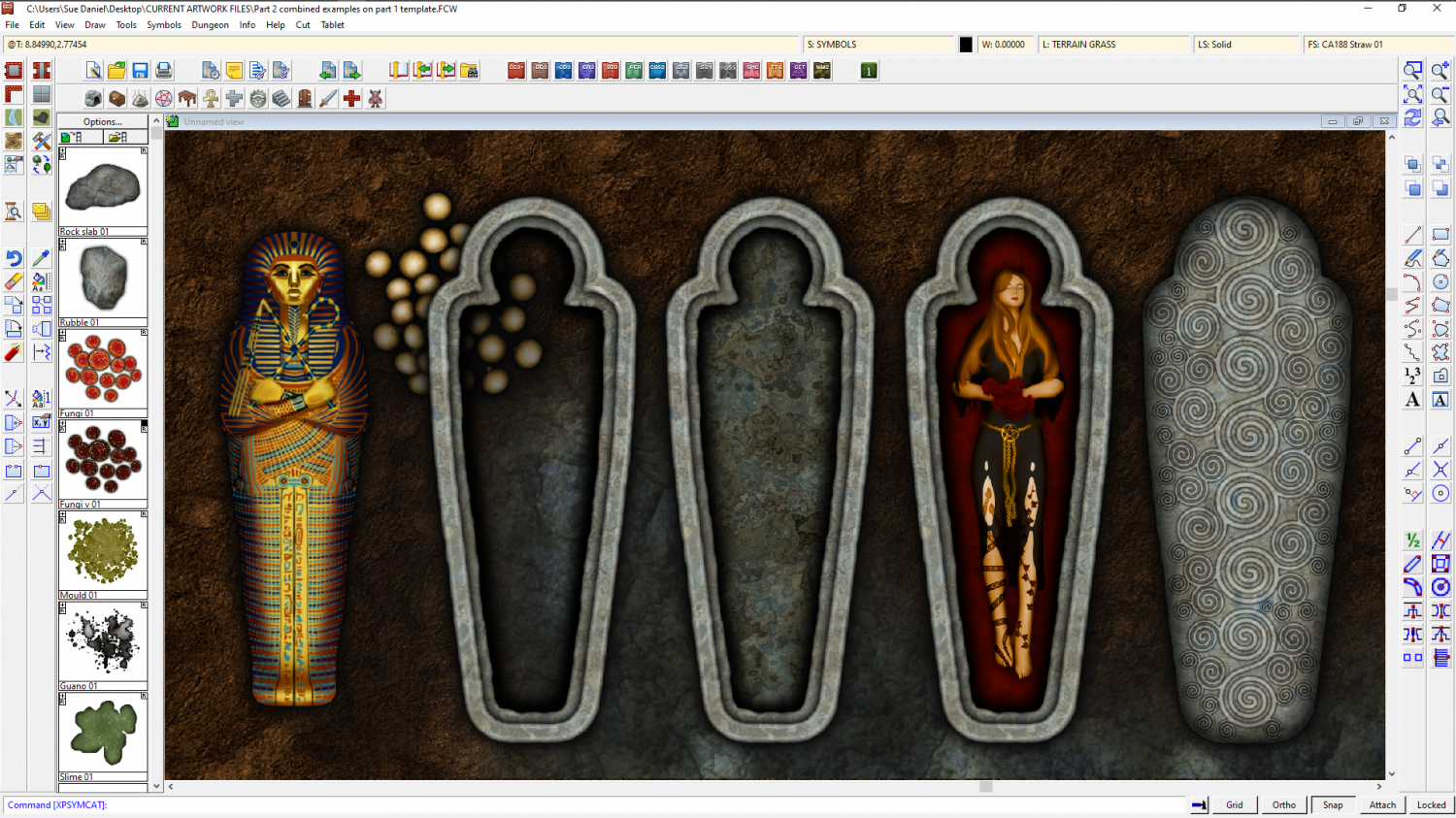
Sorry, Wyvern! I moved onto shaped sarcophagi, but I hope you can find a use for some of these?