


Loopysue
Loopysue
About
- Username
- Loopysue
- Joined
- Visits
- 10,418
- Last Active
- Roles
- Member, ProFantasy
- Points
- 10,163
- Birthday
- June 29, 1966
- Location
- Dorset, England, UK
- Real Name
- Sue Daniel (aka 'Mouse')
- Rank
- Cartographer
- Badges
- 27
Latest Images



-
Drawing Tablets
CC3 requires that you click to place nodes, or to start and end a Freehand Sketch line. It's not an app where you can just draw things with a constant line without any clicking, so the motion of the pen in CC3 is more tapping than drawing. This isn't the way other apps work with a tablet, so it can take a lot of getting used to if you've used tablets in other apps before now.
It might be a good idea to see if you can borrow a tablet from a friend just to see if you feel comfortable with the way it works in CC3 before you make any purchase.
As for user manuals, most tablets come with their own software including a startup and settings assistant. Even my little Wacom has such things despite being the second smallest and cheapest one on the market.

-
Creating a Template to simulate the Khorvaire Map
Oh yes, I see. I got the wrong end of the stick again. Sorry!
In answer to the actual concern you have about the regional borders - you should be able to draw them and trace the coastline just as before. The trace tool will pick up the edge of the cutout polygon as easily as it picked up the land polygon in your earlier map.
-
Creating a Template to simulate the Khorvaire Map
If you get stuck and I'm not around there will undoubtedly be help from others. I'm not the only person who can work this out with you :)

-
Creating a Template to simulate the Khorvaire Map
No problem. I do tend to continue thinking about things. It's a sort of natural progression of thought.
When you get as far as adding symbols there may be a problem with getting rid of the white bits, but there are at least two ways around that.
I have to go out for a little while right now, so I'm hoping I've given you enough to be getting on with for an hour or two.
-
Creating a Template to simulate the Khorvaire Map
The coastal effects are controled by the sheet effects on the Water sheet. At the default settings they aren't really doing much on a map this size, and they are slightly wrong to match the style of the example anyway.
You will need to modify them like this:
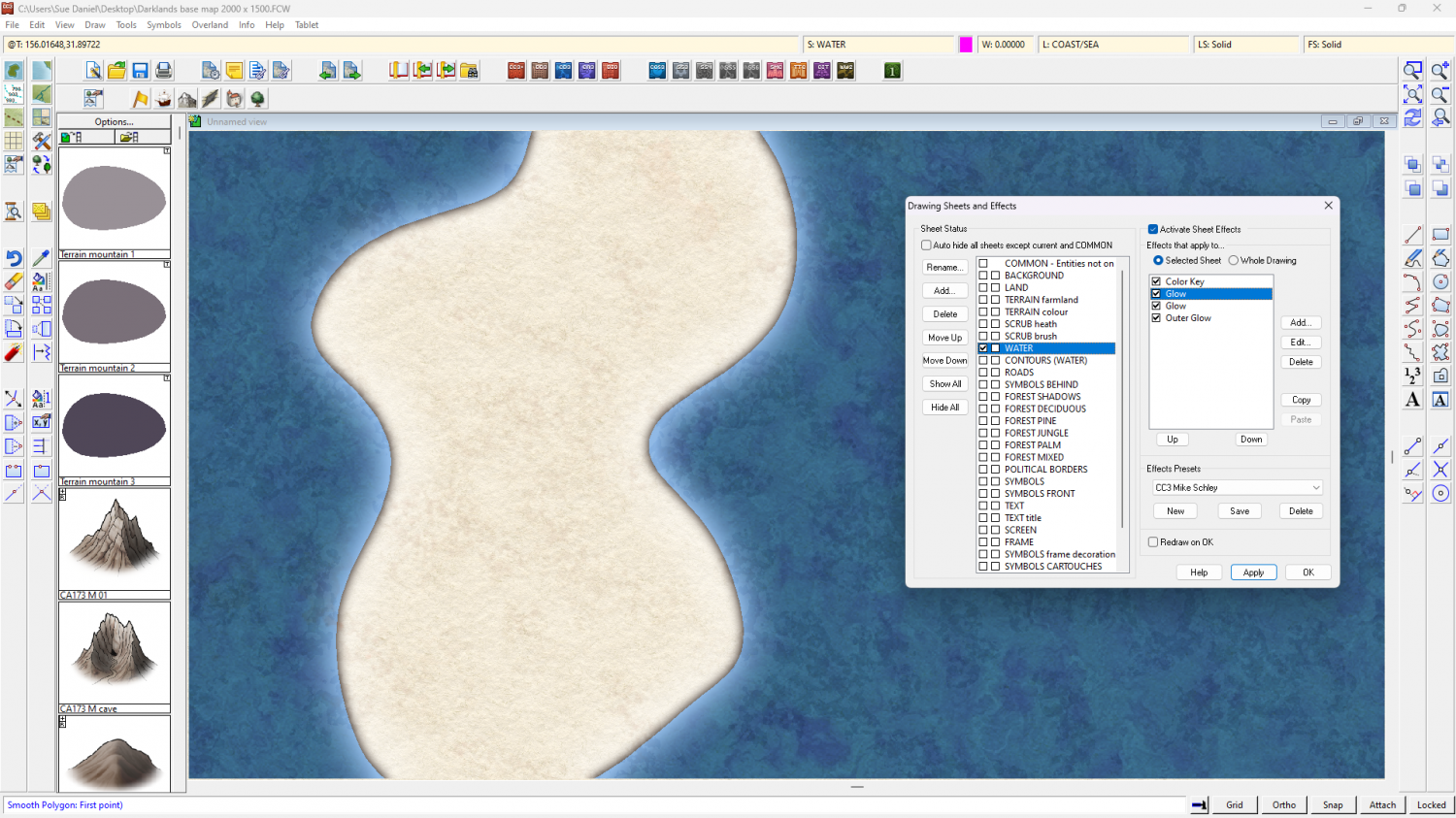
Leave the Color Key as it is.
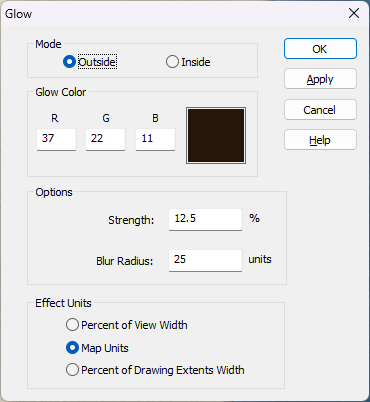
The first Glow effect should be something like this:
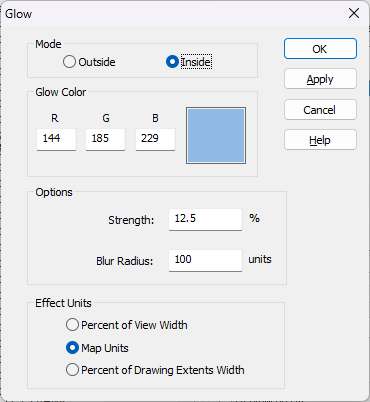
The second glow effect like this:
And the final Outer Glow effect like this:
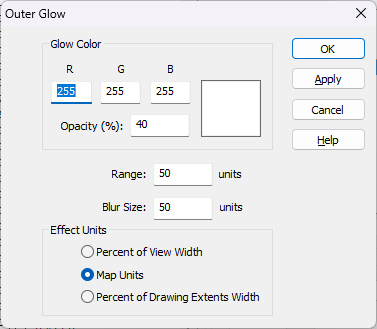
I deleted the shadow effect.
EDIT: Even these aren't a brilliant match, but once you start editing them you will learn quickly how to adjust them yourself to get things working the way you want them to.
If you've worked out how to copy sheet effects from one map to another here is a second FCW file with those water sheet effects on it.
