


Loopysue
Loopysue
About
- Username
- Loopysue
- Joined
- Visits
- 10,414
- Last Active
- Roles
- Member, ProFantasy
- Points
- 10,161
- Birthday
- June 29, 1966
- Location
- Dorset, England, UK
- Real Name
- Sue Daniel (aka 'Mouse')
- Rank
- Cartographer
- Badges
- 27
Latest Images



-
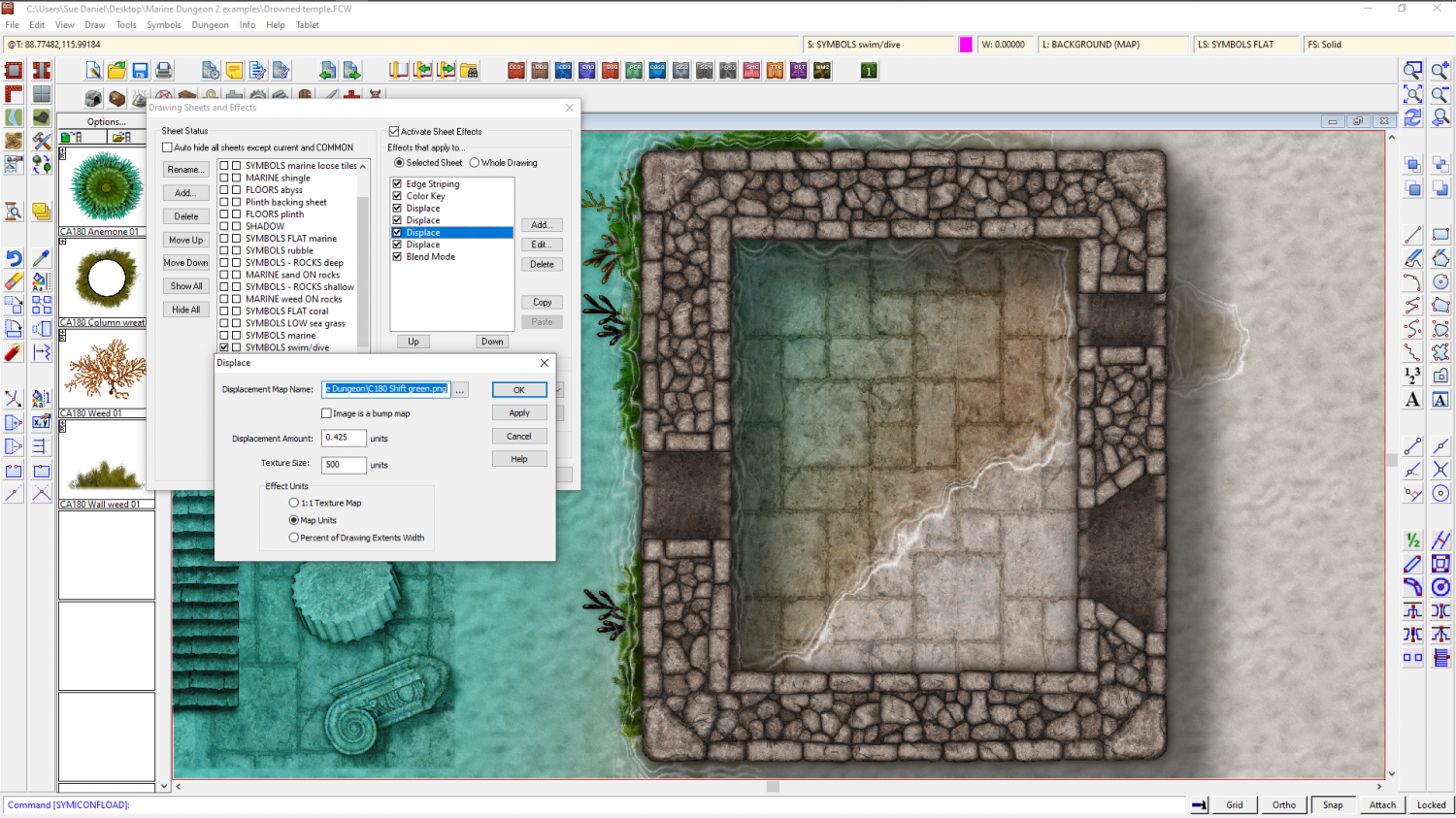
Displace moving everything to the left
It was your thread that gave me the initial idea to do this :)
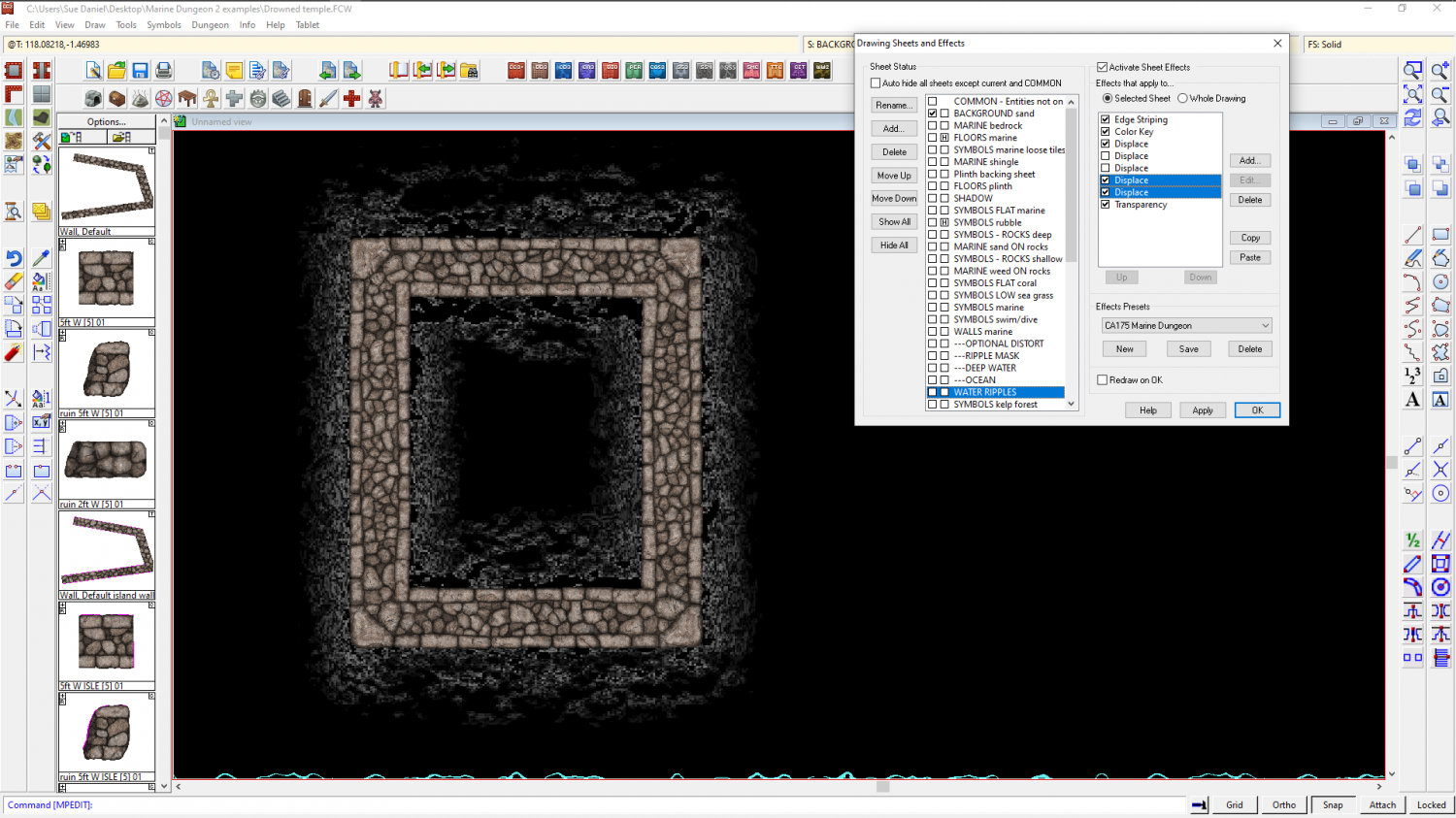
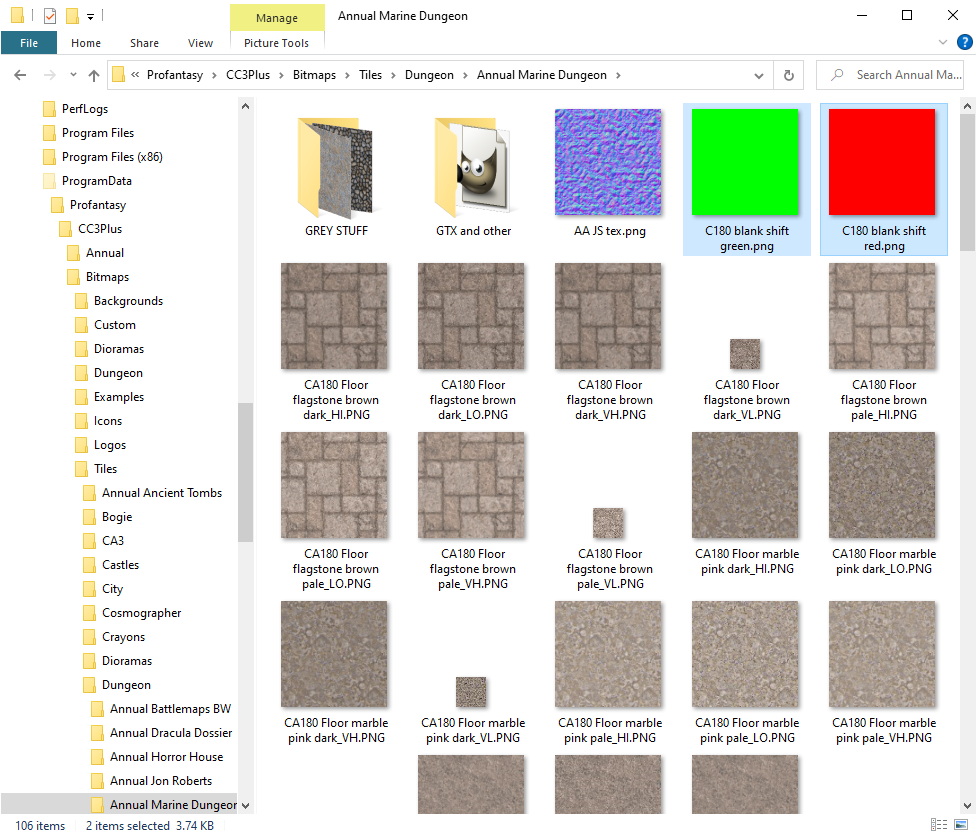
It works ok if you use the correctional displacements after the main one. One red and one green. They are just 500 px bitmaps of pure red and pure green.
There's no rhyme or reason to the actual amount each will be required, but at a scale of 500 I needed a displacement value of anywhere between 0.2 and 3.0, depending on how bad the drift was. Using the same values in both green and red correction displacements to start with helped a lot, otherwise it is a bit like trying to saw just the right amount off the legs of a rocky table without a tape measure.




-
Will there be an October Newsletter?
This is a new thing that started 5 months ago.

-
Displace moving everything to the left
I will try that, Joe - Thanks very much for taking the time to create it.
I found a way around it by playing with a red png and a green png for adjustment.
This shot shows the shift happening with just the displace I was using before, a little exaggerated to make it clear.
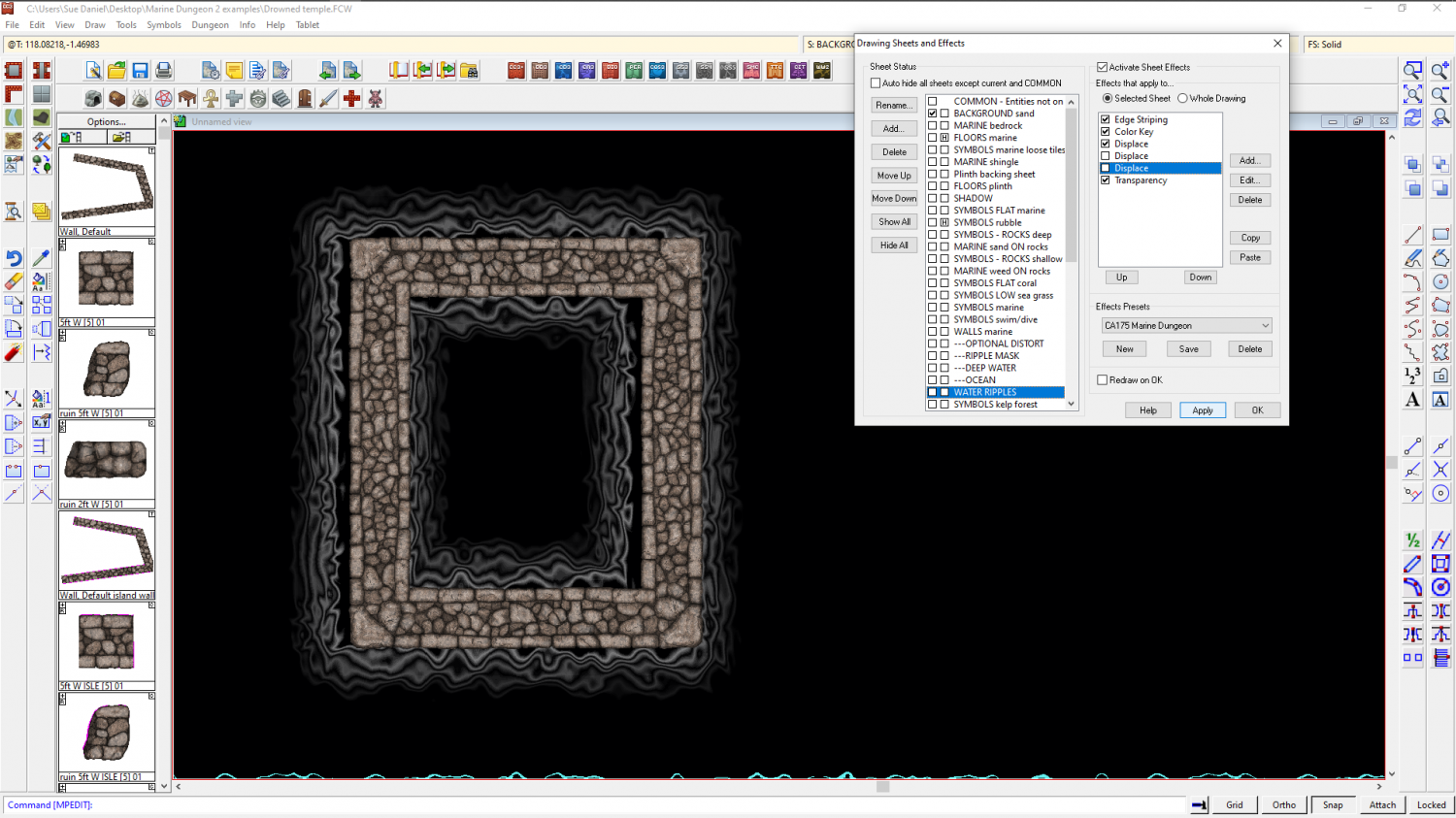
This is with the plain red png distort
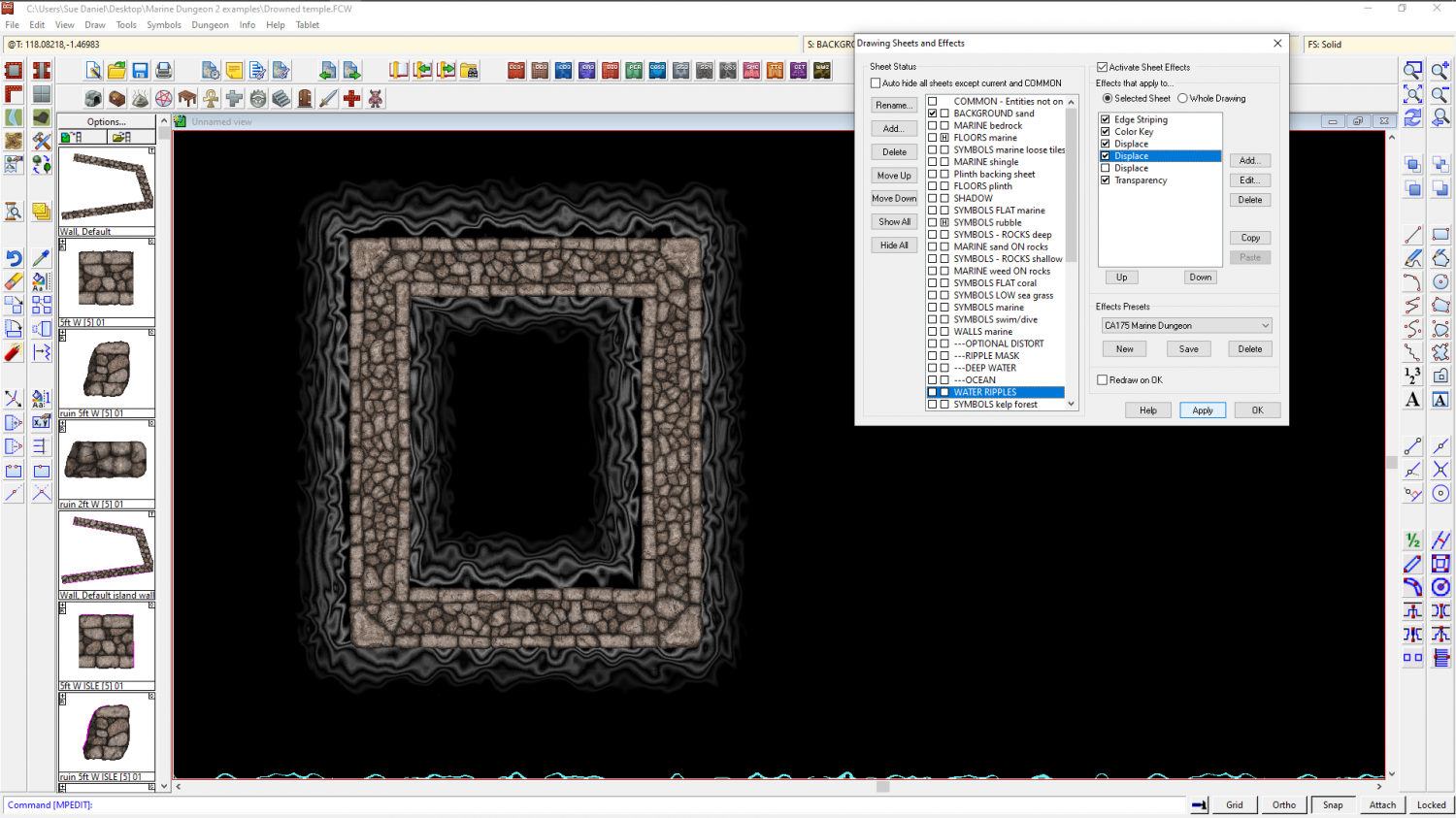
And this is with the plain green distort.
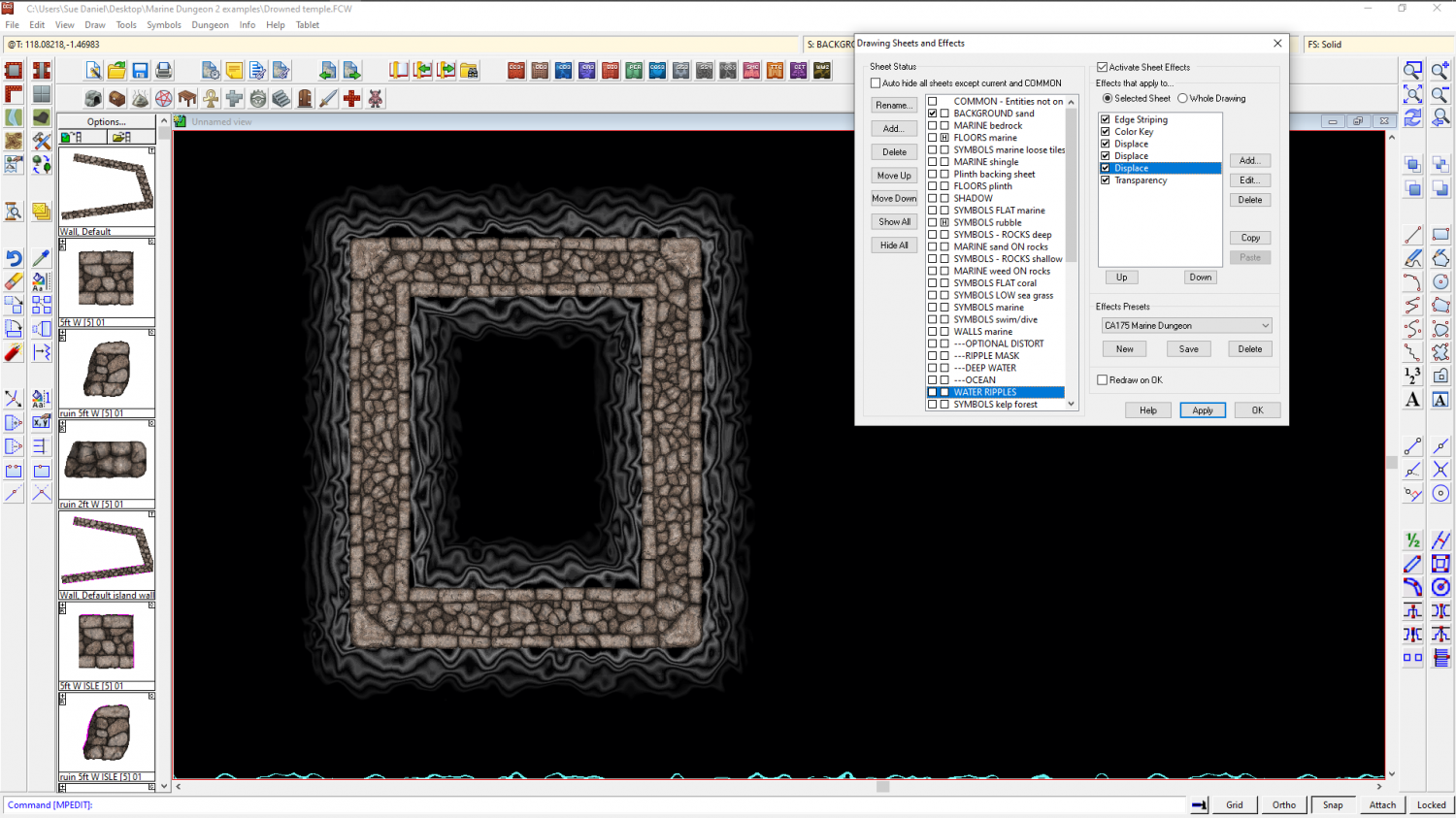
I am thinking that my normal map might be at fault somehow, so this is your normal map without the extra adjusting distorts
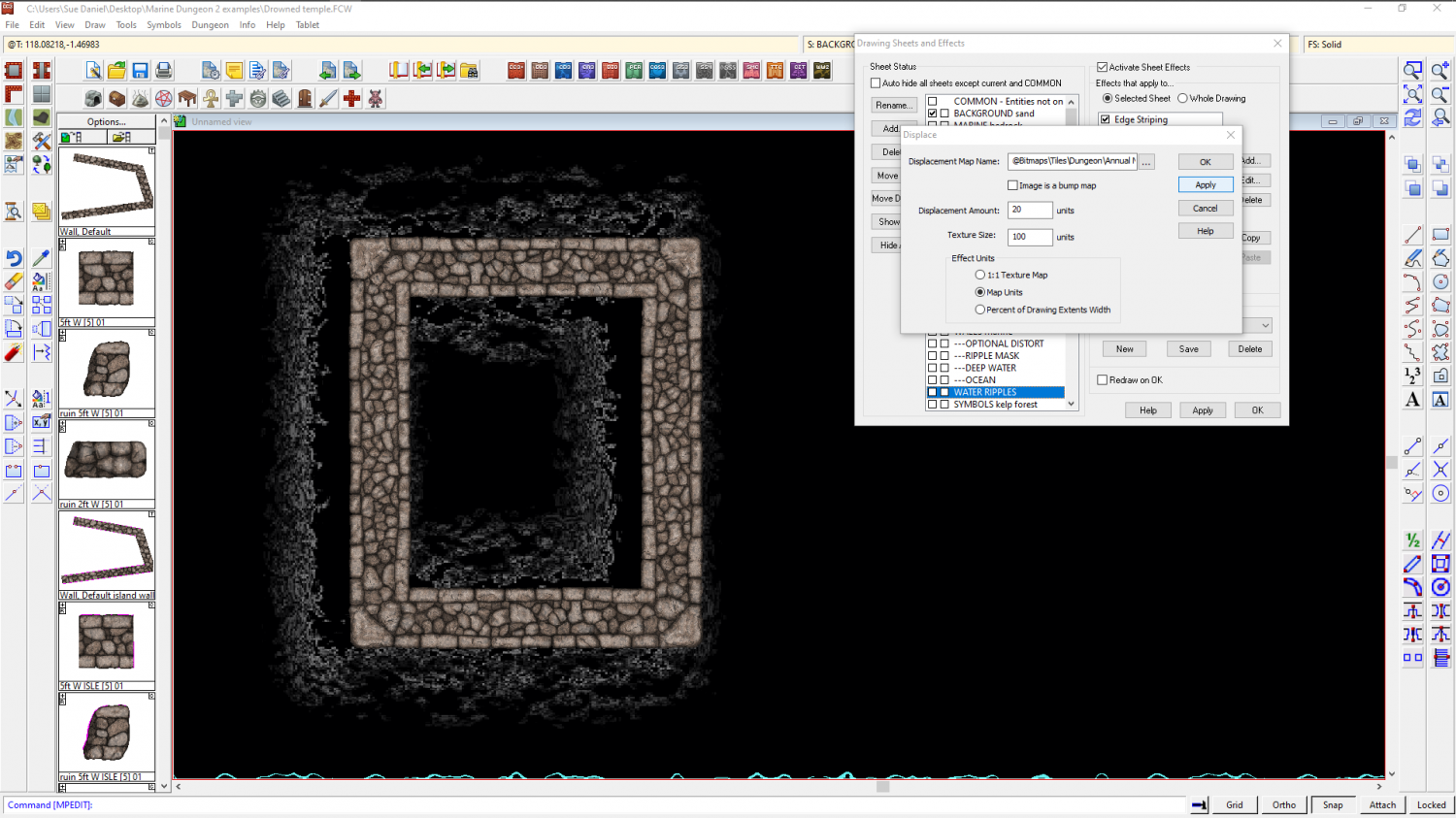
And then again with them (though I had to increase the Displacemet amount on the correction effects by a factor of 3 to make it go right for your normal map). It's a bit like using the Displace to move the whole thing back on x and y axis separately, but I guess that's quite an accurate description if the 'normal' maps I'm using are just two plates of solid colour.
Here are the adjustment pngs I was using - one green, and one red.
-
Displace moving everything to the left
Thanks for your help, Joe :)
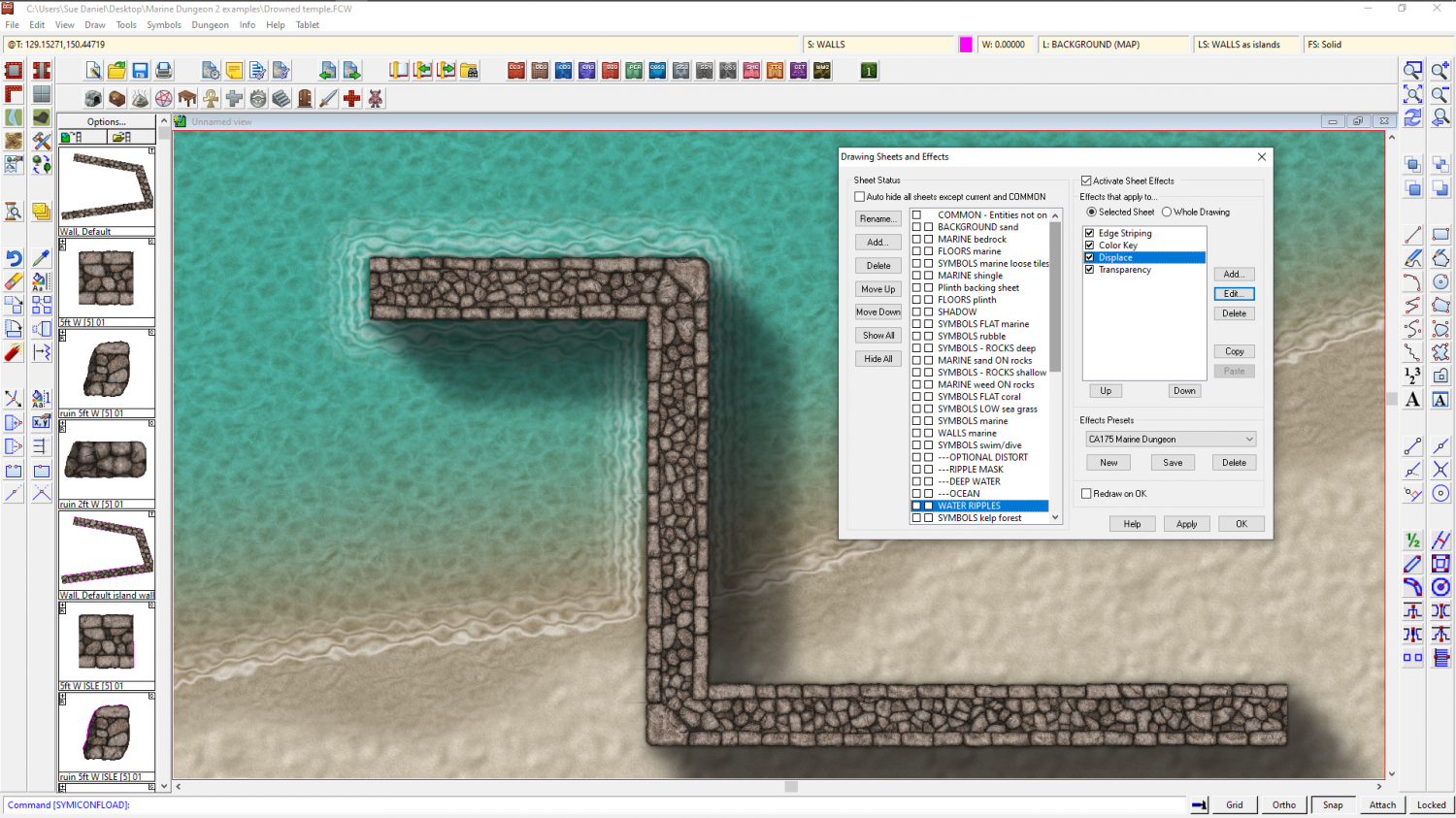
I have managed to reduce the sideways drift by removing one of the Displace effects, the Blur and Blend mode. I think that for now this is the best I can do, and suspect that I was pushing the effects to do unexpected things by pushing them a long way beyond what is normally expected of them. This is a much better result, and I will probably stick with this one now.


-
Marine Dungeon - further developments
More coral, weed and a few anemones to go with the old stuff, and the new grungy rocks :)

![[Deleted User]](https://secure.gravatar.com/avatar/c75d9a245b74d9c59be0999ea81ca541/?default=https%3A%2F%2Fvanillicon.com%2F92add7f8c954488718110edc4896ad39_200.png&rating=g&size=200)




