


Loopysue
Loopysue
About
- Username
- Loopysue
- Joined
- Visits
- 10,414
- Last Active
- Roles
- Member, ProFantasy
- Points
- 10,161
- Birthday
- June 29, 1966
- Location
- Dorset, England, UK
- Real Name
- Sue Daniel (aka 'Mouse')
- Rank
- Cartographer
- Badges
- 27
Latest Images



-
Making a Mountain
That is transparency acne.
The rendering engine gets confused if the pixels on two sheets are the same colour and decides that there must be a hole in the polygon on the uppermost sheet. The hole isn't really there, but that's how the rendering engine interprets the fact that the pixel hasn't changed colour between the two sheets.
This doesn't happen too often, but when you use polygons of the same texture on two adjacent sheets, and then apply a bevel, or an edge fade inner to the topmost of those two sheets, that sheet effect is applied to all the edges - including to the tiny square edge that exists around each of the pixel 'holes' interpreted by the rendering engine.
You can stop it doing that by adding another sheet between those two (we tend to call it a separation sheet), and copying the topmost polygons onto it. Then use the Change Properties tool to change the new polygons on the new sheet so that they are a solid colour that isn't likely to be in the texture (227 is a good one), and maybe a add an edge fade inner to make sure it doesn't show around the edges. The point of that is to make sure the rendering engine sees the difference between the underlying rock and the overlying rock.


-
Making a Mountain
Height in a CC3 map is always an illusion. We don't currently have any heightmap features in CC3. Automatic roof shading is achieved by a specialised normal map applied to each building the moment it is placed in the map.
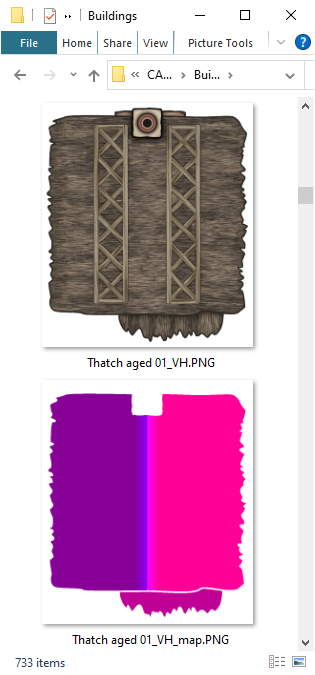
CC3 normal maps are linked with the symbol file in the symbol graphics folder, and only contain information about how steep the roof is, and which direction it is facing relative to the sun as blue and red components.
The connecting cliff symbols have normal maps that function in the same way, which is why they look darker on the face away from the global sun once they are pasted into the map. However, connecting symbols don't scale - as you have already discovered.
If you want to make the connecting cliff symbols bigger you have to draw the line of cliffs at the default scale, and then scale the whole thing up as one long snake of cliff symbols, which is easier to do if you group them first. That can still be tricky, though, because it requires that you can draw a miniature version of the cliff line by eye, perhaps to one side of the map.
Alternative methods that you haven't already tried out are a bit more complicated. You could make your own relief shading sheet like this one I did for a city on a very steep island city, lit from the south east.
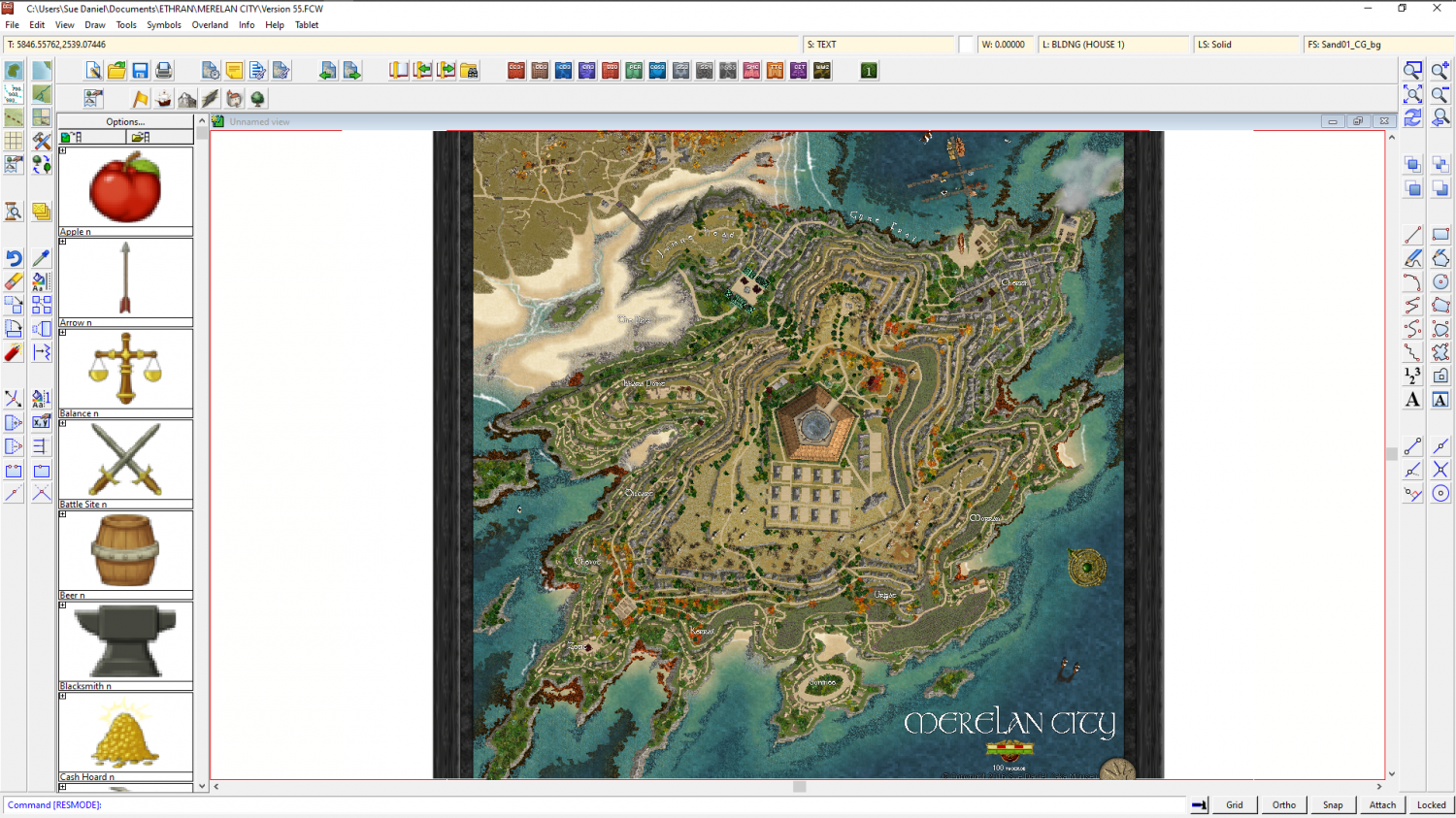
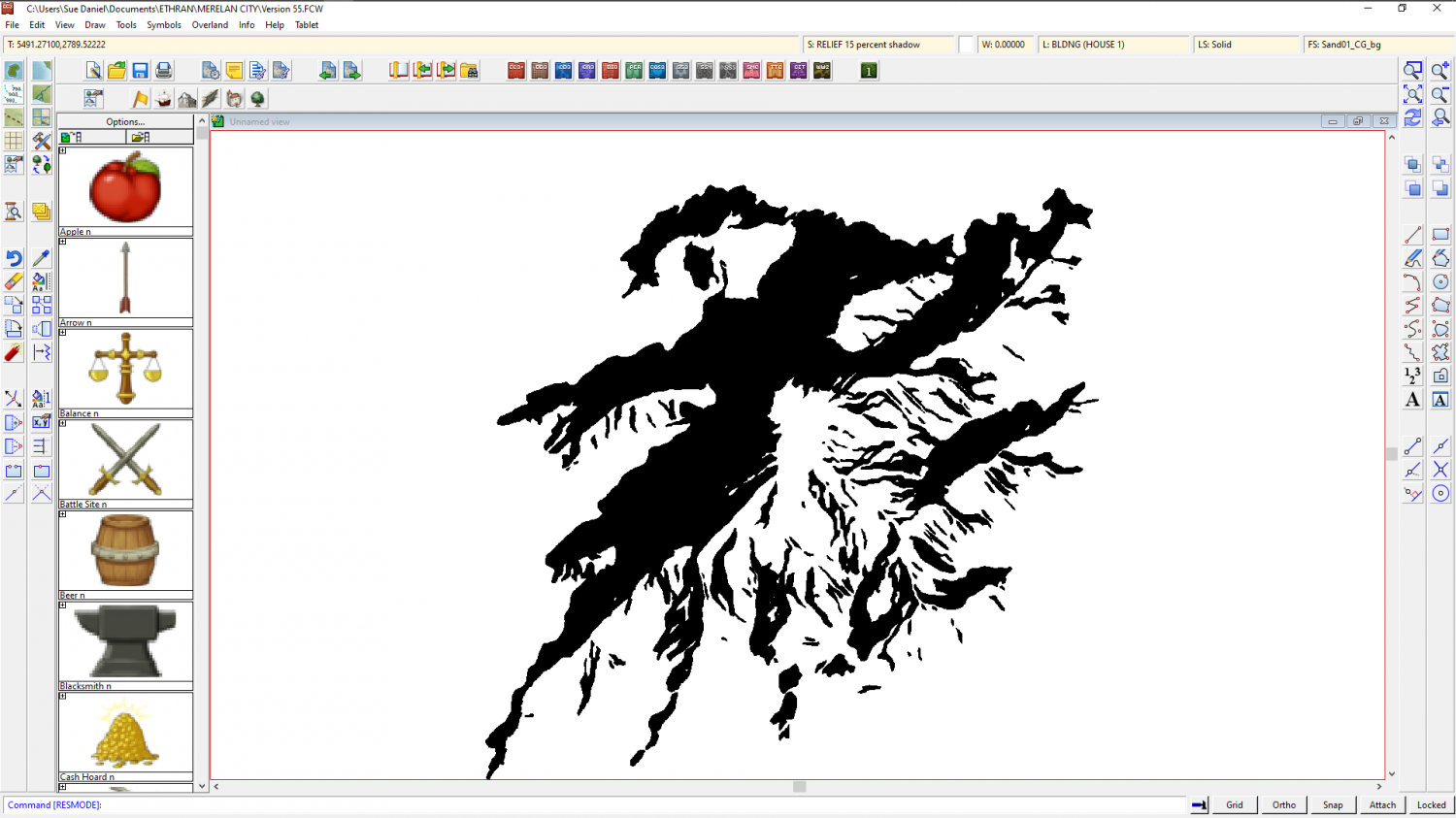
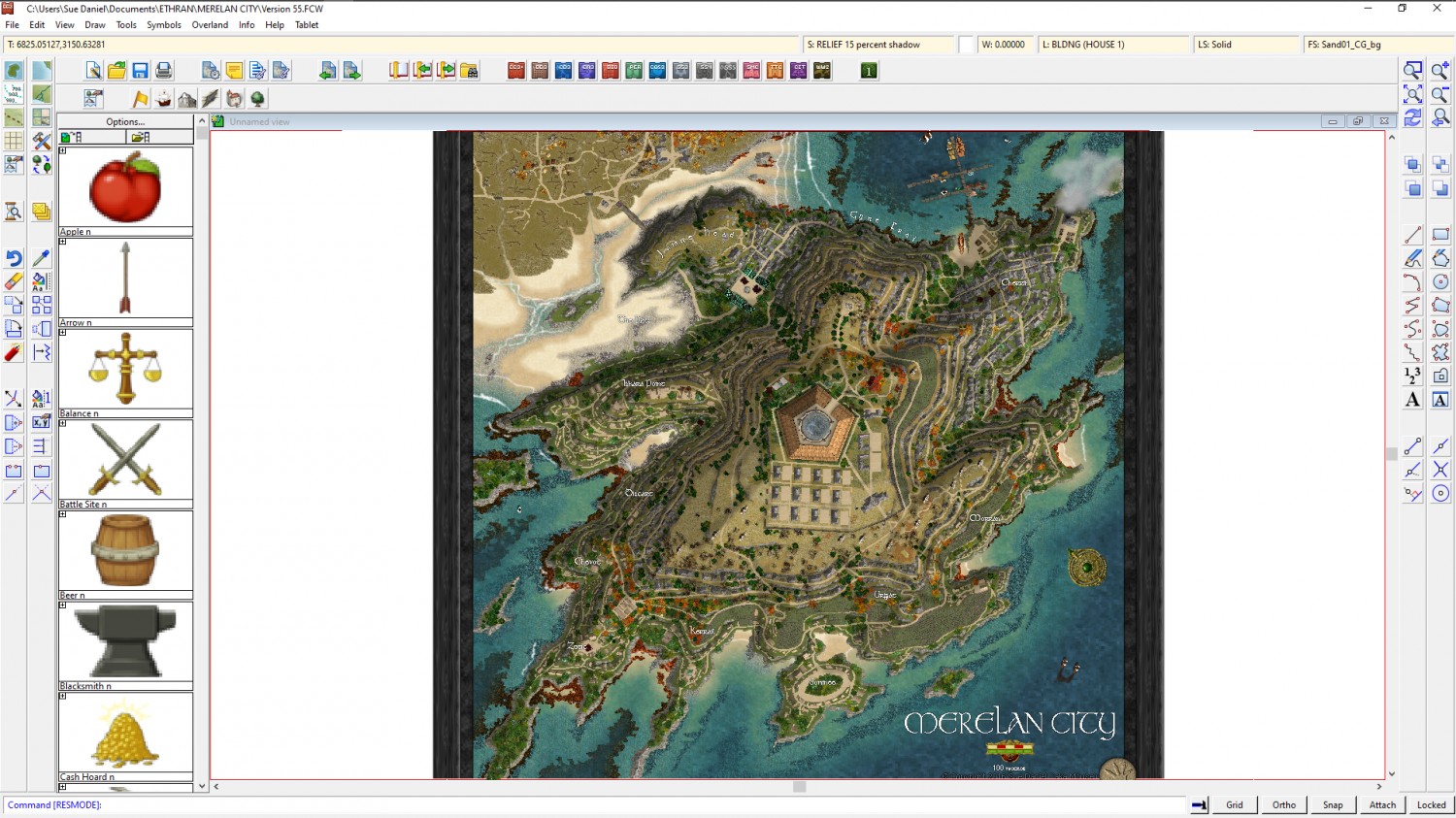
But that requires that you have an eye to see where the shadow needs to be in the first place. All good if you do, but if you can't see it in your imagination first I don't recommend it.
Another hand drawn method I've tried is explained in this blog article here: https://rpgmaps.profantasy.com/orde-on-the-rock-map-analysis/. It's a bit easier than Merelan City, but it will take a bit of time and care to set up. If I were trying to convert this map (image below) into a hollow mountain I would sink the entire city into a dungeon-style depression into the top of the plateau to give the illusion of a cave with the top of the mountain sliced off.

The FCW file for this map is contained in that blog article if you want to use it as a base for your own map.
These are not the only ways of generating the impression of height differences in a map. There are plenty more, like Shessar's tutorial here: https://forum.profantasy.com/discussion/9155/dd3-battlemap-tutorial-part-3-adding-contours


-
CA style development - "Darklands City" (issues for September and December 2021)
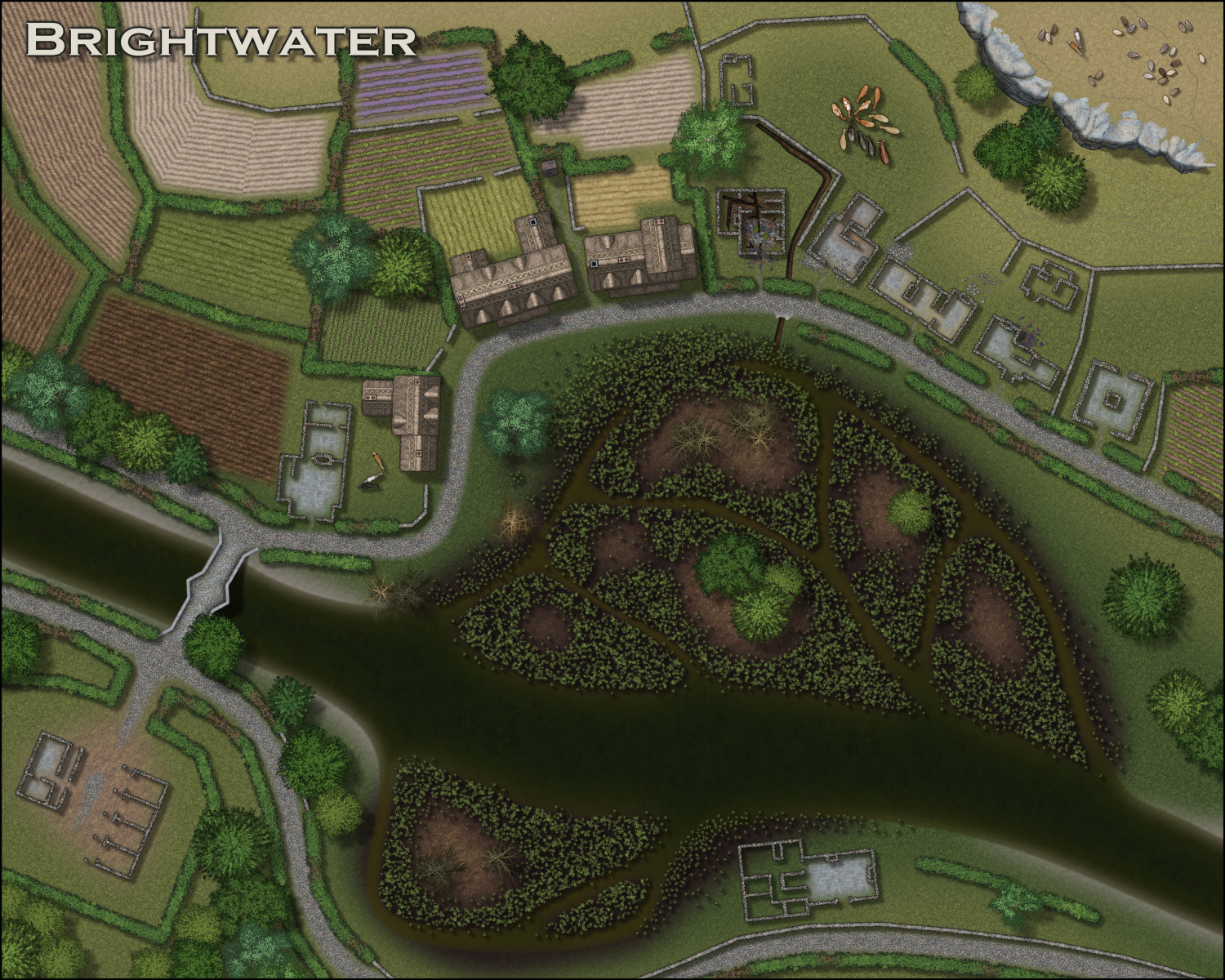
Ok. We have all the animals I've got time to do this time around - cows, bulls, horses and sheep.
With only a few days left before handover, I can do a couple more things now. I'm tempted to go for ruined versions of a keep, the bridge and maybe a tower if I can get it done.






![[Deleted User]](https://secure.gravatar.com/avatar/c75d9a245b74d9c59be0999ea81ca541/?default=https%3A%2F%2Fvanillicon.com%2F92add7f8c954488718110edc4896ad39_200.png&rating=g&size=200)
 and 3 others.
 -
CA style development - "Darklands City" (issues for September and December 2021)
A ditch at city scale is relatively easy because you only need to worry about the general appearance of the thing rather than adding too much detail.
Would something like this do?
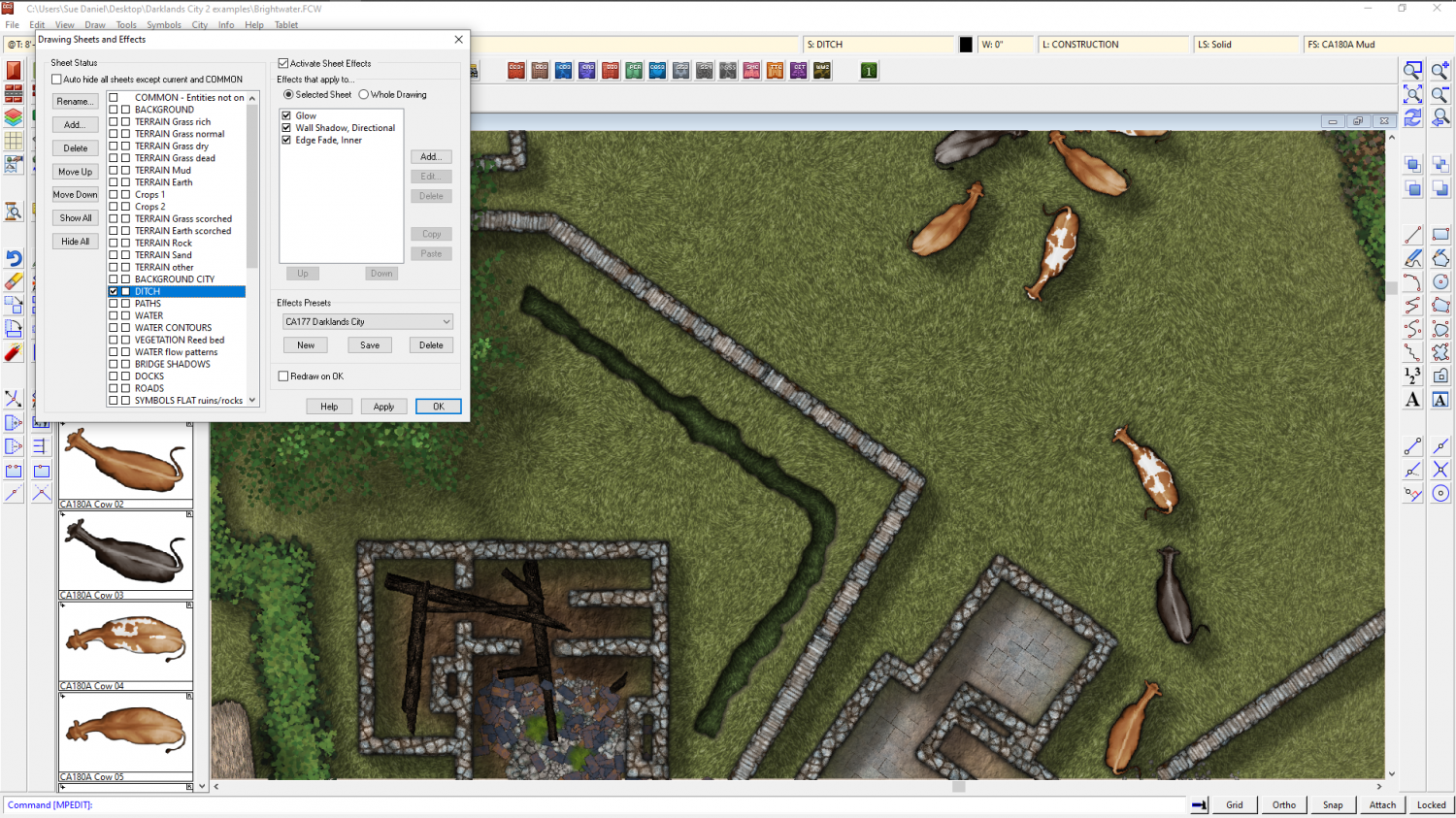
That's a fractal polygon of the darkest grass shade drawn on top of the field with those three effects employed to give the illusion that it is sunken into the field. That's a dark glow set to outer, a pale shadow of the same extent, and an edge fade inner that is twice the width of the other two. You could use the same effect in any city map. I will find a way to leave it in the example map for you.
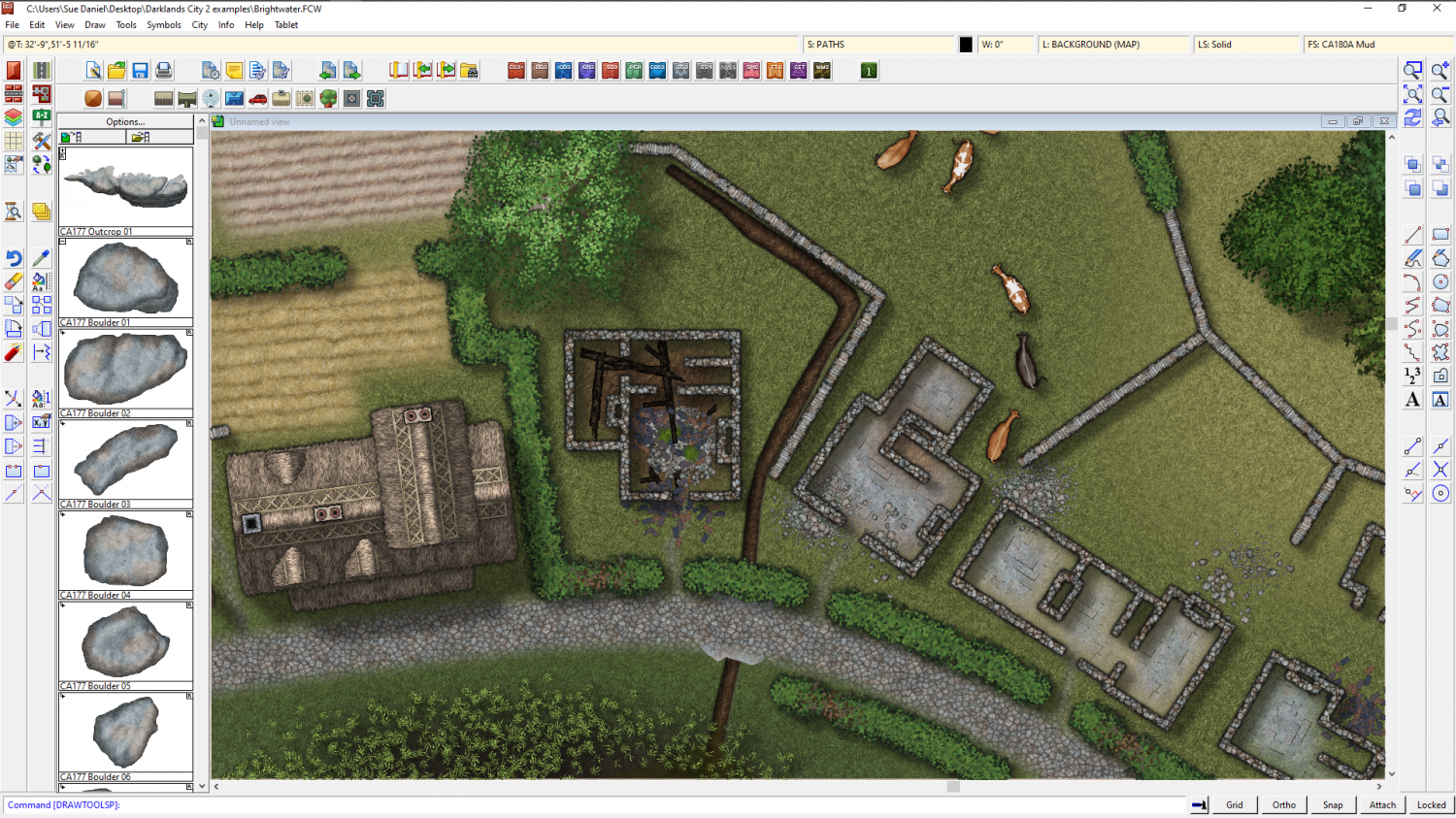
I've made it drain into the marsh and put mud in it instead of grass, so it makes sense in the map now

-
CA style development - "Darklands City" (issues for September and December 2021)
I'm already worried about my cows, Wyvern! LOL!
I think I will try to straighten the neck of that one with the very long neck. They all look like their walking around in circles.
Hens? They'd be the little red dots I added (not really - just teasing ;) )
It was touch and go as to whether the larger animals were worth it at this scale. They really are completely tiny with not much in the way of detail.


