


Loopysue
Loopysue
About
- Username
- Loopysue
- Joined
- Visits
- 10,413
- Last Active
- Roles
- Member, ProFantasy
- Points
- 10,161
- Birthday
- June 29, 1966
- Location
- Dorset, England, UK
- Real Name
- Sue Daniel (aka 'Mouse')
- Rank
- Cartographer
- Badges
- 27
Latest Images



-
Live Mapping: Real-World Vector Data
Hi everyone! :D
In response to the Live Mapping requests we recieved from our mappers, this week Ralf will be taking a look at using vector data from real-world maps in CC3+.
Come and join in the live chat on Youtube live here:
https://www.youtube.com/watch?v=25wnZscqnm8
Or watch it here on the forum, though there is no live chat here.

-
CD3+ Texture issue
Click the little text box in the bar at the top where it says "FS:...."
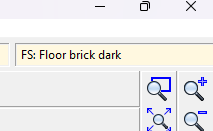
A dialog called Fill Style Properties will open. Make sure the Bitmap Files tab is active and pick the fill you want to rescale from the dropdown box called Fill Style Name.
Make sure the Scaled checkbox near the bottom of the dialog is checked and adjust the Width and Height of the fill in map units.
In this screen shot the fill I have picked is scaled to 15 x 15 map units.
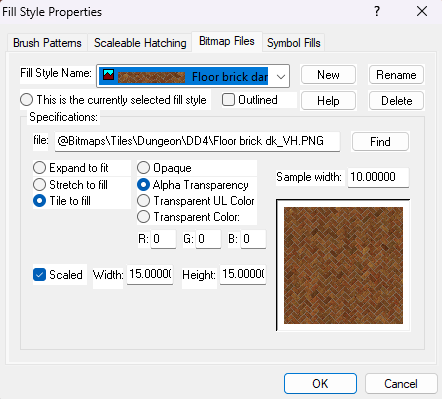
Click OK and the fill should rescale itself in the map.


-
Struggling with "TEXT FORESTS" sheet and outer glow effect oddities
These kinds of label issues tend to happen when the rendering engine gets confused by overlapping black and white extents and fails to see some of the upper sheet - the labels. Please try changing the text colour to the very palest grey in the palette, and edit the glow effect to the very darkest grey.
You may be experiencing the same kind of trouble with your roads. Try changing the road colour to the very palest grey.
It's very unlikely that any of these issues are being caused by your system.
If you are still having problems when you've tried my suggestions, please share your .FCW file here with us so that we can have a more detailed look at what is happening.


-
Problem with combining path
I started writing this before Quenten made his first comment, so it may repeat several things he mentioned.
....
The northernmost piece of the two appears to have been duplicated at some point, so there are two of them on top of each other on the same sheet and layer. Starting with your original map you can delete one of those copies by picking them both with a tool that will only ever select one entity at a time, like Edit Properties (that's the lower paint can button on the left), cancelling that edit and then using Delete and selecting 'prior' in the right click menu to recall that previous single selection for deleting.
The next obstacle in your path is that these two entities are polygons. You can't join them together until you break them to form lines or paths using the Break tool on the left. Here is a shot of where I have deleted the extra copy of the northern continent and broken the polygons by taking out the section in the middle where they are supposed to be one landmass. I have selected the southern line to show that it is still in two halves at this point.
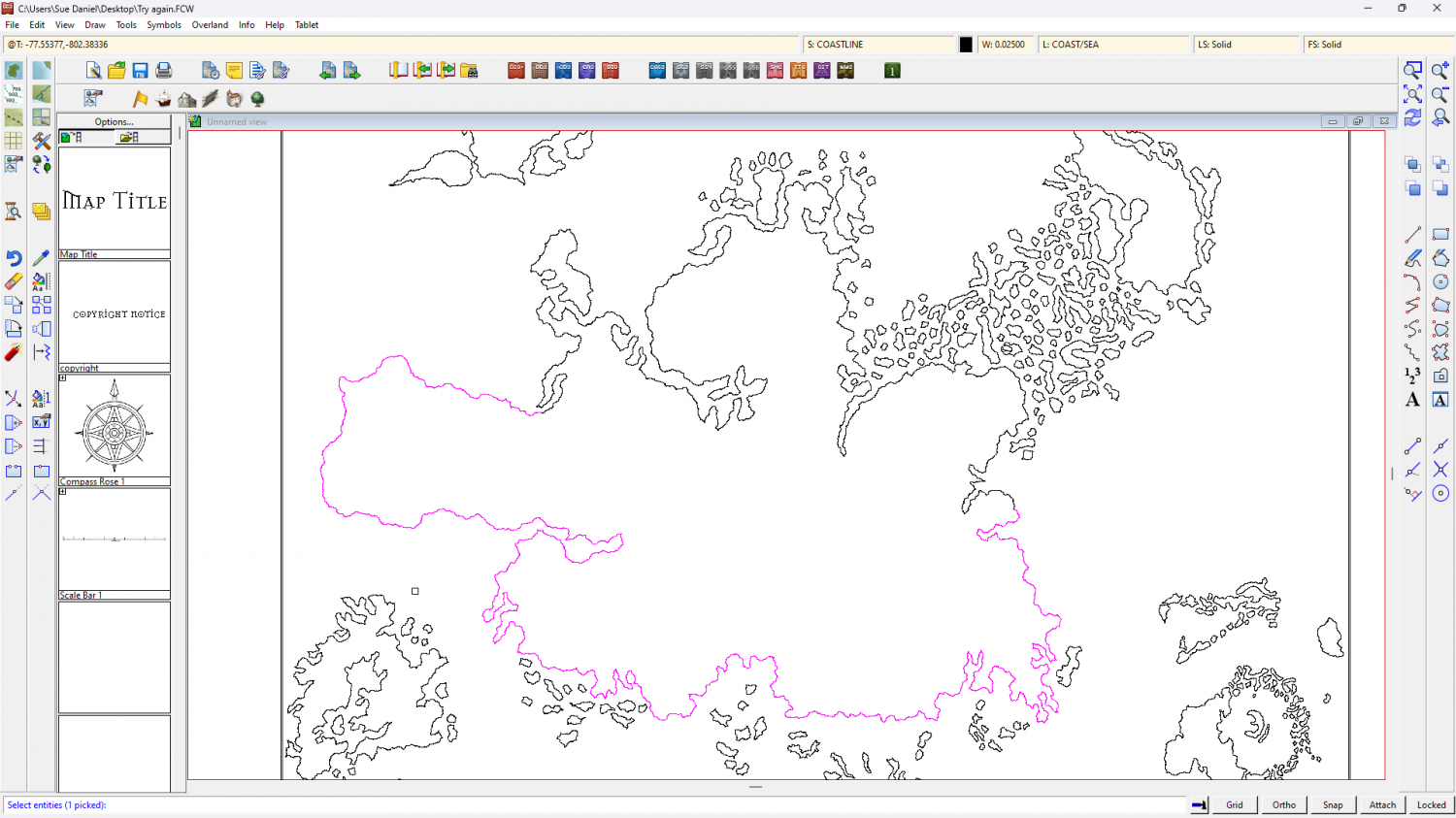
As Quenten has just pointed out there are a lot of nodes in this drawing, so I have used the Keyboard SIMPLIFY command to remove a significant number - from ALL the landmass entities.
Next I used the Change Properties tool on all of them to reduce the line width to zero and fill the landmasses with the land texture. This was to check that the operation had worked. If it had not, then the land mass would not have filled.
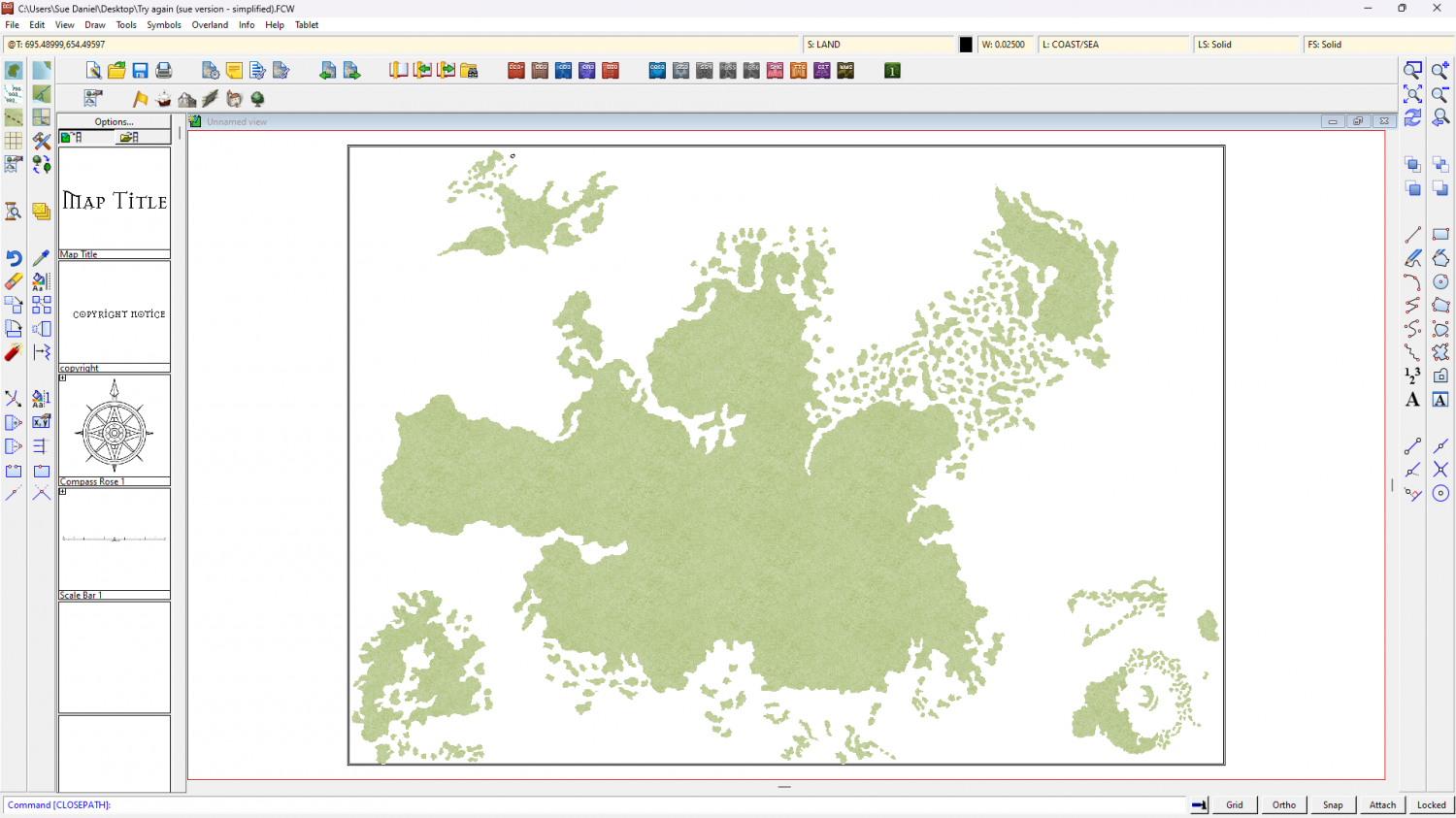
It seems a waste to just delete it, so here is my version of the file.
PS - If you wanted your land masses as outline you can change it back using the same Change Properties tool.
-
Live Mapping: Watabou Cities Revisited (postponed till 11 July)
Hi everyone :)
This week, Ralf uses the latest Annual issue (Watabou City Revisited) to create a city map based on the Watabou random generator.
Come and join the chat with us on YouTube here:
https://www.youtube.com/watch?v=p9zTA33D43g
Or watch later here





