


Loopysue
Loopysue
About
- Username
- Loopysue
- Joined
- Visits
- 10,413
- Last Active
- Roles
- Member, ProFantasy
- Points
- 10,161
- Birthday
- June 29, 1966
- Location
- Dorset, England, UK
- Real Name
- Sue Daniel (aka 'Mouse')
- Rank
- Cartographer
- Badges
- 27
Latest Images



-
CA212 Terrains with Symbols not working
Here's a short checklist of the repair process:
- Delete the forests in your existing map, save the map and close CC.
- Download a fresh installer for Sarah Wroot Revisited, and install it by right clicking the icon and picking Run as Administrator. Use the Repair option, and allow CC to open the example map at the end of the installation.
- Reopen your map and try drawing a new forest.
If that doesn't work you might have to contact Tech Support.


-
Live Mapping: Sarah Wroot Revisited
Hi everyone! :D
Ralf is back from Gen Con, so this week he will be showcasing the latest annual issue: Sarah Wroot Revisited.
Come along and join in the chat, live on Youtube:
https://www.youtube.com/watch?v=BoBIilrjJAE
Or if you miss the show you can always watch it here:
We look forward to seeing you :)
-
Installing ProFantasy Software on New Computer
CC3 and CC3+ are completely separate.
A fresh download is always better than an old installer.
When you've downloaded everything start by installing CC3+, the latest CC3+ update, then the main add ons (DD3, CD3 etc), and then the rest in no particular order. Finish up by re-running the latest CC3+ update.
If an installer is set to open CC3+ at the end of it's run by default, let it do so, but close it down again before running the next installer. Never run an installer while CC3+ is open.
Shout if you have any issues.
EDIT: a bit more clarity on the difference between CC3 and CC3+. CC3 is now obsolete and no longer supported. Most of the add ons will no longer work with it, having been updated to work with CC3+



-
Community Atlas 1000th map Competition - with Prizes [August/September]
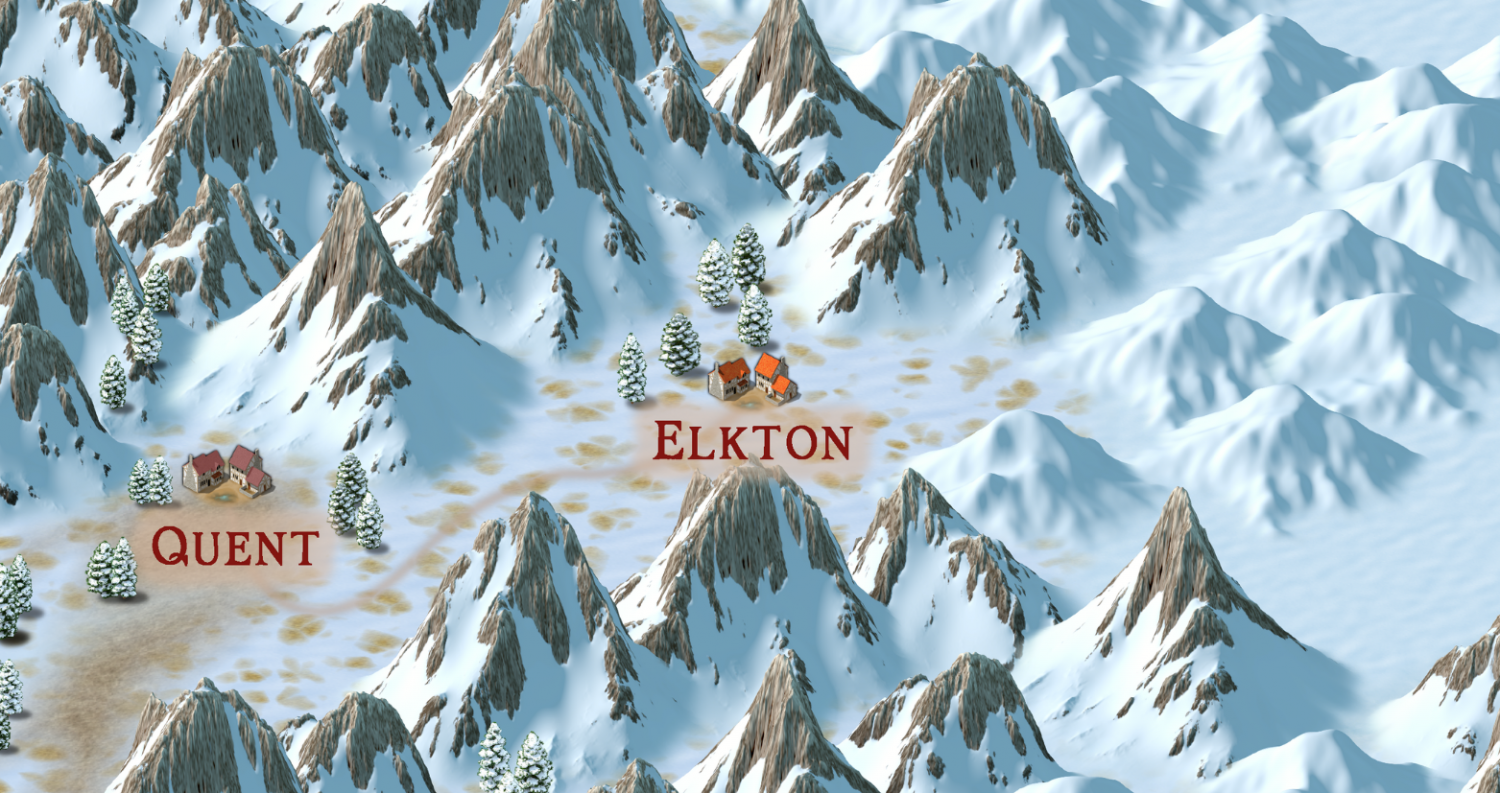
Please can I do the village of Elkton, from the Alarius North Central map?


-
SS5 and B&W Cities
It's been a while since I played with SS5, but I remember one way of turning the map to greyscale was to add an RGB Matrix Process to the Whole Drawing and pick the Gray preset for it.
The fact that the folder is called Color doesn't mean there is a black and white version.
Here is a shot of one of the example maps with the RGB Matrix Process added.
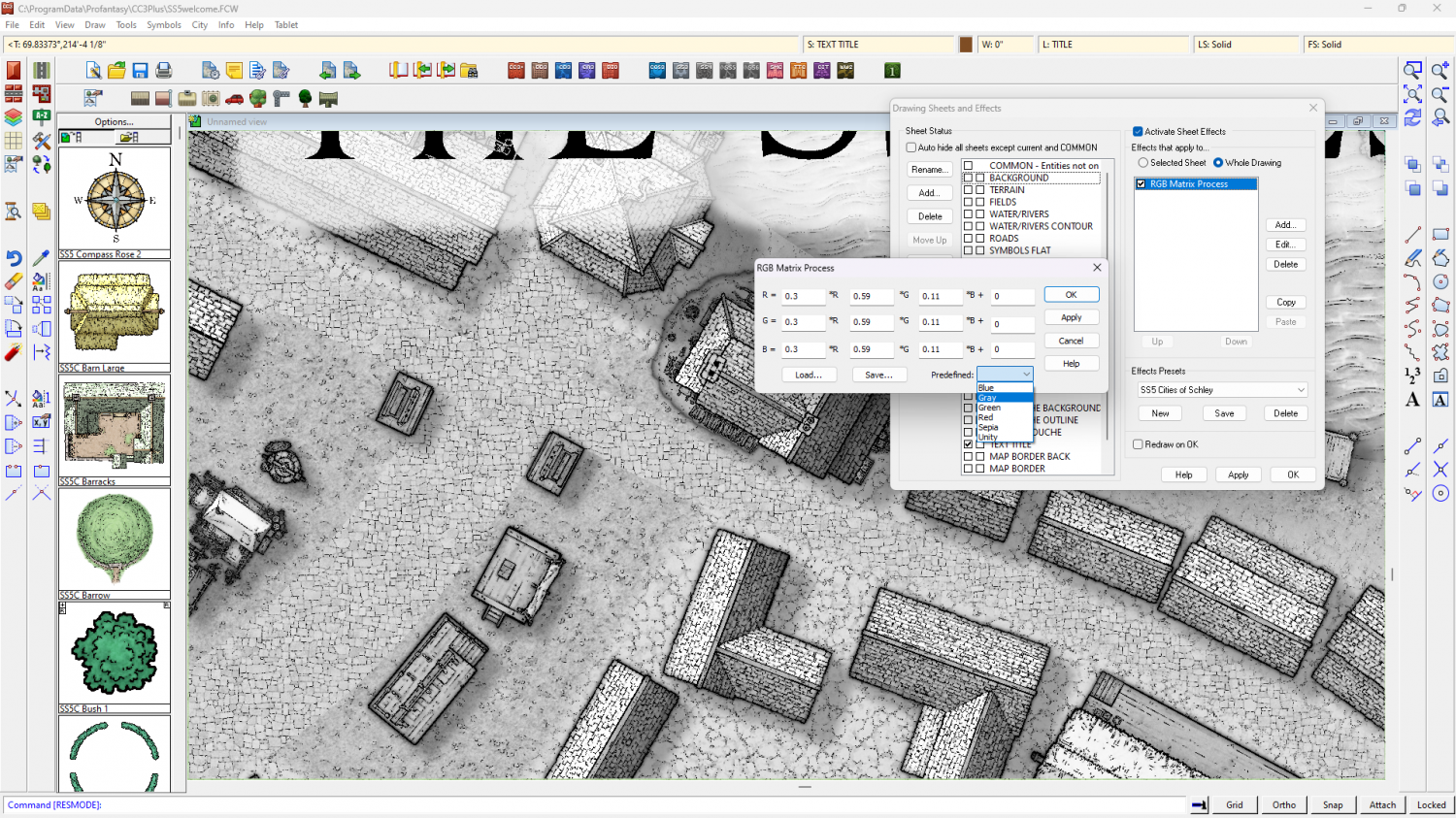
I've just noticed that you may have to change the shade of the glow on the text sheet to the palest grey to stop bits of the letters falling out when they are over black parts of the map.
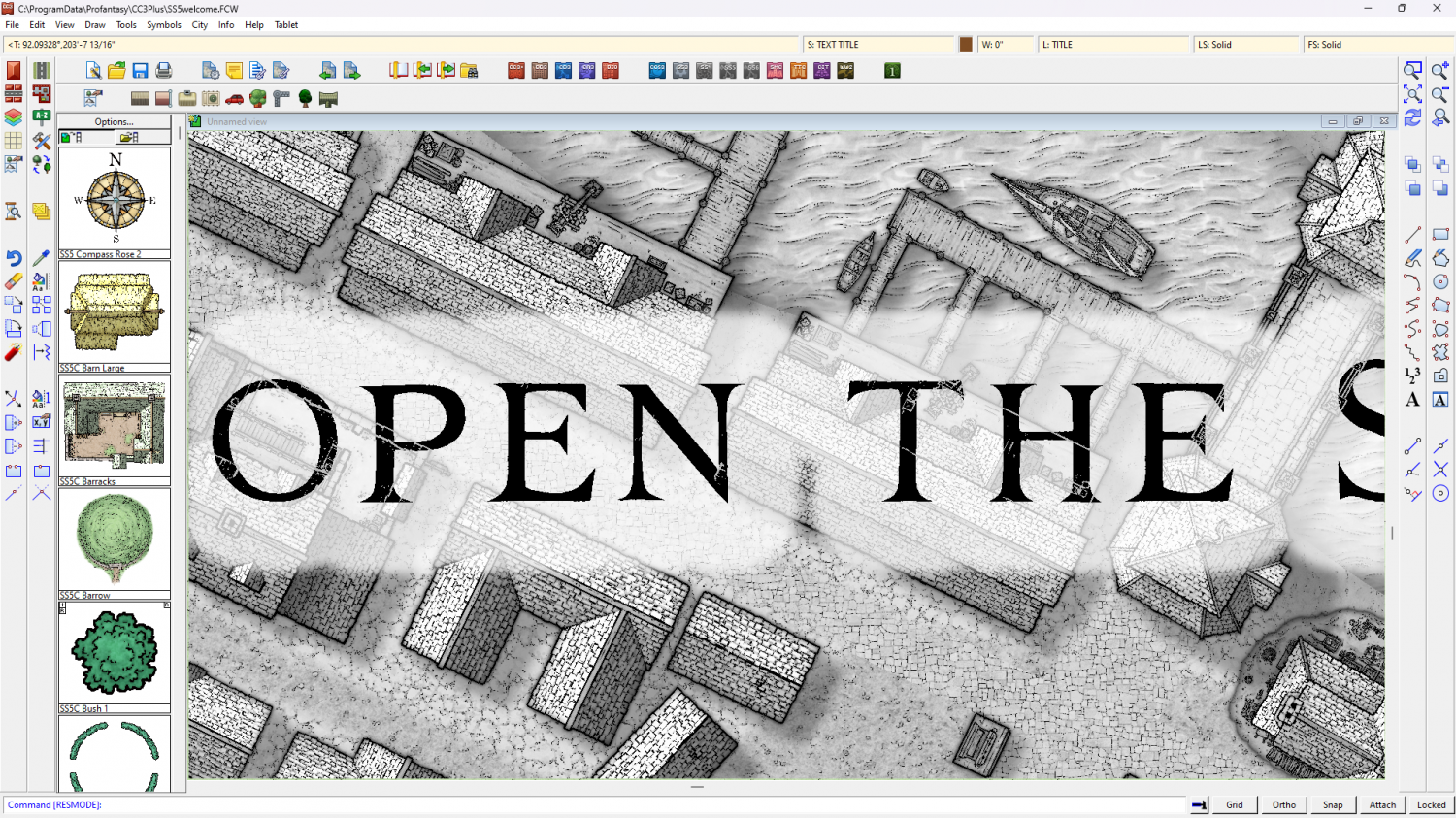
Theoretically, you should be able to turn any style to greyscale using the same method, but I've not tried any of the others.


