


Loopysue
Loopysue
About
- Username
- Loopysue
- Joined
- Visits
- 10,413
- Last Active
- Roles
- Member, ProFantasy
- Points
- 10,161
- Birthday
- June 29, 1966
- Location
- Dorset, England, UK
- Real Name
- Sue Daniel (aka 'Mouse')
- Rank
- Cartographer
- Badges
- 27
Latest Images



-
Birdseye Continental - style development thread
@Calibre We ninjad each other.
You could use just the hills as they are, or you can add the mountain tops I mean to create.

-
Cosmographer resolution problems
The size of the map in CC won't affect the size of your export.
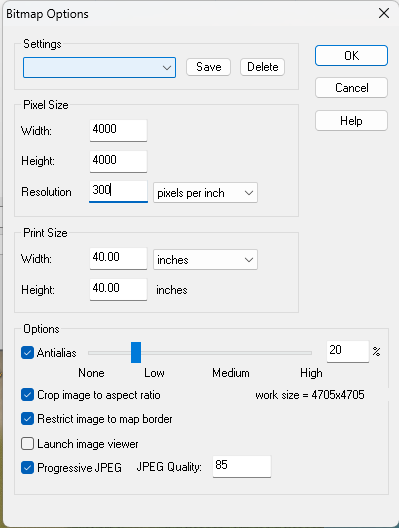
Hit the Options button once you have selected your bitmap export type, and use any of the controls in the dialog that opens to increase the size, resolution and other output options.
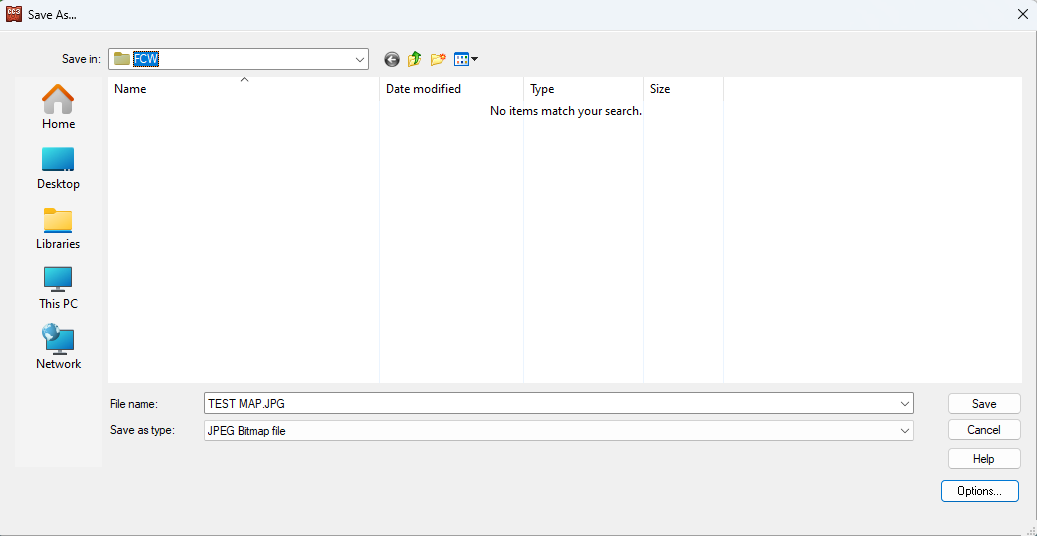

You can use any parameters you like, as long as the "Work size" (bottom right of the dialog) doesn't go much further than 10,000 x 10,000.


-
Birdseye Continental - style development thread
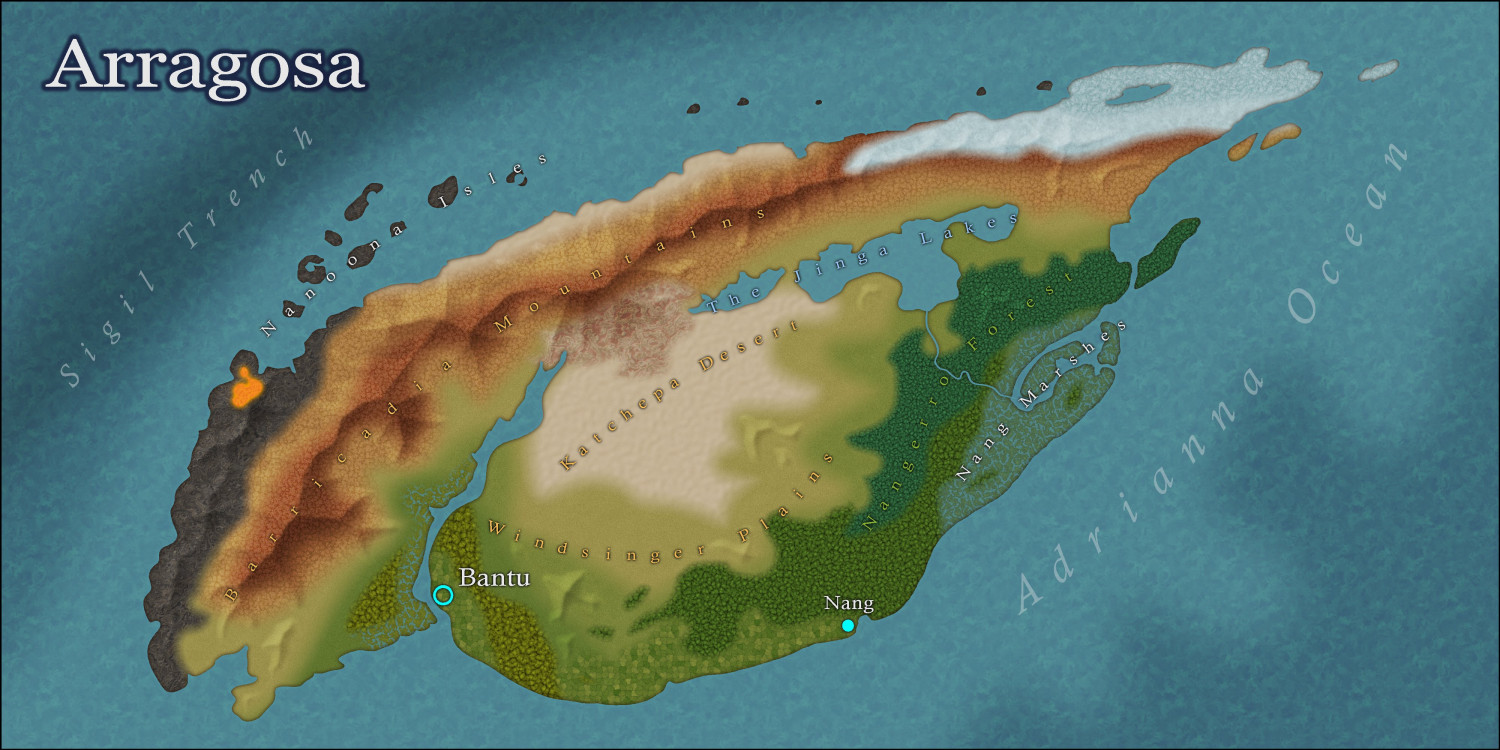
The forests still aren't finished, but what do you think of everything else so far?


-
Birdseye Continental - style development thread
I mean to have quite a bit of fun doing the Structures for Birdseye Regional.
-
Birdseye Continental - style development thread
The first real export - just to see what everything looks like so far. No forests yet, and no room for the badlands texture I made, but the rest of the textures are there.
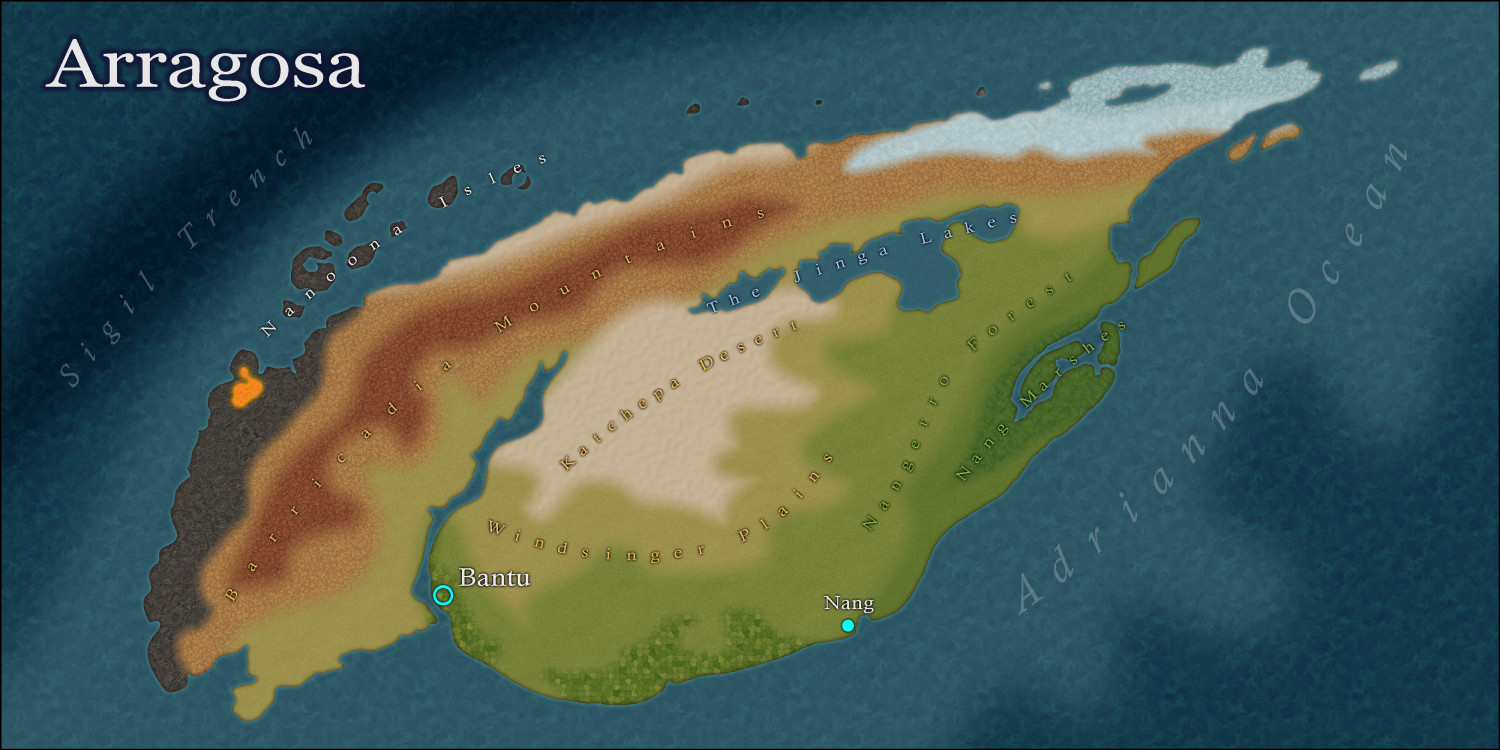
I've changed the name of this thread to reflect the new name of the style - "Birdseye Continental". This is a continental scale style, rather than a regional scale overland. It's possible that I could do a sister style to this one, most likely called Birdseye Regional.




