Loopysue
Loopysue
About
- Username
- Loopysue
- Joined
- Visits
- 10,354
- Last Active
- Roles
- Member, ProFantasy
- Points
- 10,103
- Birthday
- June 29, 1966
- Location
- Dorset, England, UK
- Real Name
- Sue Daniel (aka 'Mouse')
- Rank
- Cartographer
- Badges
- 27
Latest Images



-
Live Mapping: Winter Lights
It's the festive season again!
Matching the holiday spirit, this week Ralf will be using the Winter Village style along with lighting options to create a festive village square map.
Come join us live on Youtube for the live mapping show at the time indicated in the left margin of the forum, and join in the chat.
https://www.youtube.com/watch?v=Cl6XfJeI9Cw
Or you can watch it here at any time after the show if you prefer.
I don't monitor this thread during the show, but if you have any comments or questions you can put them below if you missed seeing it live.


-
How Can I Draw Real-World Places in Campaign Cartographer?
You can use letters as well as numbers when you create the grid
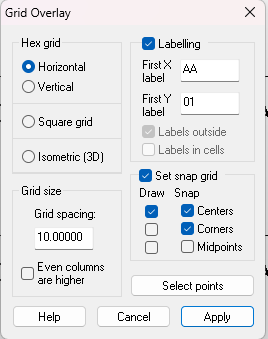
I'm a newbie myself as far as understanding how to modify the labels, but I did find a rather laborious way of doing it.
Pick the properties of the grid (this is something I forgot to do, but quite important if you want to regroup everything at the end).
Hide everything else and explode the grid.
Use Change Properties and right click to select all the labels by entity type
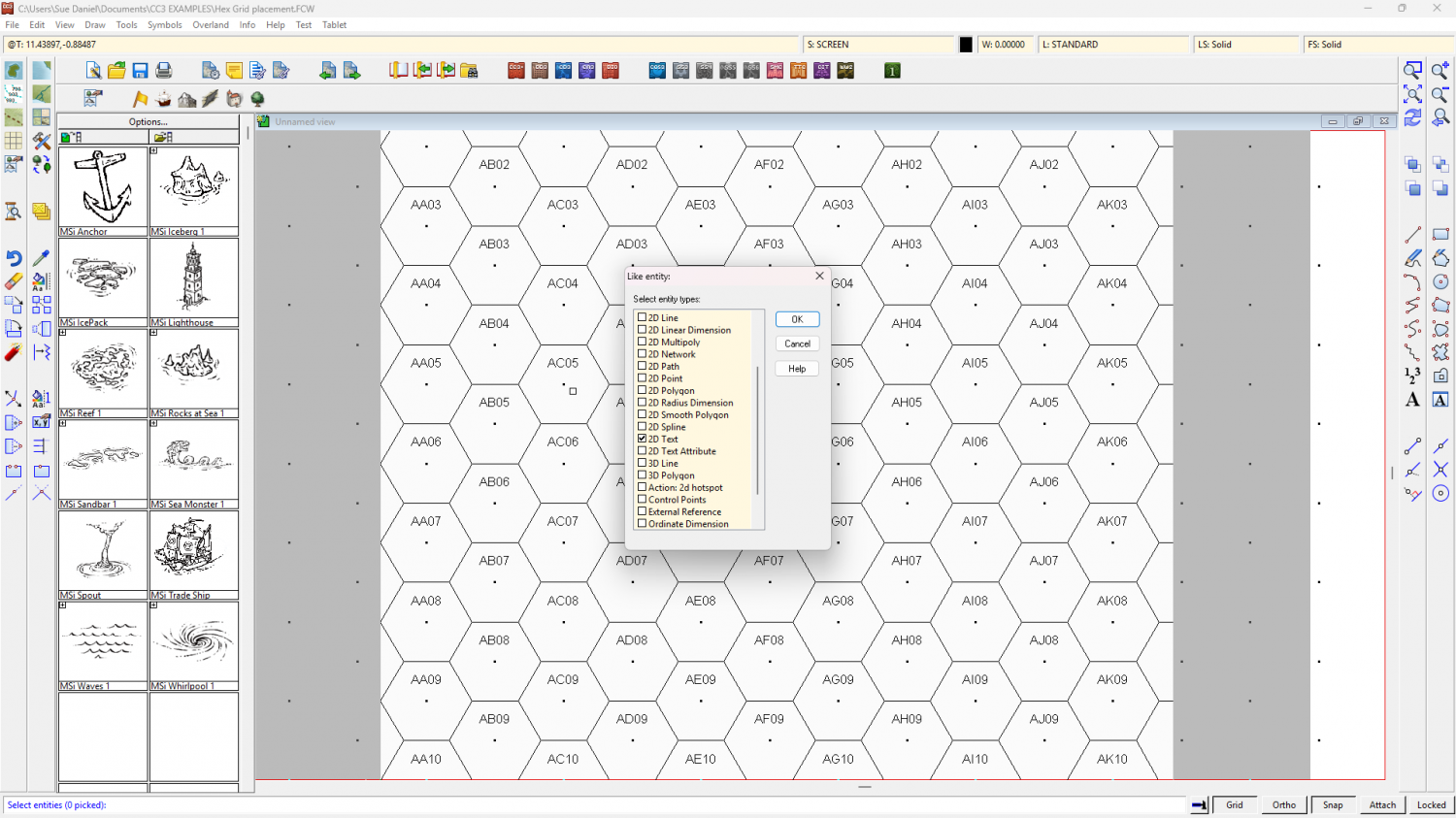
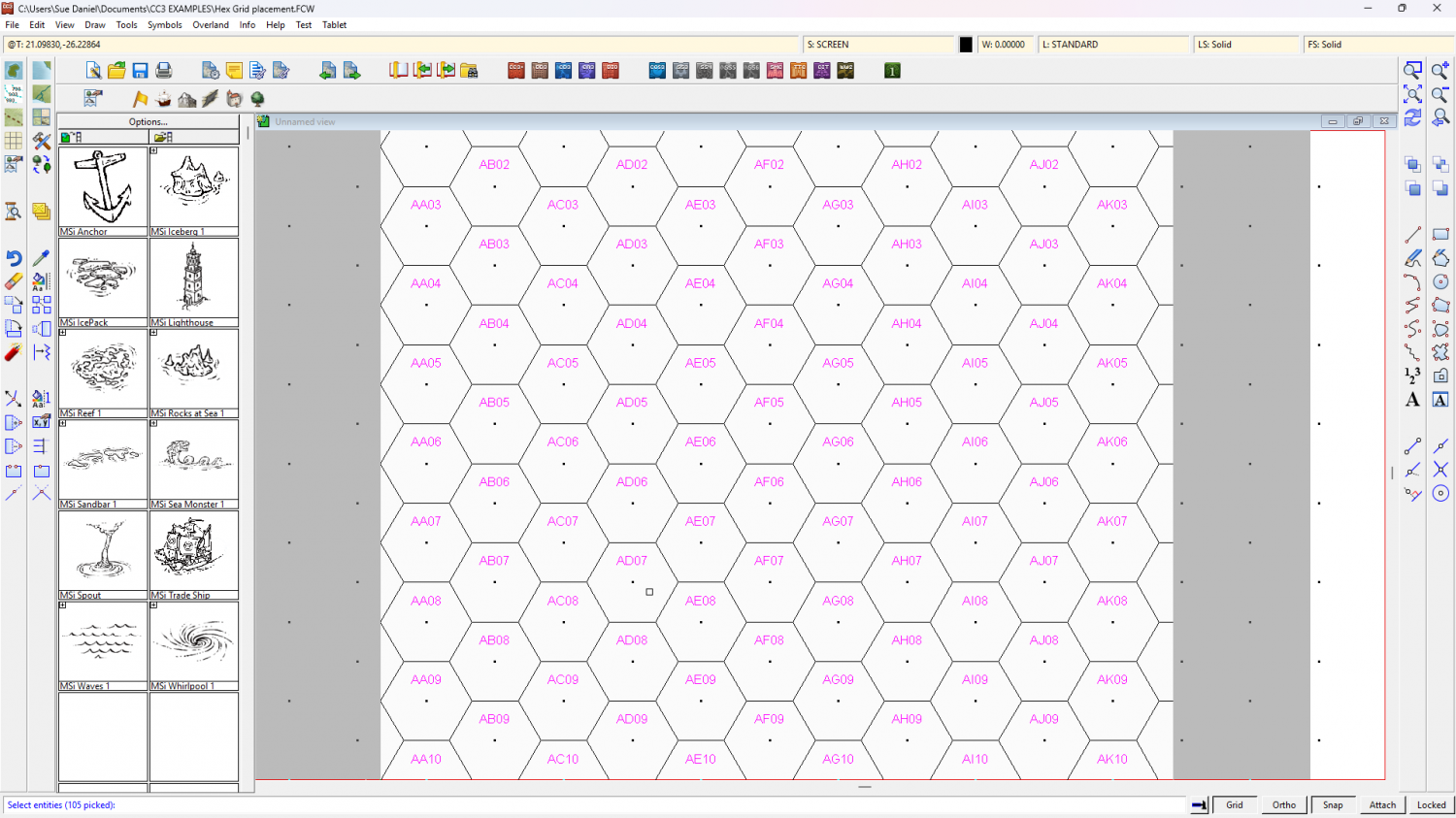
Do It, and use the Pick text properties button to set the size.
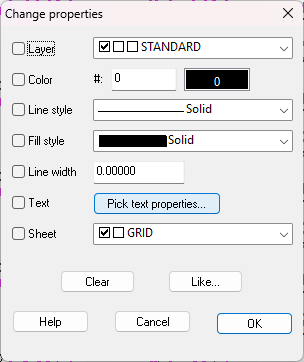
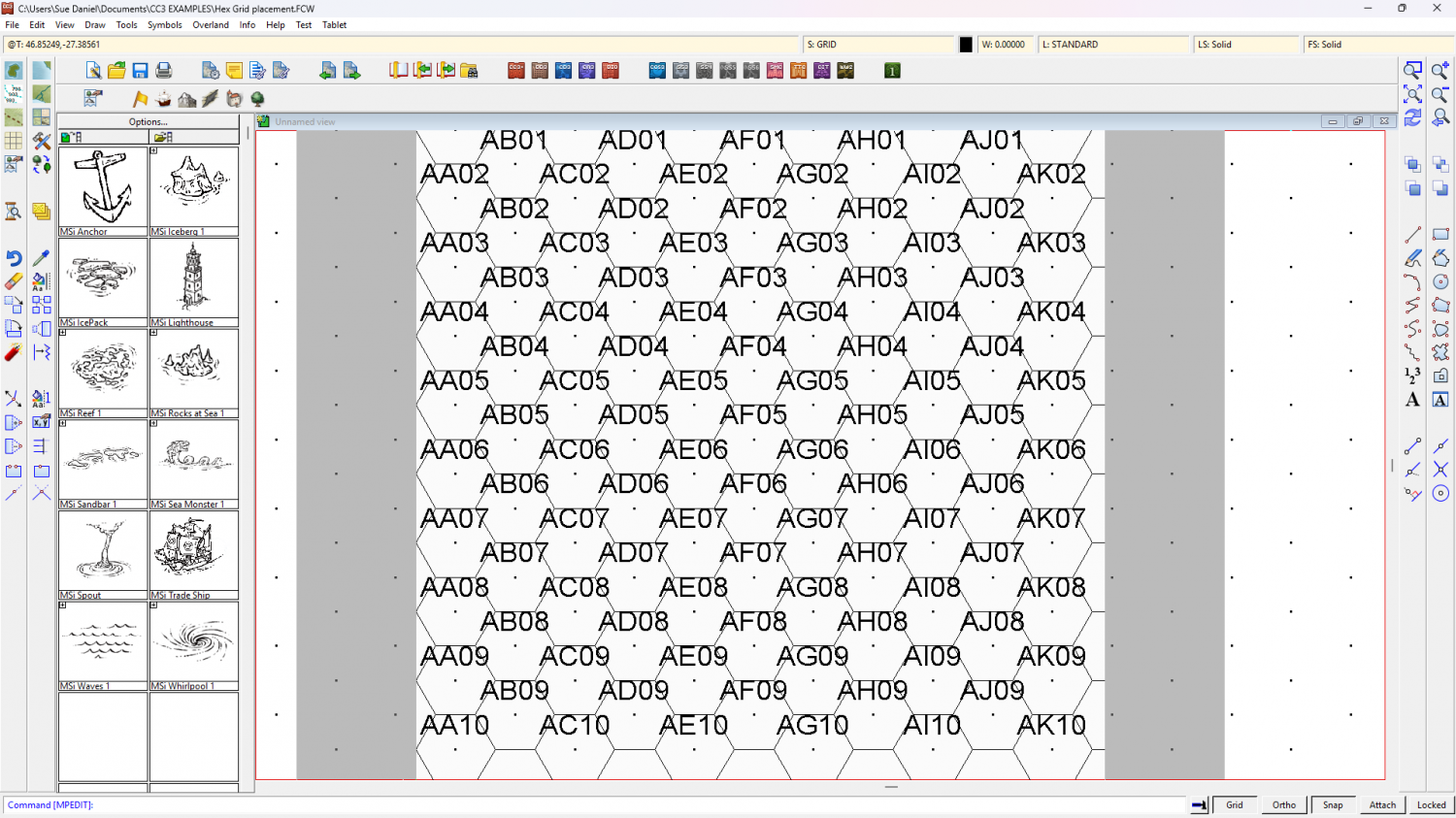
It's an undoable operation, so if you get the wrong size the first time just undo and try again.
I think it might be quite inconvenient to continue work with the grid exploded like that, so maybe best to regroup the labels and the grid when you are done. If (unlike me) you remembered to pick the grid's properties before you started that's just a simple operation because the grid will end up grouped on the right sheet and layer the moment you regroup it.


-
Tools (Symbol Set 1 and Symbol Set 2)
You can purchase the annuals either through the selling pages here, or by picking them from the list of Offers when you log into your registration page.
If you buy the current year's annual it will not yet have been compiled into a single download, so you will have all the separate installers - one for each month.
-
Tools (Symbol Set 1 and Symbol Set 2)
Hi Zov :)
This is perfectly normal, as you can see from my list.
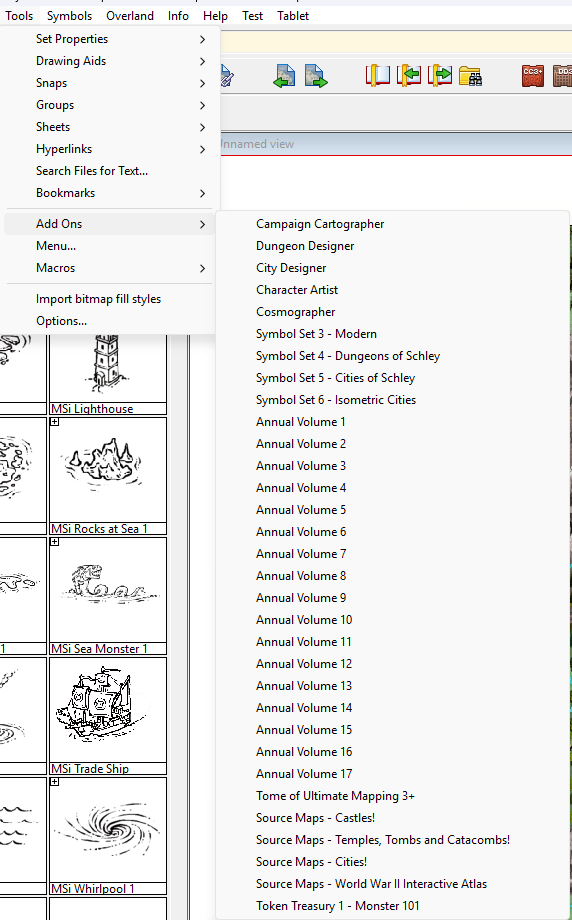
There are no icons for either SS1 or SS2.
This is because both these sets add additional styles to CC3+ and DD3 respectively. They are extensions rather than stand alone add ons.
EDIT: In addition to that information you could be forgiven for thinking that I don't have all the annuals. I appear to be missing Annual Volume 18 and 19 (this year's annual), but that is probably because I have installed all the monthly issues and not the full end of year installer.
There is a second Token Treasury, but I've never needed it so it's not currently installed.
-
Fill Style Questions (Rivers vs Sea)
Hi Olaf :)
Please can you attach the FCW so I can see how the drawing tools are set up and what sheet everything is on?
You should be able to attach the .FCW file to a comment on this forum using the paperclip symbol at the bottom of the comment.