


Loopysue
Loopysue
About
- Username
- Loopysue
- Joined
- Visits
- 10,413
- Last Active
- Roles
- Member, ProFantasy
- Points
- 10,161
- Birthday
- June 29, 1966
- Location
- Dorset, England, UK
- Real Name
- Sue Daniel (aka 'Mouse')
- Rank
- Cartographer
- Badges
- 27
Latest Images



-
Grimdark Fantasy (renamed "Darklands") - development thread
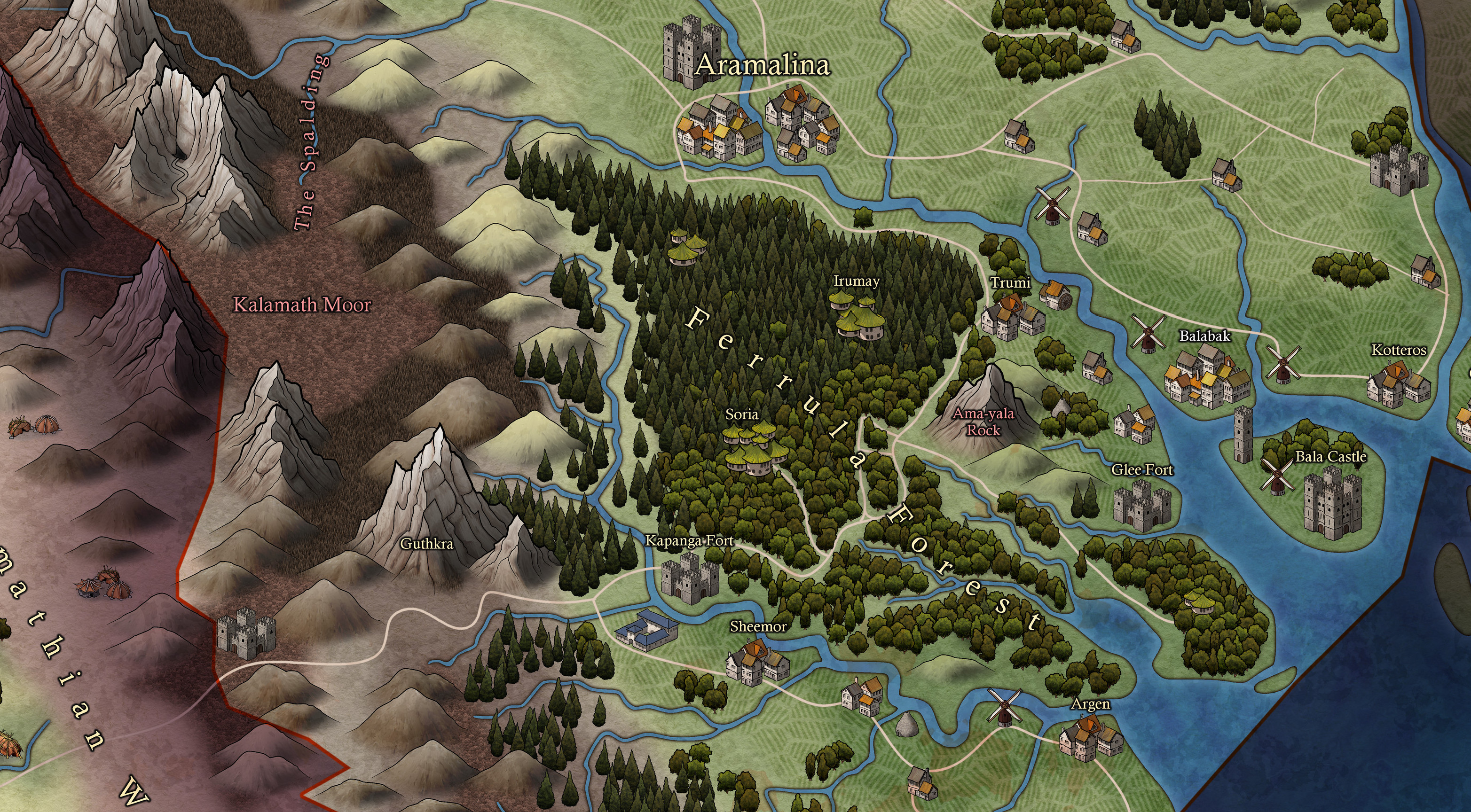
Here is the latest extract of the style showing some of the structures I've been working on.
![[Deleted User]](https://secure.gravatar.com/avatar/c75d9a245b74d9c59be0999ea81ca541/?default=https%3A%2F%2Fvanillicon.com%2F92add7f8c954488718110edc4896ad39_200.png&rating=g&size=200)








-
Community Atlas 500th map and 4 year anniversary competition with prizes.
And this is mine.
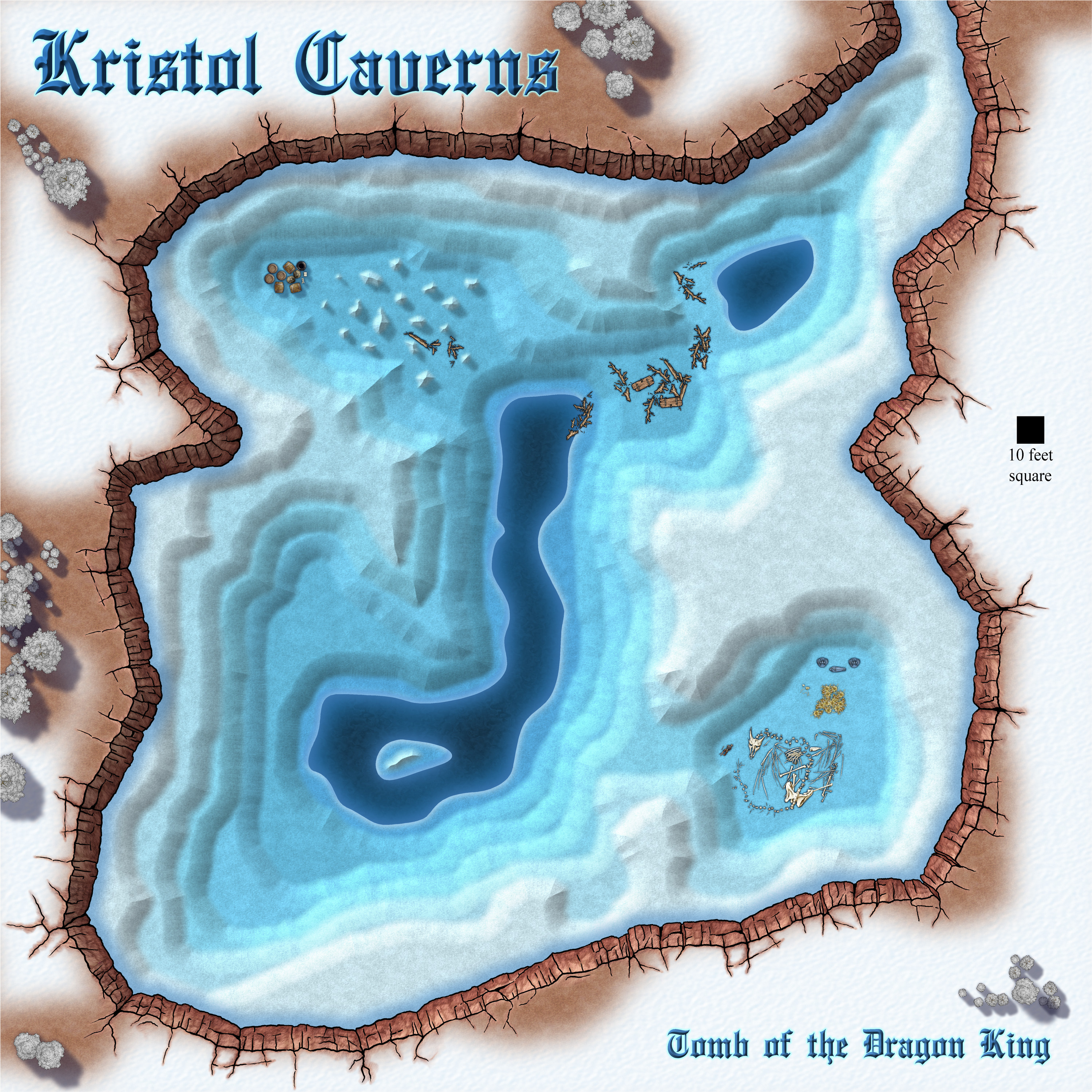
These don't really qualify as map notes. They are more of a description, or a tourist guide if you like.






 and 3 others.
 -
How to edit an already-drawn coastline?
If you drew the landmass with a drawing tool and haven't moved it to a different sheet and/or layer you can pick the same drawing tool and edit it by pressing E on the keyboard. Read the Command Line prompts for instructions as you go.

-
Community Atlas competition: Kristol Caverns
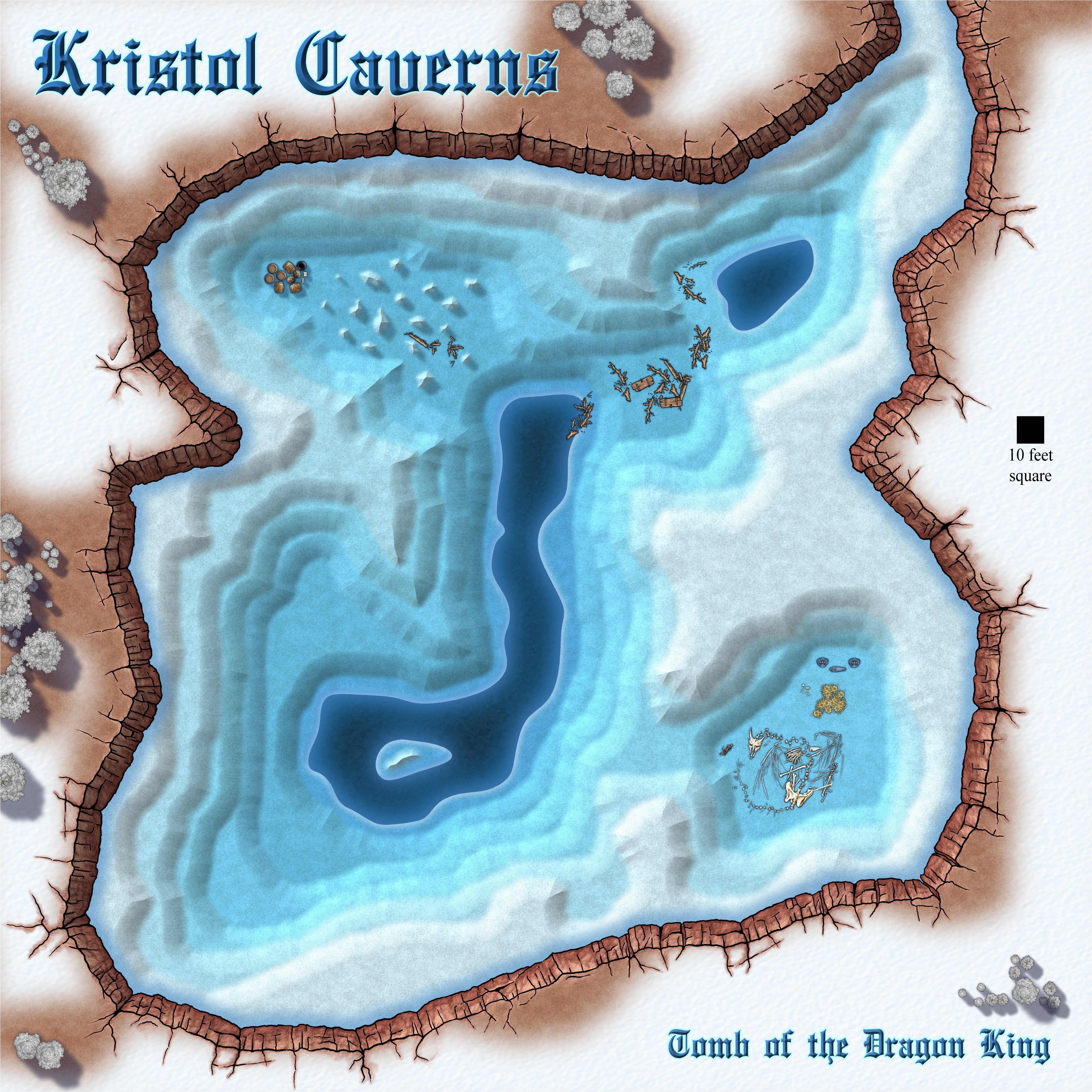
I think this is as done as I can do it right now.
...
The Kristol Caverns are home to an undead dragon who is cursed to guard the bones of his rider, the Dragon King, for all eternity until the end of time, when it is believed he will rise again. There's plenty of gold just lying around, and intended to fund the King's last campaign (whatever that might be), but don't let the decomposed state of the dragon deceive you. If you look you can see that the remains of the man near his nose are far more recent than the bones of the dragon.
Smugglers have made use of an inaccessible part of the cavern closer to the entrance. Maybe they aren't even aware of the King and his beast, or maybe they found him, and that's one of them lying there in the dragon's lair.
...
Any suggestions for improvement (including to the story) that won't take more than a couple of hours to do are welcome :)

-
CC3+ keeps crashing
Here is a brief troubleshooting checklist:
- Before you install the software switch off any AV you may have running, and make sure you are online.
- Make sure all your installers are fresh, and haven't been sitting in your download folder for several months or years, and install the core app first (CC3+) by right clicking the installer and picking Run as administrator.
- Close CC3+ and then run the installers for any add ons you have, and finally install the latest update.
- Never install any part of the software with the app still open, but allow the app to open itself at the end of each installation as it is set to do by default, then close it even if you mean to use it straight away. Reopen it for use.
- Don't forget to turn your AV back on at the end of the process.
If you have done everything this way and you are still having trouble you might have a corrupted installer, which can happen sometimes over slow connections. So it might be worth re-downloading the installers and running them again in repair mode.
Those are all the things I can think that might have gone wrong, so if you are still in trouble it would be time to contact Tech Support through your account page.

