Avatar

Loopysue

Loopysue

About

Username
Loopysue
Joined
Visits
10,120
Last Active
Roles
Member, ProFantasy
Points
9,981
Birthday
June 29, 1966
Location
Dorset, England, UK
Real Name
Sue Daniel (aka 'Mouse')
Rank
Cartographer
Badges
27

Latest Images

  • shadows in a top-down cave

    I hope you don’t mind me pasting your words below and responding to them there.

    I don't mind in the least. It clarifies what you want me to explain. I've quoted you so you can see what bits of my explanation related to which query you have. However, I haven't also quoted myself again as that would create a phenomenally long post, but I hope you can tie up the explanations.

    Me: I want the whole cave to be visible, but the table with the food on it and the fire to be highlighted because in The Lion, Witch & the Wardrobe that is where the action takes place (technically, there isn’t a bedroom, but I added it because this is an “inspired by” thing, not a draw-over).

    You can do that by adding more light sources on candles and lamps, or just by giving the one light source in the fire a much wider range (say double it). Use Numeric Edit to adjust it's range.

    If you adjust the shadow colour in the Finalize to a colour that is too pale you effectively have no shadows at all, and therefore no lighting effect. For there to be light, there must also be shadows to show that it is indeed light.

    Me:

    I was copying Remy’s video tutorial at this point. Also I wanted some kind of shadow and this was the only way I could get any sort of shadow. You should have seen the colour coded shadows in a previous version of the map!

    I think there may have been a misunderstanding. The Setup effect is used to cast shadows, so it's counterproductive to add it to the same sheet the light source is on. That's why I moved the light to it's own sheet without any sheet effects. Using a LIGHTS sheet will also help you keep things clearly organised if you add more lights and keep all your lights on a single sheet of their own.

    The other counterproductive thing that was going on at the time was that the light source was placed within a symbol (the fireplace) that had a Setup sheet effect on it. This restricts the light from affecting the scene as much.

    You had already found the solution to fitting the light to the opening of the hearth by setting the angle of the light to fit it. That was enough. No shadow on the fireplace was required so I deactivated it.

    Me:

    I’m not quite sure what you mean here. The magenta shapes are the walls!

    The magenta shapes are the air in the cave where the walls are cut away and no longer exist. The walls are what remains after the Color key. That's why I had to add a Color Key to the SHADOW STOPPER sheet before the Setup effect - to make the cave extent on that sheet identical to the actual cave.

    ...

    If you are wondering how I quoted this way, when you paste the paragraph you want to quote into your new comment, highlight the paragraph and click the bakcwards 'P' syntax mark in the buff border on the left


    Don Anderson Jr.
  • shadows in a top-down cave

    The first thing I did was hide everything except the sheet with the current Wall Shadow, Point Light Finalize, and the only Wall Shadow, Point Light Setup effects on it (I will call this effects Finalize and Setup from here respectively) - the symbols fireplace sheet. I also moved the light itself to a new sheet called LIGHTS

    I saw that you had set the ambient light in the Finalize effect to a pale yellow, so the darkest shadow you could ever get was pale yellow - and so, your entire map was yellow.

    Here I have turned the Shadow Color to the very darkest blue. Now you can see the light properly.

    There's still a problem, though. A strange dark halo around the fireplace itself is being caused by the fact that you have a Setup sheet effect on that same sheet. You are (or were before I deactivated it) putting shadows on the same sheet the light was on.

    I unhid the rest of the sheets, and discovered that sort of misty grey blurring all over the place was coming from the Wall Shadow, Directional on the WALLS sheet.

    I deactivated that too.

    As you can see, the current light in the fireplace area isnt' large enough to cross into the adjoining room, but if you make it large enough (I took the liberty of doing so using numeric edit) you can see there's nothing there to stop it.

    What is needed now is something that is a perfect match for the walls moved further up the list of sheets to be above the Finalize effect on the symbols fireplace sheet, and for there to be a Setup effect on that sheet with the size set to 0 (zero means an infinite shadow that no light can pass).

    You could just use the WALLS sheet, but that would cause the wall itself to become dark blue like the rest of the shaded parts of the map. I didn't think you wanted that, so instead I copied the walls to a new sheet I called LIGHT STOPPER, added the required Setup effect, and moved it into position just above the symbols fireplace sheet.

    Then I copied the door between the two rooms (which is on the store sheet) to the LIGHT STOPPER sheet to prevent the light getting through underneath it.

    I think this is what you wanted?

    I recommend getting rid of the bitmap glow. They don't work well with the lighting.

    If you want other sheets to cast shadows according to the light you will need to make sure they are above the symbol fireplace sheet in the sheet list and add a Setup sheet effect to each of them in turn. Deactivate any regular non-lighting shadow effects you happen to have on them. You can control the shadow length by making the Shadow Length variable in each Setup effect greater than the default zero.

    If you want to change the colour of the shadow, edit the colour in the Finalize effect on the symbols fireplace sheet.

    There's one major drawback here. If you edit the WALLS you will have to delete everything from the SHADOW STOPPER sheet and copy everything from the modified WALLS sheet back onto the SHADOW STOPPER sheet - all of it, including the majenta shapes.

    Royal ScribeHelenAA
  • How to install CC3+ on a different Drive

    Thanks for sharing the solution, Calibre :)

    Calibre
  • CC4 Overland Development Thread

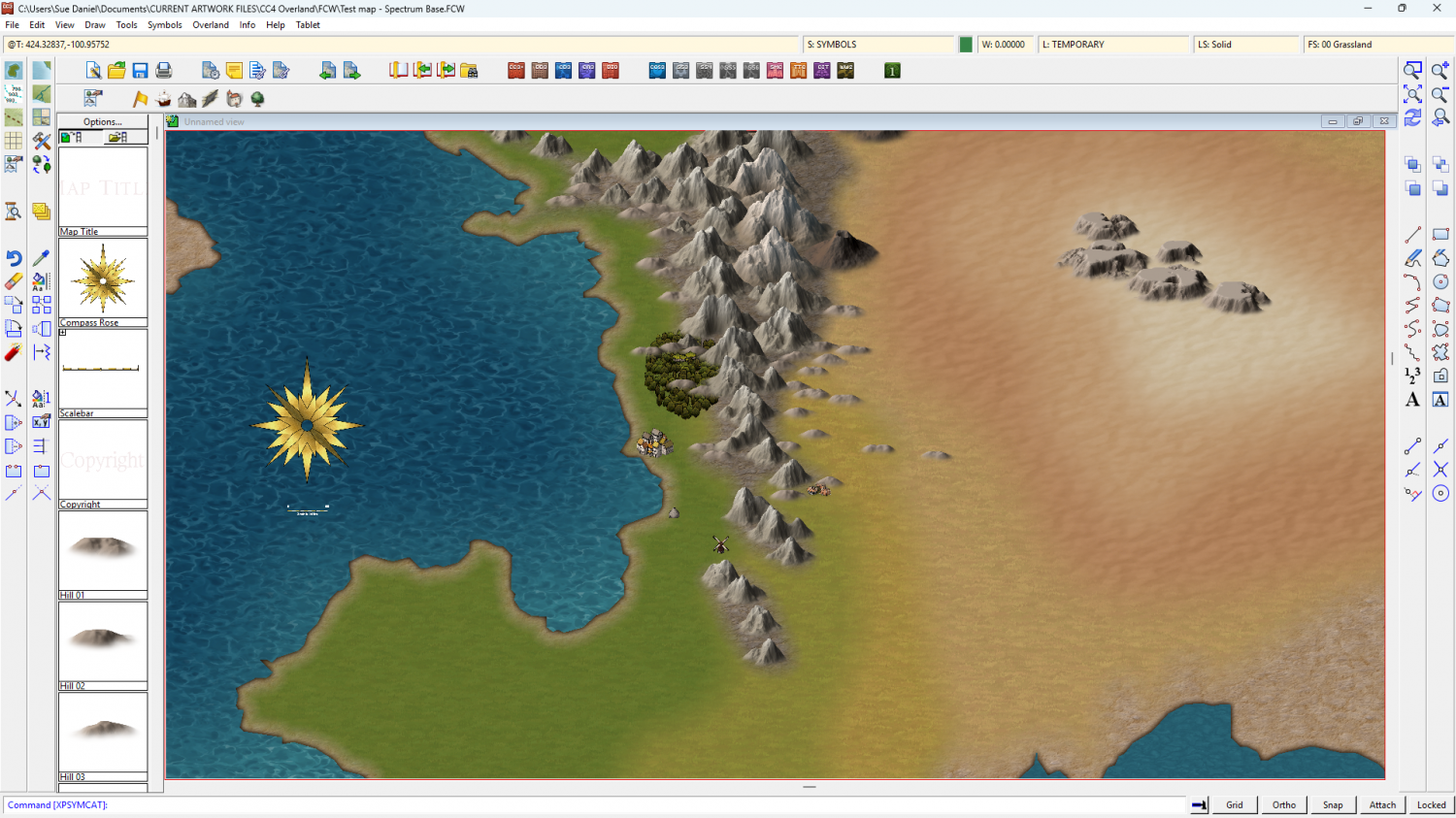
    Here's an idea I had the other day - to paint everything in Artrage. First I tried a grass texture, which unfortunately will have to be redone because the paint was too thick and left odd lumps.

    I've added a couple of Mike Schley mountains for scale, and the previous unpainted and very draft mountain I did a couple of weeks ago. If I go down the oil painting route for the whole style, the resulting maps will look like detailed oil paintings.

    Please ignore the funny lumps that look like I threw a bucket of dust at the canvas, and let me know what you think?


    Royal ScribeQuentenMapjunkieMaidhc O CasainKevinRickoCalibre
  • Inverse Shape to make an Ocean

    The template has a Color Key sheet effect on the WATER sheet, so if you draw an ocean that covers the map, and then move your land shape to the WATER sheet and use Change Properties to change the fill of that land to Solid and colour 6 (magenta), the land shape will cut a hole through the water to your land.

    I drew one here for you, using the Sea, Island drawing tool (which does the same thing)

    Then hit refresh (CTRL+R) to see the result.

    Ralf's demonstration of the style may help: https://www.youtube.com/watch?v=tE6L4_KjBc8

    SyrenthraDon Anderson Jr.Royal Scriberoflo1