


Loopysue
Loopysue
About
- Username
- Loopysue
- Joined
- Visits
- 10,414
- Last Active
- Roles
- Member, ProFantasy
- Points
- 10,161
- Birthday
- June 29, 1966
- Location
- Dorset, England, UK
- Real Name
- Sue Daniel (aka 'Mouse')
- Rank
- Cartographer
- Badges
- 27
Latest Images



-
How do you make your own terrain fills?
Most fills used in CC3 are seamless. That means the image can be tiled side by side or top and bottom without the join showing. Like this. (I've moved them apart a bit here to show what is meant).
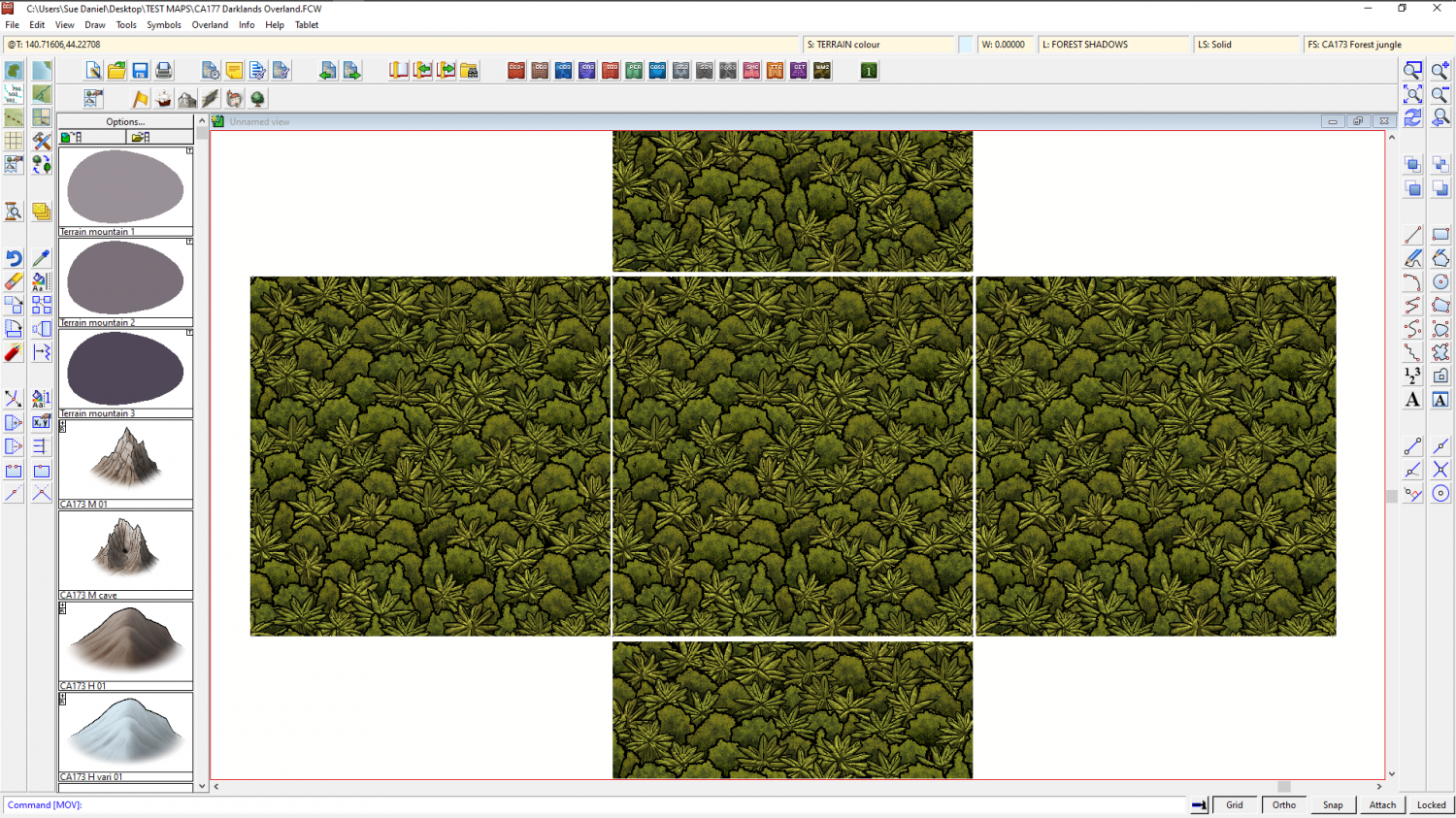
Most fills aren't that big - about 1000 px square, though some I've made are 1500, 2000, 3000 px square. It depends on how much variability you intend to put into it. If you have whole hills in a fill that can be really repetitive if you don't have a bit enough patch to put them in. Consider that if you import a fill that is 2000 px square, to match the resolution with the symbols you have in the map it should really be scaled to about 100 map units, or 100 miles/kilometres (overland symbols are usually 20 px per map unit).
To make a new drawing tool for your fill you could start with one of the two bitmap fill tools already available in the style, select it, then hit the New button and set it up to put your fill on a sheet of its own with its own edge fade, etc.
If you were making a fill of trees like the one above, I've written a short blog about how you can do that in CC3, but I doubt that will be relevant to a dirt fill. https://rpgmaps.profantasy.com/generating-seamless-tiles-part-1-making-seamless-tiles-in-campaign-cartographer/


-
How do you make your own terrain fills?
Yes to all of those combined questions.
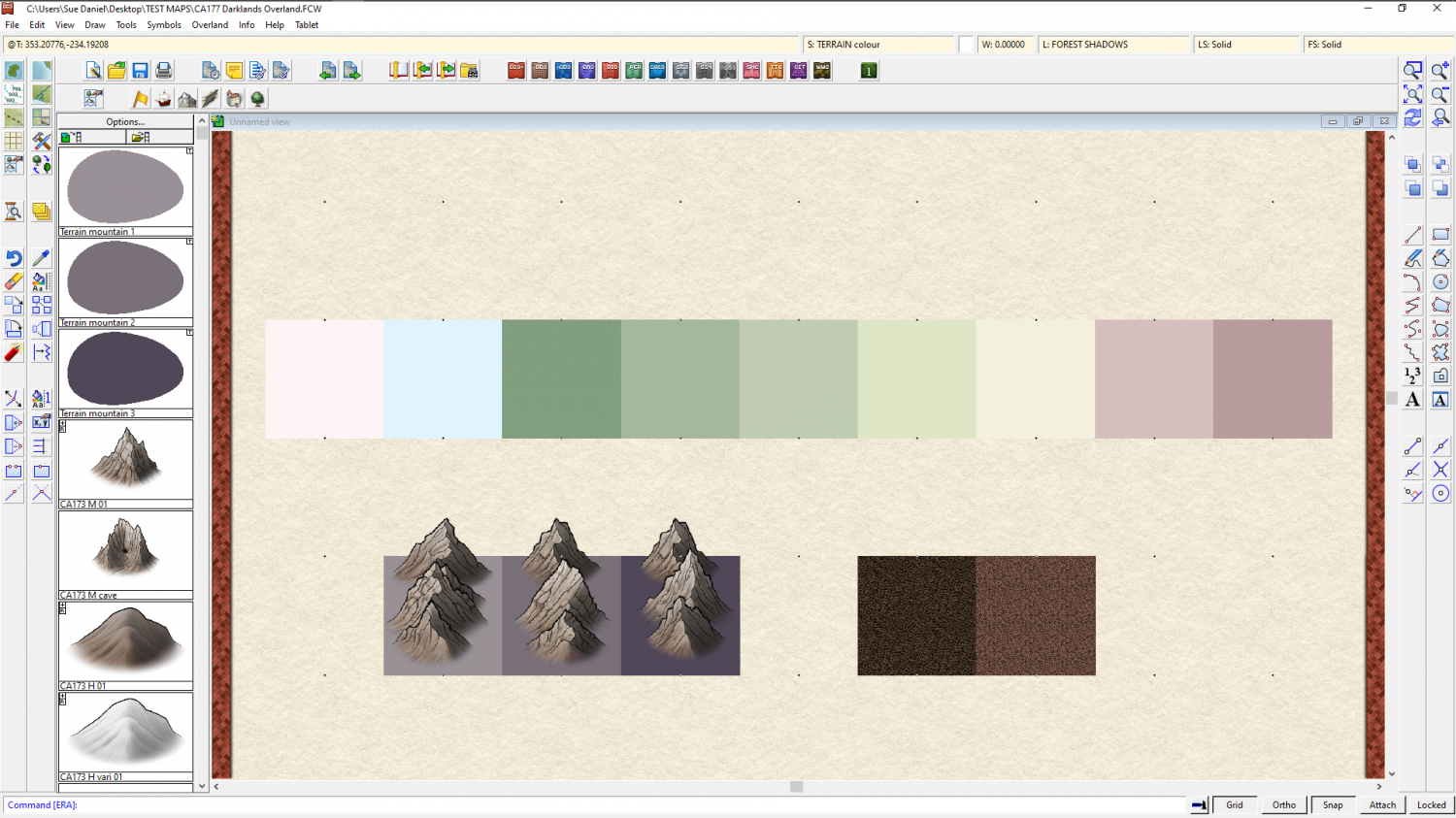
Most of the terrain fills in Darklands are plain coloured polygons, with the exception of 2 actual bitmap textures (scrub brush and scrub heath). You can see this if you turn off the sheet effects on the TERRAIN COLOURS sheet, as I have below.
In this image I have also hidden the DIRT sheets at the bottom of the list to make everything a bit easier to see.
Here they are again with everything showing and all the effects switched back on, but without the blur effects active.
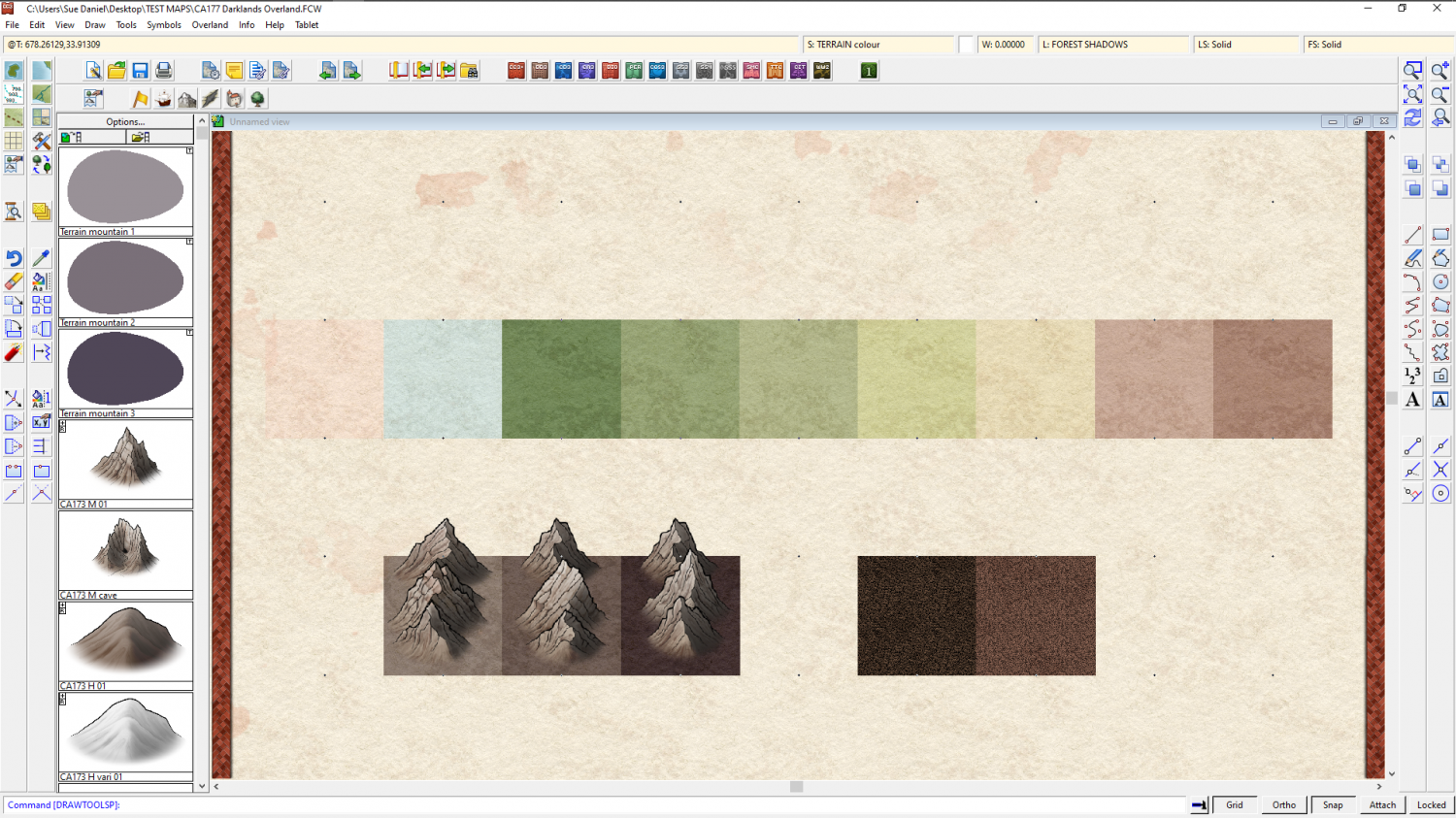
You may notice that there are two terrain fills that have no drawing tools at the left hand end - the pale pink and blue. These are the colours I reserved in that row specifically for a snow terrain fill. However, I never got that far in the development of the style, so all you have is those two colours. Pure white, by the way, is generally speaking not a great idea, since it gives the impression that there is nothing there when you use it in a colour map. You will see this more clearly if you google snow from above, or seamless snow texture. Most of what you will get is varying shades of blue and blue-grey.
So, you actually have a choice of two colours you could use for snow, or a mixture of both. The real problem is that because I never got around to doing it there are no varicolour mountains that you can turn conveniently white, or part white. There are hills, but the mountains only come in one colour right now.
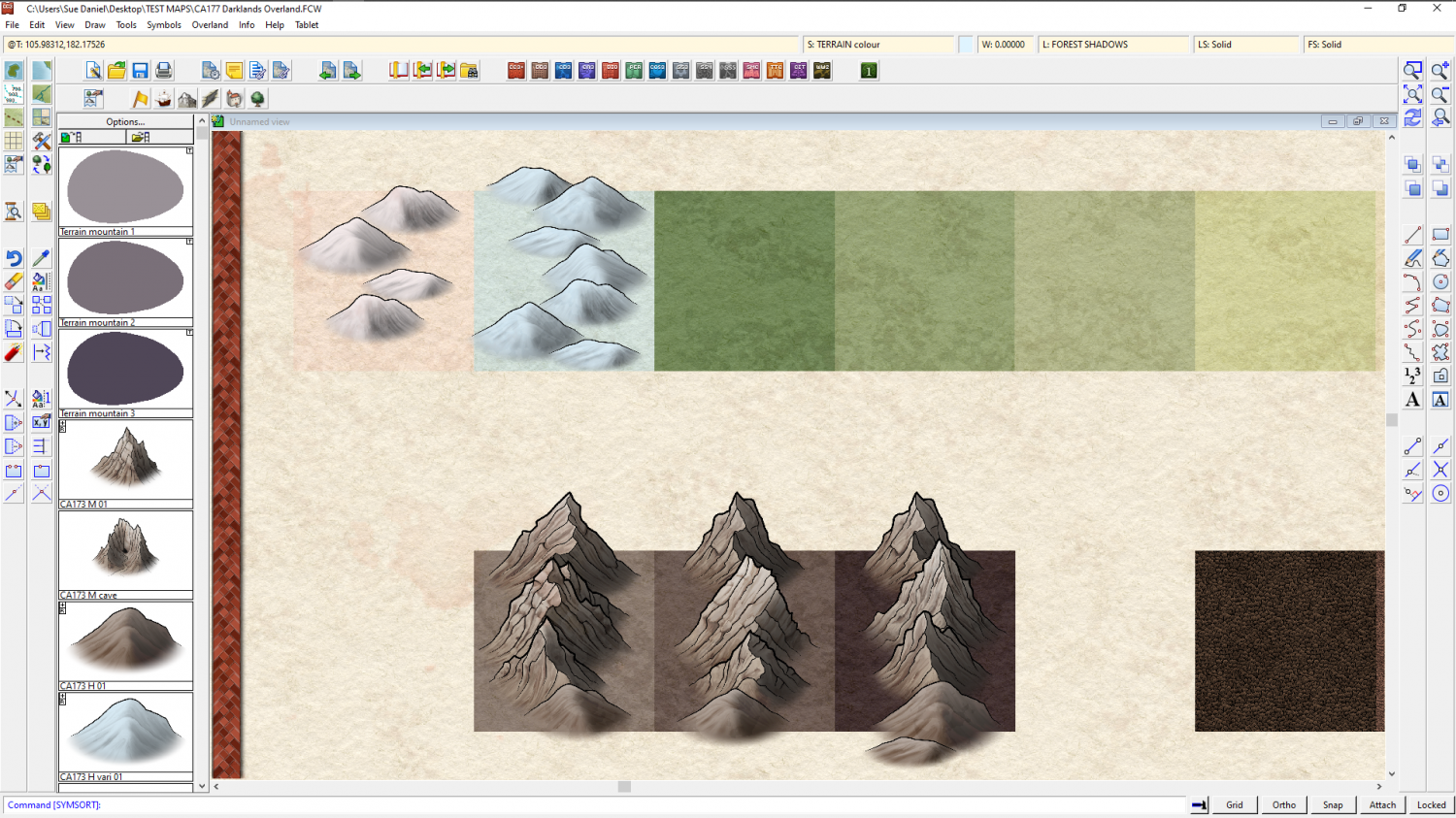
You can, of course, duplicate all the mountain symbols and make your own varicolour mountains. That is up to you, if you want to go that far, but then you also have to consider there are no snowy trees, and no varicolour trees either.
The instructions on how to make varicolour symbols, if you want to have a go at this, are contained in the Tome of Ultimate mapping. And/or, if you don't mind a pretty long WIP thread I could help you with them here on the forum.


-
Fantasy B&W Map
Here's a checklist:
- Check that the sheet with the parchment on it is on top of everything else (bottom of the sheet list).
- Make sure you have a Blend Mode sheet effect on that sheet, and set it to Multiply and 100%
- Type the command DELAYDRAWSYM and set it to 1
That should work, but if it doesn't shout again.
-
My first completed map utilizing CC3+
Hi Sam :)
I can see that you have spent some time thinking about this map. It shows in the details.
I have to confess that a wall of text is not an easy thing for me to absorb and process all in one go, so my comment is a general suggestion more than anything. I can also see that you're already doing some of these things.
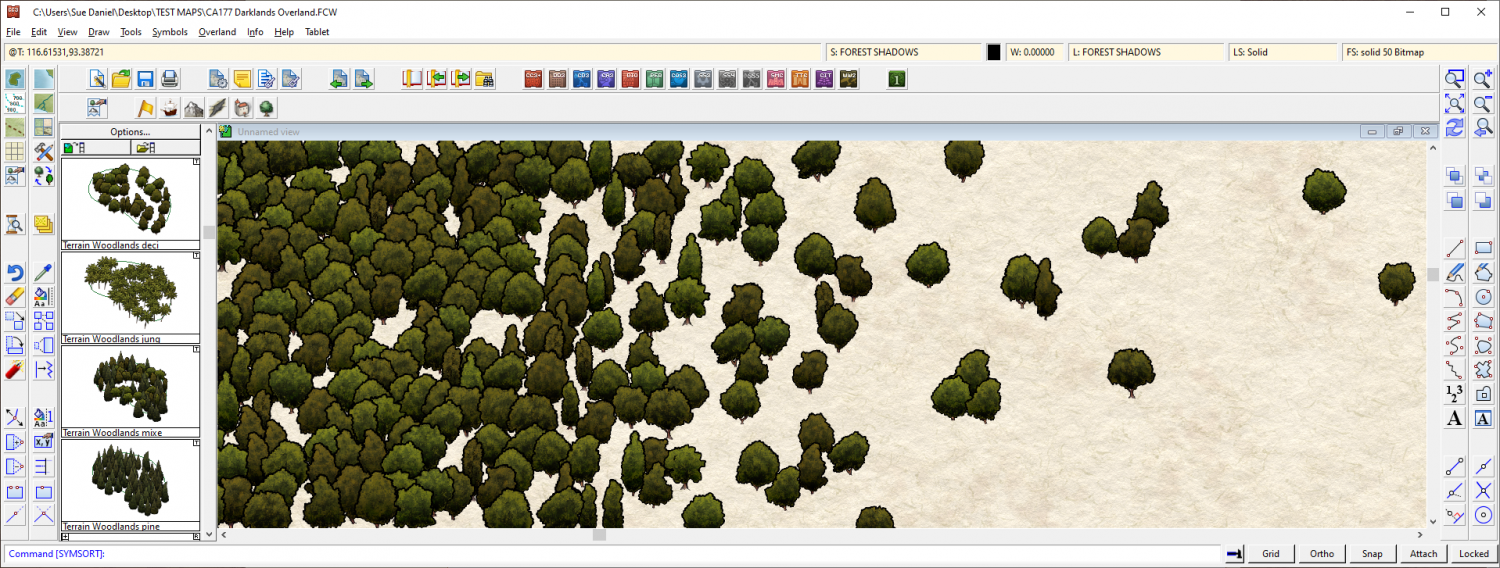
When you start a map get the coastline set down first and then lay down the mountains, deserts, plains, rivers, swamps and forests in that order, and spend some time tweaking each of those things as you work until you are happy with the entirety of the wilderness in its natural state. You might need to increase some of the Edge Fade Inner widths to make the blending of terrains look more natural, for example. I am forever doing that in my own overland maps, and can end up with EFIs that are hundreds of miles wide. But that's how it is in the real world. Normally anyway, unless mankind has interfered with irrigation or by mowing down the forest. Where you reach the edge of a forest and want to blend it into a more open savannah landscape, The trees need to be placed more gradually further apart, rather than suddenly being more spaced out. Its more of a sliding scale than a sudden change - a gradient fill of trees. Notice how they also tend to grow in small clumps of 3 or more. Isolated large trees with even spacing is more orchard-like - more manmade.
Once you are happy with your uninhabited world you can then consider where the best soil would be for farmland and how easy it would be for early settlers to get to it and use it. Then clear some of the forest or plough some of the plains and finally place the settlements where they would be most likely to occur, given the local availability of food, resources, trade and defendable situations.
Most villages grow up where fishing, mining, trade or farming is good. Those among them which also find themselves to be on a major trade route for everyone else also tend to become market towns, places of worship and administration - eventually cities if they also happen to be not too difficult to defend.
All of these are considerations I use myself. Some of them you might not agree with, but we each have our own way of working out what goes where. I hope at least some of it helps :)
EDIT: I forgot to say (because I was too busy trying to write suggestions without rambling too much) that's a pretty good map as it is :)




-
No toolbars
This is a real wild card, since I'm more of an artist than a tech, but Remy had this suggestion to a similar but not identical issue a while back. You could try this?
I recommend closing CC3 and running that exe file from the directory.
